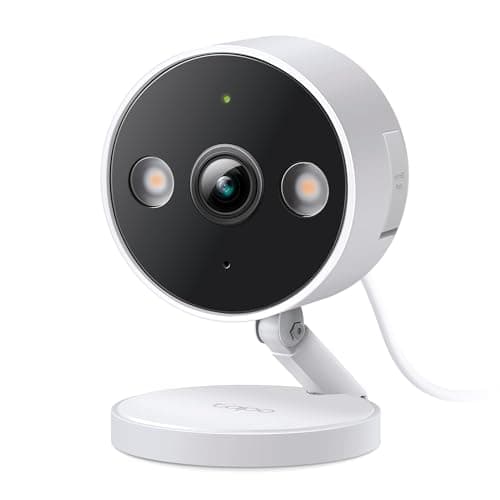
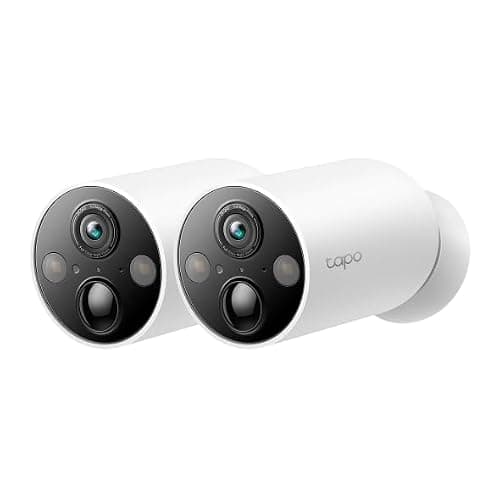
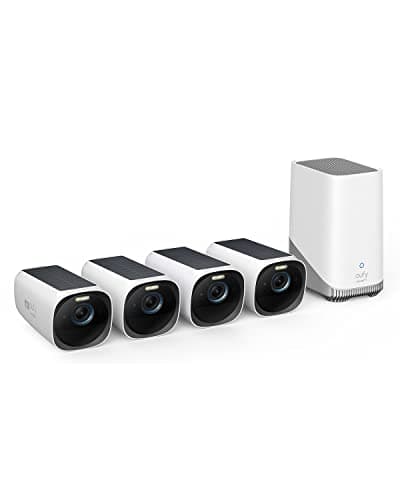
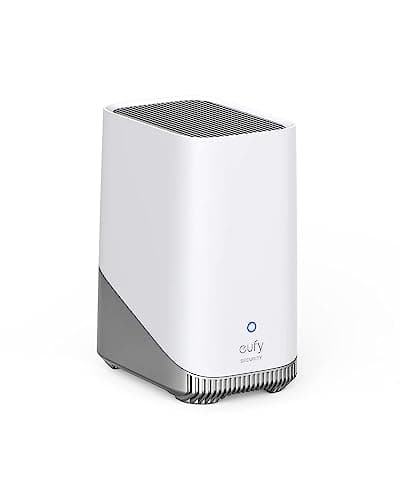
These are the two brands that come up most often on this site when someone wants cameras without a monthly bill, and they arrive at that result from opposite directions. eufy builds a system: cameras that talk to a base station, with the storage designed in. Tapo builds cheap standalone cameras and leaves the storage to you, in the form of a memory card you supply. Both approaches genuinely avoid a plan. They fail in different ways, cost different amounts and suit different properties.
The head-to-head
Compiled from manufacturer specifications, October 2026. Prices on this page are live from the Amazon API and stamped as of October 6, 2026. | eufy | TP-Link Tapo |
|---|
| Where footage is written | Onboard the camera, or a HomeBase in the house | A microSD card you buy and fit yourself |
|---|
| Retention is decided by | Drive size in the base — up to 16TB on HomeBase 3 | Card size, per camera |
|---|
| Continuous 24/7 recording | Not on the battery and solar cameras here — motion clips only | Yes, on the mains-powered wired camera |
|---|
| Typical power | Battery with integrated solar | Rechargeable battery, or mains |
|---|
| Resolution on the models here | 3K on the SoloCam, 4K on the eufyCam 3 kit | 2K+ |
|---|
| Subscription for core function | None | None |
|---|
| Price class | Upper mid-range to premium, especially as a kit | Budget, and the cheapest entry on this page |
|---|
The row that decides most of these purchases is the third one. Everything else on the table is a difference of degree; continuous recording against motion clips is a difference of kind, and it is the thing buyers most often discover after the camera is on the wall. Why that gap exists, and what a motion-triggered camera does and does not capture, is worked through in do security cameras record all the time.
Storage: a sealed system against a card you own
eufy's design decision is that storage is part of the product. On the SoloCam S340 the recording is written onboard the camera itself; on the eufyCam 3 kit it goes to a HomeBase 3, which takes an internal drive of up to 16TB and runs its face recognition on the box rather than in a cloud. That is a strong position. Retention stops being a plan tier and becomes a hardware decision you make once, and the processing that identifies a familiar face never leaves your house.
It is also a closed position in two ways worth stating. The HomeBase serves eufy cameras and nothing else, so you are buying into one brand for the life of the installation. And when the medium is sealed into the device, a stolen camera takes its footage with it — the honest trade against a cloud system, and one almost nobody in this category writes down. A base in the house concentrates that risk rather than removing it.
Tapo does the opposite. Each camera takes a microSD card that you buy, fit and can remove, which means you choose the capacity, you can read the card in a computer, and replacing a failed camera does not strand the recordings. It also means the storage is per camera rather than pooled, so four Tapo cameras are four cards to think about, and a card is a consumable: flash wears out, and a card doing continuous recording wears out faster than one catching occasional clips. Buy a card rated for continuous video surveillance work rather than the cheapest one on the shelf. The general version of this argument — local medium against a cloud account — is in local storage versus cloud security cameras.
Power: solar on one side, a socket on the other
eufy's answer to the charging problem is the sun. The SoloCam S340 has an integrated solar panel, and so does every camera in the eufyCam 3 kit, which makes them install-once devices in the places that genuinely get direct light. In the places that do not — a north wall, a deep porch overhang, under an eave — the panel is decorative and you have bought an expensive battery camera you now have to climb up to recharge. That is the single most common way this brand disappoints people, and it is a siting problem rather than a product fault. The whole solar field, including how to judge a mounting spot, is ranked in our solar camera roundup.
Tapo splits the difference by selling both. The MagCamis wire-free with a magnetic mount, which is the fastest camera here to site — and repositionable, which matters more than it sounds, because almost nobody picks the right view first time. Its weakness is in the same sentence: a camera held on by a magnet and within arm's reach is a camera that can be lifted off the wall, so mount it high or buy something bolted. The wired 2K+ camera takes mains power instead, which removes the charging cycle entirely and is what makes its continuous recording possible. It needs a socket within reach of the mounting point, and running an outdoor-rated supply to a soffit is a bigger job than the camera costs.
Image quality and what it is worth
eufy wins this on paper and in practice: 3K with a second zoomed lens on the SoloCam, 4K across the eufyCam 3 kit, against 2K+ on both Tapo models. More pixels on a distant subject is the one spec that genuinely cannot be fixed later, and if the camera is looking down a driveway or across a yard it is the spec to spend on — that case is ranked separately in our driveway camera rankings. If the camera is watching a side gate eight feet away, 2K is already more detail than the scene contains, and the money is better spent on a second camera covering somewhere else.
One more thing belongs in this section because it is a reason people choose between these brands and not a specification. eufy has previously had to account publicly for how its cloud handled thumbnail images, and that record is a fair thing to weigh before buying into a single-brand system. TP-Link's app and firmware support is more consistent than most of the budget field, which is the argument made at more length in Wyze vs Tapo. Neither point decides the purchase on its own; both are the kind of thing worth reading about for ten minutes before committing to an ecosystem.
Which one should you not buy?
Skip eufy if you want one camera. The economics of this brand improve with the system — a base, several cameras, one drive — and a single eufy camera is an expensive way to watch one door. Skip it too if the only sensible mounting spot is shaded, because the solar premium is then money spent on nothing.
Skip Tapo if you need 4K reach, or if you want pooled retention across several cameras rather than a card in each one. And skip both brands if the thing you actually want is a camera your own software can read: neither is the brand we would point at first for published RTSP and ONVIF support, which is the whole subject of eufy vs Reolink. The rest of the head-to-heads live at the comparisons hub, and the way we rank without a test lab is published at our methodology.
The decision rule
- Buy eufy if you are covering a whole property, the mounting spots get real sun, you want retention decided by drive size in one place, and you are content to stay inside one brand for the life of the installation.
- Buy the wired Tapo if you want continuous 24/7 recording for the least money and there is a socket within reach. Nothing else on this page records the car that was already parked when the motion sensor stopped caring.
- Buy the Tapo MagCamif you want a camera up in ten minutes, in a spot you may change your mind about, mounted out of arm's reach.
- Buy neither if you want the stream readable by Home Assistant, Frigate or Blue Iris, or if you want footage held somewhere other than the building it was shot in. Both brands keep the recording on site by design; that is the feature and also the risk.
What decides the price
Three things, in order: the power system, the sensor and whether a base station is in the box. Integrated solar is the biggest single premium on this page and the reason eufy's cameras cost what they do; a 4K sensor is the second; a HomeBase with room for a large drive is the third, and it is also the thing that makes a four-camera eufy system cheaper per camera than a one-camera eufy purchase. Tapo is inexpensive because it does none of those three — and because the storage cost has been moved onto your shopping list as a card. Factor the card in when you compare, and factor in a bigger one if you intend to record continuously. Neither brand adds a monthly fee, which is the arithmetic that actually separates both of them from the mainstream alternatives in our subscription cost comparison.
The mistake buyers make
Comparing the two on resolution. The specification that changes what you will actually have on the day something happens is the recording mode, not the pixel count: a 4K motion-clip camera that decided nothing moved has no footage at all, and a 2K camera recording continuously has forty-three gigabytes of it. Decide continuous against event-triggered first, then pick the resolution you can afford inside that choice. The second mistake is buying a solar camera for a shaded wall. The third is treating a video doorbell as one of these cameras — the front door is a different job with different hardware, covered in our Reolink Video Doorbell review and across the doorbells hub.