This comparison is not close on capability and it is not close on price, which is what makes it interesting: the two answers point in opposite directions. Wyze sells the cheapest competent camera hardware on the market by a wide margin. eufy sells hardware that costs several times as much and then asks for nothing at all — no plan, no tier, no gated feature — and has a cleaner published record. The real axis is entry price against total cost and trust, and the honest resolution turns on where the camera is pointed rather than on which brand you like.
eufy vs Wyze: the short answer
Buy Wyze for low-stakes exterior and utility positions where the entry price is the point: a driveway, a shed, a garage, a side passage. Buy eufy for anywhere private, anywhere that matters, and anywhere you intend to keep for five years — because eufy's features are not plan-gated and its incident record is cleaner. Both record to a local card without a subscription, so this is not a storage-model fight the way Ring vs eufy is.
The decision rule in one line: decide by placement, not by brand. Wyze outdoors and in utility spaces; eufy indoors, at the front door, and anywhere the footage would be uncomfortable to lose control of.
Head to head
Five models, covering the three jobs people actually buy for: an exterior camera, an interior camera, and a doorbell. The columns are the ones that decide it.
Compiled from manufacturer specifications and published support documentation, July 2026.| Model | Local storage | What a plan unlocks | Power | Best placement |
|---|
| eufy SoloCam S340 | Onboard, plus HomeBase if paired | Nothing needed — optional cloud backup only | Integrated solar | Exterior, install-once positions |
|---|
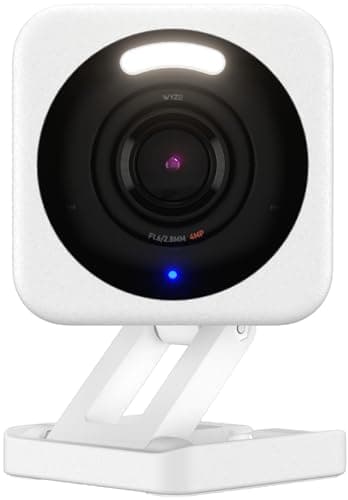
| Wyze Cam v4 | microSD in the camera | Cam Plus adds the smarter detection tiers | Mains | Garage, shed, driveway |
|---|
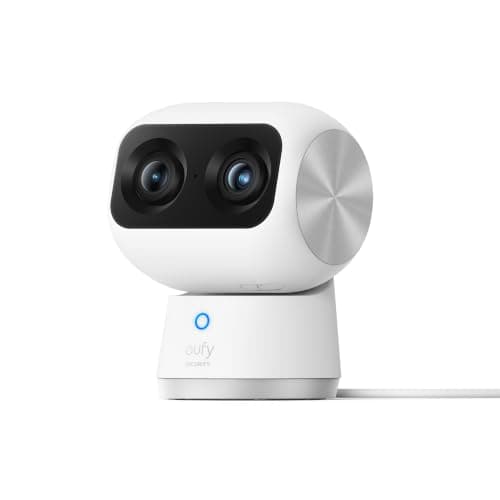
| eufy Indoor Cam S350 | microSD, with full playback | Nothing needed | Mains | Interior rooms, pan and tilt coverage |
|---|
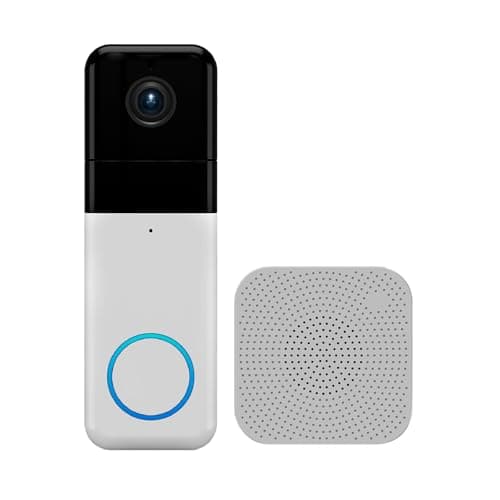
| Wyze Video Doorbell Pro | Local, with chime included | Cam Plus adds the better detection | Rechargeable battery | Front door on the lowest budget |
|---|
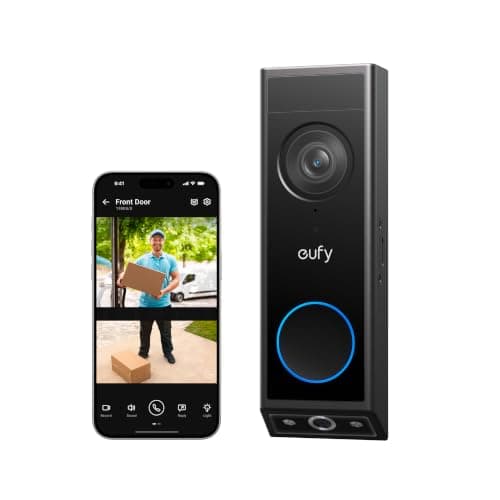
| eufy Video Doorbell E340 | On the doorbell or a HomeBase | Nothing needed | Transformer or battery | Front door where packages matter |
|---|
Wyze's case, stated fairly
Nothing else records 2.5K to a local card at the Wyze Cam v4's price. That is not a marketing claim, it is the reason the brand has the market position it has. For a shed, a garage interior, a driveway or a side passage — positions where you want to know something happened and you are not going to build a case around the footage — Wyze is genuinely the rational purchase, and buying a camera four times the price for that job is not a better decision, it is a worse one.
The doorbell follows the same logic. The Wyze Wireless Video Doorbell Pro puts a 1:1 aspect ratio, a chime in the box and wire-free installation at a price that undercuts everything else in the field. A 1:1 frame showing the full doorstep is unusual at any price and almost unheard of at this one.
Wyze also has one asset eufy does not: an unusually active third-party community, and a body of documentation and firmware work around the hardware that has kept older models useful well past the point their manufacturer stopped caring.
Where the low price stops being cheap
Two costs sit behind the sticker, and neither is hidden — they are simply not on the front of the box.
The detection features are plan-gated. Local card recording on a Wyze camera is free. The smarter detection tiers — the ones that tell you a person rather than a moving branch triggered the clip — sit behind Cam Plus. That is a per-camera recurring cost with the same compounding shape as any other plan, and it lands on exactly the feature that decides whether you keep notifications switched on. eufy runs its detection on the device and charges nothing for it. Multiply a small monthly figure by several cameras and five years and the hardware price gap narrows considerably; we keep the arithmetic in the subscription cost comparison rather than quoting a figure that changes.
The capability gap is real. The eufy Indoor Cam S350 is 4K with a second telephoto lens and 8x zoom on a 360-degree pan-and-tilt mount. The SoloCam S340 has integrated solar, so it is installed once and never comes off the wall for charging. Wyze sells competence; eufy sells capability. If the specification is what you are buying, the price difference is buying something.
Wyze's disclosed security history, stated once and neutrally
Wyze has publicly disclosed security incidents. In 2019 a database exposure affected a large number of user records. In 2022 researchers published that a camera vulnerability had gone unpatched on an older model for an extended period. In 2024 the company itself disclosed an incident in which a caching fault briefly showed some users thumbnails from other users' cameras, and published its own account of what happened and how many accounts were affected.
Those are documented events with company statements attached, not rumors, and they are also not a verdict. Every manufacturer in this category has a security surface and most have incidents; Wyze's distinguishing characteristic is partly that it discloses. What the history changes is the weighting, and it weighs differently by placement. A driveway camera shows the street, which anyone walking past can already see. A nursery camera or a bedroom camera shows something else entirely, and the consequence of a caching fault is not symmetrical between the two.
That is the whole reason this page's decision rule is about placement. It is not that Wyze is unsafe and eufy is safe — eufy has its own published disclosures, covered on the Ring vs eufy page. It is that the cost of an incident scales with what the lens is looking at, and you should let that, rather than a brand's reputation, decide where each camera goes.
Indoor cameras are a different purchase
An outdoor camera watches a semi-public space. An indoor camera watches a private one, and it does so while connected to the internet, which makes it the highest-consequence device in most houses. Three practical rules apply regardless of which brand you land on.
Put indoor cameras only in shared spaces — hallway, landing, kitchen, entry — and not in bedrooms or bathrooms. Prefer a camera you can physically point at a wall when you are home; the eufy S350 repositions rather than closing a shutter, which is worth knowing if a hardware privacy shutter is your requirement. And treat detection features that require uploading footage as an explicit choice rather than a default.
Doorbells: a genuinely close call
The doorbell pairing is the one place the price gap is hard to justify on capability alone. The Wyze doorbell's 1:1 frame does show the doorstep, and it does include a chime, and it is wire-free. The eufy E340 answers with a second downward camera dedicated to the step, works wired or on battery, and gates nothing behind a plan.
The reason we still steer buyers to eufy at the front door is placement again: the front door is the camera that sees your family arriving and leaving, on a schedule, at a known address. That is a different privacy category from a driveway. If budget makes the Wyze the only option, it is a real doorbell and it will do the job — but read the brand's published incident history first and make the trade knowingly. The rest of the field is ranked on the video doorbell roundup.
The decision rule
Placement decides this, not brand. Read both lists and let the position on the wall pick for you.
Buy Wyze if…
- The camera points at a driveway, a shed, a garage, a side passage or a yard — a semi-public view where the footage is low-consequence.
- The entry price is the constraint, and the alternative to a cheap camera is no camera. A Wyze on the wall beats a eufy in the shopping cart.
- You want several cheap coverage points rather than one good one. Four Wyze cameras cover more ground than one premium camera, and coverage often matters more than resolution.
- You are comfortable with card-only recording and do not need the plan-gated detection tiers, so the recurring cost stays at zero.
- You have read Wyze's published incident history and judged it acceptable for this specific position.
Buy eufy if…
- The camera points anywhere private — inside the house, at the front door, at a window that shows a room.
- You want person detection without a recurring fee. eufy runs it on the device; Wyze puts the better tiers behind Cam Plus.
- You are keeping the system five years or more, which is where a small per-camera monthly figure quietly overtakes a one-time hardware premium.
- Mains power is not available at the mounting point. eufy's integrated solar makes an install genuinely permanent; the Wyze Cam v4 needs a socket.
- You want detail rather than presence: 4K, a telephoto second lens and real optical reach rather than a wide 2.5K frame.
What decides the price
Three things, in order. Power delivery first — an integrated solar panel and the battery management behind it cost more than a mains cable, and they are most of the gap between a SoloCam and a Wyze Cam. Optics second: a second telephoto lens and a real 4K sensor cost more than one wide 2.5K sensor. On-device processing third: detection that runs locally needs silicon in the camera, which is precisely the cost the cheaper brand avoids by running it in a cloud and charging you monthly for the privilege.
One thing that does not decide price at this level is storage cost. Both brands record to a microSD card, and a card is a card. Buy a high-endurance card rated for continuous video write in either case; a standard card in a camera writing all day is the most common avoidable failure in this whole category.
The mistake buyers make
The common mistake is buying one brand for the entire house. A house is not one placement problem, it is six or eight of them, and they do not have the same answer. The driveway, the shed and the side gate are Wyze problems. The hallway, the front door and the landing are eufy problems. Mixing brands costs you a second app and buys you a better outcome at a lower total price than committing to either one across the board.
The second mistake is assuming “records locally” means “no recurring cost.” Both of these cameras record locally. Only one of them puts the feature you will actually use every day behind a monthly plan. The difference between free storage and free function is the whole game, and it is what the no-subscription camera roundup sorts the field by.
How we compared these
Everything above is compiled from manufacturer specifications, published support documentation, company incident statements and vendor pricing pages. Products we claim to have tested: 0. The rubric and the sources behind every score are published on our methodology page, and the rest of this hub is indexed at comparisons. If the storage question rather than the price question is what brought you here, start with local storage vs cloud security cameras.
Wyze against the cheapest Amazon-owned line is the budget version of the same storage question, and the Sync Module is what decides it: Wyze vs Blink.