HUB 06 · Guides
How to Power an Outdoor Security Camera
There are four real answers and two bad ones. Which you pick decides whether the camera can record continuously, how often you touch it again, and where it can go.
We earn a commission if you buy through our links. It does not change the price you pay, and it does not decide our picks — our selection criteria are published in full. How this works.
Verdict
The bottom line
There are four real ways to power an outdoor security camera, and they rank the same way almost every time. PoE is best: one Ethernet cable carries power and video, the camera never needs charging, and it is the only option that makes continuous recording possible. A mains spur to an outdoor socket is next, and good if one already exists. Solar is the best wire-free answer where the spot gets real sun. A long-life battery is the right answer where it does not. The two methods to avoid: an indoor extension lead run out through a window, and a USB power bank in a plastic bag. Both work for a fortnight and then cause the failure you were trying to prevent.
Why the power decision comes first
Power is not a detail you settle after choosing a camera. It decides which cameras are even candidates, because it decides the one capability buyers most often assume they are getting: continuous recording. A camera can only record all the time if it is awake all the time, and it is only awake all the time if something is feeding it. That is why every 24/7 camera is wired and every battery camera records event clips, and it is a physical limit rather than a feature tier.
Power also decides where the camera can go, which decides what it can see. Most bad camera installs are the result of mounting where the power was rather than where the view was. Decide the view, then solve the power for that position — that order round, the install is worth having.
1. PoE — one cable, nothing to think about again
Power over Ethernet sends both the electricity and the video down a single Cat5e or Cat6 cable, up to about 100 metres from the switch. The camera has no battery and no mains adapter outdoors, there is nothing to charge, nothing to recharge, and nothing outdoors that needs a weatherproof plug socket. It is also the only route that gives you continuous recording, a searchable timeline on a recorder, and complete independence from Wi-Fi.
What it costs you is an afternoon. You need a PoE switch or a single-port injector indoors, a route for the cable, and a drilled hole with a drip loop on the outside so water runs away from the entry rather than into it. For a run between buildings, use outdoor-rated or direct-burial cable and keep it out of the same conduit as mains. If you are running the cable anyway, run a spare — the second camera always comes later. The PoE-versus-Wi-Fi trade-off in full is in our PoE versus Wi-Fi guide, and the wired field is ranked in our PoE camera roundup.
2. A mains spur — fine if the socket already exists
Plenty of houses already have an outdoor socket by the back door, under a porch or in a garage, and a mains-powered camera on a short, properly rated outdoor lead is a perfectly good install. It gives you continuous recording and never needs charging. A cheap wired camera on an existing socket is frequently better value than an expensive battery camera anywhere else.
Two cautions. Adding a new outdoor socket is electrical work with rules attached, and in most places that means a qualified electrician rather than a weekend — price that before assuming it is the easy option, because it is often dearer than the PoE run. And a mains camera still needs Wi-Fi for anything remote, so a mains spur solves power and not signal. If neither reaches, see our no-internet camera roundup.
3. Solar — the best wire-free answer, with one condition
A solar camera with an integrated or separate panel is genuinely install-once where the panel sees real direct sun: no trenching, no socket, no recharging cycle. For a garden wall, a south-facing gable or a shed roof in the open, it is the right answer and has been for several years now.
The condition is the whole product. A north elevation, a deep overhang or a tree canopy means the panel harvests almost nothing, and you have bought an expensive battery camera you must climb up to charge. Winter compounds it — short low-angled days, and a published charging cut-off that stops a cold cell accepting charge at all, which is the detail in our solar camera winter guide. Where the model allows a detached panel on a cable, use it: let the camera watch the shaded door while the panel sits in the sun.
4. Long-life battery — for the position with no sun and no cable
Some positions have no sun and no plausible cable, and for those a camera engineered around battery life is the honest answer rather than a compromise. Blink publishes two years on a pair of AA lithium cells, which is an order of magnitude beyond the rechargeable field and turns maintenance from a chore into an occasional event.
You pay for it in capability: 1080p rather than 2K or 4K, event clips rather than continuous recording, and a wake-up delay at the start of every clip because the camera was asleep. And check where the clips go — on current Blink kits the bundled Sync Module Core has no USB port and cannot store locally at all, so plan-free recording means buying a Sync Module 2 separately. The storage question in general is in local storage versus cloud.
The two methods to avoid
An indoor extension lead run out of a window.The connection is not rated for water, the window cannot close on it properly, and the first real rain finds the joint. It also puts a live mains connection where a thief can simply unplug the camera. If you need mains outdoors, you need an outdoor-rated socket installed properly, or you need PoE — which is low voltage and immune to both problems.
A USB power bank in a bag. It lasts days rather than months, condenses inside the bag, and fails in the cold. People try it as a trial run and leave it in place; the camera is then dark for most of the time it is needed. If the only available power is temporary, a long-life AA-lithium camera does the same job properly for less money.
One more honest option: move the camera.A camera three metres to the left, under the eave by the existing socket, looking at the same door from a slightly worse angle, is a much better camera than the perfectly-positioned one that is flat half the year. Where coverage genuinely needs to come from an awkward spot, two cheap cameras often beat one well-placed expensive one — and how many you actually need is worked through in our guide to how many cameras.
A short decision procedure
- Stand where you want the camera. Decide that is the view, regardless of power.
- Trace the shortest honest cable route from that point to somewhere indoors with mains. If it is under about 30 metres and does not cross a driveway, PoE and stop here.
- If there is an existing outdoor socket within a short lead, use a mains camera.
- If neither, look up at midday in winter. Direct sun on that spot most days? Solar.
- No sun either? Long-life AA-lithium battery camera, and accept event clips.
- Now check the Wi-Fi signal at that exact point. One bar means budget for a mesh node, or choose a camera you review on site.
The hardware for each route
The four products below are one per power path rather than a ranking: the PoE camera with optical zoom for a serious wired install, a PoE two-pack for adding cameras at sensible per-camera cost, the integrated-solar pick, and the cheapest competent mains camera for an existing outdoor socket. Their prices come live from the Amazon API and were last checked October 15, 2026. The whole category is at the cameras hub and the scoring rubric at our methodology.
The hardware
The hardware this guide is about
The products this guide refers to, with prices pulled live from Amazon and dated on every card. Full rankings live in the roundups linked above.
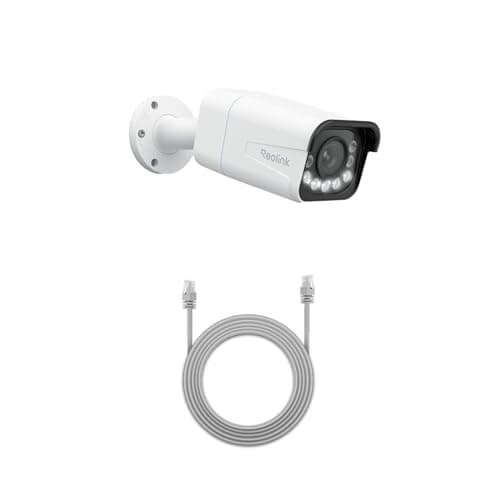
Best wired camera
Reolink RLC-811A (4K PoE, 5x zoom)
One cable for power and data, 4K with a real 5x optical zoom, and continuous recording to a card or an NVR. This is the camera for someone who wants a serious install rather than a convenient one.
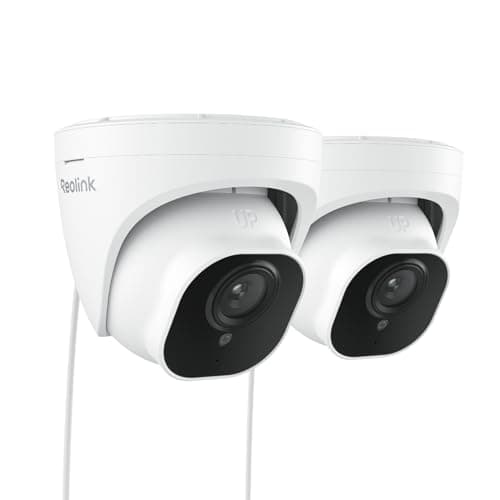
Best multi-camera value
Reolink RLC-520A PoE Dome (2-pack)
The sensible way to buy your second and third camera. A pair of wired PoE domes with the same RTSP and ONVIF support as the flagship, at roughly the per-camera cost of one consumer battery cam.

Best subscription-free outdoor camera
eufy SoloCam S340 (solar, dual camera)
Solar panel, pan and tilt, dual lenses and onboard storage — no wire, no monthly fee, and no recording leaving the device unless you choose to send it.
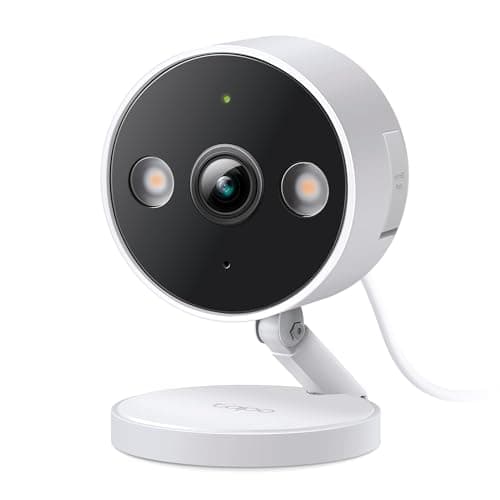
Best budget wired camera
TP-Link Tapo 2K+ Indoor/Outdoor Wired Camera
The cheapest camera here that does continuous recording. Plug it into a socket, put a card in it, and it records all day without ever asking for a card number.
#ad · As an Amazon Associate we earn from qualifying purchases.
Questions
Frequently asked
What is the easiest way to power an outdoor security camera?
Can I use an extension cord for an outdoor camera?
Do I need an electrician to power a security camera?
How far can a PoE camera be from the switch?
Can a security camera run on a power bank?
Keep reading
Related
- PoE versus Wi-Fi security camerasThe same decision from the networking side rather than the power side.
- Do solar cameras work in winter?Before you commit to the solar route, read the charging cut-off.
- Best PoE security camerasThe wired class, ranked.
- Best cameras for sheds and barnsWhere every one of these power paths gets tested at once.
Receipts
Sources
- Reolink — RLC-811A and RLC-520A PoE specifications and cable run guidance
- eufy — SoloCam S340 integrated solar specifications
- TP-Link Tapo — 2K+ wired camera specifications and mains power requirements
- Blink — published AA lithium battery life and Sync Module Core local storage limitation
We do not run a testing lab and we do not pretend to. Specifications come from the manufacturer's own published documents and from published standards; prices come from the live Amazon API. Where a figure is not published, the page says “not published” rather than guessing. Read the full method.