HUB 06 · Guides
Smart Lock Codes and Guest Access
A code you create in an app has to physically reach the lock. Where that happens, and what the lock does when it cannot, decides whether your dog walker gets in.
We earn a commission if you buy through our links. It does not change the price you pay, and it does not decide our picks — our selection criteria are published in full. How this works.
Verdict
The bottom line
To give someone access, create a code in the lock's app with a schedule attached, and check how that code reaches the lock before you rely on it. A lock with Wi-Fi built in, or a hub in the house, can accept a new code while you are at work. A Bluetooth-only lock cannot: the code exists in the app but not in the door until a paired phone comes within range. That one distinction causes most of the “I sent them a code and it did not work” stories in this category.
How do I give someone a smart lock code?
In the lock's app: add a user, set a code, and attach a time limit — permanent, a recurring schedule, or a single use. The part nobody explains is delivery. The code has to be written into the lock itself, because the keypad is checked by the lock, not by a server. How that write happens is the difference between a code that works tomorrow morning and a code that works the next time you walk past your own front door.
The three kinds of code
Permanent codes are for the household. One per person, never shared, because the whole point of separate codes is that you can remove one without re-teaching everybody a new number.
Scheduled codeswork only inside a window you define — weekdays between nine and five for a cleaner, or a single weekend for a visitor. This is the setting most people never find and the one that makes the feature genuinely useful, because access expires on its own instead of relying on you to remember to revoke it.
One-time or duration codes are consumed on first use or after a fixed period. These are what you send a delivery, a contractor or a guest arriving at an unknown hour. Not every lock supports them, and the ones that do implement them differently: some expire on first entry, some on a timer, some both.
Code slots are a finite resource.Every keypad lock stores a limited number of codes — the figure is in the manual, not on the box, and it ranges from a handful to several hundred depending on the model. A household with six people, a cleaner, a dog walker and a rotating list of guests can genuinely run out, and what happens then is that new codes silently fail or overwrite old ones. Check the published limit before you build a system around per-person codes.
How a code gets from the app to the lock
This is the mechanism, and it is the only part of this page worth memorizing. The keypad on your door is verified by the lock's own processor against codes stored in the lock. Nothing phones home when somebody types a number — which is exactly why codes keep working when your internet is down. The consequence is that a new code must be transmitted to the lock before it exists at the door, and there are three ways that happens:
| Lock design | How a new code arrives | Can you add a code from away? |
|---|---|---|
| Wi-Fi in the lock | Straight over your home Wi-Fi | Yes |
| Bluetooth lock plus a bridge or hub | Through the bridge, which must be powered and in range | Yes, while the bridge is up |
| Thread or Zigbee lock plus a hub | Through the hub over the mesh | Yes, while the hub is up |
| Bluetooth only, no bridge | Only when a paired phone is within a few meters | No |
| No radio at all | Typed into the keypad at the door | No |
The failure case is the fourth row and it is common, because plenty of locks are sold as “smart” on Bluetooth alone. You create the code on the train, the app accepts it, and the lock never hears about it. The bridge question is the same one that decides whether you can check the lock at all from away, which is covered in do smart locks need wifi.
What happens when the lock is offline
Existing codes keep working. That is the single most reassuring fact about this category and it follows directly from the mechanism above: the lock checks the keypad itself, so an internet outage, a dead router or a vendor's server problem does not stop anybody getting in with a code they already have.
What stops working is management. You cannot add, change or revoke a code, you will not get an entry notification, and the access log will be filled in later rather than live. If you are relying on scheduled access for a cleaner on a Monday morning, that schedule is already stored in the lock and will hold — but a last-minute change will not reach it. The general offline behavior of locks is in do smart locks work in a power outage.
Revoking access without annoying everybody
Give every person their own code from day one. It takes two extra minutes and it means withdrawing one person's access is a single deletion rather than a household-wide re-education. If you have been sharing one code, change it once and issue individual codes at the same time; doing it in one pass is less painful than doing it twice.
Two more habits worth building. Use the access log: most connected locks record which code opened the door and when, which is the only way to notice that a code you thought was retired is still in use. And treat a departed housekeeper, tenant or ex-partner as a code deletion plus a cylinder decision — if they ever had a physical key, deleting a code does nothing about it. Kwikset's SmartKey line lets you re-key the cylinder yourself in about a minute, which is the one genuinely useful answer to a missing key, with the published trade-off noted in are smart locks safe.
Keypad hygiene: smudges, shoulders and anti-peek
A fixed keypad leaks its code two ways. Wear and finger grease concentrate on the four digits in use, and anyone standing behind a guest can read the sequence. Three mitigations, in order of how much they cost:
- Anti-peek entry— several locks let you pad the real code with junk digits, so what an observer sees is longer than the code and contains it. Free, and it works.
- Rotate codes— particularly the ones given to a rotating cast of guests or contractors. A scheduled code that expires does this for you.
- A scrambling keypad— the digit positions move on every use, which defeats both smudge and shoulder attacks outright. The cost is speed and usability for every single entry, and it is a poor choice for a household with a child or an older relative, as the lock rankings for older parents set out.
What to check before you rely on codes
- Can the lock accept a new code while you are away? Wi-Fi in the lock, or a bridge or hub in the house. Bluetooth alone cannot, whatever the listing implies.
- Does it support scheduled and one-time codes, or only permanent ones? This is a firmware feature, not a hardware one, and it varies widely within a single brand's range.
- How many code slots does the manual publish? Count your household, your cleaner, your dog walker and your guests, then check the number.
- Is there an access log, and how long does it keep? A log you cannot read back a month later is not much of a log.
- Is there an anti-peek entry mode? Free protection against the most realistic way a code leaks.
The locks that handle this well
Below are four locks chosen for how they handle access specifically rather than for overall score: the modular Yale for remote code management without a separate bridge, the Ultraloq for the widest set of entry methods plus anti-peep entry, the Lockly for the scrambling keypad where shoulder-surfing is the real concern, and the Veise as the honest no-radio case — codes typed at the door, nothing to manage remotely, nothing to go wrong. Prices on the cards below come live from the Amazon API and were last checked October 5, 2026. The full rankings are in our keypad lock roundup, and the rental-specific version of this problem is in our short-let lock rankings. How we score anything is published at our methodology.
The hardware
The hardware this guide is about
The products this guide refers to, with prices pulled live from Amazon and dated on every card. Full rankings live in the roundups linked above.

Best overall smart lock
Yale Assure Lock 2 (Wi-Fi, keyed)
The modular one. Yale sells the same lock body in keyed and key-free, touchscreen and keypad, with the radio as a swappable module — so you buy the connectivity you want instead of the connectivity that shipped.
Best fingerprint lock
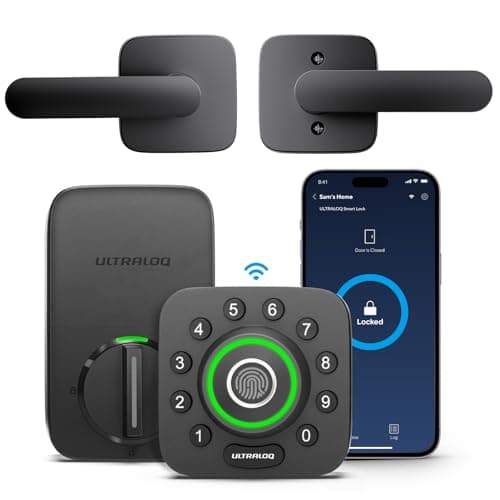
Ultraloq U-Bolt Pro Wi-Fi (with Handle)
The most entry methods for the money: fingerprint, code, app, Bluetooth, auto-unlock and a mechanical key, with built-in Wi-Fi rather than a bridge. If you want every door to open every way, this is the cheapest route there — and the listing we link ships the matching handle set with the deadbolt.
Best anti-surveillance keypad
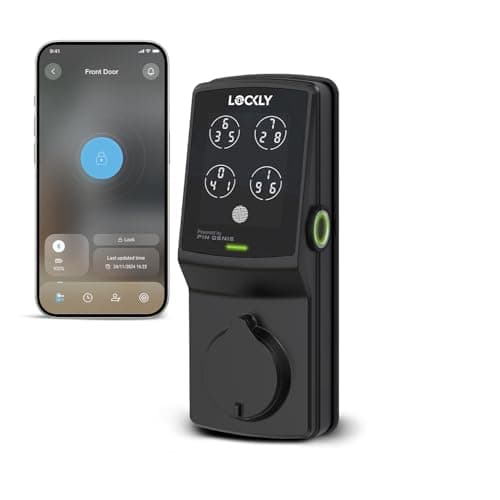
Lockly Secure Plus
The keypad that scrambles. Lockly's PIN Genie pad reshuffles the digit positions on every use, so a shoulder-surfer or a smudge pattern on the glass tells an observer nothing.
Best budget keypad lock
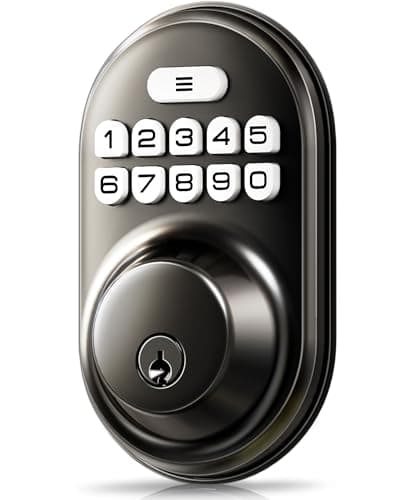
Veise Keyless Entry Keypad Deadbolt
The cheapest thing on this site that solves a real problem: a backlit code pad on a door that currently only takes a key, with auto-lock and an anti-peek entry mode.
#ad · As an Amazon Associate we earn from qualifying purchases.
Questions
Frequently asked
How do I give someone a temporary smart lock code?
Do smart lock codes work when the internet is down?
How many codes can a smart lock store?
Can someone guess my code from the worn keys?
What should I do when a cleaner or tenant leaves?
Keep reading
Related
- Best keypad door locksRanked on code management and anti-peek keypads.
- Best smart locks for short letsThe same problem, with a new guest every week.
- Do smart locks need wifi?Why a Bluetooth-only lock cannot take a code from the train.
- Best smart locks for elderly parentsWhere a scrambling keypad is the wrong answer.
Receipts
Sources
- Yale — Assure Lock 2 user and code management documentation
- Ultraloq — U-Bolt Pro access methods and anti-peep entry documentation
- Lockly — PIN Genie shuffling keypad documentation
- Kwikset — SmartKey re-keying documentation
We do not run a testing lab and we do not pretend to. Specifications come from the manufacturer's own published documents and from published standards; prices come from the live Amazon API. Where a figure is not published, the page says “not published” rather than guessing. Read the full method.