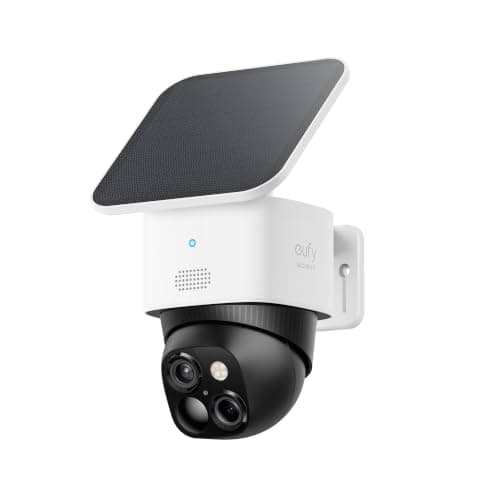
The best Arlo alternative for most people is the eufy SoloCam S340: solar, wire-free, pan and tilt, 3K dual-lens, and the recording stays on the camera with no plan attached. Everything below is why, organized by which Arlo you are actually taking off the wall.
First, what Arlo actually gets right
This page exists because of one architectural decision, not because Arlo makes bad cameras. It does not. Arlo builds the best wire-free camera hardware in the category, and anyone switching should know what they are giving up.
The imaging is the clearest example. The Pro 5S pairs a 2K HDR sensor with a real spotlight, color night vision and 12x zoom, and the HDR handling of a backlit porch at dusk — the hardest scene a home camera faces — is better than anything else on this page. It is also one of the very few battery cameras with dual-band Wi-Fi, which matters more than it sounds: almost every cheap camera is 2.4GHz-only, so a far-corner mount is a coverage gamble. Arlo can use the 5GHz band and often does.
The ecosystem is the second thing. Arlo sells solar panels, base stations, floodlight mounts, doorbells and indoor cameras that all share one app, and that app is genuinely well-built. Arlo also offers plan-level features that hardware brands simply do not have an equivalent of — emergency response escalation among them. If what you want is one company to be responsible for the whole thing and a phone number at the end of it, Arlo is a reasonable answer and nothing on this page is better at it.
Stay with Arlo if any of these is true: you want the best image quality per camera in the wire-free class; you need dual-band Wi-Fi because 2.4GHz does not reach the mounting point; you want professional emergency escalation attached to the camera; or you already own three Arlos and a base station and the marginal cost of a fourth Arlo is lower than the cost of starting again. All four are good reasons, and none of them is resolved by anything below.
The one reason to leave, stated precisely
Arlo's current cameras have no local recording path of their own. Saved video goes to Arlo's cloud, and Arlo's cloud is an Arlo Secure plan. The one route to local storage is an Arlo base station or SmartHub — a separate purchase, with its own storage media — and base stations are a smaller part of Arlo's line than they used to be. Retail kits ship with a trial of the plan rather than the function, which is why the camera can be inexpensive and the product not be.
That is the whole of the complaint, and it is a design decision rather than a defect. For a reader who does not mind a monthly line item, it is a fair trade: the cloud keeps your footage even if someone takes the camera off the wall, which is something no camera on this page can do. For a reader who wants to buy hardware once and own what it records, it is disqualifying, and that reader is who this page is for.
If what you actually want is the arithmetic rather than the principle — what the plan adds up to over five years against the one-time cost of a camera with a card slot — that is a separate page and it has real numbers in it: our subscription cost comparison.
Arlo alternatives, compared
Five cameras, each the answer to a different Arlo. The column that matters is the second one, because it is the column Arlo cannot fill without a base station.
Compiled from eufy, TP-Link Tapo, Reolink, Aqara and Arlo product and support documentation, November 2026. Prices on the cards above are pulled live and dated November 20, 2026; no price appears in this table.| Replacing | Local storage without a plan | Power | Pan / tilt | What you give up vs Arlo |
|---|
| One outdoor Arlo — eufy SoloCam S340 | Yes, onboard | Battery + integrated solar | Yes, 360° | Dual-band Wi-Fi; HDR handling |
|---|
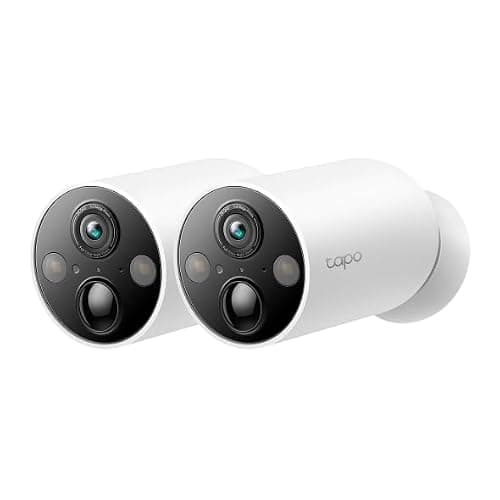
| Two Arlos cheaply — Tapo MagCam 2K+ (2-pack) | Yes, microSD | Battery | No | Zoom; spotlight; app polish |
|---|
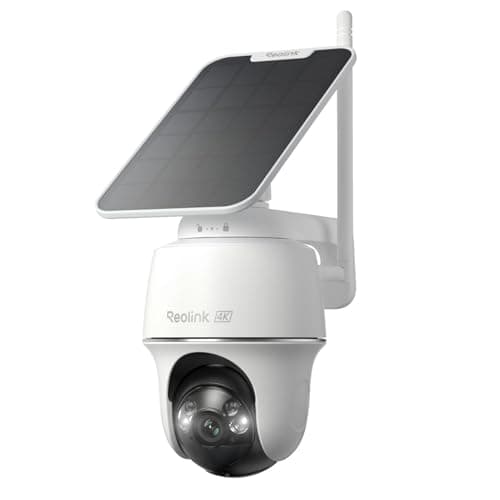
| One Arlo on the lowest budget — Reolink Argus PT Ultra | Yes, microSD | Battery + solar | Yes, 360° | App polish; dual-band on some mounts |
|---|
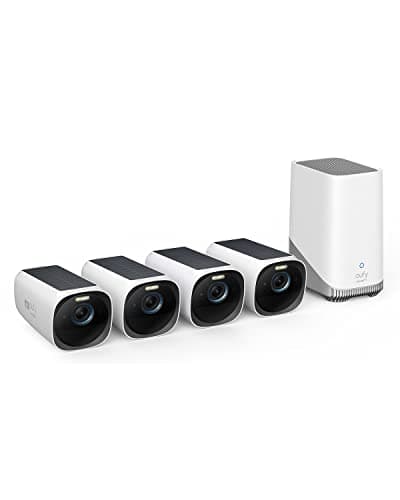
| An Arlo setup with a base station — eufyCam 3 (S330) kit | Yes, HomeBase with expandable drive | Battery + integrated solar | No | Off-site copy of the footage |
|---|
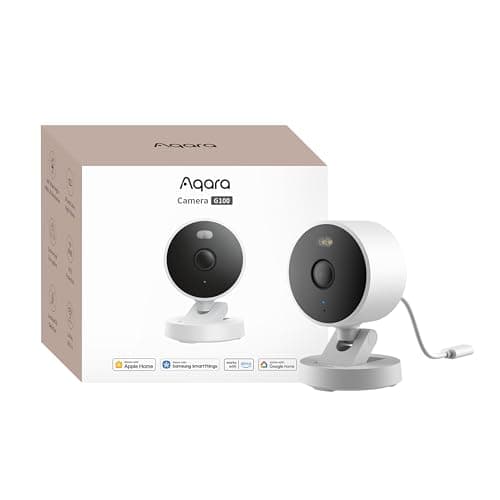
| An indoor Arlo — Aqara Camera G100 | Yes, microSD to 512GB plus NAS | USB 5V (wired) | No | Wire-free mounting; battery |
|---|
1. Replacing one outdoor Arlo: eufy SoloCam S340
This is the like-for-like swap. Wire-free, integrated solar so there is no ladder every few months, pan and tilt across a full circle, dual lenses giving you a wide context view and a zoomed detail view of the same scene, and 3K recording that stays on the camera. No plan gates playback, live view or notifications. If you liked your Arlo and only objected to the bill, this is the camera that changes the bill and not much else.
Honest cons. The solar panel is the entire power strategy, so a north elevation or a deep porch overhang turns it into an expensive battery camera you now have to climb up to charge. And local storage cuts both ways: a stolen camera takes its footage with it, which is the one thing Arlo's cloud genuinely does better. eufy's own past disclosures about cloud thumbnail handling are also a fair thing to read before you commit to the brand — we would rather you knew that from us than found it later.
Skip it if the mounting spot gets no direct sun. The two brands are compared head-to-head, for a reader still deciding rather than switching, in eufy versus Arlo.
2. Replacing two Arlos cheaply: Tapo MagCam 2K+
The MagCam sells as a two-pack, which changes the arithmetic completely for anyone replacing more than one camera. It is wire-free and battery-powered, records 2K+ to a microSD card with no plan, and its mount is a magnet rather than a bracket — so you can live with the view for a week and then move it, which almost nobody does with a drilled bracket and almost everybody wishes they could.
What you give up against Arlo is real: no optical zoom, a less capable spotlight, and an app that is functional rather than polished. TP-Link also publishes two different lens specifications for this camera across its own pages, which we picked apart in the Tapo MagCam review rather than quietly pick one. It is a battery camera, so it records events, not a continuous timeline.
3. Replacing one Arlo on the lowest budget: Reolink Argus PT Ultra
4K, pan and tilt, solar, a card slot and no account required to record — at a price that currently sits under a hundred dollars. On raw capability per dollar nothing else here is close, and Reolink's habit of not charging for basic functionality is the reason it keeps appearing on this site.
The cons are app polish, which is behind both Arlo and eufy, and the fact that Reolink does not extend RTSP and ONVIF across its battery line the way it does across its wired cameras — so if the plan was to pull this into Home Assistant, check Reolink's own compatibility list first rather than assuming. Like every battery camera on this page it records events rather than continuously. We rank it among the cameras that clear a $100 cap as well, with the warning that it sits close enough to that line to cross it.
4. Replacing an Arlo setup with a base station: eufyCam 3 (S330) kit
If you own three or four Arlos and a SmartHub, the honest replacement is not a camera, it is an architecture. The eufyCam 3 kit is four 4K solar cameras plus a HomeBase 3 that holds the footage locally on a drive you can expand — so retention becomes a hardware decision instead of a plan tier. That is the same shape as what you already have, with the storage moved from a company's cloud to a box in your house.
Cons, plainly. The up-front cost is high; the saving is real but it is spread over years, and if you were not going to keep the cameras for three or four years the math does not work. It is also the previous generation — eufy's current flagship adds color night footage without firing a spotlight, radar alongside the passive infrared sensor, and hybrid 24/7 recording rather than motion clips only. And the trade nobody in this category states plainly: everything lives on the HomeBase, so if someone takes the base, the recordings go with it. Arlo's cloud does not have that failure mode.
Skip it if you want an off-site copy of your footage by default. The wider field of whole-property systems, ranked from the recorder outward, is in our camera system rankings.
5. Replacing an indoor Arlo: Aqara Camera G100 — the budget pick
Indoor Arlos are the easiest to replace and the most expensive to keep, because an indoor camera generates the most events and therefore leans hardest on the plan. The G100 is a full HomeKit Secure Video camera that is also a full local recorder: microSD up to 512GB, NAS backup, an RTSP stream, and on-device person detection, none of which needs a subscription of any kind. It is IP65 rated, so the same unit can later move to a porch.
Cons: it is wired over a 5V USB lead, so it is not a wire-free swap; it is 2.4GHz-only; and Apple Home caps the stream at 1080p, so the extra detail in the 2K sensor is visible only in Aqara's app, in an RTSP client or on the card. One trap worth naming — the G100 is not a Thread border router and not a Zigbee hub, so it will not bring Aqara sensors online.
What switching away from Arlo actually costs you
Four things, and a page that only listed the savings would be lying to you.
Your recorded history. Clips in Arlo's cloud belong to the plan, not to the camera. Download anything you want to keep before you cancel, because cancelling is the event that ends access — not unmounting the hardware.
The off-site copy. Every alternative on this page writes to storage in your house. That is the point, and it is also a single point of failure that a cloud service does not have. If the camera or the base goes, so does the footage.
Dual-band Wi-Fi, in most cases. If your Arlo is mounted somewhere only 5GHz reaches reliably, check the replacement's radio before you buy. Most of the wire-free field is 2.4GHz-only, and the symptom is not a clean failure — it is clips that stop uploading in bad weather.
One throat to choke. Arlo sells the camera, the app, the storage and, on a plan, an escalation path. Replacing that with a camera brand plus your own storage plus your own judgment about what to do at 3am is cheaper and it is more work. If self-monitoring is new to you, what self-monitoring actually involves is worth reading before you cancel anything.
What this page is based on
Products we claim to have tested: 0. We do not run a test lab and we will not pretend to. What this page is built from is Arlo's own published plan and support documentation for what a plan is required for, each alternative maker's own specification pages for what their camera does, and the one structural fact that organizes the whole page — where the recording is written. Every source is listed at the bottom. Prices come from the Amazon API with a date stamp, never from memory, and the rubric behind the rankings is published on our methodology page.
How to leave Arlo without regretting it
Download what you want to keep, first
Before anything else, go through the Arlo app and save the clips that matter. Recorded video is a function of the plan; when the plan ends the library is no longer yours to browse. This is the step people skip and the only one that is irreversible.
Replace one camera, not all of them
Buy a single alternative, mount it next to an existing Arlo, and live with both for two weeks. You are testing two things you cannot read off a specification: whether the new camera's detection fires on the things you care about and ignores the things you do not, and whether your Wi-Fi actually reaches that spot on 2.4GHz. If both pass, replace the rest. If not, you have spent the price of one camera learning it.
Check the solar claim against your wall, not the listing
Three of the five alternatives here are solar. Solar is a top-up, not a power source: it needs several hours of genuinely direct sun, and a north-facing wall under an eave does not provide it in winter at any latitude. Stand where the camera will go, at the time of year you are in, and look up. Our write-up on how much sun a solar camera actually needs has the figures, and solar cameras in winter covers the detail that catches people out: a lithium cell is not permitted to charge below freezing.
Decide where the footage lives before you pick a brand
There are three honest answers — a card in the camera, a base station in the house, or a cloud you rent — and they are architecture rather than preference. Leaving Arlo is a decision to take the first or second. Changing your mind afterward means buying cameras again, so spend ten minutes on local storage versus cloud recording now rather than later.
Buy the card, and buy the right card
Three of these five record to a microSD card and none of them includes one. Buy a card rated for continuous video surveillance rather than the cheapest in the drawer: camera recording rewrites the same blocks constantly and consumer cards fail at it, usually silently, usually in the week you needed the footage.
The mistake people make leaving Arlo
Replacing an Arlo with another camera that also needs a plan, because the plan was cheaper at the moment they looked. The useful test is not the monthly figure; it is whether the camera does anything at all when you stop paying. Five of the cameras on this page keep recording, keep notifying and keep playing back with no account in good standing. A lot of cameras that look like alternatives do not, and the plan-free field at every price is ranked in our no-subscription camera roundup.
The second mistake is assuming no-subscription means no-cloud. Several of these cameras still talk to a vendor server for push notifications and remote viewing even when the recording is local. If your requirement is that nothing leaves the house at all, that is a stricter specification and it points at wired cameras, a recorder and the PoE rankings, not at a battery camera with a card in it.