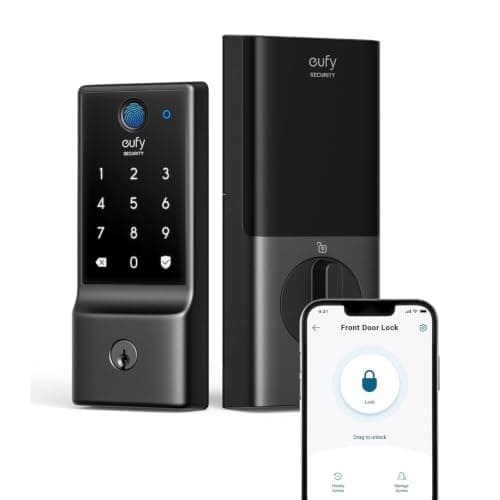
The best smart lock under $150 for most doors is the eufy Smart Lock C220: fingerprint, code, key and built-in Wi-Fi in one full deadbolt, with nothing to subscribe to. Below is the rule that explains why this price band looks the way it does, and the two cases where a different lock on this page wins.
There is a pattern in this price band that nobody selling locks will spell out, and once you see it the whole category gets easier to shop. A smart lock can offer three things that cost real money to build: connectivity (a radio in the lock, so the app works from anywhere and you get alerts), biometrics (a fingerprint reader, which is a sensor plus the processing behind it), and published hardware pedigree (an ANSI/BHMA grade from an accredited test program, which costs the manufacturer money to obtain and is the only third-party evidence that the lock resists force).
Under $150 you get two of the three. Not one, and not all three. Every lock on this page is a different answer to which two, and the one you should buy is the one whose missing third you genuinely do not need.
About the ceiling. All five locks here came in under $150 on Amazon when this page was written, verified through the Amazon API rather than from a retailer listing, and all five returned live stock. The cards above pull today's live price and are stamped November 12, 2026. Lock prices move more than most hardware, so read the card rather than the headline before you buy.
The best smart locks under $150, compared
The columns below are the pick-two rule made literal, plus the two facts that decide whether a lock can even go on your door: does it replace the deadbolt or clamp to it, and what powers it.
Compiled from eufy, August/Yale, ULTRALOQ, TEEHO and Veise product and support documentation, November 2026. Prices on the cards above are pulled live and dated November 12, 2026; no price appears in this table.| Lock | Connectivity | Fingerprint | Published grade | Install | Power |
|---|
| eufy Smart Lock C220 | Wi-Fi built in | Yes | Not published | Full deadbolt replacement | 4x AA |
|---|
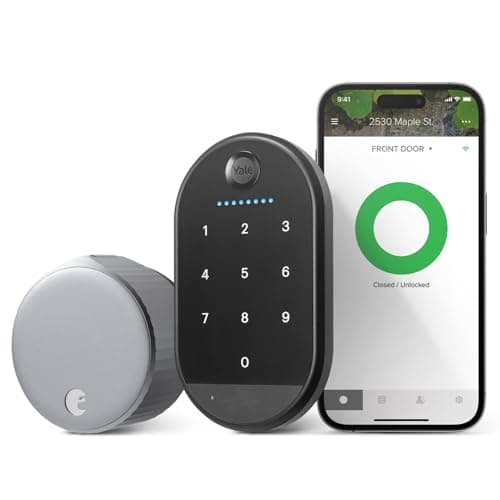
| August Wi-Fi Smart Lock (with Yale Keypad) | Wi-Fi + Bluetooth | No — code pad only | Not published (uses your deadbolt) | Retrofit, interior only | 2x CR123A + 4x AAA |
|---|
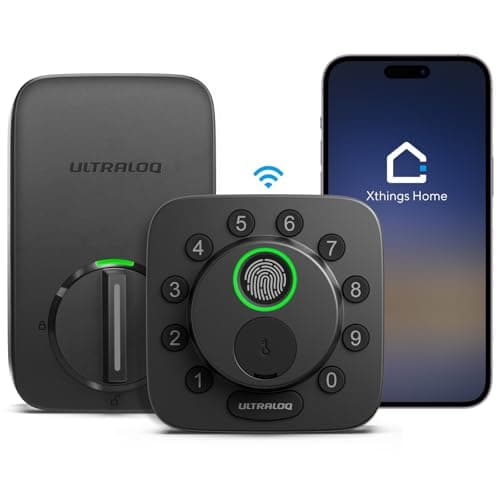
| ULTRALOQ Bolt SE | Matter over Thread or Wi-Fi | Yes | Not published for this model | Full deadbolt replacement | 4x AA |
|---|
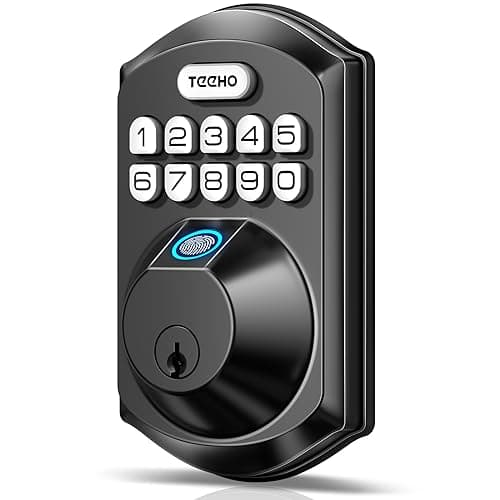
| TEEHO TE002 | None — no radio at all | Yes | Not published | Full deadbolt replacement | 4x AA |
|---|
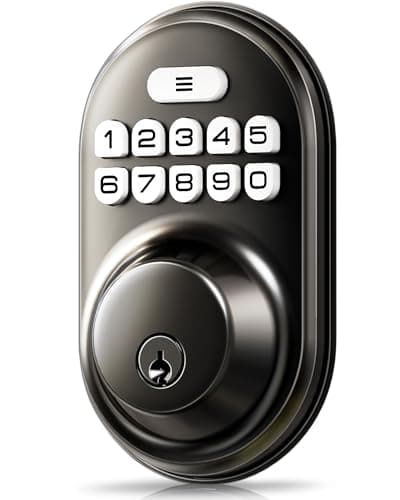
| Veise Keypad Deadbolt | None — no radio at all | No — code pad only | Not published | Full deadbolt replacement | 4x AA |
|---|
The grade column is the honest story of this price band
Look down that fourth column. Not one lock under $150 publishes an ANSI/BHMA grade for the model you would actually buy. That is not an accusation — several of these makers name the standards bodies in their marketing, and ULTRALOQ names them without publishing a grade for this specific model. It is simply what the ceiling costs. Certification is a paid third-party test program, and in a category where the margin is thin, it is the line item that gets cut first.
It matters less than it sounds for one reason and more than it sounds for another. Less, because the overwhelming majority of residential break-ins do not involve attacking a deadbolt — they involve a window, an unlocked door or a kicked door frame, and no grade of lock fixes a frame. More, because a grade is the only independent evidence you have, and without it you are trusting a brand's own description of its own metal. If that bothers you, the honest answer is that it is a reason to spend above this ceiling, and we explain exactly what the grades mean in our guide to ANSI/BHMA grades.
The cheaper and better fix for most houses is to spend the saved money on the frame rather than the lock: longer strike screws into the stud, a reinforced strike plate. That is a twenty-dollar job that changes the actual failure mode, and we cover it in how to secure your front door.
The five locks, ranked
1. eufy Smart Lock C220 — connectivity and biometrics, no fee
The pick-two winner, because it picks the two most people actually want. Fingerprint, code, app and a physical key on a full deadbolt, with Wi-Fi built into the lock rather than arriving through a bridge you have to buy and plug in somewhere. eufy's position across its whole product line is that there is no monthly fee, and the lock range holds to it: remote unlock, guest codes and alerts are all included in the purchase.
What it gives up is the protocol future. This is a Wi-Fi lock and it stays one — there is no swappable module, so a house built around a Matter fabric or a Thread network does not get there from here. It is also a full deadbolt replacement, which means removing the landlord's hardware if you rent. If either of those is a problem, read the next two entries rather than this one. The protocol question itself is unpacked in do smart locks need Wi-Fi.
2. August Wi-Fi Smart Lock with Yale Keypad — the one renters can actually fit
The retrofit that created this category. It clamps onto the interior side of the deadbolt you already own and turns the thumbturn for you. The outside of the door does not change at all: same cylinder, same key, same finish, nothing drilled, nothing to explain on a move-out inspection. The listing we link is the bundle, so the Yale Keypad that gives it code entry is in the same box rather than a second purchase.
Two honest limits. There is no fingerprint anywhere in this bundle — the pad is code-only, so if biometrics is the reason you are shopping, this is the wrong lock. And it inherits whatever your existing deadbolt is: if the landlord fitted something flimsy, a smart retrofit makes it convenient without making it stronger. The full retrofit field is ranked in our no-drilling lock rankings, and the design decision behind it in retrofit versus replacement.
3. ULTRALOQ Bolt SE — the cheapest honest route into Matter
If your house is being built around Matter, this is the lock that gets you there under the ceiling, and it manages to keep the fingerprint reader as well. ULTRALOQ ships it in Matter-over-Thread mode and lets you switch it to Wi-Fi in the app, which is unusual flexibility at this price: Thread for a low-power local mesh, or Wi-Fi if you have no Thread border router and no plans for one.
The gap is the grade. ULTRALOQ names the standards bodies but publishes no ANSI/BHMA grade for this model, so you are buying on the brand rather than on a test result. Matter itself also delivers less than the specification implies once a lock joins a fabric, which is a thing worth understanding before you plan around it — we go through what controllers actually expose in our Matter lock rankings and the protocol trade-offs in Z-Wave vs Zigbee vs Matter.
4. TEEHO TE002 — biometrics with no radio, and that is a feature
A fingerprint and keypad deadbolt for a fraction of the branded price, and the reason it is cheap is also a genuine security property: there is no wireless radio in it at all. No Wi-Fi, no Bluetooth, no Thread, no cloud account, no app. Nothing about this lock can be attacked remotely because there is nothing remote about it. For a reader who wants keyless entry and is actively uneasy about a connected lock, that is the right answer rather than a compromise.
It is also the limit. You cannot check whether the door is locked from work, you get no notification when somebody comes home, and there is no remote unlock for a dog walker. If you want the state of the door when you are not there, the cheap fix is not a better lock — it is a contact sensor beside it, which we rank in our door and window sensor roundup. The protocol-by-protocol version of the attack-surface argument is in smart lock security risks by protocol.
5. Veise Keypad Deadbolt — the cheapest thing here that solves a real problem
Ranked last and still worth buying for one specific job: a door that currently takes only a key, and a household that keeps getting locked out. A backlit code pad, auto-lock, an anti-peek entry mode so a watcher cannot read your code off the keypad, and a physical key as backup. No radio, no app, no account, no fingerprint. It is a keyless deadbolt rather than a smart lock in the connected sense, and it is priced accordingly.
Be clear-eyed about what it is not. It cannot tell you the door was opened, it has no guest code management worth the name, and it publishes no grade. As the only lock on a front door it is thin; as the lock on a garage entry door, a back door or a rental you are improving cheaply, it does exactly what it says. Code handling on the better keypad locks is compared in our keypad lock rankings.
Which one to buy
You own the door and want the full experience: the eufy C220. You rent: the August bundle, every time — it is the only lock here that leaves the door as you found it. You are building a Matter or Thread house: the ULTRALOQ Bolt SE. You want keyless entry and no radio in your door: the TEEHO. You want to stop carrying a key for the least money possible: the Veise.
And the case for breaking the budget: if a published ANSI/BHMA grade is something you want in writing, no lock under $150 has one, and that is the single clearest reason to spend more. The uncapped field is ranked in our main smart lock rankings, and the cheap field ranked on what a low price costs you — a different question from this page's hard ceiling — is in the budget smart lock roundup.
What this ranking is based on
Every specification here comes from the manufacturer's own product or support documentation, listed in the sources below, and every claim is consistent with the product records this site publishes. Every ASIN was checked for live availability and a live price through the Amazon API on the day this page was written. Products we claim to have tested: zero. We do not run a test lab and we do not pretend to — the rubric, including what disqualifies a lock, is published at our methodology page.
How to buy a smart lock under $150
Measure the door before you compare anything
A deadbolt replacement has to match three numbers: the backset (the distance from the door edge to the center of the bore), the bore diameter, and the door thickness. Get one wrong and the lock does not fit, which is the single most common reason a cheap smart lock gets returned. Five minutes with a tape measure beats any amount of spec comparison, and we walk through exactly what to measure in will a smart lock fit my door.
Decide retrofit or replacement first, not last
This is the branch that eliminates most of the page in one step. If you rent, or the exterior hardware has to stay as it is, you are buying a retrofit and the August is your answer. If you own the door and want a fingerprint reader on the outside, you are buying a replacement, and everything else here qualifies. There is no lock that does both.
Know what the radio is for — and whether you need one
A radio in a lock buys you exactly three things: knowing the door's state remotely, unlocking it remotely, and issuing or revoking a code without standing at the door. If none of those is something you will actually do, the radio is cost and attack surface with no return, and the two offline locks here are the rational buy. If you will use them, buy the connectivity properly rather than through a bridge you have to find a socket for. The code management side specifically is covered in smart lock guest codes and access.
What actually decides the price down here
Three things, in order. The radio: a built-in Wi-Fi module costs more than Bluetooth and more again than nothing. The fingerprint sensor and the processing behind it. And certification, which is a paid third-party program and the first thing dropped at this price. Finish, keypad backlighting and app polish move the number much less than buyers assume.
The mistake buyers make
Buying connectivity they will never use, on a lock whose metal they then have to trust anyway. A connected lock that gets opened by fingerprint every single day is a lock whose radio is doing nothing but existing. The opposite mistake is cheaper to make and easier to fix: buying an offline lock and then discovering you wanted notifications — a contact sensor next to the door solves that for the price of lunch.
Budget for batteries, and for the frame
Four AA cells is the standard here, and the real-world life depends almost entirely on cycles per day and on whether the Wi-Fi radio is awake; the arithmetic is in how long smart lock batteries last. Then spend twenty dollars of the money you saved on three-inch strike screws and a reinforced strike plate. No lock at any price survives a frame that splits, and a graded deadbolt in a soft jamb is a graded deadbolt in a soft jamb.
While you are at the front door
The lock answers who gets in. It does not tell you who came by, and the two purchases are usually made within a month of each other. If a camera at the door is the next thing on the list, the same ceiling logic applies there and we have ranked it: the best video doorbells under $100.