“Works with Alexa” is printed on the box of nearly every smart lock sold, and it tells you almost nothing. What it means in practice is that the manufacturer publishes an Alexa skill, and that skill reaches the lock through the manufacturer's cloud. So the question that actually decides which lock to buy is not whether Alexa can see it. It is how many devices have to be awake and online for Alexa to see it, and what Amazon lets the skill do once it is there.
What Alexa can and cannot do with a lock
Locking is the easy half. “Alexa, lock the front door” works with no additional setup on every lock here, and it can be put in a Routine so the door locks at a time, on a trigger, or when you tell the house goodnight.
Unlocking is deliberately harder, and this is the part buyers discover after the purchase. Voice unlocking is off by default. You enable it per-lock in the Alexa app, you set a four-digit voice PIN, and from then on the PIN has to be spoken out loud after the command — every time, with no remembered-device exemption. Schlage's own documentation describes that flow, Yale's works the same way, and Amazon disables the feature after three consecutive wrong PINs. That is a reasonable design for a device that opens your house to anything that can make a noise through a window, and it is worth knowing before you picture a hands-free front door.
A spoken PIN is not a private PIN.Anyone within earshot — on the porch, in the next room, on a video call you forgot was running — hears the digits. If that bothers you, the honest answer is to leave voice unlocking off and unlock at the door with a code or a fingerprint, which is what the keypad on four of these five locks is for. The code-management side of that is in our guide to guest codes and access.
How we ranked them
Three things, in this order. First, how the lock reaches Amazon: a radio inside the lock beats a plug-in bridge, because a bridge is one more thing to site, power and lose. Second, whether there is a published route to Alexa voice unlocking, as opposed to lock-only control. Third, what you are paying for that you cannot use — a premium charged for another ecosystem's headline feature is a worse deal in an Alexa house than the same money spent on the lock itself. The rubric is published in full at our methodology, and it is compiled from manufacturer documentation and published standards rather than from testing.
Compiled from manufacturer documentation and Amazon's published Alexa lock behavior, October 2026. “Reaches Alexa via” is the path a command takes to get from an Echo to the bolt.| Lock | Reaches Alexa via | Extra box on a socket | Entry at the door | Batteries |
|---|
| Yale Assure Lock 2 (Wi-Fi, keyed) | Wi-Fi module inside the lock | No | Touchscreen code, key | 4x AA |
|---|
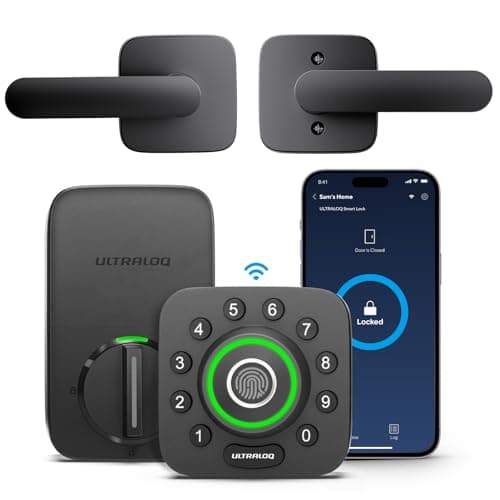
| Ultraloq U-Bolt Pro Wi-Fi | Built-in Wi-Fi | No | Fingerprint, code, key | 4x AA |
|---|
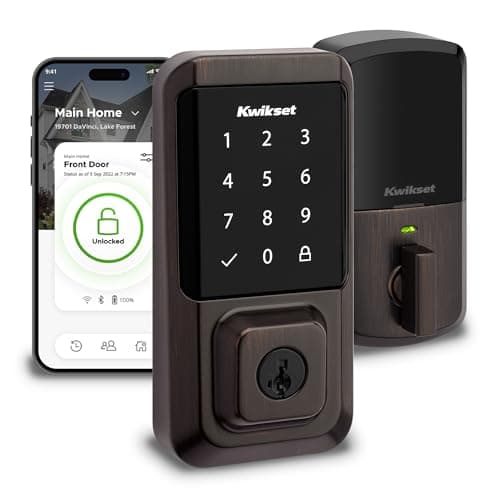
| Kwikset Halo | Built-in Wi-Fi | No | Touchscreen code, re-keyable cylinder | 4x AA |
|---|
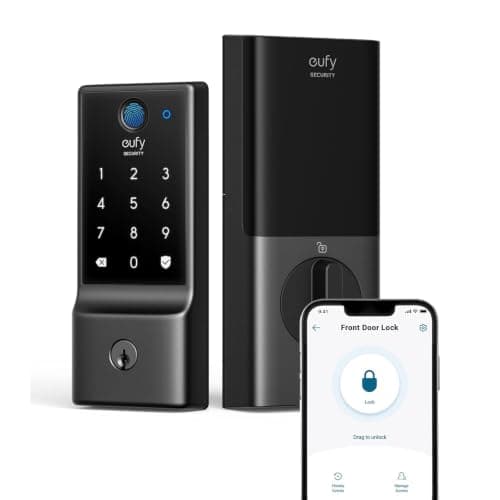
| eufy Smart Lock C220 | Built-in Wi-Fi | No | Fingerprint, code, key | 4x AA |
|---|
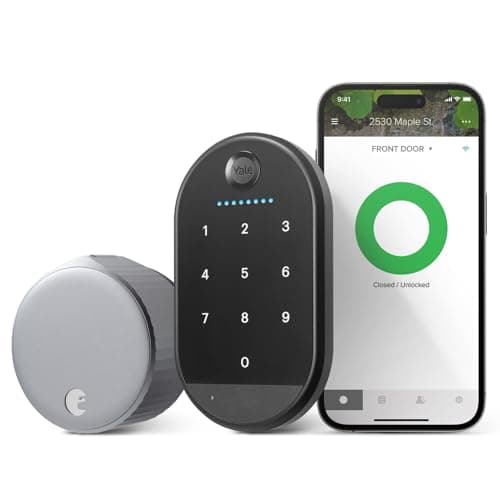
| August Wi-Fi Smart Lock | Wi-Fi in the lock body | No (the keypad is separate, on its own cells) | Code via the bundled Yale Keypad | 2x CR123A + keypad cells |
|---|
Yale Assure Lock 2 — the one Alexa was taught on
Yale and Schlage are the two lock lines Amazon's voice-unlock flow was publicly rolled out with, and Yale's Assure line is still the most thoroughly documented smart-lock integration on the platform. That history matters more than it sounds: a mature skill is one where the lock reports its state back reliably, which is the difference between “Alexa, is the front door locked?” returning an answer and returning “hmm, I can't reach that device.”
The structural argument is the module. Yale sells one lock body and sells the radio separately, so the Wi-Fi card that talks to Alexa today can be swapped for a Matter or Z-Wave card later without touching the door. In a house built on Echo devices that is insurance against the one risk you cannot price: that in five years the platform you chose is not the platform you want. The keyed version keeps a physical cylinder, which is what you hand a contractor.
It is a full deadbolt replacement, so the interior escutcheon is large and the four AAs live in the door. And as its own registry entry says, if you rent this is the wrong shape of lock entirely — see our no-drilling renter picks instead.
Ultraloq U-Bolt Pro Wi-Fi — the most ways in, none of them voice
The argument for this lock in an Alexa house is slightly contrarian: it is the pick that makes voice unlocking least necessary. Fingerprint, code, app, Bluetooth auto-unlock and a mechanical key are all on the door, the Wi-Fi is built in with no bridge, and the bundled door sensor means Alexa can tell you the door is actually shut rather than that the bolt threw into fresh air. For most households the useful Alexa command is “lock the front door,” and the opening happens with a thumb on the knob.
Two honest limits. The app ecosystem is smaller than Yale's or Schlage's, so third-party integrations lag — a general statement about Ultraloq rather than a specific Alexa fault. And capacitive fingerprint readers are the first thing to misread when the sensor is wet or hands are cold, so enroll a code as well. The reader field in general is ranked in our fingerprint lock roundup.
Kwikset Halo — the cheapest built-in Wi-Fi
If the requirement is simply “a keypad deadbolt that answers Alexa without a bridge, as cheaply as possible,” this is the answer. Built-in Wi-Fi, a touchscreen keypad, and SmartKey re-keying that lets you re-key the cylinder yourself in about a minute when a set of keys goes missing — a genuinely useful property in a house with teenagers, lodgers or a departing cleaner.
Two things to weigh, both in the lock's registry entry. Wi-Fi in a battery lock is the heaviest power design there is, so expect shorter battery runs than a Bluetooth or Thread lock gives you — the arithmetic is in our lock battery guide. And SmartKey cylinders have been the subject of published bypass research: treat the self-re-keying as convenience, not as the security layer.
eufy Smart Lock C220 — fingerprint and Wi-Fi at the bottom of the band
Fingerprint plus built-in Wi-Fi, for less than most locks charge for either one on its own. eufy does not gate lock features behind a plan, which is not true of every brand in home security, and in an Alexa house the no-plan position is worth checking — a voice assistant does not remove a subscription if one exists.
The limit is the upgrade path: this is a Wi-Fi lock and it stays one. There is no module to swap and no route to Matter or Thread, so if there is any chance the house moves to a Matter fabric, the Yale module system or the locks in our Matter lock roundup are the better bet. Built-in Wi-Fi also means the same heavy battery draw as the Halo.
August Wi-Fi Smart Lock — for an Alexa house you do not own
August was the first lock Alexa could unlock, and it remains the pick for the reader whose constraint is the door rather than the platform. It clamps onto the inside of the existing deadbolt and turns the thumbturn: the exterior does not change, your existing keys keep working, and it reverses with a screwdriver on move-out. The bundle we link ships the Yale Keypad, so code entry arrives in the same box.
It is last here for a specific reason rather than a general one. The lock body has no keypad on it, so codes come from a second device beside the door running on its own AAA cells — two battery schedules instead of one. And nothing on an August reads a fingerprint. For the renter case in full, including the locks that do more on a door you cannot modify, see our no-drilling roundup.
The lock we would not buy for an Alexa house
The Schlage Encode Plus Wi-Fi Deadboltis a better-built lock than anything above it on published hardware grade, and we rank it highly elsewhere. It is not a pick here because a large share of what you pay over the standard Encode is Apple Home Key — tap-to-unlock with an iPhone or Apple Watch. In an Echo household that premium buys a feature nobody in the house can use. The same money spent on the Yale or the Ultraloq gets you more lock. If there are iPhones in the house and Home Key appeals, the argument flips, and that case is made in our Apple Home Key roundup.
What Alexa adds that is genuinely useful
Not the voice commands. The two features worth having are state reporting and Routines. State reporting means you can ask whether the door is locked from bed, which is the question people actually have, and an Echo display can show it. Routines mean the door locks itself at a time or on a trigger without anybody remembering — and if the lock reports a door sensor, as the Ultraloq does, the Routine can be conditional on the door actually being closed rather than firing the bolt at an open doorway.
What Alexa does not add is independence from the internet. Every one of these locks reaches Alexa through the manufacturer's cloud and Amazon's, so when your broadband drops the voice commands stop even though the lock is three feet from the Echo. The keypad and the key keep working, because codes are verified inside the lock. That mechanism, and what it means for a house that loses power or internet regularly, is in our guide to whether a lock needs Wi-Fi and in our power-outage guide.