Skip to content
SensorLatch

HUB 04 · Cameras

The Best Security Cameras for Renters

No holes in somebody else's wall, no new wiring, and storage you take with you when the lease ends. Three constraints that change which camera is right.

By Stephen V.Updated How we pick
#ad

We earn a commission if you buy through our links. It does not change the price you pay, and it does not decide our picks — our selection criteria are published in full. How this works.

Verdict

The bottom line

For a rented home the camera to buy is the TP-Link Tapo MagCam 2K+. It is wire-free, it mounts on a magnet rather than a bracket and three screws, and it records to a microSD card in the camera with no plan — so when the lease ends you unstick it, take the footage with you, and leave a wall with nothing in it. The caveat is in the same sentence as the recommendation: a camera held on by a magnet can be lifted off by anyone who can reach it, so this is a pick for a position above head height.

The short answer

Quick picks

#ProductBest forScorePrice
01
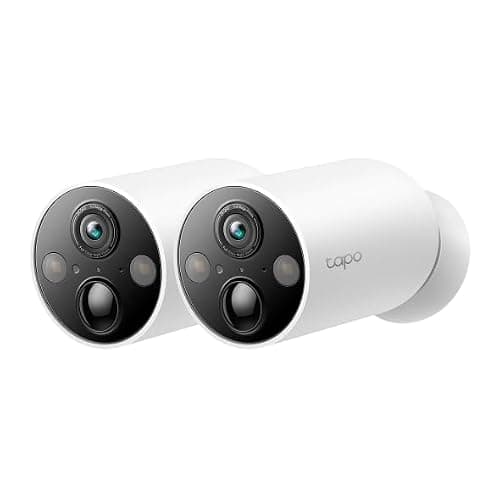
TP-Link Tapo TP-Link Tapo MagCam 2K+
TP-Link Tapo MagCam 2K+

Magnetic mount and wire-free, so siting it is a two-minute decision rather than a drilling project — and it still records to a card without a plan.

Best easy-mount camera
8.3
$135.99Amazon
02
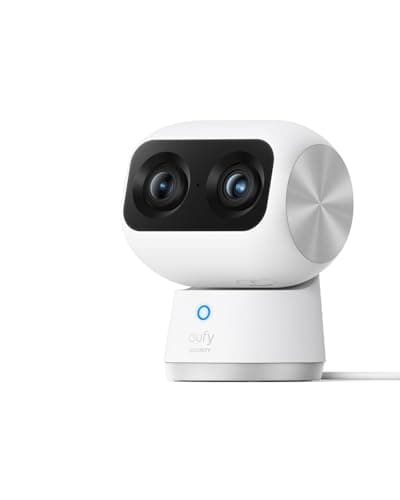
eufy eufy SoloCam S340 (solar, dual camera)
eufy SoloCam S340 (solar, dual camera)

Solar panel, pan and tilt, dual lenses and onboard storage — no wire, no monthly fee, and no recording leaving the device unless you choose to send it.

Best subscription-free outdoor camera
8.8
$139.99Amazon
03
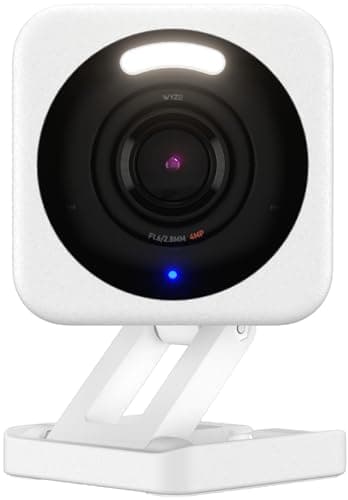
Wyze Wyze Cam v4 (2.5K)
Wyze Cam v4 (2.5K)

The cheapest competent camera sold. 2.5K, indoor or outdoor, records to a card without a plan — with a brand history you should read before you put nine of them in your house.

Best cheap camera
7.6
$44.97Amazon
04
eufy eufy Indoor Cam S350 (4K, dual camera)
eufy Indoor Cam S350 (4K, dual camera)

4K with a second telephoto lens and 8x zoom, 360-degree coverage, and card storage with no plan — the indoor camera that does not charge you to watch your own recordings.

Best indoor camera
8.6
$139.99Amazon
05
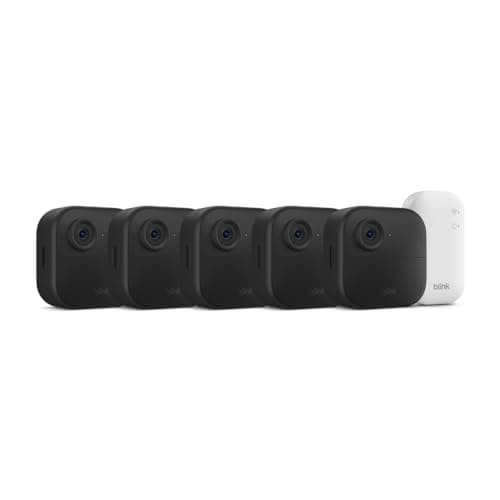
Blink Blink Outdoor 4
Blink Outdoor 4

Two years on a pair of AA cells is a real engineering achievement, and it is also the reason the camera is 1080p and event-only. Cheap, easy, and honest about being basic.

Best battery life
7.3
$104.99Amazon

#ad · Prices pulled live from the Amazon Product API, last checked October 5, 2026. Where we have no verified live price we show none — we would rather leave a gap than print a number that has gone stale. Scores are our own, compiled from published specs; they are not test results.

Renting changes three things about buying a security camera, and only one of them is the mount. You cannot make permanent holes in a wall you do not own. You cannot add wiring or an outdoor socket. And the footage has to be portable, because a camera tied to a subscription leaves its recordings behind the moment you stop paying — which, for most people, is around the time they move.

What makes a camera renter-friendly

Almost every camera buying guide assumes a homeowner with a drill, a ladder and permission. Strip those three assumptions out and the field narrows fast. A wired camera needs an outdoor supply; a bracket-mounted camera needs anchors in brick or siding; and a cloud-only camera needs a card on file forever. What is left is a small group of cameras that attach reversibly, power themselves, and write to storage you own.

The reversibility question is worth being specific about, because “no drilling” is used loosely in this category. A magnetic mount is genuinely reversible. A heavy-duty adhesive pad is reversible with care and a hairdryer. A free-standing camera on a shelf leaves nothing at all. A bracket with three wall plugs is not reversible, no matter how small the holes are — which is the same distinction we draw on the lock side in our no-drilling smart lock roundup.

Check the lease before you check the specs.Many leases are silent on cameras and explicit about fixings, which is why the mount matters more than the sensor here. Where a camera overlooks a shared hallway, a path or a neighbor's window, narrow the detection zones and angle it at your own threshold — the same discipline we set out for apartment doorbells.

How we ranked them

Reversibility of the mount first. Then power: battery or solar beats a mains lead, and a mains lead to an indoor socket beats one that needs an outdoor supply installed. Then where the footage lands, because storage you own is storage that moves house with you. Then image quality, which is the specification buyers over-weight and the one that matters least at the short distances a flat or a rented terrace actually involves. The rubric is published in full at our methodology, and it is compiled from manufacturer specifications rather than from testing.

Compiled from manufacturer specifications, October 2026. “What you leave behind” assumes the mounting method the maker ships in the box.
CameraPowerMount in the boxWhere footage landsWhat you leave behind
TP-Link Tapo MagCam 2K+Rechargeable batteryMagneticmicroSD in the cameraNothing
eufy SoloCam S340Integrated solarWall bracketOnboard, in the cameraBracket holes
Wyze Cam v4Mains (indoor socket)Free-standing basemicroSD in the cameraNothing
eufy Indoor Cam S350Mains (indoor socket)Free-standing, indoor onlymicroSD in the cameraNothing
Blink Outdoor 42x AA lithiumSmall bracketCloud on a plan; USB only via Sync Module 2Bracket holes

TP-Link Tapo MagCam 2K+ — the mount is the product

Everything that makes this the renter's pick is in the fixing. A magnet means you can live with a view for a week and then change it, which is the thing almost nobody does with a drilled bracket, and it means the install leaves no trace. It is wire-free, so there is no outdoor socket to argue about, and it records 2K+ to a microSD card in the camera with no plan of any kind — the card comes out and goes in a drawer when you move.

The honest limitation is the same magnet. A camera within arm's reach held on by magnetism is a camera that can be removed by anyone, and because the recording is inside the camera, removing it removes the evidence. Mount it high. If the only available position is at head height by a path, the trade-off flips and a bolted camera — with the landlord's written consent — is the better answer.

eufy SoloCam S340 — for a balcony or a patio with sun

The S340 is the strongest camera on this page by some distance: 3K with a second zoomed lens, pan and tilt, storage inside the camera and no subscription for anything, including playback. Integrated solar means it is install-once, with no ladder every few months and no cable at all.

Two renter caveats, and they both matter. It ships with a wall bracket, so this is the one pick here that does make holes — small ones, patchable, but holes. And the solar panel only works in real sun: on a shaded north-facing balcony or under a deep overhang you have bought an expensive battery camera you now have to take down to charge. If the balcony gets direct sun for part of the day and the landlord is relaxed about four small anchors, this is the best camera here. The wider solar field is in our solar camera roundup.

Wyze Cam v4 — the cheapest way to cover an inside door

A 2.5K camera that sits on a shelf, plugs into an ordinary socket and records to a card without a plan, for less than the cost of a takeaway for two. For a rented flat where the job is “see the inside of the front door and the window above the fire escape,” nothing else is close on price.

Two things to weigh. Wyze has publicly disclosed security incidents; that is a documented fact rather than a rumor, and it is a reason to think about what the camera is pointed at before you buy several. And several of the smarter detection features sit behind the Cam Plus plan, so the free experience is more basic than the box suggests. For a hallway or a back door it is an easy yes. For a bedroom, buy something else.

eufy Indoor Cam S350 — indoor coverage without a plan

If the camera is going inside anyway, this is the one to put there: 4K with a telephoto second lens and 8x zoom, full 360-degree pan and tilt, and local card recording with no subscription for playback. It stands on a shelf, so there is nothing to fix to anything, and one camera in the right indoor corner covers a hallway, a door and a window.

It is indoor only — there is no outdoor variant of this model — and it has no physical lens shutter, so privacy is a matter of pointing it at the wall rather than closing a cover. If a hardware shutter is your requirement, this is not the camera. The rest of the indoor field is in our indoor camera roundup.

Blink Outdoor 4 — the battery champion, with a storage catch

Blink publishes a two-year battery life on a pair of AA lithium cells, and nothing else here is close. For a rented house where you want a camera on the side passage and you do not want to think about it again until you move, that is a genuinely compelling specification.

It is last on this page for one reason, and it is the reason this site exists. Blink now ships the Sync Module Core with these kits, and Blink's own support documentation states that the Core does not support local storage or clip backup — it has no USB port. So out of the box, saved clips go to Blink's cloud on a plan, and the plan-free path means buying a Sync Module 2 and a USB stick on top. It is also 1080p in a field that has moved to 2K and 4K. Buy it for the battery life with the extra module budgeted, or do not buy it.

The window shortcut, and why it usually fails

The obvious renter move is to stand an indoor camera on a windowsill pointing out. It mostly does not work, and the reason is infrared. At night the camera's own IR illuminators bounce off the glass directly back into the lens, and the image becomes a white haze with your own reflection in it. Cameras that can have night vision disabled, in a window with external lighting, can work — which is a narrow enough case that it has its own page in our window camera roundup. By day, reflections and the frame itself still cost you most of the field of view.

In detail

The picks, in full

01
TP-Link Tapo TP-Link Tapo MagCam 2K+

Best easy-mount camera

TP-Link Tapo MagCam 2K+

2K+Wire-free batteryMagnetic mountmicroSD local recording
No subscriptionLocal microSD
8.3/10

Magnetic mount and wire-free, so siting it is a two-minute decision rather than a drilling project — and it still records to a card without a plan.

Storage
9
No-sub value
9
Image
8
Power
7.5
Ecosystem
8

What it gets right

  • The magnetic mount means you can reposition after living with the view for a week, which almost nobody does with a drilled bracket
  • Local card recording with no plan required
  • TP-Link's app and firmware support are more consistent than most of the budget field

What it doesn't

  • A magnetically mounted camera within reach is a camera that can be taken
  • Battery camera, so no continuous recording

What it costs to run

Rechargeable battery. No subscription for local recording or alerts.

Skip this if…

…the mounting position is at ground level near a path. A magnet mount is a convenience for you and for whoever walks off with it — mount it high or buy something bolted.

$135.99on Amazon

Price last checked October 5, 2026. Prices move constantly — Amazon's at checkout is the one that counts.

#ad · we may earn a commission from this link to TP-Link Tapo MagCam 2K+

02
eufy eufy SoloCam S340 (solar, dual camera)

Best subscription-free outdoor camera

eufy SoloCam S340 (solar, dual camera)

3K dual cameraIntegrated solar360° panLocal onboard storage
No subscriptionLocal storage
8.8/10

Solar panel, pan and tilt, dual lenses and onboard storage — no wire, no monthly fee, and no recording leaving the device unless you choose to send it.

Storage
9.5
No-sub value
9.5
Image
8.5
Power
9
Ecosystem
7.5

What it gets right

  • Integrated solar means it is genuinely install-once — no ladder every three months to recharge
  • Storage is on the camera, so there is no plan gating access to your own footage
  • Dual lenses cover wide context and a zoomed detail view of the same scene

What it doesn't

  • Solar only works with real sun exposure — a north wall under an eave will not keep it charged
  • Local storage means a stolen camera takes its footage with it

What it costs to run

Solar. No subscription for local recording, live view or notifications.

Skip this if…

…the mounting spot gets no direct sun. The solar panel is the whole value proposition, and under a deep porch overhang or on a shaded north elevation you are buying an expensive battery camera you now have to climb up to charge.

$139.99on Amazon

$199.9930% off

Price last checked October 5, 2026. Prices move constantly — Amazon's at checkout is the one that counts.

#ad · we may earn a commission from this link to eufy SoloCam S340 (solar, dual camera)

03
Wyze Wyze Cam v4 (2.5K)

Best cheap camera

Wyze Cam v4 (2.5K)

2.5KMains poweredmicroSD recordingIndoor / outdoor
Local microSDCloud features are plan-gated
7.6/10

The cheapest competent camera sold. 2.5K, indoor or outdoor, records to a card without a plan — with a brand history you should read before you put nine of them in your house.

Storage
8.5
No-sub value
7.5
Image
7.5
Power
7.5
Ecosystem
7

What it gets right

  • Nothing else at this price records 2.5K to a local card
  • Genuinely useful as a garage, shed or nursery camera where the stakes are low
  • Wide, active third-party firmware and integration community

What it doesn't

  • Wyze has had publicly disclosed security incidents; that is a fact worth weighing rather than a rumor
  • Many of the smarter detection features sit behind Cam Plus

What it costs to run

Mains. Local card recording is free; AI detection features need Cam Plus.

Skip this if…

…the camera is pointed anywhere private. Read Wyze's published incident history first, then decide. For a driveway it is an easy yes; for a bedroom or a nursery, buy something else.

$44.97on Amazon

Price last checked October 5, 2026. Prices move constantly — Amazon's at checkout is the one that counts.

#ad · we may earn a commission from this link to Wyze Cam v4 (2.5K)

04
eufy eufy Indoor Cam S350 (4K, dual camera)

Best indoor camera

eufy Indoor Cam S350 (4K, dual camera)

4K + telephoto8x zoom360° pan / tiltmicroSD local storage
No subscriptionLocal microSD
8.6/10

4K with a second telephoto lens and 8x zoom, 360-degree coverage, and card storage with no plan — the indoor camera that does not charge you to watch your own recordings.

Storage
9.5
No-sub value
9.5
Image
9
Power
7.5
Ecosystem
7.5

What it gets right

  • Two lenses means wide room coverage and a usable zoomed detail view at the same time
  • Local card recording with no plan, including full playback
  • Physical privacy positioning — you can point it at a wall when you are home

What it doesn't

  • Indoor only
  • A cloud-connected camera indoors is a considered decision regardless of brand

What it costs to run

Mains. No subscription for recording, playback or notifications.

Skip this if…

…you want a camera with a physical shutter. This one repositions rather than closing a lens cover — if a hardware privacy shutter is your requirement, this is not it.

$139.99on Amazon

Price last checked October 5, 2026. Prices move constantly — Amazon's at checkout is the one that counts.

#ad · we may earn a commission from this link to eufy Indoor Cam S350 (4K, dual camera)

How to choose a camera for a rented home

  1. What can you attach it to, and what comes off cleanly? Magnet, adhesive or free-standing leaves nothing. A bracket means anchors. Settle this before you compare sensors.
  2. Is there power where you want it? No new outdoor socket means battery, solar, or an indoor position within reach of an existing one. This single question eliminates most of the market.
  3. Does the footage belong to you? A card or an onboard store moves house. A cloud plan does not, and the arithmetic over five years is in our subscription cost comparison.
  4. How high can you mount it? Reversible mounts and reach are in tension: the easier a camera is for you to remove, the easier it is for anyone else.

What decides the price

Power design and storage design, not pixels. The cheap end of this page is a mains camera with a card slot; the expensive end is a solar camera with its own storage and two lenses. Battery capacity and panel size move the price far more than the sensor does, and the only thing none of these prices contains is a mandatory monthly fee — every pick except the Blink records and plays back with nothing subscribed.

The mistake renters make

Buying the camera first and discovering the mounting problem afterwards. The second mistake is buying into a cloud plan on a two-year tenancy: the recordings never belong to you, and when the plan lapses the history goes with it. Decide the fixing and the storage, in that order, and the shortlist writes itself. The whole category, wired options included, is at the cameras hub, and the wire-free field in general is in our wireless camera roundup.

How we picked

Products we claim to have tested: 0

Everyone in this category says they tested a dozen locks on their own front door. We have not tested any, and we say so. Here is what we do instead: read the manufacturer's manual and spec sheet, record the published protocol, power and storage figures, check the published standard where one exists, compute what the device costs to keep running, and cite all of it so you can check the work. Prices come live from Amazon's API and disappear rather than go stale.

The scores above are judgments from that documented research — not bench measurements. The full rubric, including what disqualifies a product, is published in full.

Questions

Frequently asked

Can you install a security camera in a rental without drilling?
Yes. A magnetic mount like the Tapo MagCam's, a heavy-duty adhesive pad, or a free-standing camera on a shelf all avoid anchors entirely. What you give up is height: the mounts that come off easily for you also come off easily for anyone who can reach them, so put reversibly-mounted cameras above head height.
Do I need my landlord's permission for a security camera?
For anything that makes a hole or needs new wiring, assume yes and get it in writing; leases are frequently explicit about fixings even when they say nothing about cameras. A camera inside your own home on a shelf or a magnet is a different question from one bolted to the building's exterior. Check your own lease rather than ours.
What happens to my footage when I move out?
That depends entirely on where it was stored. A microSD card or onboard storage comes out of the camera and leaves with you. Cloud recordings stay with the vendor and are deleted on their retention schedule once you stop paying — which is why every pick on this page except the Blink records to storage you own.
Can I just point an indoor camera out of the window?
Usually not at night. The camera's infrared illuminators reflect off the glass straight back into the lens and wash the image out. It can work with a camera whose night vision can be switched off, in a window with external lighting, but you still lose field of view to reflections and the frame. See our window camera roundup for the models that allow it.
Do any of these cameras need a subscription?
Four of the five record and play back with no plan: the Tapo and both eufy cameras to local storage, the Wyze to a card. Blink is the exception — the Sync Module Core in current kits has no USB port and cannot store locally, so plan-free recording means buying a Sync Module 2 separately.

Keep reading

Receipts

Sources

We do not run a testing lab and we do not pretend to. Specifications come from the manufacturer's own published documents and from published standards; prices come from the live Amazon API. Where a figure is not published, the page says “not published” rather than guessing. Read the full method.