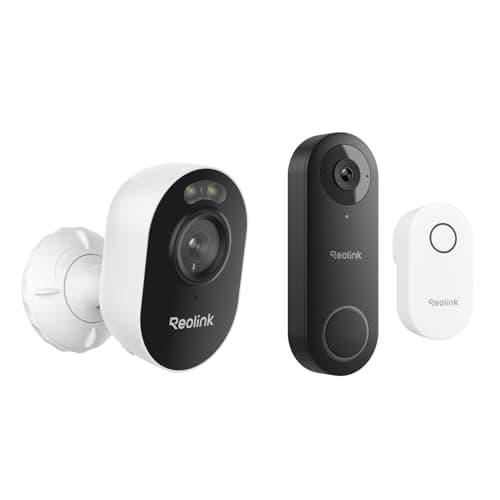
The Reolink Video Doorbell WiFi is the doorbell to buy if you have doorbell wiring and you do not want a subscription. It records 2K video to storage you control, it ships with an indoor chime so the thing actually rings inside the house, and it publishes an RTSP stream, which means Home Assistant, Frigate or Blue Iris can read it directly. The disqualifier is in the first sentence: it is wired only, there is no battery version, and if there is no transformer behind your existing bell this is not your doorbell. Everything below follows from those four facts.
Local storage is the reason this doorbell exists
Most doorbells in this category route recordings through the manufacturer's cloud and gate playback behind a plan, so the day you stop paying you own a device that rings and remembers nothing. Reolink's position is the opposite: the footage is written to storage you hold, and playback, notifications, two-way talk and live view are all functions of the hardware rather than of an account tier. There is no plan for any core function.
That design has one honest consequence and it is worth saying rather than burying. Footage kept on site is footage that can be taken, damaged or lost with the building — the same trade every local-recording device on this site makes, and the reason the right answer for some households is a cloud copy they pay for. We work the whole argument through in local storage versus cloud security cameras. If the no-plan requirement is the thing driving your shortlist, the ranked field is in our subscription-free doorbell roundup.
The chime in the box is a bigger deal than it sounds
A surprising number of video doorbells are, functionally, cameras with a button. They notify a phone. If the phone is on silent, upstairs, or in a pocket on do-not-disturb, the visitor stands at a door that made no sound. Several of the best-known brands then sell you a chime as a separate accessory, which is a real cost that never appears in the price comparison.
Reolink puts the chime in the box. It plugs into a socket inside the house and rings when the button is pressed, the way a doorbell is supposed to. For a household with anyone in it who does not carry a phone from room to room — a child, an older relative, anyone working in a garage — that single inclusion is the difference between a doorbell and a notification. It also means the doorbell keeps doing its most basic job when the home network is having a bad day.
Wired only: check the transformer before you order
This is the hard constraint and the reason to read a review rather than a listing. The Reolink is a wired doorbell. It expects to be fed by the low-voltage transformer behind your existing bell, and Reolink publishes the voltage range it needs — check that figure against what is actually installed before you buy, not after. Older houses often have a transformer sized for a mechanical bell and nothing else; apartments frequently have no doorbell wiring at all, because the entry phone is at the street door.
There is no battery variant of this model, so there is no way around the requirement. If you have no wiring, the honest recommendation is a battery doorbell instead, and those are ranked in our battery video doorbell roundup. If you do have wiring, the wired class has real advantages — no charging cycle, no winter battery sag, and the option of continuous power for faster wake-up — which is the argument made across our wired doorbell rankings.
One practical note on the install itself. Swapping a bell button for a video doorbell is a low-voltage job rather than a mains one, but it still means working at a consumer unit or a transformer you may not have looked at in twenty years. If the existing transformer is undersized, the symptom is not a dead doorbell; it is an intermittent one that reboots when the motor-driven chime fires, which is a frustrating fault to diagnose after the fact.
The tall field of view, and the parcel on the step
The specification Reolink leads with here is the shape of the image rather than the number of pixels. The sensor is 2K, which is enough to recognize a face at doorstep distance, but the useful decision is the aspect ratio: this is a tall, portrait-shaped field rather than the wide letterbox most cameras produce. On a front door that matters more than width. A wide field shows you the street and the neighbor's hedge; a tall one shows you the caller head to toe and the parcel they just put on the step, which is the frame people actually want when they check the app.
Some competitors solve the same problem with a second, downward-facing lens, and charge for it. Getting it from the aspect ratio of a single sensor is the cheaper engineering answer and, for this job, a sufficient one. What you do not get is reach: a doorbell is a doorstep-distance device on every brand, and if you need to read something at the end of a driveway, that is a different camera entirely — ranked in our driveway camera roundup.
RTSP is the feature the spec sheet undersells
Reolink publishes RTSP support across much of its range and this doorbell is part of that, which is the single thing most likely to make a technical buyer choose it. An RTSP stream is a standard video feed any compatible software can open, so the doorbell can appear in Home Assistant next to the rest of the house, be recorded by Blue Iris or Frigate on a machine you own, and be included in automations that have nothing to do with Reolink's app. That is a genuinely open position in a category that is mostly closed.
The counterweight, stated plainly: the app is functional rather than delightful. Reolink builds competent hardware and ships software that works without ever being the reason you bought it. If the app experience is what you care about, you will prefer the eufy. If you intend to spend most of your time in Home Assistant anyway, the app hardly matters and the RTSP stream is worth more than any interface polish. The same brand-level trade shows up across the camera range in eufy vs Reolink.
How it compares to the other plan-free doorbells
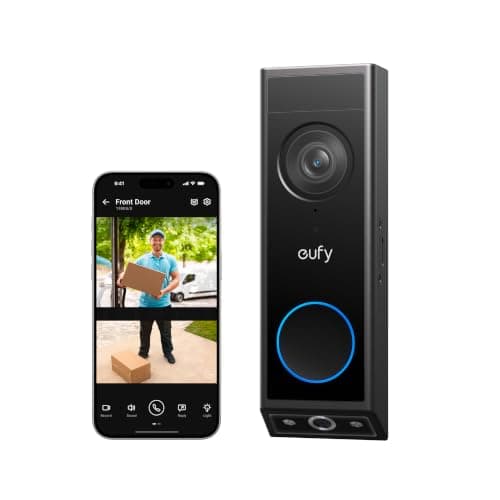
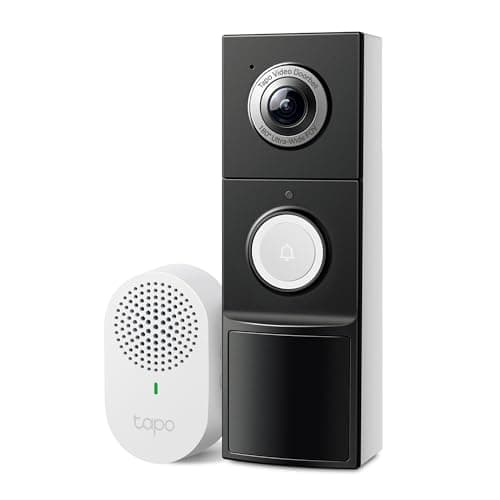
Against the eufy Video Doorbell E340, the eufy gives you a dual-lens view that includes a dedicated package camera, a better app, and the option of running on battery if your wiring is marginal; the Reolink gives you a lower price, an RTSP stream and a chime in the box. Against the TP-Link Tapo video doorbell, the Tapo is the pick when there is no wiring at all, because it runs on a battery; the Reolink is the pick when there is, because a wired doorbell never needs taking down to charge. None of the three has a subscription attached to its core functions, which is why they are all on this site and most of the better-known names are a harder recommendation. The whole field, ranked, is at best video doorbells and the rest of the category is at the doorbells hub.
A reader who ends up here is usually assembling a front door that answers to them rather than to a vendor's servers. The matching decision on the lock side — keyless entry with no Wi-Fi radio in the lock and no account behind it — is ranked in best smart locks that work without Wi-Fi, and the camera-brand version of the same question is eufy vs Tapo. How we reach a ranking without a test lab is published at our methodology.
Who should skip it
Skip it if you have no doorbell wiring. That is not a preference, it is a physical requirement, and there is no battery model to fall back on. Skip it if you want the smoothest app in the category, because that is not what Reolink optimizes for. And skip it if you want a second, dedicated package lens rather than a tall single-sensor field — that is a eufy feature and it costs more. For everyone else with a transformer behind the bell and no interest in a monthly fee, this is the most doorbell per dollar in our coverage, which is exactly why it carries our best-value pick.