Skip to content
SensorLatch

HUB 02 · Smart Locks

The Best Budget Smart Locks

Cheap buys a working keypad. It often quietly skips a published grade, remote access, or heavier internals. We rank on exactly what you trade away.

By Stephen V.Updated How we pick
#ad

We earn a commission if you buy through our links. It does not change the price you pay, and it does not decide our picks — our selection criteria are published in full. How this works.

The short answer

Quick picks

#ProductBest forScorePrice
01
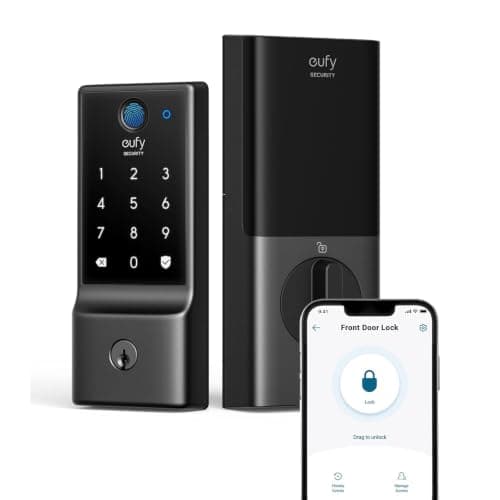
eufy eufy Smart Lock C220
eufy Smart Lock C220

Fingerprint plus built-in Wi-Fi at the bottom of the price band that includes both. eufy's whole pitch is no monthly fee, and the lock line holds to it.

Best budget fingerprint lock
7.4
$99.99Amazon
02
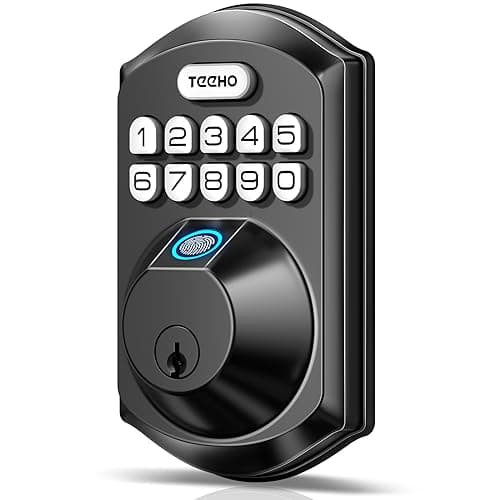
TEEHO TEEHO TE002 Fingerprint Deadbolt
TEEHO TE002 Fingerprint Deadbolt

A fingerprint and keypad deadbolt at a fraction of the branded price, with no radio at all — which is exactly why it is cheap, and also why nothing about it can be remotely attacked.

Best cheap keyless deadbolt
7.4
$42.99Amazon
03
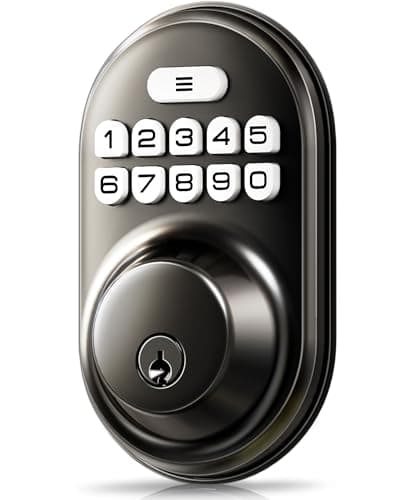
Veise Veise Keyless Entry Keypad Deadbolt
Veise Keyless Entry Keypad Deadbolt

The cheapest thing on this site that solves a real problem: a backlit code pad on a door that currently only takes a key, with auto-lock and an anti-peek entry mode.

Best budget keypad lock
7.2
$30.65Amazon
04
SwitchBot SwitchBot Lock Pro (with Remote and Hub)
SwitchBot Lock Pro (with Remote and Hub)

The cheapest credible way to make a rented door smart. It mounts over the existing thumbturn with adhesive or the supplied mount, keeps your key, and pairs with a separate keypad if you want codes.

Best no-drill retrofit
8.0
$88.75Amazon
05
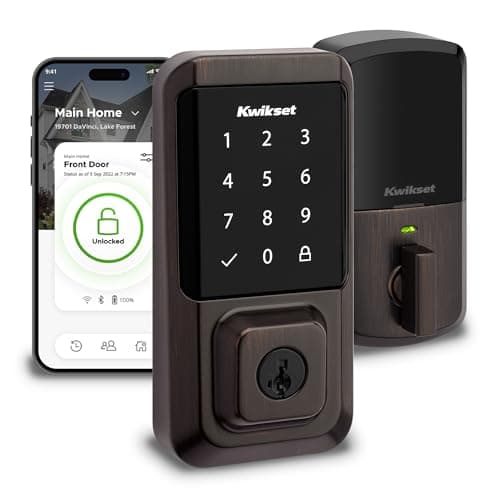
Kwikset Kwikset Halo Wi-Fi Smart Lock
Kwikset Halo Wi-Fi Smart Lock

Built-in Wi-Fi, a touchscreen keypad and SmartKey re-keying — you can re-key the cylinder yourself in under a minute without a locksmith, which is a genuinely useful property when a set of keys goes missing.

Best re-keyable lock
7.4
$174.00Amazon

#ad · Prices pulled live from the Amazon Product API, last checked Aug 29, 2026. Where we have no verified live price we show none — we would rather leave a gap than print a number that has gone stale. Scores are our own, compiled from published specs; they are not test results.

The best budget smart lock for most people is the eufy Smart Lock C220. It keeps the two features buyers actually miss when they go cheap — a fingerprint reader and built-in Wi-Fi for remote access — and it charges no monthly fee for any of it. What it gives up for the price is battery life and a published grade, and we will be specific about both below.

A budget smart lock is not a scam and it is not a lesser idea; it is a set of deliberate omissions. Every lock in this price band works — the keypad accepts a code, the bolt throws, the door opens — and the interesting question is which corners the maker cut to hit the number, because those cuts are not printed on the box. Three of them recur, and the whole page is organized around spotting them: a missing published grade, remote access that quietly needs a hub, and lighter internals that show up as shorter battery life or a stiffer motor. Read what each lock keeps and what it drops, then buy the one whose omissions you can live with.

The three cuts to look for.First, most cheap locks do not publish a BHMA grade — not because they are weak, but because grading costs money the price cannot absorb, so you are trusting the maker rather than a standard. Second, some are Bluetooth only, so “smart” means at the door, and remote control needs a separate hub you buy on top. Third, the internals are lighter, which usually surfaces as battery life rather than as anything you can see. None of these is disqualifying. All three are worth knowing before you buy.

The best budget smart locks, compared

Compiled from manufacturer specifications, August 2026. Grade information reflects what each maker publishes; “not published” means we could not locate a stated BHMA grade, not that the lock is ungraded in use.
ModelEntry methodsConnectivityBHMA / gradePowerWorks offline
eufy Smart Lock C220Fingerprint, code, app, keyBuilt-in Wi-Fi, no hubNot published4x AAYes — fingerprint, code and key are local
TEEHO TE002Fingerprint, code, keyNone — no wireless radioNot published4x AAFully — there is no radio to lose
Veise Keypad DeadboltCode, keyNone — no wireless radioNot published4x AAFully — there is no radio to lose
SwitchBot Lock ProApp, thumbturn; fingerprint / code via add-on keypadBluetooth; hub required for remoteNot published (retrofit — grade is your deadbolt's)Rechargeable packBluetooth at the door; remote needs the hub
Kwikset HaloCode, app, key (touchscreen)Built-in Wi-Fi, no hubPublished grade for the Halo line4x AAYes — touchscreen codes are local

What you keep at a budget price

The good news is how much survives the price cut. Every lock here does the core job: keyless entry that actually works, an auto-lock option so the door secures itself behind you, and — crucially — no subscription for anything. That last point is the one worth dwelling on, because in cameras and doorbells a cheap price is often the hook for a monthly plan, and in smart locks it usually is not. None of these five gates a feature behind a fee.

You also keep more entry variety than the price suggests. The eufy C220 and the TEEHO carry a fingerprint reader, which is the single feature most people are surprised to find at the bottom of the market, and all five keep a real mechanical key as a fallback except where a retrofit leaves your existing cylinder in place. If keyless entry is the whole reason you are shopping, you do not have to spend up to get it. The wider fingerprint field, budget and otherwise, is at best fingerprint door locks, and the keypad-only field is at best keypad door locks.

What you give up, honestly

A published grade, most of the time

BHMA, the residential lock grading scheme, rates a deadbolt's resistance to force, wear and manipulation on a three-grade scale. Testing to it costs money, so most budget makers simply do not publish a grade — and four of the five here do not. That is not proof a lock is weak; it is an absence of independent evidence that it is strong, which for a front door is a real gap. The exception on this page is the Kwikset Halo, which publishes a grade for its line, and it is why the Halo sits here as the “spend a little more for a known number” option rather than as the value pick. If a published grade is non-negotiable on your main entrance, that is the lock, or you step up out of the budget band entirely. The grading system itself is explained in the context of are smart locks safe.

Remote access, unless it is built in

“Smart” means two different things in this group. The eufy and the Kwikset have built-in Wi-Fi, so they reach your phone from anywhere with nothing extra to buy. The TEEHO and the Veise have no radio at all — they are keyless, not connected, so there is no app, no notification and no remote unlock, by design. The SwitchBot Lock Pro sits in between: it is Bluetooth, so it is smart at the door, and remote access and voice control run through a SwitchBot hub. The bundle we link includes that hub, but SwitchBot also sells the lock on its own, and on that version the hub is a second purchase and a second thing to power. That is not a subscription, but it is a cost, and it narrows the price gap to a built-in-Wi-Fi lock. Budget shoppers get caught here more than anywhere else, so read the connectivity column before the price.

Battery life and lighter internals

The cheapest way to make a connected lock is to accept a heavier power draw and lighter mechanicals, and both show up after you own it. Built-in Wi-Fi in a battery lock is the heaviest possible draw — the radio holds an association with your access point around the clock — so the eufy C220 and the Kwikset Halo, both Wi-Fi, will empty their four AA cells faster than the radio-free TEEHO and Veise, which sip power because there is nothing continuously transmitting. The SwitchBot sidesteps disposable cells with a rechargeable pack, but a retrofit motor is only ever as reliable as the deadbolt it drives, so a stiff or misaligned bolt underneath it will jam and drain regardless. The mechanism behind all of this is set out in how long do smart lock batteries last.

Why the eufy C220 wins

Because it gives up the least of what people actually notice. It keeps fingerprint entry, it keeps built-in Wi-Fi so remote access needs no hub, it keeps a mechanical key, and it charges nothing monthly for any of it — that combination usually costs more than the C220 asks. The two things it trades are honest and stated: a heavier battery draw from that always-on Wi-Fi, and no published BHMA grade. For a household that wants fingerprint-plus-app convenience at the bottom of the price band and can live with changing cells a little more often, that is the right trade. If you want the published grade instead, step to the Kwikset Halo; if you want the longest battery life and do not care about an app at all, the radio-free TEEHO is the most honest cheap deadbolt here. The two eufy-and-Ultraloq value positions are weighed directly in Ultraloq vs eufy.

Which one to buy

  • You want fingerprint and remote access for the lowest outlay. eufy Smart Lock C220. Accept a shorter battery run and no published grade.
  • You want the longest battery life and no account, app or radio. TEEHO TE002. Fingerprint and code, fully offline, ideal on an interior, garage or side door.
  • You want the cheapest honest keypad on a door that only takes a key today. Veise Keypad Deadbolt. Code and key, auto-lock, nothing to pair or update.
  • You rent and cannot change the deadbolt.SwitchBot Lock Pro — budgeting for its hub if you need remote control, and only over a bolt that already throws smoothly.
  • You want a published grade without leaving the budget entirely. Kwikset Halo. The step-up pick, with built-in Wi-Fi and SmartKey re-keying.

How we picked

Products we claim to have tested: zero. We compile the published specification, the manufacturer's own documentation, and the BHMA grade where one exists, then rank on entry methods, connectivity, published grade, power and offline behavior — the exact columns above. Every pick carries a specific reason to skip it, and we say plainly when a grade is simply not published rather than implying one. The rubric is at methodology, the full field is on the smart locks hub, and the unfiltered rankings are at best smart locks.

In detail

The picks, in full

01
eufy eufy Smart Lock C220

Best budget fingerprint lock

eufy Smart Lock C220

Fingerprint + code + keyBuilt-in Wi-Fi4x AAFull deadbolt
No subscription
7.4/10

Fingerprint plus built-in Wi-Fi at the bottom of the price band that includes both. eufy's whole pitch is no monthly fee, and the lock line holds to it.

Security
7.5
Door fit
8
Offline
8
Battery
6.5
Ecosystem
7

What it gets right

  • Wi-Fi is in the lock, so there is no bridge to buy, site and power
  • Fingerprint, keypad, app and key covers every household member's preference
  • eufy does not gate lock features behind a plan, which is not true of every brand here

What it doesn't

  • Built-in Wi-Fi in a battery lock is the heaviest possible power draw — expect shorter runs than a Bluetooth or Thread lock
  • Fewer third-party integrations than the Yale and Schlage lines

What it costs to run

4x AA alkaline. No plan required for any function including remote unlock.

Skip this if…

you want Matter or Thread. This is a Wi-Fi lock and it stays a Wi-Fi lock — there is no module to swap and no protocol upgrade path, so a house built around a Matter fabric should look at the Yale module system or the Aqara U100 instead.

$99.99on Amazon

$169.9941% off

Price last checked Aug 29, 2026. Prices move constantly — Amazon's at checkout is the one that counts.

#ad · we may earn a commission from this link to eufy Smart Lock C220

02
TEEHO TEEHO TE002 Fingerprint Deadbolt

Best cheap keyless deadbolt

TEEHO TE002 Fingerprint Deadbolt

Fingerprint + code + keyNo wireless radio4x AAAuto-lock
Fully offlineNo app or remote access
7.4/10

A fingerprint and keypad deadbolt at a fraction of the branded price, with no radio at all — which is exactly why it is cheap, and also why nothing about it can be remotely attacked.

Security
6.5
Door fit
8
Offline
10
Battery
8.5
Ecosystem
4

What it gets right

  • No radio means no cloud account, no app, no firmware and nothing to be remotely exploited
  • Fingerprint plus code plus mechanical key covers every household member
  • Cheapest honest route to keyless entry on an interior, garage or side door

What it doesn't

  • No remote anything — you cannot check its state or grant access from away
  • No published BHMA grade that we could locate, which is a real gap on a front door

What it costs to run

4x AA alkaline. Nothing to subscribe to — there is no service behind it.

Skip this if…

you want to know the door's state when you are not there. This lock has no radio: there is no app, no notification, and no remote unlock. It is a keyless deadbolt, not a connected one.

$42.99on Amazon

$57.9926% off

Price last checked Aug 29, 2026. Prices move constantly — Amazon's at checkout is the one that counts.

#ad · we may earn a commission from this link to TEEHO TE002 Fingerprint Deadbolt

03
Veise Veise Keyless Entry Keypad Deadbolt

Best budget keypad lock

Veise Keyless Entry Keypad Deadbolt

Code + keyNo wireless radio4x AAAnti-peek code entry
Fully offlineNo app or remote access
7.2/10

The cheapest thing on this site that solves a real problem: a backlit code pad on a door that currently only takes a key, with auto-lock and an anti-peek entry mode.

Security
6
Door fit
8
Offline
10
Battery
8.5
Ecosystem
3.5

What it gets right

  • Auto-lock means the door secures itself behind you, which is the single most common real-world failure it fixes
  • Anti-peek entry lets you type junk digits around the real code in front of a delivery driver
  • Nothing to pair, update, or account for — it works out of the box forever

What it doesn't

  • No fingerprint, no app, no notifications
  • No published BHMA grade we could find

What it costs to run

4x AA alkaline. No service, no subscription, no account.

Skip this if…

this is your only front-door lock and you want any kind of alerting. It cannot tell you the door was opened; a $15 contact sensor next to it is what does that job.

$30.65on Amazon

$47.3735% off

Price last checked Aug 29, 2026. Prices move constantly — Amazon's at checkout is the one that counts.

#ad · we may earn a commission from this link to Veise Keyless Entry Keypad Deadbolt

04
SwitchBot SwitchBot Lock Pro (with Remote and Hub)

Best no-drill retrofit

SwitchBot Lock Pro (with Remote and Hub)

Retrofit (interior only)Bluetooth lockRechargeable packHub and Remote in the box
No drillingHub included
8.0/10

The cheapest credible way to make a rented door smart. It mounts over the existing thumbturn with adhesive or the supplied mount, keeps your key, and pairs with a separate keypad if you want codes.

Security
7
Door fit
9.5
Offline
8
Battery
8
Ecosystem
7.5

What it gets right

  • Genuinely reversible — nothing is drilled and the original deadbolt is untouched
  • Rechargeable battery pack rather than a steady diet of disposable cells
  • Cheapest path to fingerprint entry when paired with SwitchBot's keypad

What it doesn't

  • The lock itself is Bluetooth — remote access and voice assistants run through the bundled hub, which is a second box to place and keep powered
  • A motorized unit turning a stiff thumbturn is only as reliable as the deadbolt underneath it

What it costs to run

Rechargeable battery pack. No subscription — this bundle already includes the hub that carries remote access.

Skip this if…

your deadbolt is stiff. A retrofit motor drives your existing bolt, so a lock that already needs a shoulder against the door to throw will jam, drain the battery, and report failures. Fix the strike alignment first, or replace the deadbolt outright.

$88.75on Amazon

$91.984% off

Price last checked Aug 29, 2026. Prices move constantly — Amazon's at checkout is the one that counts.

#ad · we may earn a commission from this link to SwitchBot Lock Pro (with Remote and Hub)

05
Kwikset Kwikset Halo Wi-Fi Smart Lock

Best re-keyable lock

Kwikset Halo Wi-Fi Smart Lock

Built-in Wi-FiTouchscreen4x AASmartKey re-key
No subscription
7.4/10

Built-in Wi-Fi, a touchscreen keypad and SmartKey re-keying — you can re-key the cylinder yourself in under a minute without a locksmith, which is a genuinely useful property when a set of keys goes missing.

Security
7
Door fit
8
Offline
8
Battery
6.5
Ecosystem
7.5

What it gets right

  • SmartKey lets you re-key the physical cylinder yourself when keys go astray
  • No hub or bridge — the lock joins your Wi-Fi directly
  • Kwikset publishes a BHMA grade for the Halo line, which many competitors do not

What it doesn't

  • Wi-Fi in a battery lock is power-hungry compared with Bluetooth or Thread designs
  • SmartKey cylinders have been the subject of published bypass research — treat them as convenience, not as the security layer

What it costs to run

4x AA alkaline. No subscription for app, codes or remote unlock.

Skip this if…

the cylinder is doing your security work. If a physical key is your fallback and you care about pick and bypass resistance, read the published research on SmartKey cylinders first — the convenience of self-re-keying has a documented trade-off.

$174.00on Amazon

$213.0018% off

Price last checked Aug 29, 2026. Prices move constantly — Amazon's at checkout is the one that counts.

#ad · we may earn a commission from this link to Kwikset Halo Wi-Fi Smart Lock

How to buy a smart lock on a budget without regretting it

Decide which of the three cuts you can accept

Every cheap lock trades away at least one of a published grade, built-in remote access, and heavier internals. You cannot avoid all three at this price, so the skill is choosing which you can live without. A published grade matters most on a sole front entrance and least on an interior or garage door. Built-in remote access matters if you want to check or grant access from away, and not at all if you just want to stop carrying a key. Battery life matters if the door sees heavy traffic. Rank those three for your own door before you rank the locks.

What actually decides the price

Working down from most to least expensive: a published BHMA grade, built-in Wi-Fi versus Bluetooth-plus-hub versus no radio, a fingerprint reader, and a touchscreen versus a physical keypad. Notice what is not on that list: a monthly plan. Unlike cameras, budget smart locks generally do not move the cost into a subscription, which is why the honest five-year cost of everything here is hardware plus batteries. If a cheap lock does ask for a fee to unlock remote features, treat that as the red flag it is and look at the built-in-Wi-Fi options instead.

The mistake budget buyers make

Buying a Bluetooth lock expecting to control it from work. Bluetooth reaches about as far as the next room, so “smart” on a Bluetooth-only lock means at the door unless you add a hub — and the hub's cost is what turns a bargain into a wash. The second mistake is putting an ungraded lock on a sole front entrance and treating the low price as if it bought the same security as a graded deadbolt; it may be perfectly adequate, but you are trusting the maker, not a standard. The third is ignoring the strike: a retrofit like the SwitchBot inherits every mechanical fault of the bolt beneath it, so a door that already needs a shove to lock will defeat a cheap motor and drain its battery doing so.

Where a budget lock genuinely shines

On a second door. An interior door, a garage-to-house door, a home-office door, a side entrance — these are exactly where an offline keypad deadbolt like the TEEHO or Veise is the right answer, because you get keyless convenience with no account, no firmware and nothing to be reached from outside, and the missing grade and missing radio stop being drawbacks. Do not think of budget locks only as a compromised front door; think of them as the correct lock for the four other doors a premium lock is overkill on.

What no lock at this price can tell you

Whether the door is shut. A lock reports its bolt, and a bolt thrown into an open doorway reads as locked. A contact sensor on the frame reports the door itself for a few dollars a point, and pairing a cheap keypad deadbolt with a couple of contact sensors is a more complete — and still inexpensive — picture than spending the same money on one fancier lock. The ranked sensors are at best door and window sensors, the same buyer served from the other side.
How we picked

Products we claim to have tested: 0

Everyone in this category says they tested a dozen locks on their own front door. We have not tested any, and we say so. Here is what we do instead: read the manufacturer's manual and spec sheet, record the published protocol, power and storage figures, check the published standard where one exists, compute what the device costs to keep running, and cite all of it so you can check the work. Prices come live from Amazon's API and disappear rather than go stale.

The scores above are judgments from that documented research — not bench measurements. The full rubric, including what disqualifies a product, is published in full.

Questions

Frequently asked

Are budget smart locks safe to put on a front door?
They can be, but most do not publish a BHMA grade, so you are trusting the maker rather than an independent standard. On a sole front entrance that gap is worth closing — either choose the one graded option here, the Kwikset Halo, or reserve the ungraded budget locks for interior, garage and side doors where the stakes are lower. The grading system is covered in are smart locks safe.
Why is one lock so much cheaper than another that looks identical?
Because the cuts are not visible. A cheaper lock usually drops a published grade, drops built-in Wi-Fi in favor of Bluetooth-plus-a-hub, or uses lighter internals that show up as shorter battery life. The bolt still throws and the keypad still works, which is why they look the same in a photo. Read the connectivity and grade columns, not the styling.
Do budget smart locks need a monthly subscription?
None of the five here do — codes, fingerprints and, where present, remote access all work with no plan, so the only running cost is batteries. That is genuinely different from budget cameras. Watch only for the SwitchBot, which needs a hub for remote control; a hub is hardware you buy once, not a subscription. This is the standard we hold locks to across the subscription-free section.
Which budget lock has the best battery life?
The radio-free ones. The TEEHO and Veise have no wireless radio drawing power around the clock, so their four AA cells last markedly longer than the always-on Wi-Fi in the eufy C220 or Kwikset Halo. Built-in Wi-Fi is the heaviest draw a battery lock can carry, which is the trade you accept for remote access. The mechanism is in how long do smart lock batteries last.
Can I get a smart lock with a fingerprint reader on a budget?
Yes. The eufy Smart Lock C220 and the TEEHO TE002 both include a fingerprint reader at the bottom of the price band, which surprises most buyers. Enroll a code as well as your prints, because any capacitive reader struggles with wet, cold or worn fingers. The wider field is at best fingerprint door locks.
Is a cheap keypad deadbolt good enough, or should I spend more?
For an interior, garage or side door, a cheap offline keypad deadbolt like the Veise is exactly right — keyless convenience with nothing to account for. For a sole front entrance, spend up to a lock with a published grade, or pair the cheap lock with contact sensors so you at least know the door's state. Compare the keypad-only field at best keypad door locks.

Keep reading

Receipts

Sources

We do not run a testing lab and we do not pretend to. Specifications come from the manufacturer's own published documents and from published standards; prices come from the live Amazon API. Where a figure is not published, the page says “not published” rather than guessing. Read the full method.