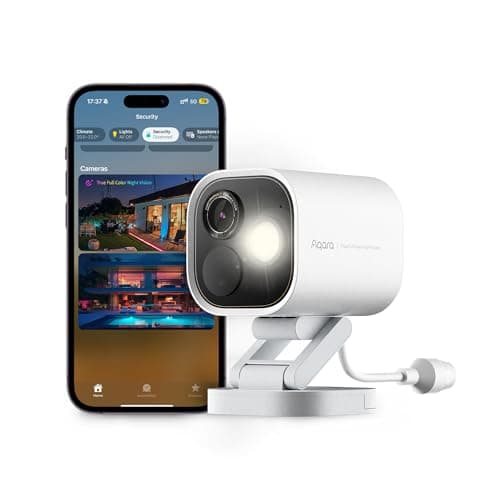
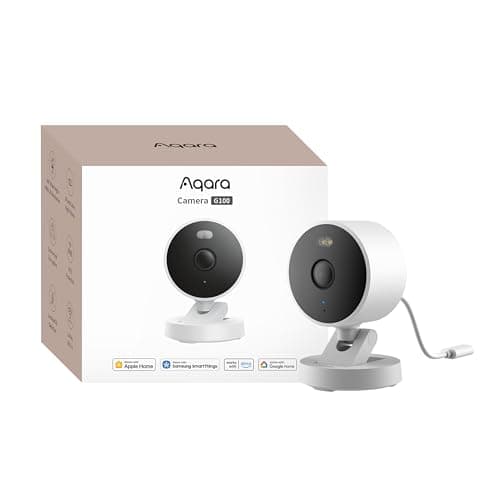
The best HomeKit security camera is the Aqara Camera G100 (2K, indoor/outdoor). It is the only camera here that is a complete HomeKit Secure Video camera and a complete local recorder at once — it writes to its own microSD card whether or not you ever pay Apple for storage — and it costs a fraction of everything else on this page. If you want a wired install that also brings your Aqara sensors online, step up to the Aqara Camera Hub G5 Pro (PoE).
What makes a security camera a HomeKit camera
Three different things get called “works with Apple Home,” and only one of them is what most buyers mean. The weakest is a live view: the camera appears in the Home app and you can watch it, and that is the whole feature. The middle version is an accessory-level integration, where the camera exposes motion as a trigger so a HomeKit automation can react to it. The strongest is HomeKit Secure Video, where your Apple home hub does the motion analysis itself, encrypts the clip, and files it in your iCloud account where neither Apple nor the camera manufacturer can read it.
Every camera on this page supports the third one. That is the entry requirement, not the ranking. The ranking is about what happens next.
HomeKit Secure Video is a subscription. It is not called one and it does not arrive with a camera-company logo on it, but recording requires an iCloud+ plan and a home hub. Apple publishes the tiers plainly: the 50GB plan records a single camera, the 200GB plan up to five, and the 2TB plan and above an unlimited number. The video itself does not count against your storage allowance, and the Home app keeps the last ten days. If you were shopping HomeKit specifically to escape a monthly fee, read that paragraph twice.
How we ranked them
Storage independence first: can this camera record anything at all with no iCloud+ plan? On most of the Apple-compatible field the answer is no, and that single fact separates the top two picks from the bottom three more decisively than any specification. Then the quality of the Apple integration — whether the camera is a first-class Home app citizen or a tile that happens to render. Then install reality: power, weather rating, and what the mounting position actually demands. Then the specifications everyone else leads with, which matter but decide less than people expect. The full rubric is published at our methodology page; it is compiled from manufacturer documentation and Apple's own support articles, not from bench testing, and we say so on every page.
Compiled from manufacturer specifications and Apple's published iCloud+ documentation, August 2026. HomeKit Secure Video on every camera here requires an Apple home hub and an iCloud+ plan.| Camera | Records with no iCloud+ plan | Local storage | Power | Weather rating |
|---|
| Aqara Camera G100 | Yes — to card, NAS or RTSP | microSD to 512GB, NAS backup | 5V USB | IP65 |
|---|
| Aqara Camera Hub G5 Pro (PoE) | Yes — onboard and to RTSP | Onboard storage, NAS via RTSP | PoE or USB-C | IP65 |
|---|
| Logitech Circle View | No | None | Mains, 10 ft fixed cable | IP64 |
|---|
| Eve Cam | No | None | 5V USB | Indoor only |
|---|
| Eve Outdoor Cam | No | None | Hardwired AC | IP55 |
|---|
Aqara Camera G100 — HomeKit Secure Video without the lock-in
The G100 answers the question this page exists to ask. It is a certified HomeKit Secure Video camera, so it behaves exactly like the expensive Apple-native options inside the Home app. It also takes a microSD card up to 512GB, backs up to a NAS, and publishes an RTSP stream. Those two facts together mean you can run it as a pure HomeKit camera on an iCloud+ plan, as a pure local camera with no Apple storage at all, or as both simultaneously with the card acting as the copy that survives a lapsed subscription.
The specifications are better than the outlay suggests: a 2304 × 1296 sensor, a 140-degree diagonal field, dual night vision with an infrared mode and a spotlight color mode, Wi-Fi 6 on the 2.4GHz band, and an IP65 housing that lets the same model live indoors or under an eave. Person detection runs on the device rather than in a cloud, so the detection most people actually use costs nothing.
Two honest limitations. Apple Home caps the stream at 1080p, so the extra pixels in that 2K sensor exist on the card, in an RTSP client and in Aqara's own app, but not in the Home app — if the Home app is the only place you will ever look, you are paying for resolution you will not see. And the camera runs on a 5V USB lead, so an outdoor position needs a route for the cable and a supply that is genuinely weatherproof. That is a real install job, not a detail.
Aqara Camera Hub G5 Pro — the wired one that is also a hub
The G5 Pro is the upgrade when the install can take a cable. It is a 2688 × 1520 sensor behind an f/1.0 lens with true color night vision, IP65, powered over Ethernet or USB-C, with onboard encrypted storage and RTSP out to a NAS. In the Home app it is another HomeKit Secure Video camera; in the rest of the house it is a Thread border router, a Zigbee hub, a Matter controller and a Matter bridge.
That last sentence is the reason it is on this page rather than merely on our outdoor camera roundup. A Thread border router is the piece an Apple household needs before Thread sensors have anything to join, and buying a camera that happens to be one collapses two purchases into one. If your plan is a camera at the door and a set of contact sensors on the windows — the combination we walk through in our door and window sensor roundup — this is the box that makes both work.
The costs are equally concrete. Onboard storage is measured in single-digit gigabytes, so it is a buffer rather than an archive: real retention means pointing the RTSP stream at a NAS or a recorder, which is a second device and a second decision. And PoE means a cable run. Judged only as a camera it is expensive for what it shows you; judged as a camera plus a border router plus a Zigbee hub, it is the best-value item on this page.
Logitech Circle View — the widest view, and no company in the middle
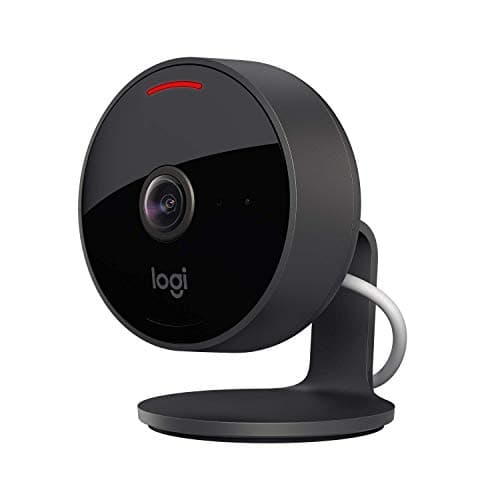
The Circle View is HomeKit and nothing else. There is no Logitech account, no Logitech cloud, no second app and no Logitech subscription, because Logitech built it to hand everything to Apple. For a household that chose Apple partly to reduce the number of companies holding footage of its hallway, that is a genuine feature rather than a limitation.
It also has the widest lens here: 180 degrees diagonal at 1080p, which in practice means one camera usually covers an entire room or an entire entrance where a 140-degree camera needs two. Infrared night vision is rated to about 15 feet, the body is IP64 with a 10-foot cable sealed inside it, and a hardware button cuts the camera and microphone outright.
The trade is total. There is no card slot, so with no iCloud+ plan this camera records nothing whatsoever — it becomes a live view you can watch only while you are watching. At 1080p it is also the softest image in this group, and the fixed cable decides where the camera can physically go before you have chosen a wall. Buy it for the field of view and the absence of a vendor cloud, on the explicit understanding that the iCloud+ plan is part of the purchase price.
Eve Cam — the indoor camera with no account anywhere
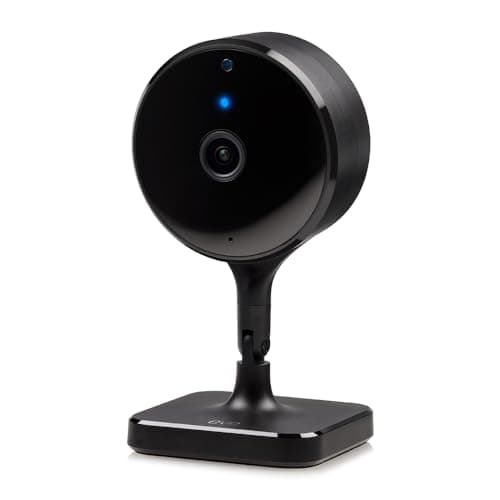
Eve builds Apple-only accessories and does not run a camera cloud, and the Eve Cam is the clearest expression of that: you can set it up without creating an account with anyone except Apple, whose account you already have. Analysis happens on your home hub, footage is encrypted before it leaves the house, and no third party is positioned to see any of it.
As hardware it is modest and honest about it: 1080p, a 150-degree field, night vision Eve rates to five meters — roughly sixteen feet — and 5V USB power, indoor only. It is a shelf camera for a room you want covered, not a driveway camera.
The difficulty is the comparison directly above it in this list. The Aqara G100 is higher-resolution, weatherproof and records locally for a small fraction of the money. If you rank on specifications per dollar, the Eve loses that comparison decisively and we are not going to pretend otherwise. What it offers instead is a supply chain with one fewer company in it. That is worth something to some buyers and nothing to others, and only you know which one you are.
Eve Outdoor Cam — the floodlight nobody else still makes
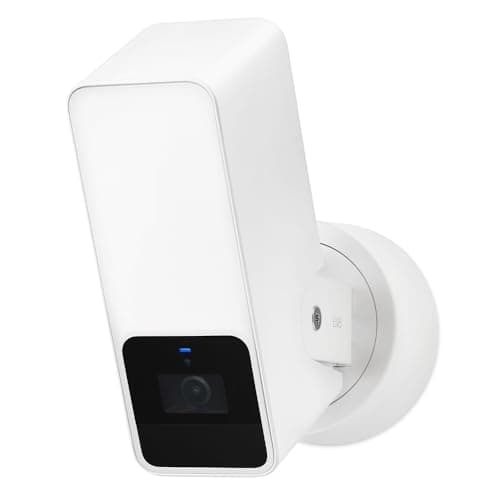
Floodlight cameras are a crowded category everywhere except Apple Home, where the list of current HomeKit Secure Video options is very short. The Eve Outdoor Cam is a mains-wired floodlight with a 1080p camera and a 157-degree field in an IP55 housing, and the light is exposed to HomeKit as a light in its own right — so a contact sensor opening, a lock unlocking, or a time of day can switch it, not just the camera's own motion detection. That is a meaningfully more useful floodlight than one wired only to itself.
It is also the hardest install here. Eve specifies AC power with both a neutral and a ground, because the product replaces a wired outdoor light fitting; for a lot of houses that is an electrician rather than an afternoon. The camera is 1080p on 2.4GHz Wi-Fi, which is modest for the outlay, and like the other two Apple-exclusive cameras it stores nothing locally. Buy it because you want a HomeKit-controllable floodlight that also records, which is a specific and legitimate thing to want, and not because you are shopping cameras on specifications.
What we deliberately left off
Cameras that appear in the Home app as a live view but cannot record to HomeKit Secure Video are not on this page, even where the box says “works with Apple Home.” A live view is a convenience; it is not a security camera in the sense anyone shopping this query means. Matter has not changed this as much as the announcements suggested — camera support is the slowest-moving corner of the standard, which is the point we make at length in our Matter explainer.
We have also left off cameras whose HomeKit support was announced and then quietly deprecated in a firmware release. If a manufacturer is not currently publishing HomeKit Secure Video support for a model on sale today, it is not here. And if you are on Apple Home but the local-first, no-plan route matters more than the Home app tile, the honest recommendation is to read our Home Assistant camera roundup instead, where the ranking is on published RTSP and ONVIF support and nothing depends on a subscription.