HUB 06 · Guides
How Many Security Cameras Do I Need?
Count entrances, not walls. Most houses need two to four, the useful ceiling arrives sooner than people expect, and on a per-camera plan every extra one bills you twelve times a year.
We earn a commission if you buy through our links. It does not change the price you pay, and it does not decide our picks — our selection criteria are published in full. How this works.
Verdict
The bottom line
Count entry routes, not walls. Most detached houses need two to four cameras: one covering the front door and approach, one covering the back or side door that is out of sight from the street, and one each for any other realistic way in — a patio slider, a side gate, a detached garage. An apartment usually needs one. Add cameras beyond that only when each new one answers a question the existing ones cannot, because the value of camera number six is close to zero while its cost is identical to camera number one — and on a per-camera cloud plan, that cost repeats every month for as long as you own it.
The counting method
Do this before looking at any product. Walk the outside of the building and write down every way a person could get in without a ladder: each exterior door, each ground-floor slider or french door, each accessible window, the garage, the gate to the back. That list is the only thing that determines how many cameras you need, and it is almost always shorter than the number of walls.
Then apply three rules.
- One camera per entry route that is out of public view. Concealment is what makes a route attractive, so a back door behind a fence earns a camera before a front door on a busy street does.
- One camera at the main approach, even though it is overlooked. Not because it is the likeliest entry but because it is where you get a usable image of a face at a known distance. This is usually the doorbell, which means it is a camera you were buying anyway.
- Combine routes that share a sightline. One camera on a corner can cover a side path and a back gate; one wide or dual-lens camera can replace two. This is where the count comes down, and it is worth walking the garden to find the corners.
A typical three-bedroom detached house lands on three: doorbell at the front, one on the rear corner covering the back door and the patio door, one on the side passage or the garage. A terrace or townhouse often lands on two. An apartment with one door lands on one, and that one is usually a doorbell.
This page is about how many, not where. Mounting height, angle, the distance at which a face is still recognizable and the mistakes that waste a camera are a separate problem with its own page: where to place security cameras. Get the count from here and the positions from there.
Why more cameras stop helping
Three reasons, and all three arrive sooner than people expect.
Overlap. After the entry routes are covered, each new camera largely re-films something another camera already saw from a worse angle. The marginal footage is not new information.
Attention. Every camera generates notifications. Six cameras in a busy suburb produce enough alerts that people turn notifications off, and a camera system whose alerts you ignore has quietly become a camera system that only works retrospectively. Fewer cameras with tighter detection zones beat more cameras with the alerts muted.
Retention.Storage is shared. On a fixed drive, doubling the cameras halves the number of days you can look back — and looking back is what you need when you discover something three days later. The arithmetic, from a stated bitrate rather than an assertion, is in our guide to continuous recording, and the bandwidth side is in how much data cameras use.
What each extra camera actually costs
The purchase price is the part people budget for and the smallest part of the answer. Three other costs scale with the count.
The plan.This is the one that matters. Several major brands price cloud recording per camera, so the fourth camera is not a one-off purchase — it is a purchase plus a recurring line on a bill for as long as you own it. Brands that charge per household, or that record locally and charge nothing, make a multi-camera install dramatically cheaper over five years. The five-year arithmetic for the major plans is in our subscription cost comparison, and the cameras with no plan at all are in our no-subscription roundup.
Storage. A bigger drive, or a recorder with more channels. This is a one-off and it is cheap relative to a plan, which is the whole argument for local recording on a multi-camera system.
Installation and upkeep. Each wired camera is a cable run; each battery camera is a charging cycle; each solar camera is a position that has to get sun. Four battery cameras is four recharges, and that is the hidden cost that makes people stop using a system.
Buy in the right order, not all at once
The count tells you the destination. It does not mean buying everything today, and there is a sensible order.
- The doorbell first. It covers the main approach, it is the camera you will actually look at daily, and it replaces a device you already have. Ranked in our video doorbell roundup.
- Then the concealed door.The back or side entrance that nobody overlooks — the highest-value camera on the house after the doorbell.
- Then the system decision.At camera three, the question changes from “which camera” to “which architecture,” because three cameras is where a recorder starts being cheaper than three plans. That decision is in our camera system roundup and our IP camera versus NVR comparison.
- Then sensors, not more cameras. This is the step almost everybody skips. A contact sensor costs a fraction of a camera and tells you the thing a camera cannot: that the door actually opened. On most houses the fourth-best purchase is three sensors, not a fourth camera. Ranked in our door and window sensor roundup.
Two situations that genuinely need more
A property rather than a house. Outbuildings, a long drive, a paddock or a yard with machinery each need their own camera, because one camera far away shows a person as a handful of pixels. Those are a separate problem, ranked in our shed and barn roundup.
A need to read something at distance. Plates and faces at range need optical reach, and a wide camera will not get there no matter how many of them you fit. One camera with real optical zoom on the approach beats three wide cameras, and that case is in our driveway camera roundup.
The hardware for each scale
The four below are one per scale rather than a ranking: a complete four-camera system with the recorder and drive for a whole-house install, a PoE two-pack for growing to three or four, the subscription-free solar pick for a position with no cable, and the cheapest competent wired camera for adding one more view. Their prices come live from the Amazon API and were last checked October 15, 2026. The full field is at the cameras hub and the rubric at our methodology.
The hardware
The hardware this guide is about
The products this guide refers to, with prices pulled live from Amazon and dated on every card. Full rankings live in the roundups linked above.
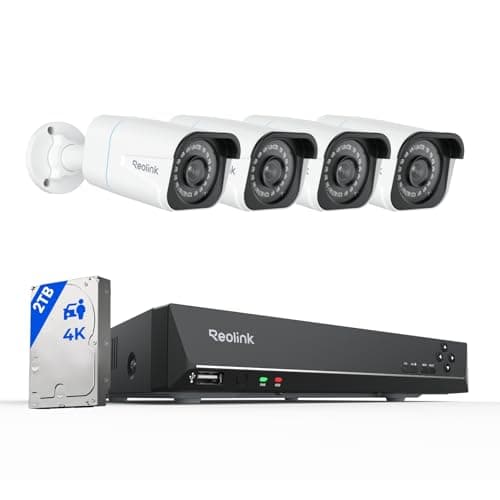
Best complete local system
Reolink 8CH 4K PoE System with NVR + 2TB
Four 4K PoE cameras, an eight-channel recorder and a 2TB drive in one box. Continuous recording, nothing in anybody's cloud, and no monthly anything — the endgame of subscription-free.
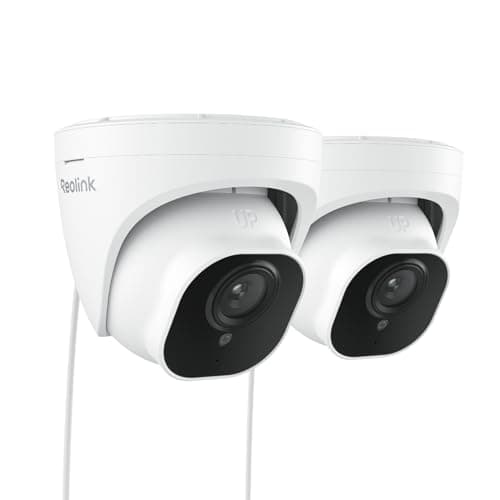
Best multi-camera value
Reolink RLC-520A PoE Dome (2-pack)
The sensible way to buy your second and third camera. A pair of wired PoE domes with the same RTSP and ONVIF support as the flagship, at roughly the per-camera cost of one consumer battery cam.

Best subscription-free outdoor camera
eufy SoloCam S340 (solar, dual camera)
Solar panel, pan and tilt, dual lenses and onboard storage — no wire, no monthly fee, and no recording leaving the device unless you choose to send it.
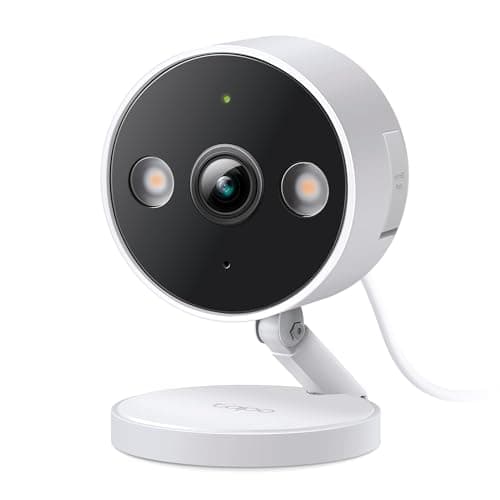
Best budget wired camera
TP-Link Tapo 2K+ Indoor/Outdoor Wired Camera
The cheapest camera here that does continuous recording. Plug it into a socket, put a card in it, and it records all day without ever asking for a card number.
#ad · As an Amazon Associate we earn from qualifying purchases.
Questions
Frequently asked
How many security cameras does an average house need?
Is it better to have more cameras or better cameras?
Do I need a camera on every window?
How many cameras can one NVR handle?
Does each extra camera cost more per month?
Keep reading
Related
- Where to place security camerasOnce you know how many, this is where each one goes.
- Best home security camera systemsAt three cameras the question becomes architecture rather than camera.
- What camera plans cost over five yearsWhy per-camera pricing decides how many you can afford.
- Best door and window sensorsUsually a better fourth purchase than a fourth camera.
Receipts
Sources
- Reolink — 8-channel PoE NVR system specifications and channel capacity
- eufy — SoloCam S340 specifications and no-subscription local recording
- TP-Link Tapo — 2K+ wired camera specifications and local recording
We do not run a testing lab and we do not pretend to. Specifications come from the manufacturer's own published documents and from published standards; prices come from the live Amazon API. Where a figure is not published, the page says “not published” rather than guessing. Read the full method.