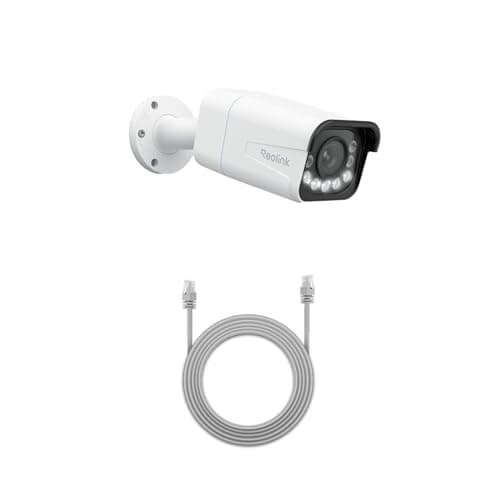
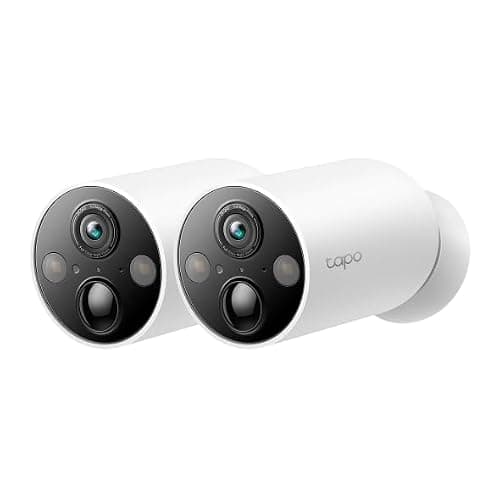
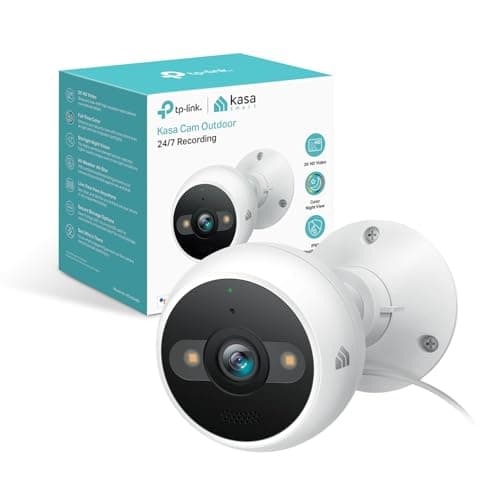
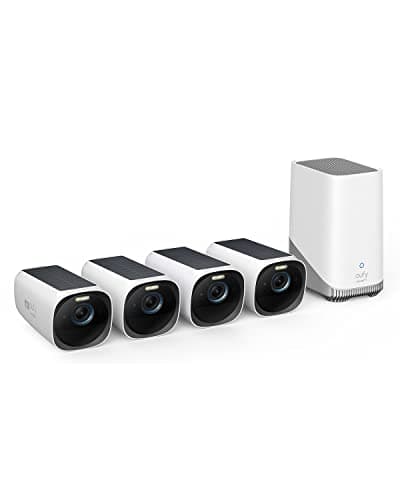
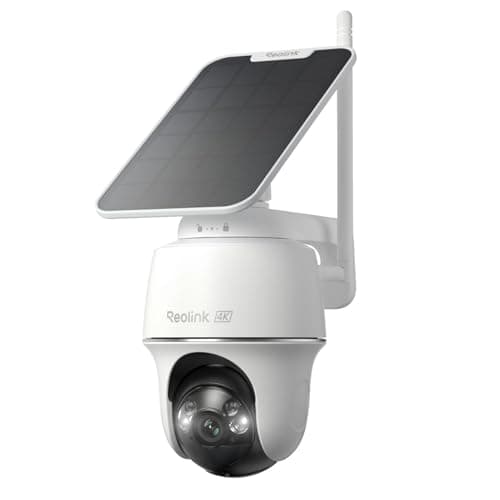
The best outdoor security camera for most houses is the Reolink Argus PT Ultra: 4K, pan and tilt, solar charged, and it records to a card in the camera with no account tier and no plan. Everything below is ranked on whether it will still be working, unattended, in eighteen months.
Outdoor cameras are not indoor cameras with a rubber gasket. Three things change outdoors and only one of them is weather: the camera has no permanent power unless you give it some, it is mounted somewhere you have to fetch a ladder to reach, and it is within reach of anyone standing under it. Those three facts decide more outdoor purchases than resolution ever will, and the category's buying guides barely mention them.
The single most common outdoor-camera regret is a solar camera mounted where the panel never sees direct sun. A north-facing wall under a deep eave in the northern hemisphere gets diffuse sky light and almost no direct beam, and diffuse light does not charge a small panel meaningfully. The camera works beautifully for a few weeks on its shipped charge, then starts asking to be charged, and now you own a battery camera at the top of a ladder. Do the sun test below before you order.
The best outdoor security cameras with no subscription, compared
Compiled from manufacturer specifications and support documentation, July 2026. Check the published IP rating on the listing for the exact variant you order.| Model | Power | Storage location | Works with no plan? | Continuous or event-only | Needs direct sun? |
|---|
| Reolink Argus PT Ultra | Integrated solar and battery | microSD in the camera | Yes, fully | Event-only | Yes — this is the deciding question |
|---|
| eufy SoloCam S340 | Integrated solar and battery | On the camera | Yes, fully | Event-only | Yes — this is the deciding question |
|---|
| Reolink RLC-811A | Power over Ethernet | Card in the camera, or an NVR you own | Yes, fully | Continuous 24/7 | No — the cable does the work |
|---|
| Tapo MagCam 2K+ | Rechargeable battery | microSD in the camera | Yes, fully | Event-only | No, but expect a charging cycle |
|---|
| Kasa 2K+ Outdoor Wired | Mains socket | Local storage in the camera | Yes, fully | Continuous 24/7 | No — the cable does the work |
|---|
| eufyCam 3 (S330) kit | Integrated solar and battery, HomeBase indoors | Expandable drive in the HomeBase | Yes, fully | Event-only | Yes, on every camera in the kit |
|---|
Power: the sun test, and how to do it honestly
A small integrated panel on a camera is measured in a couple of watts. To keep a camera charged it needs direct beam radiation for a few hours a day, not ambient daylight. Two properties of direct sun matter and both are geometric rather than a matter of opinion.
First, aspect. In the northern hemisphere the sun tracks across the southern sky, so a south-facing wall receives direct beam for most of the day, an east or west wall receives it for part of the day, and a north-facing wall receives direct beam only marginally at the extremes of a summer morning and evening, and essentially never in winter. That is not a small difference; it is the difference between charging and not charging. National solar resource data, published by NREL, shows the same pattern across every latitude in the continental United States: the beam component drops sharply on a north-facing vertical surface.
Second, obstruction. A deep eave, a porch roof, a soffit overhang, a neighboring wall or a mature tree removes direct beam for the hours it shadows the panel. An eave is the most common culprit precisely because the underside of an eave is also the most convenient place to mount a camera. The two requirements pull in opposite directions and the panel loses.
The sun test.Go to the exact mounting point on a clear day and check it at 9am, midday and 3pm. If the spot is in direct sunlight, with a hard-edged shadow on the wall, at two of those three times, a solar camera will keep itself charged there. If it is in shade at all three, it will not, and no amount of “but it is bright out here” changes that — the panel responds to beam, not to brightness. Do the test in winter if you can; the winter sun is lower and eaves shadow more of the wall, and winter is when a battery has the least margin.
If the spot fails the test you have three good options and one bad one. Good: run a cable and buy a wired camera (the Kasa 2K+ Outdoor on a socket, or the Reolink RLC-811A on PoE); buy a camera whose panel is on a separate lead so the panel can sit in the sun while the camera sits under the eave; or accept a battery camera like the Tapo MagCam and plan for charging. Bad: buy the solar camera anyway and find out in November.
Mounting height versus reachability
Every outdoor camera position is a compromise between four things that do not agree with each other.
- Usable faces. A camera looking steeply down records the crowns of heads and shoulders. Faces need a shallower angle, which means mounting lower or aiming further out.
- Out of reach. Anything you can touch standing on the path can be covered, turned, or removed. Roughly 2.7 to 3 meters puts a camera above the reach of an average adult without a step.
- Your own access. Every battery camera needs bringing down to charge, every camera needs its lens cleaned once or twice a year, and firmware sometimes needs a physical reset. A camera at 4.5 meters on a gable is a two-person ladder job every time.
- Detection geometry. Passive infrared motion sensors are most sensitive to movement crossing the field of view and least sensitive to movement straight toward the lens. A camera aimed straight down a path at an approaching person triggers later than the same camera aimed across the path.
The workable compromise for most houses is around 2.5 to 3 meters, angled down about fifteen degrees, positioned so the main approach crosses the frame rather than running into it. That is high enough to be awkward to reach, low enough to record a face, and low enough that a step ladder reaches it. Pan-and-tilt cameras like the Argus PT Ultra and the SoloCam S340 forgive an imperfect choice here, because you can re-aim from the app instead of climbing back up.
One more note on reachability: local storage and low mounting are a bad pair. If the only copy of the footage is a card in a camera at head height, the camera and the evidence are the same object. Either mount high, or use a system that keeps the recording indoors — which is the argument for the eufyCam 3 kit, where the cameras are sensors and the HomeBase in the house is the recorder.
What the IP rating on the box actually means
Every outdoor camera publishes an ingress protection code from IEC 60529 — IP65, IP66, IP67 and so on — and almost nobody explains it, so buyers treat a bigger number as generically better. It is not a scale of quality. It is two independent digits: the first is protection against solid objects and dust, the second is protection against water, and they answer different questions.
Ingress protection codes as defined in IEC 60529. Digit meanings are from the published standard; check the specific code on the product listing for the variant you order.| Code | First digit (solids) | Second digit (water) | What that means on an exterior wall |
|---|
| IP54 | 5 — dust-protected; limited ingress, no harmful deposit | 4 — splashing water from any direction | Fine under a covered porch. Marginal on a wall that takes wind-driven rain. |
|---|
| IP65 | 5 — dust-protected | 5 — low-pressure jets from a 6.3mm nozzle, any direction | The normal minimum for an exposed exterior camera. Handles driving rain and a garden hose. |
|---|
| IP66 | 6 — dust-tight | 6 — powerful jets from a 12.5mm nozzle | Exposed sites, coastal wind-driven rain, and anywhere a pressure washer might be aimed near it. |
|---|
| IP67 | 6 — dust-tight | 7 — temporary immersion to 1 meter for 30 minutes | Survives standing water. Relevant for a low mount that could be submerged in a flood, less so at 3 meters. |
|---|
| IP68 | 6 — dust-tight | 8 — continuous immersion, depth and duration set by the maker | Beyond what a wall-mounted camera needs. Worth noting that the conditions are declared by the manufacturer, not fixed by the standard. |
|---|
Two things follow from the table. IP65 is the sensible floor for a camera on an exposed wall, and the jump from IP65 to IP67 is a water-immersion property that a camera three meters up will never exercise — so it is not a reason to pay more. The digit that quietly matters more over years is the first one: 6 means dust-tight, and fine grit working into a housing over five winters is a more realistic failure than immersion. Note also that IP codes describe water, not temperature; operating temperature range is a separate published figure and is the one to check if you are in a climate that spends weeks below freezing.
Wired, solar or battery: choosing the power model
If you can get a cable to the mounting point, do. A wired camera gives you continuous recording rather than event clips, never needs charging, and removes the entire solar question. Power over Ethernet is the best version of this because one cable does power and data, which also means the camera is not depending on Wi-Fi reaching the end of the garden. The Reolink RLC-811A is the pick there and it is why our main camera roundup ranks it second overall.
If you cannot, solar is the right answer wherever the sun test passes, and the two strongest solar cameras here are the Argus PT Ultra and the SoloCam S340. They are close enough that the tiebreakers are ecosystem rather than hardware: Reolink publishes RTSP and ONVIF support across much of its range, which is what makes a camera usable in Home Assistant, Frigate or Blue Iris; eufy's app is more polished and its HomeBase gives you a route to indoor storage later. We take that apart properly in eufy vs Reolink.
If neither works, buy a battery camera with your eyes open. The Tapo MagCam is the easiest of these to live with because its magnetic mount makes repositioning a two-minute job — which is also its risk, since a magnet mount within reach is a camera that lifts off in one movement. Mount it high or bolt something else there.
Why none of these charge a monthly fee
Every camera on this page records to storage you own: a card in the camera, or a drive in a HomeBase or an NVR in your house. That is the whole selection criterion, and it is why brands with strong outdoor hardware but cloud-only recording are not on this list. The background reasoning, and the shape of what a plan costs across five years, sits on the no-subscription hub, with the filtered camera shortlist at best local storage security cameras.
How we picked
Products we claim to have tested: 0 — and we would rather say that than imply a test lab we do not have. What we compile instead is the published specification, the manufacturer's own support documentation, the ingress and operating-temperature figures, and the running cost, then we rank on them and publish the rubric at methodology. Every pick above carries a specific reason to skip it. The rest of the category is on the cameras hub.
Installing an outdoor camera without regretting it
Order of operations
Position, then power, then camera. Choose the spot, note what is available there (a socket, a cable route, direct sun), and only then shortlist hardware. Reversing that order is the origin of essentially every outdoor-camera complaint: solar in the shade, wired with no socket, mounted so high that everyone is a hat.
What decides the price outdoors
The panel and the battery, the pan-tilt mechanism, the lens system, and the enclosure. Weatherproofing itself is comparatively cheap — an IP65 housing is not what makes a camera expensive — which is why you should not read a higher IP code as a proxy for a better camera. Pan and tilt is genuinely worth paying for outdoors, not for the novelty but because it converts a mounting mistake into an app adjustment.
The mistake buyers make
Assuming “solar” means “no maintenance.” Solar means no maintenance where there is sun. In shade it means the same charging cycle as a battery camera, plus the cost of a panel that is doing nothing, plus a ladder. The second most common mistake is mounting to render or masonry with the supplied screws and no suitable anchors, then discovering in the first gale that the bracket has pulled. Drill, plug, seal the top of the hole, and route the cable so water runs away from the entry rather than into it. The third is buying for coverage when the problem is distance: on a long approach, optical reach decides what is legible far more than the sensor does, which is why the driveway rankings are ordered on zoom rather than resolution.
Field of view is not coverage
A 130-degree lens sounds like it covers a garden. What it covers is a cone that gets wider and less detailed with distance, and detail falls away faster than most people expect. Two cameras with narrower views covering the two approaches you care about will almost always beat one very wide camera trying to see everything, and this is more true outdoors, where distances are longer.
Night is the harder problem
Most outdoor incidents that people want recorded happen in low light. Infrared night vision gives you a monochrome image and, on a wall-mounted camera, an infrared glare problem if there is anything reflective close to the lens. Color night vision needs either ambient light or a spotlight, and a spotlight that fires forty times a night annoys the neighbors and drains a battery. Starlight-type sensors that produce color at low light without a lamp, as on the Kasa outdoor camera, are the quiet compromise.
Then check what the camera cannot see
An outdoor camera covers an approach. It does not tell you that a window has been opened on the other side of the house, and it has nothing to say about an interior door. A handful of contact sensors covers the openings a camera cannot for a small fraction of the price per point — the same buyer, the adjacent purchase, and the list is at best door and window sensors. If you are also covering the front step, note that a doorbell camera is a different tool with a different install problem, covered in is a video doorbell worth it.