Skip to content
SensorLatch

HUB 03 · Sensors

The Best Door Sensors Without a Hub

The phrase means three different things, and the difference between them is what gets returned.

By Stephen V.Updated How we pick
#ad

We earn a commission if you buy through our links. It does not change the price you pay, and it does not decide our picks — our selection criteria are published in full. How this works.

The short answer

Quick picks

#ProductBest forScorePrice
01
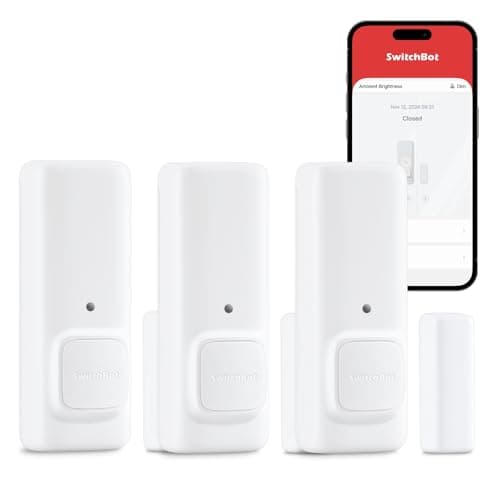
SwitchBot SwitchBot Contact Sensor
SwitchBot Contact Sensor

A contact sensor with a built-in motion detector and its own audible alert, so it does something useful before you have bought a hub or picked an ecosystem.

Best standalone alarm sensor
8.0
$29.99Amazon
02
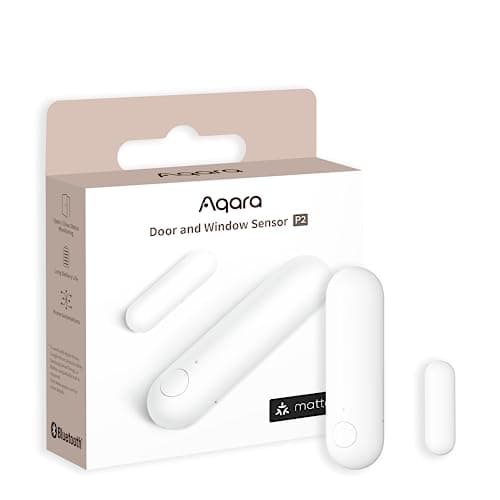
Aqara Aqara Door and Window Sensor P2
Aqara Door and Window Sensor P2

Thread, and that is the whole point. It joins a Matter fabric directly, so it reports to Apple Home, Google Home, SmartThings or Home Assistant without Aqara's cloud anywhere in the path.

Best door and window sensor
8.8
$26.99Amazon
03
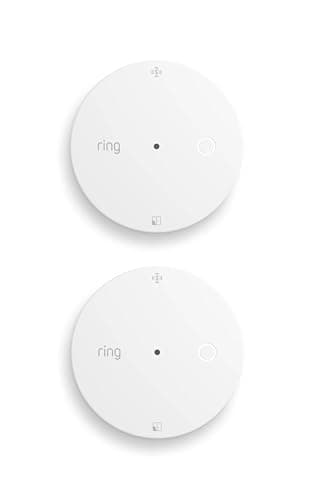
Ring Ring Glass Break Sensor
Ring Glass Break Sensor

Acoustic glass-break detection that runs on Amazon Sidewalk with no base station, which removes the usual barrier: you no longer need a whole alarm system to cover one big window.

Best glass break sensor
7.3
$54.99Amazon
04
Aqara Aqara Multi-State Sensor P100
Aqara Multi-State Sensor P100

Contact and vibration in one body, with ten sensitivity levels — so a single device covers both the window being opened and the window being struck.

Best combined contact and vibration sensor
8.5
$29.99Amazon
05
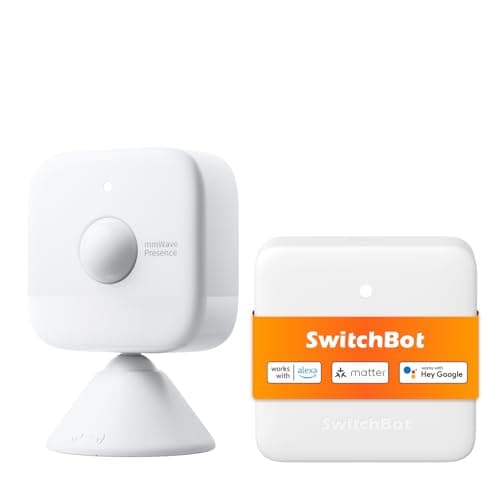
SwitchBot SwitchBot mmWave Radar Motion Sensor
SwitchBot mmWave Radar Motion Sensor

Radar rather than infrared, so it detects a person sitting still — the single thing PIR sensors are worst at, and the reason motion-triggered lights turn off while you are reading.

Best presence sensor
7.0
$59.99Amazon

#ad · Prices pulled live from the Amazon Product API, last checked Jul 20, 2026. Where we have no verified live price we show none — we would rather leave a gap than print a number that has gone stale. Scores are our own, compiled from published specs; they are not test results.

The SwitchBot Contact Sensor is the honest answer: it detects the door opening, detects movement in front of it, and sounds its own alert with nothing else installed. Everything else marketed as hub-free on this page needs something. The table below states exactly what, per product, before you spend anything.

What does “no hub” actually mean?

Three different things, and vendors use the phrase for all three without distinguishing between them. This is the single most common reason a sensor gets bought, opened, and returned.

  1. Truly standalone. The device does its whole job with no second box. It pairs to your phone over Bluetooth, or it does something local and audible, and it is useful the moment the battery tab comes out. This is rare and it is what most buyers think they are getting.
  2. No hub to buy, but a border router you must already own. Thread devices need a Thread border router. Apple TVs, HomePods, several Nest and Echo devices and SmartThings hardware are border routers, so if one is already in your house the sensor genuinely joins with no additional purchase. If not, you are buying a hub, whatever the listing calls it.
  3. No hub because it uses somebody else's network.The Ring Glass Break Sensor rides Amazon Sidewalk. There is no base station, which is true and useful, and there is a third-party mesh carrying your device's traffic, which is also true and is a different proposition entirely.

The category-three case is the one to read twice. “No base station required” and “no infrastructure required” are not the same claim. One means you save a purchase; the other means your alert path depends on a network you neither own nor administer.

What “no hub” means for each of these

Compiled from manufacturer specifications and published protocol documentation, July 2026.
SensorWhat “no hub” actually means for this productProtocolWorks with nothing else installed?Works offline?Power
SwitchBot Contact SensorTruly standalone for the audible alert and phone-in-range use. A SwitchBot hub is needed only for notifications while you are out.BluetoothYesYes, the local alert needs no network at allReplaceable cells
Aqara Door and Window Sensor P2No Aqara hub needed, but a Thread border router is mandatory. If you own an Apple TV 4K, HomePod mini, Nest Hub (2nd gen) or SmartThings Station you already have one; if not, you are buying one.Matter over ThreadNoYes, local automations1x CR2032
Ring Glass Break SensorNo Ring Alarm base station needed, because it uses the Amazon Sidewalk network instead. You skip a purchase and take on a third-party network dependency.Amazon SidewalkYes, given Sidewalk coverageNo, the alert path is not yoursReplaceable cells
Aqara Multi-State Sensor P100Not hub-free. It needs a Thread border router or an Aqara Zigbee hub. It is here because it is frequently shopped alongside the P2 and buyers assume it inherits the same requirements.Thread or ZigbeeNoYes, once joinedCoin cell
SwitchBot mmWave Radar Motion SensorPairs to your phone directly over Bluetooth, but a SwitchBot hub is required before it can drive any automation. Mains power is also required in practice.BluetoothPartly, for local readings onlyYes, but it cannot tell anyoneMains

Why the SwitchBot wins a page it is not the best sensor on

On raw capability the Aqara P2 is the better device and it wins our main door and window sensor roundup on exactly those grounds. It is second here because this page answers a narrower question: what should you buy if you are not going to install any infrastructure?

Under that constraint the SwitchBot is the only pick that fully clears the bar. It detects the opening, detects movement in front of it, and makes a noise where the door is. On a garage side door, a shed, a rented room or a basement door, an audible local alert is frequently more useful than a phone notification, because the notification arrives somewhere you are not. Its limits are real and stated in the same breath: Bluetooth range is short in a house with thick internal walls, and without a SwitchBot hub it will not reach you at work.

The border router trap

Thread devices are the single biggest source of the confusion this page exists to fix, because the listing is technically accurate and practically misleading. “No hub required” on a Thread sensor means “no proprietary vendor hub required”. It does not mean the device works on its own. Thread is a mesh network, and a mesh needs a router that bridges it to your LAN.

The redeeming detail is that many people already own one without knowing it. An Apple TV 4K, a HomePod mini, a Google Nest Hub (2nd gen), a SmartThings Station and the Aqara Hub M3 and M200 all act as Thread border routers. If any of those is plugged in, a Thread sensor genuinely is a no-extra-purchase device, and it is the better buy. Check before you order, not after. The full mechanism is in our Matter and Thread explainer.

Standalone alarms versus connected sensors

There is a legitimate product category this page will not pretend into existence: the truly standalone door alarm that also notifies your phone from anywhere. Physics is unhelpful here. Reaching your phone from away requires either your home network or somebody else's, and a coin cell cannot power a Wi-Fi radio for a year. Every product that solves this solves it by adding a hub, riding a shared mesh, or having mains power.

So the honest framing is a choice, not a compromise. Either you want a local audible response, which needs nothing and works forever, or you want a remote notification, which needs infrastructure. Deciding which of those you are actually buying, before you shop, removes about ninety percent of the disappointment in this category.

What hub-free costs you, in specifics

Going without infrastructure is a legitimate decision, and it has four concrete consequences worth knowing before rather than after.

Range collapses.Bluetooth is the radio that makes standalone sensors possible, and its practical indoor range is a fraction of Zigbee's or Thread's because there is no mesh to relay through. Two plasterboard walls and a run of ductwork will cost you a connection that worked fine in the same room. A mesh network solves this structurally: every mains-powered node repeats for the battery ones. A standalone sensor has nothing to repeat through, so the only fix is standing closer.

Automation stops at the device.A hub is the thing that holds rules. With no hub there is nowhere for “if the back door opens after 11pm, turn the hall light on” to live. You get an alert and a human decision, which is fine for one door and useless as a system.

State history disappears.Hub-based sensors log every open and close, so you can answer “was the garage door left open yesterday afternoon?” retroactively. A standalone alert is an event, not a record.

Cost per opening goes the wrong way. A standalone sensor costs more per unit than a bare mesh endpoint because it carries its own alerting hardware. On one door that is irrelevant. On nine, the hub you avoided buying would have paid for itself twice over, which is the arithmetic worked through in the main roundup.

None of that argues against buying one. It argues against buying nine, and against assuming a hub-free set of sensors is a smaller version of a hub-based one. It is a different product doing a narrower job.

What about glass break and presence?

Both are on this page because both are routinely shopped as hub-free alternatives to a contact sensor, and neither is a substitute for one.

The Ring Glass Break Sensor uses acoustic detection, which is the correct mechanism for a large pane and covers a whole room rather than a single opening. That drops the per-window cost sharply on a room with three windows in it. It also depends on Amazon Sidewalk, which is a reasonable trade for many households and a firm dealbreaker for anyone building a local-only setup.

The SwitchBot mmWave radar sensor detects a person who is sitting still, which every passive infrared sensor is bad at. It is an occupancy sensor for automation, and it is honest about that: mmWave sees through thin partitions, so it is excellent at knowing a room is occupied and poor at telling you who is in it. Do not buy it as a perimeter device.

How we picked

Compiled from manufacturer manuals, published Matter and Thread documentation and vendor support pages, with no bench measurement of any kind and no claim to have handled the hardware. Our methodology publishes the rubric. If you are choosing an ecosystem as much as a sensor, the Ring versus eufy comparison covers what each one does with your device data, and a sensor purchase usually turns into a smart lock purchase within a month.

In detail

The picks, in full

01
SwitchBot SwitchBot Contact Sensor

Best standalone alarm sensor

SwitchBot Contact Sensor

Contact + motionBluetoothLocal audible alertHub for remote alerts
Works without a hubHub required for phone alerts
8.0/10

A contact sensor with a built-in motion detector and its own audible alert, so it does something useful before you have bought a hub or picked an ecosystem.

Local control
8
Battery
8
Ecosystem
7
Install
9
Value
8

What it gets right

  • Detects both the door opening and movement in front of it, which two separate devices would otherwise cover
  • Makes a noise on its own — useful on a garage side door where a phone notification is not enough
  • Cheapest route to a working alarm on a single door with nothing else installed

What it doesn't

  • Phone notifications and automations need a SwitchBot hub
  • Bluetooth range is a real constraint in a house with thick internal walls

What it costs to run

Replaceable cells. No subscription; the hub is hardware.

Skip this if…

you want notifications on your phone while you are out. Without a SwitchBot hub this is a local noisemaker — it will not reach you at work.

$29.99on Amazon

$49.9940% off

Price last checked Jul 20, 2026. Prices move constantly — Amazon's at checkout is the one that counts.

#ad · we may earn a commission from this link to SwitchBot Contact Sensor

02
Aqara Aqara Door and Window Sensor P2

Best door and window sensor

Aqara Door and Window Sensor P2

Matter over Thread1x CR2032Thread border router requiredLocal automations
Local, no cloudThread border router required
8.8/10

Thread, and that is the whole point. It joins a Matter fabric directly, so it reports to Apple Home, Google Home, SmartThings or Home Assistant without Aqara's cloud anywhere in the path.

Local control
9.5
Battery
9
Ecosystem
9
Install
9
Value
7.5

What it gets right

  • Matter over Thread means it is not tied to Aqara's app or servers — the sensor belongs to your smart home, not to a vendor
  • Local automations keep running when the internet is down, which is precisely when you want a door sensor to work
  • A single CR2032 in a device that only radios on state change is the best battery-life shape in home security

What it doesn't

  • Absolutely requires a Thread border router — this is not optional
  • More expensive per sensor than Zigbee alternatives

What it costs to run

1x CR2032. No hub subscription, no cloud account required for local automations.

Skip this if…

you have no Thread border router. Without an Apple TV 4K, HomePod mini, Google Nest Hub (2nd gen), SmartThings Station or an equivalent, this sensor will not join anything — and nothing on the box or the listing tells you that clearly enough.

$26.99on Amazon

$29.9910% off

Price last checked Jul 20, 2026. Prices move constantly — Amazon's at checkout is the one that counts.

#ad · we may earn a commission from this link to Aqara Door and Window Sensor P2

03
Ring Ring Glass Break Sensor

Best glass break sensor

Ring Glass Break Sensor

Acoustic detectionAmazon SidewalkNo base station neededInstant notifications
No base stationAmazon Sidewalk network
7.3/10

Acoustic glass-break detection that runs on Amazon Sidewalk with no base station, which removes the usual barrier: you no longer need a whole alarm system to cover one big window.

Local control
5
Battery
8.5
Ecosystem
6.5
Install
9
Value
7.5

What it gets right

  • Genuine acoustic detection rather than frame vibration — the correct mechanism for a large pane
  • Works without a Ring Alarm base station, which is unusual and useful
  • One sensor covers a room rather than one opening, so the per-window cost drops sharply

What it doesn't

  • Depends on Amazon Sidewalk, so you are relying on Amazon's network rather than your own
  • Acoustic sensors can be triggered by other sharp sounds in the room

What it costs to run

Replaceable cells. Notifications work without a plan; professional monitoring is separate.

Skip this if…

you want a system with no third-party network in the path. Sidewalk means Amazon's mesh is carrying your alarm traffic — a reasonable trade for many people, and a dealbreaker for anyone building a local-only setup.

$54.99on Amazon

$69.9921% off

Price last checked Jul 20, 2026. Prices move constantly — Amazon's at checkout is the one that counts.

#ad · we may earn a commission from this link to Ring Glass Break Sensor

04
Aqara Aqara Multi-State Sensor P100

Best combined contact and vibration sensor

Aqara Multi-State Sensor P100

Thread / ZigbeeContact + vibration10 sensitivity levelsOpen/close or object monitoring
Local automationsHub or border router required
8.5/10

Contact and vibration in one body, with ten sensitivity levels — so a single device covers both the window being opened and the window being struck.

Local control
9
Battery
8.5
Ecosystem
8.5
Install
8.5
Value
8

What it gets right

  • Vibration detection covers the attack a contact sensor misses entirely: breaking the pane and reaching through
  • Ten sensitivity levels means you can tune out a rattly sash instead of disabling the sensor
  • Doubles as a movement detector for a safe, a bike or a tool chest

What it doesn't

  • Vibration sensing is not acoustic glass-break detection and should not be sold as equivalent
  • Requires a hub or Thread border router

What it costs to run

Coin cell. No subscription.

Skip this if…

you need genuine glass-break detection on a large picture window. Vibration sensing on the frame is a different mechanism from acoustic glass-break detection, and it will miss a pane broken cleanly at the far corner.

$29.99on Amazon

Price last checked Jul 20, 2026. Prices move constantly — Amazon's at checkout is the one that counts.

#ad · we may earn a commission from this link to Aqara Multi-State Sensor P100

05
SwitchBot SwitchBot mmWave Radar Motion Sensor

Best presence sensor

SwitchBot mmWave Radar Motion Sensor

mmWave radarPresence (not just motion)Zone positioningBluetooth
Detects stationary peopleHub required for automations
7.0/10

Radar rather than infrared, so it detects a person sitting still — the single thing PIR sensors are worst at, and the reason motion-triggered lights turn off while you are reading.

Local control
7.5
Battery
6
Ecosystem
7
Install
7
Value
7.5

What it gets right

  • Radar sees a stationary person, which is where every PIR sensor in this list fails
  • Zone positioning lets you exclude a corridor or a doorway from triggering
  • Better for occupancy automation than for intrusion detection, and honest about it

What it doesn't

  • Needs mains power in practice — radar is not a coin-cell technology
  • mmWave sees through thin partitions, which causes false occupancy across walls until it is tuned

What it costs to run

Mains powered. No subscription; automations need a SwitchBot hub.

Skip this if…

you are buying it as an intrusion detector. This is a presence sensor for automation. Its ability to see through a plasterboard wall makes it excellent at knowing a room is occupied and poor at telling you someone is in it who should not be.

$59.99on Amazon

Price last checked Jul 20, 2026. Prices move constantly — Amazon's at checkout is the one that counts.

#ad · we may earn a commission from this link to SwitchBot mmWave Radar Motion Sensor

How to choose when you do not want infrastructure

Answer one question first: alert here, or alert there?

If the useful response happens at the door, buy a standalone sensor with a local alert and stop. If the useful response happens on your phone while you are elsewhere, you need a hub, a border router or a shared network, and the only real decision is which. There is no product that does the second thing with nothing.

Audit what is already plugged in

Walk the house and list the mains-powered smart devices. An Apple TV 4K, a HomePod mini, a Nest Hub (2nd gen) or a SmartThings Station changes the answer completely, because it turns the Aqara P2 from a hub purchase into a drop-in device with the best local behavior on the page. This audit takes two minutes and routinely saves the price of a hub.

Read the Sidewalk trade-off deliberately

Amazon Sidewalk is a low-bandwidth shared mesh built from Echo and Ring devices in your area. Using it means no base station, which is genuinely convenient, and it means your device's connectivity depends on a network operated by a third party and enabled or disabled by its participants. That is a legitimate choice. It is not the same choice as a local-only setup, and a page that lists it as simply “no hub required” has skipped the part you needed.

What decides the price

Standalone devices carry the cost of their own alerting hardware, which is why a sensor with an onboard alert costs more than a bare Zigbee endpoint that costs almost nothing but does nothing alone. Radar and acoustic sensing cost more again because they need real signal processing rather than a reed switch. Bluetooth is the cheapest radio, and it is cheap precisely because its range is short.

The mistake buyers make

Buying a Thread sensor because the listing says no hub required, then buying a hub anyway. It is the most common return in this category and it is entirely avoidable with a two-minute check of what is already on your shelf. The second most common is buying a standalone Bluetooth sensor for a detached garage sixty feet from the house and expecting the phone to reach it. For anything past the walls of the main building, range is the spec, and only a long-range radio solves it.

If your real requirement is a whole-house perimeter rather than one door, stop reading this page and use the main door and window sensor roundup instead. A hub amortized across nine openings is cheap; hubless sensors on nine openings are not.
How we picked

Products we claim to have tested: 0

Everyone in this category says they tested a dozen locks on their own front door. We have not tested any, and we say so. Here is what we do instead: read the manufacturer's manual and spec sheet, record the published protocol, power and storage figures, check the published standard where one exists, compute what the device costs to keep running, and cite all of it so you can check the work. Prices come live from Amazon's API and disappear rather than go stale.

The scores above are judgments from that documented research — not bench measurements. The full rubric, including what disqualifies a product, is published in full.

Questions

Frequently asked

Is there a door sensor that works with no hub at all?
Yes, but with a boundary. The SwitchBot Contact Sensor detects the opening and sounds its own alert with nothing else installed, and pairs to your phone over Bluetooth when you are in range. What no coin-cell sensor does on its own is notify you while you are miles away, because that requires a network path and a radio that a small cell cannot power for a year.
Does the Aqara P2 really need a hub?
It needs a Thread border router, which is not the same as an Aqara hub but is still a piece of hardware. An Apple TV 4K, HomePod mini, Google Nest Hub (2nd gen), SmartThings Station or an Aqara Hub M3 or M200 all qualify. Without one of those it will not join anything, and the packaging does not make that clear enough. Our full P2 review covers it.
What is Amazon Sidewalk and should I care?
It is a shared low-bandwidth network built from Echo and Ring devices, used here to carry the Ring Glass Break Sensor's traffic without a base station. It is a real convenience and a real dependency: the path runs over a network you do not operate. For a household already using Echo devices it is a fair trade. For a local-only build it is a dealbreaker.
Do no-hub sensors work without wifi?
The local functions do. A Bluetooth sensor with an onboard alert has no dependency on your router whatsoever, and a Thread sensor keeps running local automations through its border router during an internet outage. What stops in an outage is the notification to a phone that is not on the premises.
Do any of these need a subscription?
None of them require a plan for detection or alerting. Ring offers professional monitoring as a separate product and it is not needed for the sensor to notify you. We break down where the plans in this category actually apply.

Keep reading

Receipts

Sources

We do not run a testing lab and we do not pretend to. Specifications come from the manufacturer's own published documents and from published standards; prices come from the live Amazon API. Where a figure is not published, the page says “not published” rather than guessing. Read the full method.