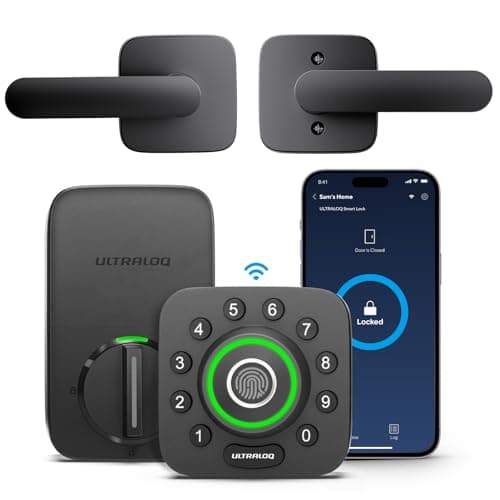
The best fingerprint door lock for most homes is the Ultraloq U-Bolt Pro Wi-Fi. It puts the reader on the exterior knob where your hand already rests, backs it with a code, an app, Bluetooth, auto-unlock and a mechanical key, and its Wi-Fi is built in rather than living in a bridge. Read the wet-and-cold-finger section before you make a print your only way in.
A fingerprint lock is sold on the reader, and the reader is the part that fails first. A capacitive or optical sensor reads a ridge pattern reliably when the finger is warm, dry and clean, and gets steadily worse as the finger gets cold, wet, dusty or worn. So a fingerprint lock is really two questions asked at once: how good is the reader on a good day, and what opens the door on a bad one. Every lock here answers the first question fairly well. They differ most on the second, and that is where this ranking lives.
Enroll a code on day one, on every lock. A fingerprint reader is a convenience layer, not a lock. Each of these deadbolts keeps a numeric code and a mechanical key working entirely at the door, with no radio and no internet involved, and that fallback is the reason a wet reader is an annoyance rather than a lockout. Set a code for every household member before you rely on the print, and the reader becomes the fast path rather than the only path.
The best fingerprint door locks, compared
Compiled from manufacturer specifications and published support documentation, August 2026. Confirm the exact fingerprint capacity and reader placement on the product page for the variant you order, as several of these ship in more than one configuration.| Model | Reader location | Other entry methods | Connectivity | Power | Works offline? |
|---|
| Ultraloq U-Bolt Pro Wi-Fi | Exterior knob, where your hand rests | Code, app, Bluetooth, auto-unlock, key | Built-in Wi-Fi plus Bluetooth | 4x AA | Yes; print, code and key all work at the door |
|---|
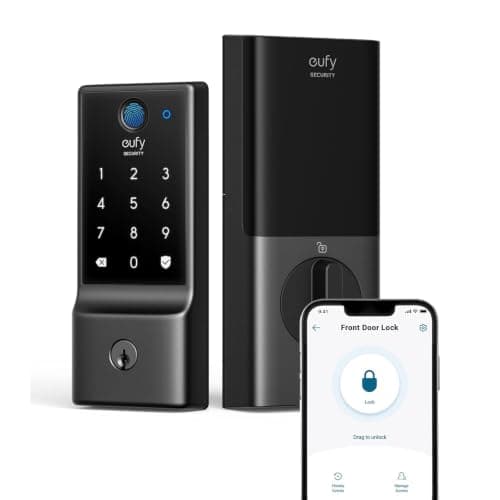
| eufy Smart Lock C220 | Front keypad unit | Code, app, key | Built-in Wi-Fi | 4x AA | Yes; print, code and key all work at the door |
|---|
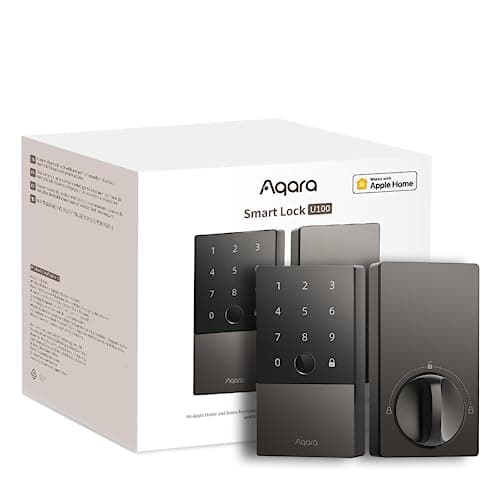
| Aqara Smart Lock U100 | Front keypad unit | Code, Apple Home Key, key | Bluetooth; hub for remote and Home Key | 8x AA | Yes; print, code and key work; remote needs a hub |
|---|
| Lockly Secure Plus | Exterior housing, 3D capacitive reader | Shuffling code, app, key | Bluetooth; hub for Wi-Fi | 4x AA | Yes; print, code and key work; remote needs the hub |
|---|
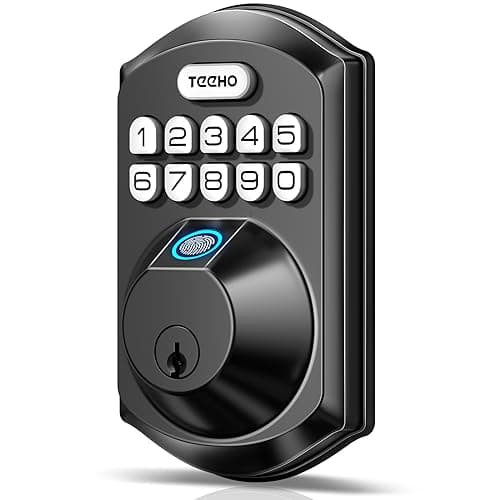
| TEEHO TE002 Fingerprint Deadbolt | Front keypad unit | Code, key | None; no wireless radio at all | 4x AA | Yes; fully offline by design, with no remote at all |
|---|
Where the reader sits changes how often you use it
The single most useful thing a fingerprint lock can do is put the sensor where your hand is already going. The Ultraloq U-Bolt Pro does exactly that: the reader is built into the exterior knob, so the same grip that turns the lock also reads the print, and the motion is one movement instead of two. Most of the others place the reader on the front keypad face, which works but asks you to reach for a specific spot before you reach for the handle. It sounds like a small thing until you have done it two hundred times with an armful of groceries, at which point the ergonomics are most of the product.
Speed follows placement. A reader in the natural line of the hand reads on the way to opening the door; a reader on a pad you have to aim for adds a beat, and a beat is enough for people to start typing the code instead. The U-Bolt Pro is the only lock here that reliably reads without you thinking about it, which is a large part of why it wins. The Lockly Secure Plus uses a 3D capacitive reader rather than an optical one — a more robust sensor type that is harder to fool with a flat image — but it sits on the exterior housing rather than in the grip, so it is a better sensor in a slightly less convenient place.
Cold fingers, wet sensors, and small prints
This is the honest downside of the whole category, and no brand is exempt from it. A fingerprint reader depends on reading skin, and skin does not always cooperate.
- Winter gloves and cold hands. You cannot read a print through a glove, so every cold-weather entry means bare fingers on a cold sensor, and cold, dry skin reads worse than warm skin. On a lock that faces real winter, plan to use the code more often than the brochure implies. Ultraloq says as much itself: its own skip line points at exposed, weather-facing doors.
- Wet fingers and wet sensors. Rain, snow, sweat and a just-washed hand all degrade a reading, and a sensor with a film of water on it is the first thing to misread. A door under a porch or an overhang is a far better home for a fingerprint lock than an exposed north-facing entry with nothing over it.
- Children's small prints and worn adult prints. Small fingers give the sensor less ridge area to work with, and hands worn smooth by manual work or thinned by age can read poorly no matter the brand. Enroll the same finger two or three times, enroll a second finger as a backup, and give every one of these people a code as well.
None of that makes a fingerprint lock a poor choice. It makes the print a fast path for good conditions and the code the dependable path for bad ones, which is exactly how these locks are meant to be used. The mistake is treating the reader as the lock rather than as the quickest of several ways through it.
The lock has to open when the reader — or the internet — fails
The reassuring part of this category is that all five locks keep working with the network down. Fingerprint reading, code entry and the mechanical key are all handled by the lock itself, on the door, with no server in the path, so a broadband outage or a dead router changes nothing about getting inside. What the internet gates is the extras: remote unlock from your phone, push notifications, and remote code management. If you want to understand exactly which features need a connection and which do not, the mechanism is laid out in do smart locks need Wi-Fi.
They differ in how far the online features reach. The Ultraloq U-Bolt Pro and the eufy C220 have Wi-Fi built into the lock, so remote access needs no extra box, at the cost of a heavier battery draw. The Aqara U100 and the Lockly Secure Plus are Bluetooth at the door and need a hub for anything remote — an Aqara or Apple home hub for the U100, a Lockly Wi-Fi hub for the Secure Plus. The TEEHO TE002 has no radio at all: there is no app, no notification and no remote unlock, which is precisely why nothing about it can be attacked over a network and precisely why it cannot tell you the door's state when you are away. Pick the one whose offline behavior matches how much you actually need to reach the door from elsewhere.
How many prints, and whose
Capacity matters more than buyers expect, because a fingerprint lock is usually enrolling more than one finger per person: a household of four with two enrolled fingers each, plus a cleaner and a dog walker, is a dozen prints before you have added a single guest. Every lock here stores enough for an ordinary family with room to spare, but the exact number varies by model and sometimes by firmware, so confirm the current figure on the manufacturer's specification page rather than assuming — we will not print a count here that could be out of date by the time you read it. Enrollment quality matters as much as the headline number: a print scanned three times, from slightly different angles, in the light you will actually use the door in, reads far more reliably than one hurried scan on the kitchen table.
Running cost
None of these locks charges a subscription for its core functions, which is the point of the brands we range. Every one of them runs on disposable AA cells, so the running cost is batteries and nothing else: four AAs on the Ultraloq, the eufy, the Lockly and the TEEHO, and eight on the Aqara U100, which is a larger reservoir that goes longer between changes. The one figure worth watching is battery life rather than battery price. The eufy C220 is the shortest-lived here because built-in Wi-Fi in a battery lock is the heaviest possible power draw — it says so in its own notes — while the Bluetooth-plus-hub locks and the radio-free TEEHO sip power by comparison. If a lock that needs charging or new cells three times a year would irritate you, weigh the Wi-Fi convenience against it before you buy.
Which one to buy
- You want the fastest reader and the most ways in. Ultraloq U-Bolt Pro. Reader in the knob, built-in Wi-Fi with no bridge, a bundled door sensor that confirms the door is actually shut, and the cheapest route to fingerprint, code, app, Bluetooth, auto-unlock and key all on one lock.
- You want fingerprint plus Wi-Fi for the least money. eufy Smart Lock C220. Wi-Fi in the lock, no plan gating anything, at the bottom of the price band that includes both features. Accept shorter battery runs as the trade for the built-in radio.
- Your house runs on Apple Home.Aqara Smart Lock U100. Home Key tap-to-unlock from the Wallet, a fingerprint reader and a keypad, eight AAs for long life, and local automations with Apple, Google and Alexa — provided you own an Apple or Aqara hub, without which it is a Bluetooth-only lock.
- Someone could watch you enter a code.Lockly Secure Plus. Its shuffling pad and 3D capacitive reader defeat the shoulder-surfing and smudge attacks that beat a fixed keypad. The catch is that the moving digits are slower for everyone, every time, and harder for a child or an older relative — the full case is in the keypad lock roundup.
- You want keyless entry with no radio to worry about. TEEHO TE002. Fingerprint, code and key on an interior, garage or side door, fully offline, at a fraction of the branded price. There is no app and no remote anything, so it is a keyless deadbolt rather than a connected one.
If fingerprint entry turns out to matter less to you than surviving a shoulder-surfer or managing guest codes, the sibling to this page is the best keypad door locks. If you are not yet sure a fingerprint deadbolt will even fit your door, start with will a smart lock fit my door, and the broader field is on the smart locks hub and in best smart locks.
How we picked
Products we claim to have tested: 0. We do not run a lab, and we would rather say so than imply one. What we do instead is compile the published specification, read each manufacturer's own manuals and support pages for the reader type, the enrollment process and the power draw they state quietly, work out the running cost from the battery arrangement, and cite it. Rankings weight the reader (placement and sensor type), the strength of the code-and-key fallback, offline behavior, ecosystem fit and battery life. Every pick carries a specific reason to skip it. The rubric is published at methodology, and the closest head-to-head between our top two brands is Ultraloq vs eufy.
How to choose a fingerprint door lock
Reader type: optical versus capacitive
The two common reader types behave differently in the conditions that matter. An optical reader photographs the print and can be fussier when the sensor surface is wet or dirty. A capacitive reader senses the electrical pattern of the ridges and tends to be more robust, and a 3D capacitive reader — the Lockly Secure Plus uses one — is harder still to fool with a flat copy of a print. Manufacturers do not always advertise which they use, so if reader robustness is your deciding factor, confirm the sensor type on the product's support page rather than the marketing headline. Whichever type it is, the same rule holds: it reads best warm, dry and clean, and worst cold, wet and worn.
What actually decides the price
In rough order: the number of entry methods on one lock (the Ultraloq's fingerprint-code-app-Bluetooth-auto-unlock-key stack is the most complete here, and completeness costs money), whether the Wi-Fi is built in or offloaded to a separate hub, the sensor type and placement, the ecosystem features such as Apple Home Key, and the battery reservoir. What does not appear as a monthly line item on any of these is storage or access — none of them gates core lock functions behind a subscription, which is the whole reason we range these brands rather than the cloud-metered ones.
The mistake buyers make
Buying a fingerprint lock as though the reader is the lock. It is not; it is the fast lane. The buyers who are happy a year later are the ones who enrolled a code for everyone on day one, put the lock under a porch rather than on an exposed door, and treated the print as the way in when conditions are good. The buyers who are frustrated are the ones who expected a reader to work flawlessly on a wet January morning and never set up the fallback. The lock's job is to always let the household in; the reader's job is to make that quick most of the time.
Fingerprint locks in cold and wet climates
If your entry door faces weather with nothing over it, weigh the fingerprint premium carefully, because on that door you will type the code more than you scan a print, and a plain keypad lock does the same job for less. A door under an overhang, a covered porch, or an interior-to-garage door is where a fingerprint reader earns its keep. This is not a brand weakness you can shop around — it is physics of reading skin — so match the lock to the door rather than expecting the door to suit the lock.
Enroll prints properly, once
Reliability is set as much by enrollment as by the sensor. Scan each finger several times, rocking it slightly to give the reader the edges of the print as well as the pad, and do it in conditions like the ones you will use the door in. Enroll a second finger per person as a backup for a cut or a plaster. For children and for anyone whose prints read poorly, lean on the code rather than fighting the reader. Fifteen minutes of careful enrollment is the difference between a lock that reads first time and one that makes everyone jab at it twice.
Will it fit, and will it reach the network
Two practical checks before you order. First, fit: a fingerprint deadbolt is a full replacement, so confirm your door's backset, bore and thickness against the lock's range using will a smart lock fit my door before anything else. Second, signal: a lock with built-in Wi-Fi still needs the router to reach the door, which is often the furthest corner of the house behind an external wall. Check the signal at the door with a phone, and if it is marginal, solve it with a mesh node rather than blaming the lock. If you would rather avoid a full swap altogether, the retrofit route that leaves the exterior alone is covered in best smart locks for renters.