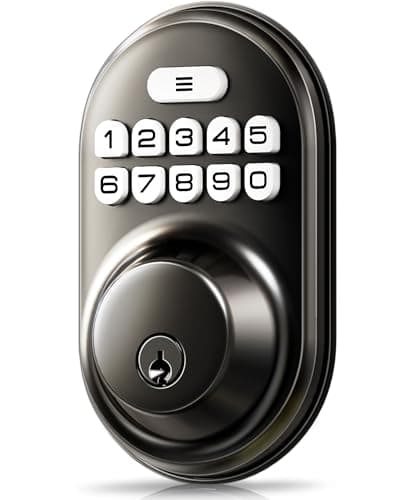
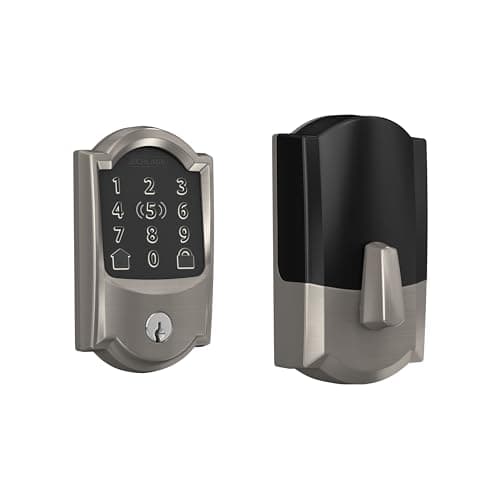
The Schlage Encode Plus is the smart deadbolt to buy, because Schlage publishes a BHMA Grade 1 for its deadbolt line and almost nobody else in this category publishes a grade at all. But before you choose any of these seven, measure your door - fit, not features, is what sends smart deadbolts back to the retailer.
Measure first. Three numbers, four minutes. A smart deadbolt is a physical part that has to seat in holes someone else drilled. You need the backset (the distance from the door edge to the center of the bore - almost always 2-3/8 in or 2-3/4 in), the cross-bore diameter (usually 2-1/8 in), and the door thickness (usually 1-3/8 in to 1-3/4 in). Every lock on this page states supported ranges for all three. Our fit guide walks each measurement with the tape measure in the right place.
Why this page excludes retrofits
A retrofit lock - August, SwitchBot, Yale Approach - leaves your existing deadbolt in the door and motorizes the thumbturn from the inside. That is a different product solving a different problem, and it belongs on the renters page.
A smart deadbolt replaces the whole lock: cylinder, bolt, strike interaction, the lot. You are buying new hardware that has to fit an existing hole, and in exchange you get things a retrofit structurally cannot offer - a keypad on the outside of the door, a published grade for the assembly as a whole, and a bolt whose motor and mechanism were designed together rather than bolted to each other.
That last point deserves weight. A retrofit motor is only ever as reliable as the deadbolt it is driving. If your existing bolt needs a shoulder against the door to throw, no motor fixes it. A full replacement lets you start from a bolt that works.
Smart deadbolts compared
Compiled from manufacturer product and support documentation, July 2026. A grade is recorded only where the manufacturer publishes one; “Not published” means no grade appears in that brand's own documentation.| Model | Published BHMA/ANSI grade | Entry methods | Protocol | Battery | Works with the internet down? | Needs a hub? |
|---|
| Schlage Encode Plus | Grade 1 (Schlage) | Touchscreen code, Apple Home Key, app, key | Wi-Fi + Bluetooth | 4x AA | Yes - code, Home Key and key | No |
|---|
| Yale Assure Lock 2 | Grade 2 (Yale) | Touchscreen code, app, key on the keyed version | Swappable module: Wi-Fi + Bluetooth | 4x AA | Yes - code and key | No, with the Wi-Fi module |
|---|
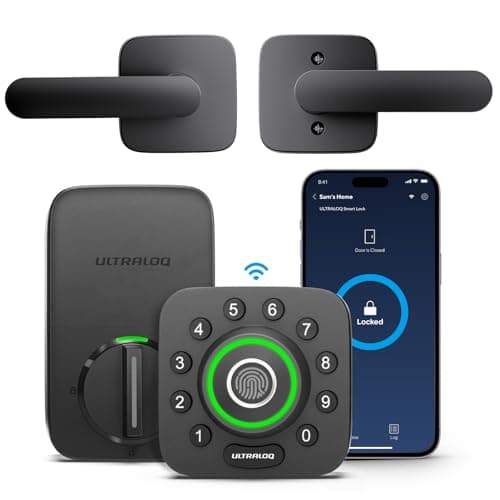
| Ultraloq U-Bolt Pro | Not published | Fingerprint, code, app, auto-unlock, key | Built-in Wi-Fi + Bluetooth | 4x AA | Yes - fingerprint, code and key | No |
|---|
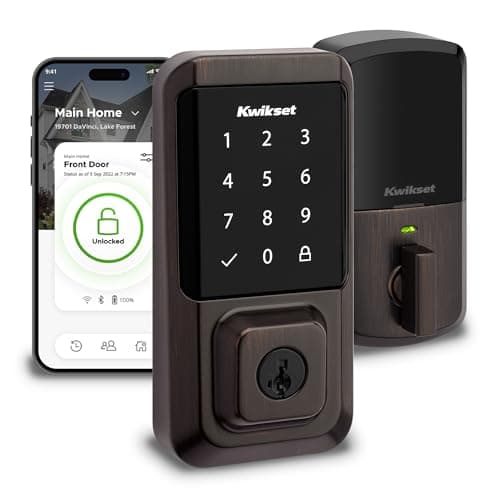
| Kwikset Halo | Grade 2 (Kwikset) | Touchscreen code, app, SmartKey cylinder | Built-in Wi-Fi | 4x AA | Yes - code and key | No |
|---|
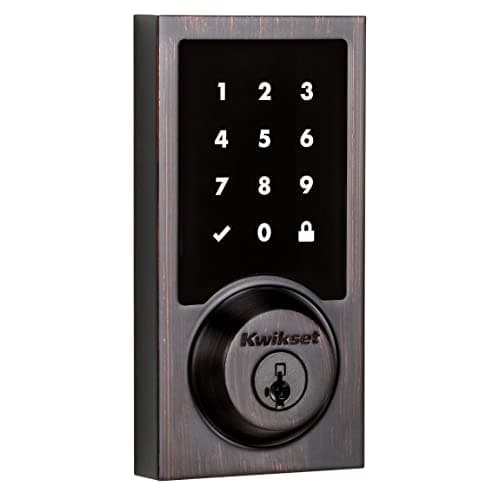
| Kwikset SmartCode 916 | Grade 2 (Kwikset) | Touchscreen code, hub control, SmartKey cylinder | Z-Wave | 4x AA | Yes - code and key; local hub automations continue | Yes - a Z-Wave hub |
|---|
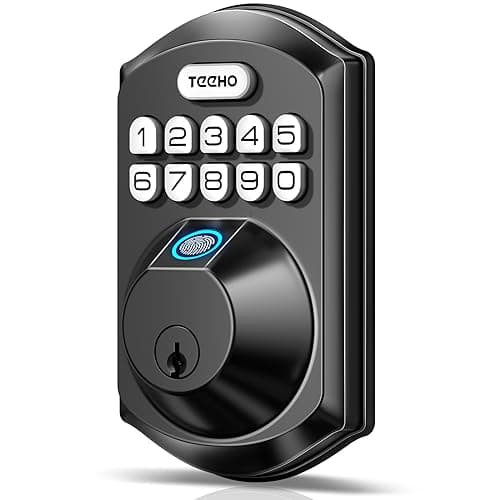
| TEEHO TE002 | Not published | Fingerprint, code, key | None - no wireless radio | 4x AA | Yes - it was never online | No |
|---|
| Veise Keypad Deadbolt | Not published | Code, key | None - no wireless radio | 4x AA | Yes - it was never online | No |
|---|
The picks, in order
1. Schlage Encode Plus - the published Grade 1
Schlage's deadbolt line is the reference point for BHMA Grade 1 in residential locks, and the Encode Plus carries that pedigree with Wi-Fi built in - no bridge to buy, site and power - plus Apple Home Key, so an iPhone or Apple Watch tap opens the door. Home Key continues to work on a phone that has fallen into power reserve, which is a genuinely useful edge case for a lock.
It is one of the most expensive locks in the category, and a substantial share of that premium is Home Key. On an Android household you are paying for silicon nobody in the house can address. The Yale below does the same job for less if the grade is not your deciding factor.
2. Yale Assure Lock 2 - the one you will not have to replace
Grade 2 rather than Grade 1, but with the category's only real answer to protocol obsolescence: the radio is a module in the back of the lock body, not a soldered decision. A move to Z-Wave or Matter is a card swap. Over the fifteen years a deadbolt actually lives on a door, that is worth more than one grade step to most households.
It replaces the whole deadbolt, so the interior escutcheon is large and visible, and the four AA cells live in the door rather than tucked away. Read the full Yale Assure Lock 2 review for the keyed versus key-free decision, which is the one people get wrong.
3. Ultraloq U-Bolt Pro - every entry method, one lock
Fingerprint on the outside knob, code on an anti-peep pad, app, Bluetooth auto-unlock and a mechanical key, with Wi-Fi in the lock rather than in a bridge. It also bundles a door sensor, which means it can tell you the door is actually shut rather than only that the bolt threw - the single most common blind spot in the category.
No published BHMA grade in Ultraloq's own documentation, and the app ecosystem is smaller than Yale's or Schlage's, so third-party integrations lag. Enroll a code as well as a fingerprint on day one; capacitive readers of every brand struggle with wet and cold hands.
4. Kwikset Halo - re-key it yourself
A published Grade 2, built-in Wi-Fi with no bridge, a touchscreen pad, and SmartKey re-keying that lets you re-key the cylinder yourself in about a minute. If your household has handed out keys over the years - contractors, ex-tenants, a neighbor who moved - that is a real and rare capability.
Two caveats. Wi-Fi in a battery lock is the hungriest configuration available. And SmartKey cylinders carry documented bypass research; treat the physical key as convenience, not as the layer doing your security work.
5. Kwikset SmartCode 916 - the local-control workhorse
Z-Wave rather than Wi-Fi, which means no manufacturer cloud in the path at all. It joins Home Assistant, Hubitat or SmartThings and answers to your hub. Nobody can change the terms of service on a Z-Wave lock, nobody can retire the app, and the low-power radio makes this the longest-running lock on this page from the same four AA cells.
It is useless without a Z-Wave hub - there is no app-only mode. Buying a hub solely to run one lock is a poor trade; if you already have one, this is the best value here by a distance.
6. TEEHO TE002 - keyless with no radio at all
Fingerprint, code and key, at a fraction of the branded price, and with no wireless radio anywhere in it. No cloud account, no firmware update, no app, and nothing that can be attacked from outside your street. For an interior door, a garage door or a side entrance, this is often the correct purchase rather than the compromise one.
There is also no remote anything. You cannot check the state of the door from work and you cannot grant access to a visitor you did not plan for. No BHMA grade appears in TEEHO's documentation, which is a real gap on a primary front door.
7. Veise Keypad Deadbolt - the cheapest thing that solves a real problem
A backlit code pad and auto-lock on a door that currently only takes a key. Auto-lock alone fixes the most common real-world security failure in any house, which is a door left unlocked, and the anti-peek entry mode lets you pad the real code with junk digits in front of a delivery driver.
No fingerprint, no app, no notifications, no published grade. It cannot tell you the door was opened - and if that is what you want, the answer is not a more expensive lock, it is a contact sensor on the frame. Ours are ranked at best door and window sensors.
What a BHMA grade actually measures
This column appears on almost no competing page, so it is worth explaining rather than just printing. BHMA, the Builders Hardware Manufacturers Association, maintains the American National Standards that residential locks are graded against. A deadbolt is assessed across three broad areas: operational endurance, meaning how many full cycles the mechanism completes without failing; security performance, meaning resistance to applied force and to attacks on the bolt and cylinder; and material evaluation, meaning how the finish and the metal hold up to corrosion and wear.
Grade 1 is the most demanding tier, Grade 3 the least. The grade is assigned to a specific product configuration, not to a brand, which is why a manufacturer can publish Grade 1 for one deadbolt line and nothing at all for another.
Three things follow that are worth holding on to. First, a grade describes the lock, and says nothing about the door, the frame or the strike - a Grade 1 deadbolt in a soft jamb is a Grade 1 deadbolt in a soft jamb. Second, no grade covers the electronics: there is no tier for firmware quality, radio security or app behavior, so a Grade 1 smart lock is not certified to be a good smartlock. Third, and most importantly for reading our table, a missing grade means the manufacturer did not publish one. It does not mean the lock failed a test. It means there is no common yardstick to compare it against, and you are relying on the brand's word instead of a standard - which is exactly the situation this column exists to make visible.
What a smart deadbolt does not do
It does not know whether the door is shut. It reports the bolt. Throw the bolt with the door standing open and every app on this page will show you a locked door. Pairing a deadbolt with a contact sensor is the cheapest meaningful upgrade in home security, and the sensors hub covers the whole family - contact, motion, glass and water.
It also does not make the door frame stronger. Most residential forced entry goes through the jamb, not the lock, and a three-inch screw into the stud behind the strike plate is worth more than a grade step. That costs about a dollar and takes ten minutes.
Choosing a smart deadbolt
The fit measurements, in order of how often they go wrong
Backset is the one people miss. It is the distance from the edge of the door to the center of the big hole, and it is either 2-3/8 in or 2-3/4 in on nearly every North American residential door. Most smart deadbolts ship with an adjustable latch that covers both, but not all of them do, and the ones that do not say so quietly.
Door thickness is second. Standard exterior doors run 1-3/4 in; interior and some older doors run 1-3/8 in. A lock rated to 1-3/4 in maximum will not close up on a 2 in door built for a storm setup, and the through-bolts will simply not reach.
Cross-bore diameter is third and rarely a problem - 2-1/8 in is close to universal - but an older door with a 1-1/2 in bore exists and will not accept a modern smart deadbolt without drilling.
The fourth thing, which is not a measurement, is clearance. A large interior escutcheon can foul a storm door, a doorstop, or a handle set that sits too close. Hold a tape measure against the published dimensions before you order. The full fit guide is here, and the install walkthrough is here.
Keyed or key-free
Several of these locks are sold in both configurations. A keyed version keeps a mechanical cylinder, which is a fallback when the batteries die and a way to hand a contractor something physical. A key-free version removes the cylinder entirely, which removes picking and bumping as an attack, and removes your ability to get in without power.
The honest rule: key-free is the better security choice and the worse resilience choice. Choose key-free only if you are comfortable carrying a 9V battery or a power bank as the emergency plan, and only if there is a second door into the house.
What decides the price
The radio first - built-in Wi-Fi is the expensive configuration, Z-Wave and Bluetooth are cheaper to build and cheaper to run. Then the reader: fingerprint hardware and Apple Home Key each add cost. Then certification: a published BHMA Grade 1 means a heavier build and a test program the brand paid for. Finally the finish, which moves the price more than it should.
Notice what is not on that list: app quality, number of user codes, and voice assistant support, all of which are near-free to add and are what the marketing leads with.
Running cost, honestly
Every lock on this page runs on four AA cells and none of them require a subscription for codes, app control or notifications. The recurring cost is therefore batteries, and the spread is decided by the radio: the Z-Wave SmartCode 916 and the radio-free TEEHO and Veise will go markedly longer between changes than the built-in-Wi-Fi Halo, U-Bolt Pro or Encode Plus, from the identical reservoir.
That is the whole argument for buying hardware rather than a plan, and it applies across every category we cover - see the subscription-free section for what a monthly fee compounds to elsewhere in the house.
The mistake buyers make
Buying the lock before measuring the door. The second mistake is buying a full-replacement deadbolt while renting, which turns a screwdriver job into a storage problem - keep the original hardware in a labeled bag if you do it anyway, because you will need it back on the door at move-out. The reversible alternative is on our renters page. The third is assuming that connected necessarily beats unconnected; smart lock vs deadbolt takes that apart. Everything we cover in this category is indexed at the smart locks hub, and our full ranking method is published at methodology, including the claim we refuse to make: products we claim to have tested, zero.