For a short-term rental the best smart lock is the Yale Assure Lock 2, because being “Airbnb-ready” is a code-management problem, not a hardware one. It gives every guest a unique keypad code you can set to expire on checkout day and revoke from your phone, and nobody ever holds a key you then have to chase down or re-cut. Read the code section below before you read a single spec.
Almost every “best smart lock for Airbnb” list is really a list of good smart locks with the word Airbnb added. That is the wrong frame. A rental door does not need a different bolt, a different motor, or a different grade of steel than your own front door. What it needs is a way to hand a stranger access for exactly the nights they paid for, take that access away the moment they leave, and never once produce a metal key that can be copied at a hardware store on the way out. Every recommendation on this page is scored on that job and nothing else.
The one sentence that decides this category.A key is the wrong unit of access for a rental, because a key cannot be scheduled, cannot expire, and cannot be revoked without a locksmith. A code can do all three. So the entire question is how well a given lock lets you create, schedule, and destroy codes — and, secondarily, how much of that you can do from your phone rather than by standing at the door between guests. The mechanics of that last part — how a code created in an app physically reaches the lock, and what happens when it cannot — are in smart lock codes and guest access.
The best smart locks for an Airbnb or short-term rental, compared
Compiled from manufacturer specifications and app documentation, August 2026. Confirm the code limits and scheduling options for the exact model and app version you buy, as several of these have changed their access features across firmware updates.| Model | Guest-code management | Scheduled / expiring codes | Remote control needs | Install type | Works offline |
|---|
| Yale Assure Lock 2 (Wi-Fi, keyed) | App-created keypad codes, added and revoked remotely | Yes — timed, recurring and one-time guest codes | Built-in via the Wi-Fi module, no separate bridge | Full deadbolt replacement | Yes — keypad and stored codes are local |
|---|
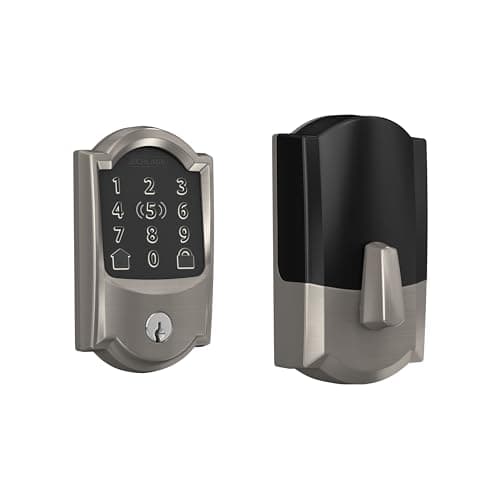
| Schlage Encode Plus | App access codes, added and revoked remotely | Yes — recurring and temporary schedules | Built-in Wi-Fi, no bridge | Full deadbolt replacement | Yes — keypad and codes are local |
|---|
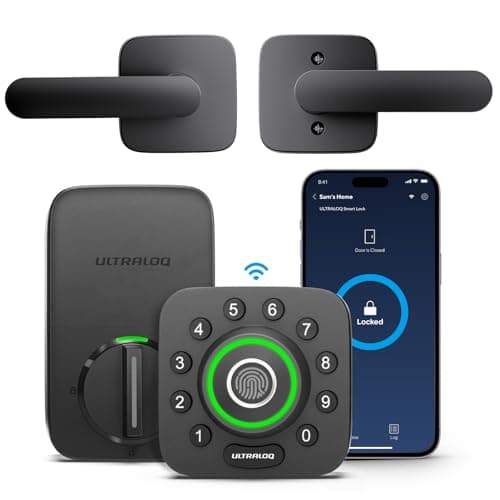
| Ultraloq U-Bolt Pro | App codes plus enrolled fingerprints per person | Yes — permanent, scheduled and one-time codes | Built-in Wi-Fi | Full deadbolt replacement | Yes — code and fingerprint are local |
|---|
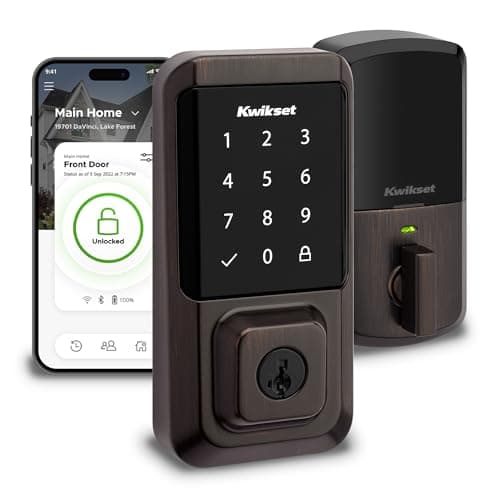
| Kwikset Halo | App user codes, added and revoked remotely | Yes — scheduled and temporary user codes | Built-in Wi-Fi | Full deadbolt replacement, SmartKey re-key | Yes — touchscreen codes are local |
|---|
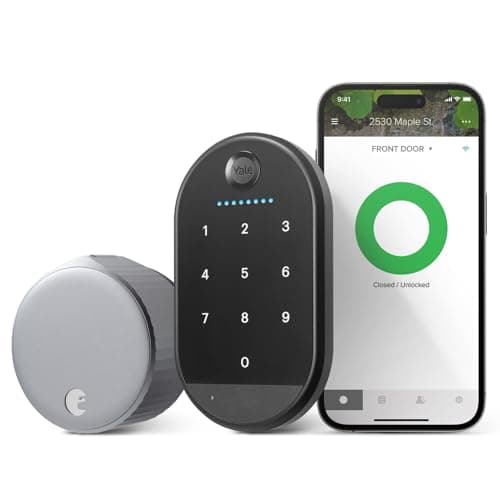
| August Wi-Fi Smart Lock | App guest access; codes only via the separate keypad accessory | Yes — scheduled guest access in the app | Built-in Wi-Fi | Retrofit, interior only; exterior and key unchanged | Bluetooth at the door; remote needs the connection |
|---|
Airbnb-ready is a code story, not a hardware story
Once you accept that the job is code management, the shopping list gets short and specific. A lock that is genuinely good for a rental does four things well, and every one of them is about access rather than metal.
1. A unique code per guest, never a shared one
The temptation is to set one code and reuse it, changing the last two digits now and then. Do not. A unique code per booking is the entire point, because it means an old guest's code stops working without disturbing anyone else's, and it means the lock's entry log tells you which code opened the door and when. Every lock here except the base August supports enough separate codes to give each stay its own; the August does codes only on the wall-mounted pad in its bundle, which is why it sits last.
2. A code that expires on the checkout date, by itself
This is the feature that separates a rental lock from a nice keypad. A scheduled or time-limited code is created with a start and an end, and the lock refuses it outside that window without you doing anything. Set it to begin at check-in and die at checkout, and the guest who lingers a day, or the one who quietly kept the code written on a receipt, simply finds it does not work. The Yale, Schlage, Ultraloq and Kwikset apps all create codes with a schedule; that is the difference between managing a calendar of stays and manually deleting codes on your day off.
3. Remote add and revoke, so you are not driving to the door
A booking that comes in tonight for tomorrow needs a code tonight. A guest who cannot get in needs help now, not when you next visit. Every lock on this list has built-in Wi-Fi or, in the August's case, Wi-Fi in the unit, so you create and kill codes from your phone wherever you are. This is also where the offline caveat lives: the codes themselves work at the door with the internet down, but adding or revoking one remotely does not. If your property has flaky broadband, put a lock with a keypad on it so you always have the fallback of programming a code by hand at the door. The general pattern is set out in do smart locks need wifi.
4. Auto-lock, so a guest cannot leave the door open behind them
Guests leave. They leave in a hurry, with luggage, and they do not always pull the door until the bolt throws. An auto-lock timer closes that gap: the lock re-secures itself a set number of seconds or minutes after it was opened, so the turnover gap between one stay and the next is not spent wondering whether the last guest actually locked up. Pair it with a door contact sensor and you also learn whether the door is genuinely shut, which the lock alone cannot tell you — a bolt thrown into an open doorway still reports as locked. The ranked sensors are at best door and window sensors, and they are the same buyer, the same evening, the same screwdriver.
Never hand out a physical key for a short-term rental. A key can be copied silently, cannot be revoked without re-keying the cylinder, and turns every checkout into a trust exercise. The keyed locks here keep a cylinder for you— a fallback for a cleaner, a contractor, or a flat battery — not for guests. Guests get a code that expires. If a lock's only guest path is a key, it is the wrong lock for a rental, full stop.
The retrofit exception: when you cannot change the door
Everything above assumes you can replace the deadbolt, which you usually can when you own the property. But some hosts rent the unit themselves, or sit inside an HOA or a strata that controls the exterior hardware, or share an entrance where the door is not theirs to alter. For that host the full-replacement locks are off the table, because they change the outside of the door and the keying that the landlord or association controls.
The August Wi-Fi Smart Lockis the answer there. It clamps onto the inside of the existing deadbolt and turns the thumbturn, so the exterior, the cylinder and the landlord's keys are all untouched, and it reverses with a screwdriver when the arrangement ends. That is genuinely the only one of these five a host with a fixed exterior can use. The catch, and the reason it ranks last rather than higher, is stated plainly in its own record: there is no keypad on the lock, so the code entry a guest needs comes from the Yale Keypad in the bundle — a second device stuck to the wall beside the door, on its own AAA cells, that you have to keep powered as carefully as the lock itself. If your situation is a rented or association-controlled door, start with the best smart locks without drilling and compare the retrofit approaches head to head at August vs SwitchBot.
Why the Yale wins for a host
Three of these locks — the Yale, the Schlage and the Ultraloq — do scheduled guest codes and remote management about equally well on paper. The Yale takes the top spot for two host-specific reasons rather than for raw hardware.
First, it is the keyed version, which keeps a real mechanical cylinder below the touchscreen. For a rental that cylinder is not for guests; it is your break-glass access for the cleaner between stays, the contractor, or the night the batteries die at the worst possible moment. Guests still get nothing but a code that expires. Second, the swappable radio module means a property you intend to keep for years is not locked to whatever protocol shipped in the box; if you later standardize your units on a different smart-home fabric, that is a module swap rather than a new lock on every door. The full argument for the module system is in our Yale Assure Lock 2 review.
The honest counterpoint: Yale publishes BHMA Grade 2 for the Assure line, while Schlage publishes Grade 1 for its deadbolts. If the published grade is the number you are buying on, the Schlage Encode Plusis the stronger single purchase and it does guest codes just as capably — it simply costs more and carries an Apple Home Key premium that does nothing for an Android household. It is ranked and reviewed on its own page under our main smart lock rankings.
Which one to buy
- You own the property and want the cleanest code management.Yale Assure Lock 2, keyed. Scheduled guest codes, remote add and revoke, and a cylinder that is yours and not your guests'.
- You buy on published build grade. Schlage Encode Plus. Grade 1 pedigree, built-in Wi-Fi, the same scheduled-code toolkit, at the top of the price band.
- You want fingerprints for the household plus codes for guests.Ultraloq U-Bolt Pro. Enroll the family's prints, hand guests scheduled codes, and keep a key as backup. Watch an exposed, weather-facing door, where any fingerprint reader struggles.
- You want to re-key the cylinder yourself if a key ever goes missing. Kwikset Halo, with SmartKey — but treat the cylinder as convenience, not as your security layer, given the published bypass research on SmartKey.
- You cannot change the exterior hardware. August Wi-Fi Smart Lock, whose bundled Yale Keypad gives guests a code rather than your key.
How we picked
Products we claim to have tested: zero. We do not run a lab and we will not imply one. What this ranking is built from is each maker's published specification, the access-code and scheduling documentation for its app, and the BHMA residential grading scheme where a grade is published. We score on the host's actual job — unique codes, expiry, remote control, auto-lock, and never a handed-out key — and every pick carries a specific reason to skip it. The rubric is at methodology, and the rest of the category sits on the smart locks hub.
How to choose a smart lock for a rental
Start with the door you are allowed to change
The first question is not which lock but which install. If you own the property outright, any full-replacement deadbolt here is open to you, and you should choose on code management and grade. If the exterior is controlled by a landlord or an association, you are choosing a retrofit whether you like it or not, and the shortlist collapses to the August with its bundled Yale Keypad. Settle that before you compare a single specification. Our how to choose a smart lock guide walks the wider decision, and will a smart lock fit my door shows where to hold the tape measure before you order a full deadbolt.
What actually decides the price
In rough order for this category: the published build grade (Schlage's Grade 1 pedigree costs real money), the entry methods bundled in (a fingerprint reader and a touchscreen add cost over a plain keypad), built-in Wi-Fi versus a lock that needs a separate bridge, and ecosystem features such as Apple Home Key that are worth their premium only to the households that can use them. None of that premium buys you a better guest code — a scheduled, expiring code works the same on the cheapest keypad here as on the most expensive deadbolt. For a rental, spend on reliability and grade, not on features your guests will never touch.
The mistake hosts make
Reusing one code across guests. It defeats the entry log, it means an old guest's code still works until you remember to change it, and it turns a scheduled-code lock into a dumb keypad. The second most common mistake is assuming remote code management keeps working when the property's internet is down: it does not. The codes already stored in the lock keep working at the door, but adding or killing one from your phone needs the connection, so a property with unreliable broadband wants a lock whose keypad lets you program a code by hand as a fallback. The third is forgetting that a lock reports the bolt, not the door — which is what the next section is about.
What the lock cannot tell you
Whether the door is actually shut. Every lock here reports the position of its bolt, so a bolt thrown into a door someone left ajar still shows as locked in the app. For a rental that gap matters at turnover, when you want to know the unit is genuinely secured between guests. A single contact sensor on the frame reports the plain binary fact of open or closed for a fraction of the lock's price, and the two together — auto-lock plus a door sensor — are what actually close a rental door behind a departing guest. The ranked options are at best door and window sensors.
The five-year number, and why it is small here
Every lock on this page runs its core functions — codes, app control, notifications — with no subscription, so the running cost for a rental is batteries and nothing else. That is unusual and worth stating: the smart-lock category is one of the few in home security where the honest answer to “what does it cost to keep running” is a set of AA cells a year. Do not let a lock talk you into a plan for remote access; on these five, remote access is included, and the only lock that even asks for extra hardware for remote control is a retrofit outside this list.