HUB 06 · Guides
How Much Data Do Security Cameras Use?
A camera recording to a card barely touches your internet connection. One uploading every clip to a cloud touches it constantly. The difference is a design choice, not a setting.
We earn a commission if you buy through our links. It does not change the price you pay, and it does not decide our picks — our selection criteria are published in full. How this works.
Verdict
The bottom line
A camera that records to a card or a local recorder uses almost no internet data — the video never leaves your house, and the only traffic is notifications and the occasional remote look. A camera that uploads to a cloud uses data every time it records, and continuous cloud upload at a typical 2K bitrate runs to tens of gigabytes a day per camera. If you are on a metered, cellular or satellite connection, that single design difference is the whole decision.
How much internet data does a security camera use?
It depends almost entirely on where the recording is written, not on the camera's resolution. Local recording keeps the video inside your network, so the upload is limited to small notification messages and whatever you choose to watch remotely. Cloud recording sends every saved second out through your uplink, which is the part of a home connection with the least headroom.
The four things that use data, in order of size
Cloud recording. By far the largest. Every clip the camera saves is uploaded, and on a continuous-cloud plan that is the entire stream, all day. At a 4 Mbit/s bitrate that is 0.5 MB/s, which is 1.8 GB per hour and about 43 GB per day per camera. At 8 Mbit/s it is roughly double. Those are arithmetic from a bitrate you pick, not a measurement of a particular model, and they are the reason cloud providers mostly record events rather than everything.
Remote live viewing.Watching a camera from your phone while away pulls the stream out through the uplink in real time — same arithmetic, for as long as you watch. Ten minutes of a 4 Mbit/s stream is around 300 MB. Most apps default to a lower-quality substream for remote viewing precisely because of this, and leaving that default alone is usually the right call.
Local live viewing. Watching from inside the house, on the same network, uses no internet data at all. The stream goes router-to-phone. People are routinely surprised by this and it is worth knowing: if you watch your cameras mostly at home, bandwidth is a non-issue regardless of resolution.
Notifications, thumbnails and firmware. Small but constant. A push notification with a snapshot is kilobytes; a firmware update is tens of megabytes, a few times a year. On any ordinary connection this is noise. On a tightly metered cellular plan it is the floor you cannot remove without disconnecting the camera.
| Setup | Uplink while recording | Rough monthly uplink |
|---|---|---|
| PoE camera to an NVR on your LAN | None — the video stays inside the house | Notifications and remote viewing only |
| Wi-Fi camera to a card in the camera | None for the recording itself | Notifications and remote viewing only |
| Cloud camera, event clips | One upload per event | Low single-figure gigabytes, traffic dependent |
| Cloud camera, continuous upload | The whole stream, constantly | Hundreds of gigabytes per camera at 4 Mbit/s |
Why the uplink is the bottleneck, not the download
Home connections are asymmetric: most plans give you far more download than upload. A cable or DSL line with a generous download figure can have an upload figure a small fraction of it, and cameras push data the wrong way up that pipe. The practical symptom is not the camera failing — it is video calls stuttering and uploads crawling while three cameras push clips to a cloud.
Fiber connections with symmetric upload make most of this disappear. Cellular home internet, satellite links and anything with a monthly data cap make it the main consideration, and on those connections the answer is simply to record locally. A PoE camera writing to an NVR on your own network moves zero video over the internet, which is a property worth more than any feature on a cloud camera's spec sheet if your connection is metered.
Local recording is not a compromise on a slow line, it is the fix.The footage is available at full quality on your own network, the internet connection is used only for notifications, and the camera keeps recording through an outage — which a cloud camera does not. The same logic drives every ranking on this site; the subscription-free field is collected at the no-subscription hub.
How to cut what cameras use
Five changes, roughly in order of effect. Record locally — this removes the recording traffic entirely rather than reducing it. Put wired cameras on Ethernet, which keeps their streams off the Wi-Fi as well as off the uplink; the trade-offs are in PoE versus Wi-Fi. Leave the remote-viewing substream at its default rather than forcing full resolution on your phone. Tighten detection zones so the camera records fewer irrelevant events, which cuts both upload and alert fatigue. And lower the bitrate rather than the resolution if you need to trim further: a 2K stream at a modest bitrate is usually more useful than a 4K stream compressed hard.
What does not help: buying a lower-resolution camera to save bandwidth. If the footage is stored locally, resolution costs you disk space rather than data; if it is stored in a cloud, the bitrate setting does far more for your uplink than the sensor choice does. The recording mode matters more than either, which is the subject of do security cameras record all the time.
What about cameras with no internet at all
Plenty of cameras record perfectly well with the internet down, because the recording path is local; what you lose is notifications and remote access. Some cameras can run with no internet connection ever, which is a legitimate configuration for an outbuilding or a property with no service — and a different question from this one, answered in do security cameras work without wifi.
What to check if your connection is limited
- Find your actual upload speed, not your download speed. That is the number cameras compete for, and on many plans it is a small fraction of the headline figure.
- Check whether the camera can record without the cloud. A card slot, NAS support or a local base means the video never crosses your uplink. A cloud-only camera means it always does.
- Check whether there is a substream for remote viewing. Published RTSP and ONVIF support usually comes with one, and it is the difference between 300 MB and 40 MB for a ten-minute look.
- Count the cameras, then multiply. Bandwidth problems in this category are almost always the third and fourth camera rather than the first.
- If you have a data cap, record locally and stop worrying. It is the one change that removes the problem rather than managing it.
Cameras that keep the video off your uplink
The four below are chosen for that property specifically: a complete PoE system where nothing leaves the network, a PoE camera with published RTSP for a recorder you already own, a camera that writes to a card and backs up to a NAS without any cloud account, and the cheapest mains camera here that records continuously to a local card. None of them needs a subscription for recording, and none of them sends your footage anywhere unless you ask it to. Their prices come live from the Amazon API and were last checked October 5, 2026. The scoring rubric is at our methodology, and the wired field is ranked in our PoE roundup.
The hardware
The hardware this guide is about
The products this guide refers to, with prices pulled live from Amazon and dated on every card. Full rankings live in the roundups linked above.
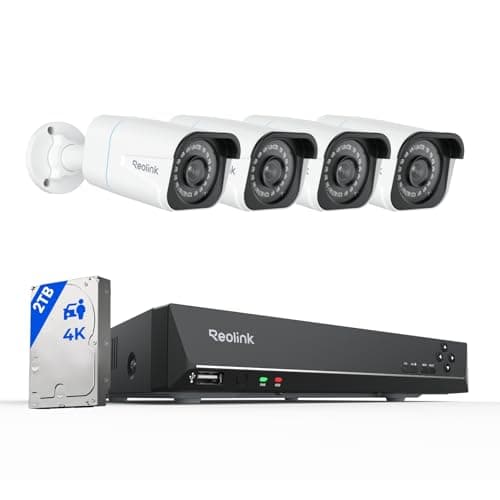
Best complete local system
Reolink 8CH 4K PoE System with NVR + 2TB
Four 4K PoE cameras, an eight-channel recorder and a 2TB drive in one box. Continuous recording, nothing in anybody's cloud, and no monthly anything — the endgame of subscription-free.
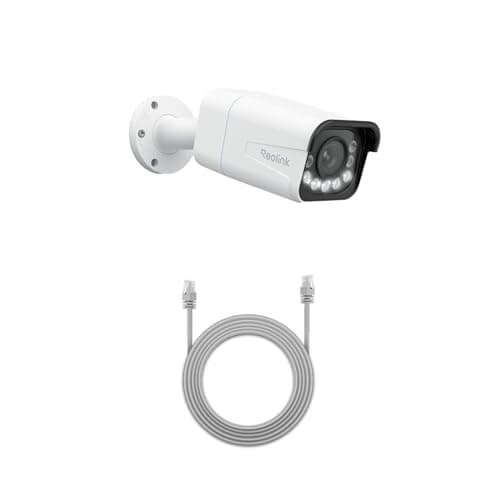
Best wired camera
Reolink RLC-811A (4K PoE, 5x zoom)
One cable for power and data, 4K with a real 5x optical zoom, and continuous recording to a card or an NVR. This is the camera for someone who wants a serious install rather than a convenient one.
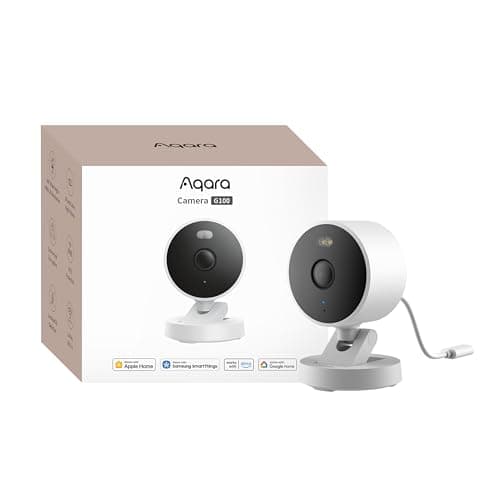
Best HomeKit camera
Aqara Camera G100 (2K, indoor/outdoor)
The only camera here that is a full HomeKit Secure Video camera AND a full local recorder. It writes to its own card whether or not you ever open an iCloud+ plan, which makes it the rare Apple Home camera with no running cost attached.
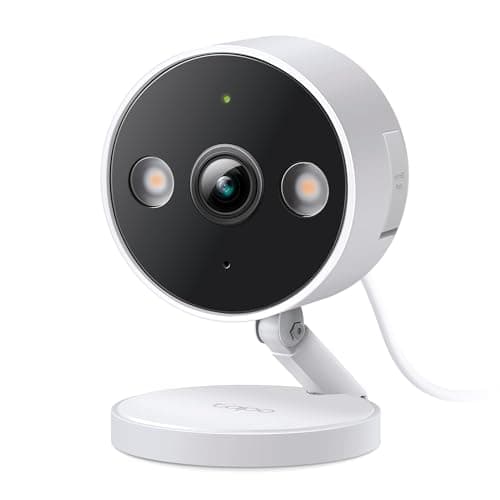
Best budget wired camera
TP-Link Tapo 2K+ Indoor/Outdoor Wired Camera
The cheapest camera here that does continuous recording. Plug it into a socket, put a card in it, and it records all day without ever asking for a card number.
#ad · As an Amazon Associate we earn from qualifying purchases.
Questions
Frequently asked
How much data does a security camera use per month?
Do security cameras use data when nothing is happening?
Will security cameras slow down my internet?
Can I run security cameras on a cellular or satellite connection?
Does watching my cameras at home use data?
Keep reading
Related
- Do security cameras record all the time?The disk side of the same question.
- Local storage vs cloudWhere footage should live, and what each choice costs.
- PoE vs Wi-Fi security camerasKeeping camera streams off the wireless network as well as the uplink.
- Do security cameras work without wifi?For a property with no service at all.
Receipts
Sources
- Reolink — bitrate, substream and NVR documentation
- Aqara — Camera G100 documentation for microSD recording, NAS backup and RTSP
- TP-Link Tapo — camera specifications and local recording documentation
- ONVIF — profile specifications covering streaming and substreams
We do not run a testing lab and we do not pretend to. Specifications come from the manufacturer's own published documents and from published standards; prices come from the live Amazon API. Where a figure is not published, the page says “not published” rather than guessing. Read the full method.