If you are looking for a Ring alternative, the swap that matches your situation is below, and the honest version of why people search for this is simpler than the forums make it: Ring hardware keeps nothing. There is no card slot, no drive, no base station with storage in it. Saved video lives in Ring's cloud behind an eligible Ring Home plan, and that is the bill you are trying to leave.
First, what Ring actually gets right
It is worth being fair about this, because half the Ring-alternative advice online is written by people who have never used one. Ring is the most complete consumer security ecosystem anyone sells. The doorbells install in twenty minutes and the mounting hardware, wedges and corner kits are the best in the category. The accessory range — chimes, solar panels, floodlights, keypads, panic buttons, smart lighting — is wider than any competitor's, and all of it speaks to one app that genuinely works. Ring Alarm is a well-designed DIY system with optional professional monitoring and no long contract, which is a real improvement on what the traditional alarm industry offered. The Alexa integration is the tightest in the business, and image quality on the current 2K and 4K models is excellent.
If you are happy paying the plan, Ring is a defensible choice and you do not need this page. We rank one of its cheapest doorbells among the doorbells under $100 and we say there what it is good at.
The one reason to leave, stated precisely
Ring publishes no local storage path for its cameras or doorbells. Not a microSD slot, not a USB drive, not a hub with a disk in it. Without a plan you have a live intercom and a live view, and nothing is kept. That is a design choice, not a defect — and it means the cost of owning a Ring is the hardware plus a subscription for as long as the hardware is on the wall.
On the alarm side the shape is the same and Ring documents it directly. Its own support article on Alarm plans states that without a subscription the siren still sounds, that you can arm or disarm from the Ring Keypad only, that you and your shared users will not receive digital notifications, and that emergency response will not be requested. Professional monitoring requires a compatible Ring subscription. None of that is hidden; it is simply the deal.
So the question for a Ring alternative is not “which brand is better”. It is: which product writes the clip to hardware you own? Everything below does. The multi-year arithmetic that makes this worth the swap is in our subscription cost comparison.
Ring alternatives, by what you are replacing
Compiled from eufy, Reolink and TP-Link Tapo product documentation and Ring's own support articles, November 2026. Prices on the cards above are pulled live and dated November 12, 2026; no price appears in this table.| If you own | Swap to | Where the clip goes | Plan needed |
|---|
| Ring Battery or Wired Doorbell | eufy Video Doorbell E340 | 8GB inside the doorbell, or a HomeBase | No |
|---|
| Ring doorbell, on a budget | Tapo D210 with Chime | microSD to 512GB | No |
|---|
| Several Ring Stick Up or Spotlight Cams | eufyCam 3 (S330) kit | HomeBase 3, expandable to 16TB | No |
|---|
| One Ring camera, outdoors | Reolink Argus PT Ultra | microSD in the camera | No |
|---|
| One Ring camera, cheaply | Tapo MagCam 2K+ | microSD in the camera | No |
|---|
| Ring Alarm | eufy 5-piece alarm kit | Local, with app alerts and no plan | No |
|---|
1. Replacing a Ring doorbell: eufy Video Doorbell E340
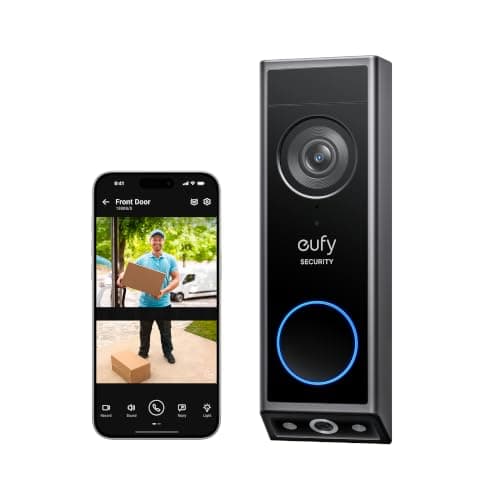
This is the closest like-for-like swap on the market and the one most people searching for a Ring doorbell alternative should buy. Two cameras rather than one — a forward lens for the visitor and a downward lens for the doorstep, which is the hardware answer to parcel coverage rather than a cloud-inference answer. It runs on battery or on existing doorbell wiring, so it fits whichever situation your Ring was in. And the critical difference: 8GB of storage is inside the doorbell, so clips are kept with no plan at all. Add a HomeBase if you outgrow it.
The honest cons are real. 2K rather than the 4K Ring now sells at the top of its range, and eufy's app is less polished than Ring's. If you are on Ring specifically because the ecosystem is seamless, you will notice the downgrade in app quality before you notice the upgrade in storage. We put the two brands head to head in Ring vs eufy, and the wider plan-free doorbell field is ranked in doorbells that work without a subscription.
2. Replacing a Ring doorbell on a budget: Tapo D210 with Chime
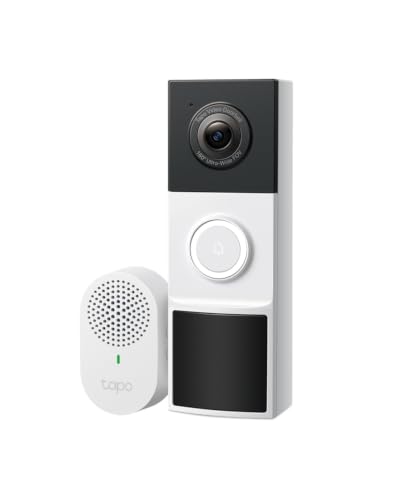
If the reason you are leaving Ring is the monthly cost, spending more on the replacement is a strange way to start. The Tapo D210 is the cheap end of this answer: 2K, a 160-degree head-to-toe view, microSD support to 512GB, and the chime included in the box so there is nothing to bypass. Tapo states that local storage and AI detection require no subscription.
It is person detection only — Tapo keeps vehicle and package detection for dearer models — and it is battery-only, so a wired door gains nothing from it. For a straight “stop the bill, keep a doorbell camera” swap it is hard to beat, and we rank it against four rivals in the best video doorbells under $100.
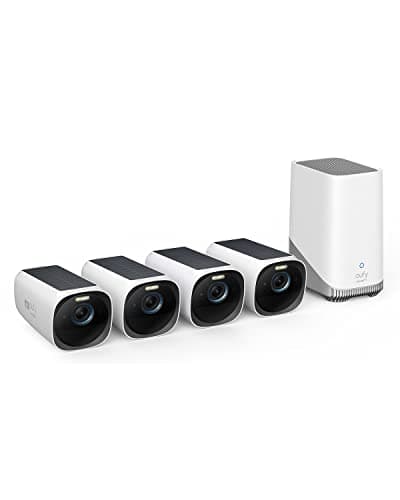
3. Replacing several Ring cameras: eufyCam 3 (S330) kit
If you have three or four Ring cameras, the plan is not the only thing you are replacing — you are replacing the architecture. Ring has no base station that stores video. The eufyCam 3 kit ships with the HomeBase 3, which does, and which takes a 2.5-inch drive expandable to 16TB. Cameras record to hardware in your house, the AI runs on the base station rather than in a data center, and nothing stops working if you never create a subscription.
This is the most expensive recommendation on the page and the one with the best five-year arithmetic, because it is the only one that removes the fee for an entire multi-camera system in one purchase. The trade-offs: 4K on battery means recharging intervals matter, and eufy's AI is good rather than class-leading. The wider field is in cameras with no subscription and the system-level view in our camera system rankings.
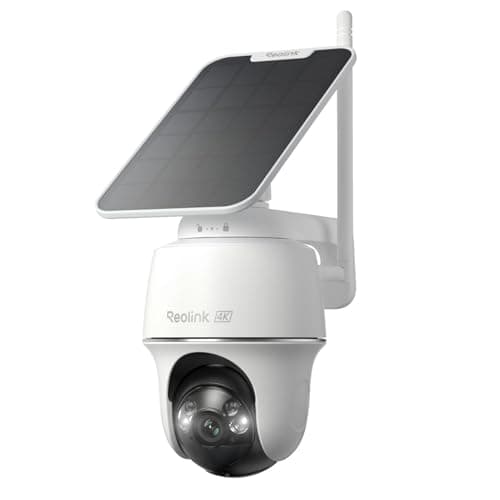
4. Replacing one outdoor Ring camera: Reolink Argus PT Ultra
For a single camera on a driveway, a side gate or a yard, this is the swap. 4K, pan and tilt, a solar option, and a card slot in the camera so the footage is yours. Reolink is also the brand on this page with the most open approach to your own video: it publishes RTSP and ONVIF across its wired range, which means a Reolink bought today can be read by software you run later. Ring publishes neither.
Battery and solar cameras do have limits Ring buyers sometimes do not expect, chiefly that continuous recording is not one of them. If that matters, the wired tier is ranked in our PoE camera rankings, and the two plan-free brands are compared directly in Reolink vs Tapo.
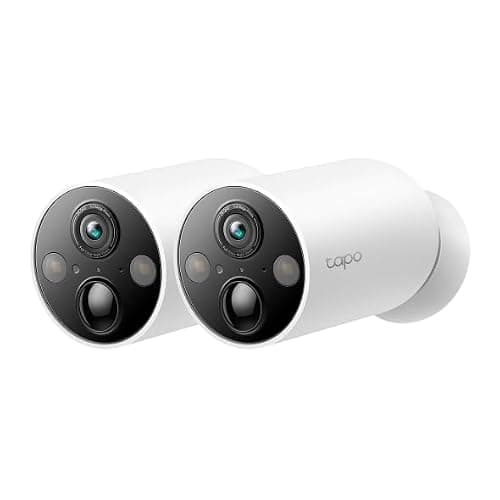
5. Replacing one Ring camera cheaply: Tapo MagCam 2K+
The cheapest honest swap. A magnetic mount, battery power, a card slot, and no plan for recording or for the detection. If your Ring Stick Up Cam is watching a porch or a back door and you want the bill gone this month, this is the least painful route out.
It is 2K rather than 4K, the battery life depends entirely on traffic, and Tapo's battery cameras do not support RTSP or ONVIF — Tapo names the C425 as unsupported in its own FAQ — so this is a closed camera in an open-sounding brand. For a cheap one-for-one replacement that is usually fine. We rank it among the budget cameras.
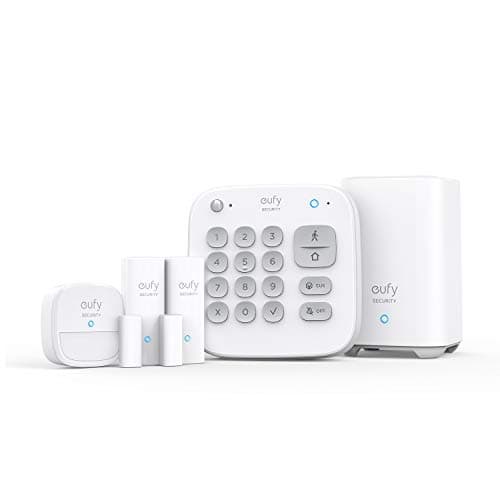
6. Replacing a Ring Alarm: eufy 5-piece alarm kit
This is the swap where the difference is largest, because of what Ring documents about a plan-free Alarm: siren yes, keypad arming yes, digital notifications no, emergency dispatch no. An alarm that cannot tell your phone it went off is a noise-maker. The eufy kit keeps app notifications and remote arming with no subscription, and it integrates with eufy cameras and doorbells so one app covers the house.
What you give up is genuine and you should weigh it: Ring's professional monitoring and cellular backup have no eufy equivalent. If a monitored central station calling the police is the point, staying on Ring (or on a monitored provider) is the right answer and this page is not for you. If self-monitoring is what you were doing anyway, the fee was buying you very little. We walk through that decision in self-monitored home security explained, compare the two kits directly in eufy Alarm vs Ring Alarm, and rank the field in systems that work without a subscription.
What switching away from Ring actually costs you
Four things, and nobody selling you an alternative will list them, so we will.
The accessory range. Nothing matches Ring's catalog of chimes, mounts, solar panels and keypads. Expect fewer options and more improvising.
App polish. Ring's app is the best in the category. eufy, Reolink and Tapo are all usable and none is as smooth.
Professional monitoring. If you had it, you are giving it up. That is a real loss of service, not just a saved fee.
The Alexa integration. Ring on an Echo Show is seamless because Amazon owns both. Third-party cameras work with Alexa but less tightly, and if your house is built around Echo devices that gap is the one you will feel daily.
Weigh those against the fee. For a single doorbell the math is arguable. For a four-camera system plus an alarm it generally is not.
What this page is based on
Ring's plan behavior is quoted from Ring's own support documentation, and every replacement's storage claim from the maker's own product page — all listed in the sources below. Every product here was checked for live availability and a live price through the Amazon API on the day this page was written. Products we claim to have tested: zero. We do not run a test lab and we do not claim one; the rubric is published at our methodology page so you can reproduce the ranking from the same public sources.
How to switch away from Ring without regretting it
Export anything you want to keep first
Saved Ring video lives in Ring's cloud, which means it lives behind the plan. Download the clips that matter before you cancel, not after. This is the single most common avoidable loss in the switch, and it is permanent.
Replace the doorbell last, not first
The doorbell is the device with the most install friction — transformer voltage, chime bypass, mounting angle. Cameras are a bracket and a card. Do the easy swaps, confirm you like the replacement app, then do the door. Our doorbell hub covers the wiring checks in detail.
Check whether you need the transformer at all
A lot of Ring doorbells are battery units on unwired doors. If yours is, you are not limited to wired replacements — the eufy E340 and the Tapo D210 both run on battery, and the battery rankings cover the rest. If your door IS wired, that is an advantage worth using: wired models can record continuously, which no battery doorbell can.
Decide where the storage lives before you pick a brand
Three architectures, and they are not interchangeable. A card in each device is cheapest and simplest and it means the only copy of the footage is in the thing bolted to the outside of your house. A base station indoors is more expensive and more robust, and it scales. Your own recorder is the most capable and the most work. The local storage versus cloud guide walks through the choice, and IP camera vs NVR covers the third option.
Do not confuse no-subscription with no-cloud
Every brand here still has an app, an account and servers. “No subscription” means recording does not depend on a payment, not that nothing leaves your house. If the goal is genuinely local, the test is whether the camera publishes RTSP or ONVIF so software you run can read it — Reolink's wired range does, Tapo's battery cameras do not, and the full picture is in our Home Assistant camera rankings.
The mistake people make leaving Ring
Swapping one device, keeping the plan for the rest, and paying both. The fee does not scale down gracefully — a single remaining Ring camera can keep a subscription alive. If you are going to switch, plan the whole set, do it over one weekend, and cancel once.