Skip to content
SensorLatch

HUB 02 · Smart Locks

The Best Smart Locks for a Front Door

Nine locks ranked on the six specifications that decide the purchase: published grade, entry methods, protocol, battery, offline behavior, and whether it fits the door you already own.

By Stephen V.Updated How we pick
#ad

We earn a commission if you buy through our links. It does not change the price you pay, and it does not decide our picks — our selection criteria are published in full. How this works.

The short answer

Quick picks

#ProductBest forScorePrice
01
Yale Yale Assure Lock 2 (Wi-Fi, keyed)
Yale Assure Lock 2 (Wi-Fi, keyed)

The modular one. Yale sells the same lock body in keyed and key-free, touchscreen and keypad, with the radio as a swappable module — so you buy the connectivity you want instead of the connectivity that shipped.

Best overall smart lock
8.3
$169.99Amazon
02
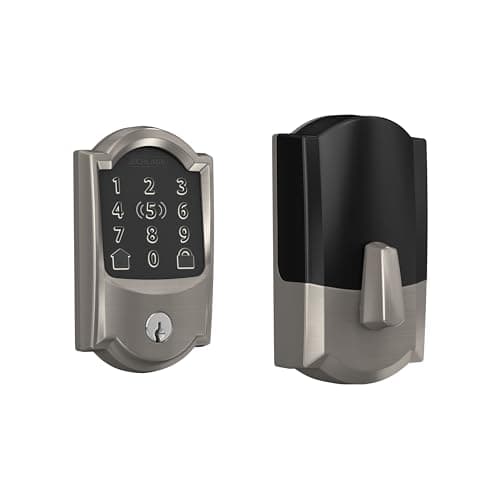
Schlage Schlage Encode Plus Wi-Fi Deadbolt
Schlage Encode Plus Wi-Fi Deadbolt

The one with the strongest published hardware pedigree. Schlage's deadbolt line is the reference point for BHMA Grade 1 in residential locks, and the Plus adds Apple Home Key so you tap a phone or watch instead of typing.

Best build quality
8.2
$284.99Amazon
03
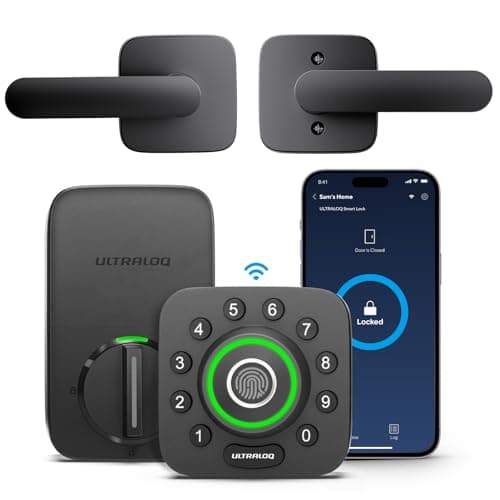
Ultraloq Ultraloq U-Bolt Pro Wi-Fi
Ultraloq U-Bolt Pro Wi-Fi

The most entry methods for the money: fingerprint, code, app, Bluetooth, auto-unlock and a mechanical key, with built-in Wi-Fi rather than a bridge. If you want every door to open every way, this is the cheapest route there.

Best fingerprint lock
7.9
$129.97Amazon
04
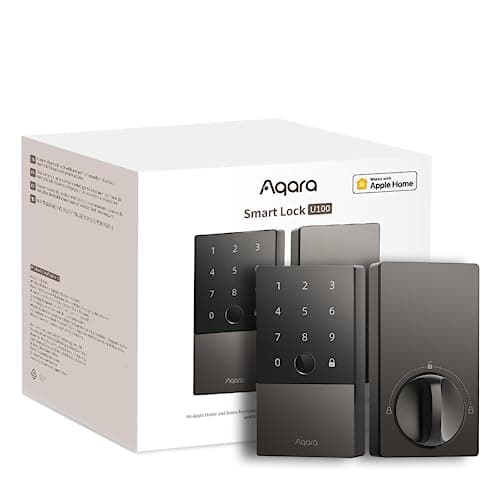
Aqara Aqara Smart Lock U100
Aqara Smart Lock U100

The Apple-household pick that is not a Schlage price. Home Key tap-to-unlock, a fingerprint reader, a keypad and a mechanical key, and it speaks to Apple Home, Google Home and Alexa out of the box.

Best for Apple Home
8.3
$149.99Amazon
05
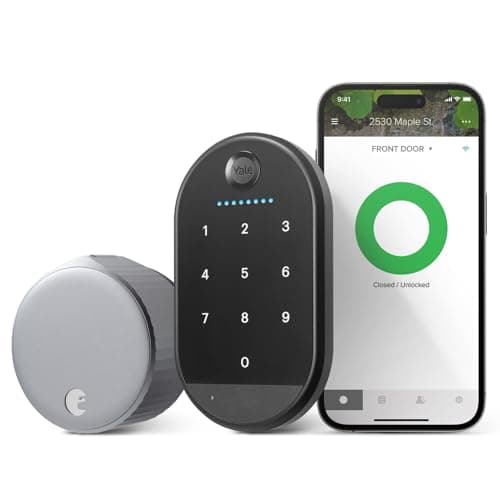
August August Wi-Fi Smart Lock
August Wi-Fi Smart Lock

The retrofit that started the category. It clamps onto the inside of your existing deadbolt and turns the thumbturn — the outside of the door does not change at all, which is why it is the default answer for renters.

Best for renters
8.2
$109.99Amazon
06
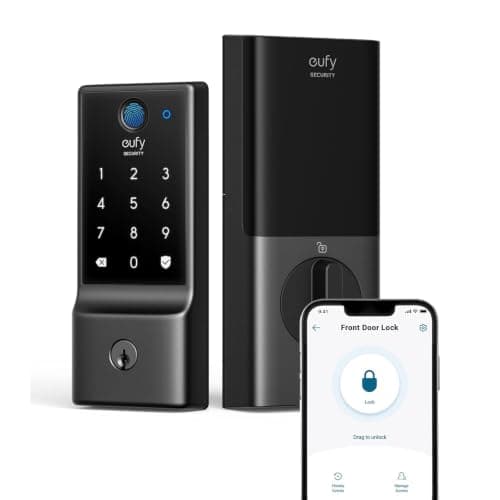
eufy eufy Smart Lock C220
eufy Smart Lock C220

Fingerprint plus built-in Wi-Fi at the bottom of the price band that includes both. eufy's whole pitch is no monthly fee, and the lock line holds to it.

Best budget fingerprint lock
7.4
$109.99Amazon
07
Level Level Lock+ Wi-Fi Deadbolt
Level Lock+ Wi-Fi Deadbolt

The one that hides. The entire mechanism lives inside the bore of the door, so from either side it looks like an ordinary deadbolt — no keypad, no escutcheon, no visible electronics.

Best invisible install
7.6
$286.22Amazon
08
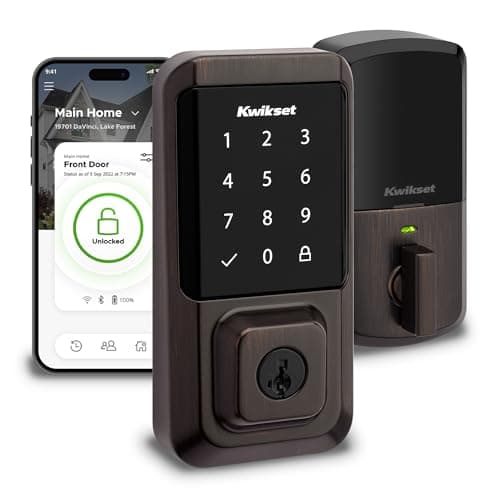
Kwikset Kwikset Halo Wi-Fi Smart Lock
Kwikset Halo Wi-Fi Smart Lock

Built-in Wi-Fi, a touchscreen keypad and SmartKey re-keying — you can re-key the cylinder yourself in under a minute without a locksmith, which is a genuinely useful property when a set of keys goes missing.

Best re-keyable lock
7.4
$199.00Amazon
09
Lockly Lockly Secure Plus
Lockly Secure Plus

The keypad that scrambles. Lockly's PIN Genie pad reshuffles the digit positions on every use, so a shoulder-surfer or a smudge pattern on the glass tells an observer nothing.

Best anti-surveillance keypad
7.6
$175.97Amazon

#ad · Prices pulled live from the Amazon Product API, last checked Jul 20, 2026. Where we have no verified live price we show none — we would rather leave a gap than print a number that has gone stale. Scores are our own, compiled from published specs; they are not test results.

Buy the Yale Assure Lock 2. Its radio is a swappable module rather than a soldered decision, so when the protocol you need changes, you change a card instead of buying another lock. Nothing else here gives you an exit from a connectivity choice you made at checkout.

One page, two searches. If you arrived here looking for the best smart lock, or the best smart lock for a front door, you are in the right place either way. Those two queries return the same results, from the same publishers, in the same order. They are one question, so this is one page rather than two thin ones competing with each other.

What the best smart lock for a front door actually has to do

A front door lock has a shorter job description than the category's marketing suggests. It has to hold the door shut against force. It has to let the household in without a ritual. It has to keep doing both when the router reboots, when the power company has a bad afternoon, and when the manufacturer decides your model is end-of-life. Everything else - geofencing, voice control, activity feeds - is convenience layered on top of those three.

That framing produces a different ranking than the one you will find elsewhere, because it puts weight on six things that almost nobody publishes side by side:

  • Published BHMA/ANSI grade. The Builders Hardware Manufacturers Association runs the residential lock grading scheme. Grade 1 is the strongest residential tier, Grade 3 the weakest. Most smart lock brands do not state a grade at all - and a lock with no published grade is not necessarily weak, it is simply unmeasured against a common yardstick.
  • Entry methods. How many ways can a person get in without your help? A lock with app entry only is a lock that fails for the dog walker with an Android phone.
  • Protocol. Wi-Fi, Bluetooth, Z-Wave, Thread or a mix. This decides battery life, remote access, and who owns the path between your phone and your bolt.
  • Battery type and count. Four AA cells and one CR2 are not comparable reservoirs, and the marketing number of months does not tell you which you are getting.
  • Behavior with the internet down.The answer is almost always “it still opens” - but how it opens differs enormously, and two locks in this list leave you with only a phone in Bluetooth range or a physical key.
  • Retrofit or full replacement. This determines whether you need a screwdriver or a tape measure, and whether a landlord is going to have an opinion.

None of these need a laboratory. All of them come out of manufacturer documentation, published standards and cell datasheets, which is exactly how we compiled them. If you want the ranking rubric in full, it is on our methodology page, including the sentence that matters most: products we claim to have tested: 0. Everyone in this category says they put a dozen locks on their own front door. We have not tested any, and we say so. What we do instead is read the manual, compile the specs, do the arithmetic, and cite it.

Smart locks compared: grade, entry, protocol, power, offline behavior

Read this table before you read the write-ups. Six of these seven columns are absent from every competing page in this result set, and the first column is the one that most often changes a buyer's mind.

Compiled from manufacturer product and support documentation, July 2026. A grade is recorded only where the manufacturer publishes one; “Not published” means no grade appears in that brand's own documentation, not that the lock failed anything.
ModelPublished BHMA/ANSI gradeEntry methodsProtocolBatteryWorks with the internet down?Retrofit or full replacement
Yale Assure Lock 2Grade 2 (Yale)Touchscreen code, app, physical key on the keyed versionWi-Fi + Bluetooth, via a swappable module4x AAYes - code and key. Remote unlock and alerts stopFull replacement
Schlage Encode PlusGrade 1 (Schlage)Touchscreen code, Apple Home Key tap, app, physical keyWi-Fi + Bluetooth4x AAYes - code, Home Key tap and key. Remote unlock stopsFull replacement
Ultraloq U-Bolt ProNot publishedFingerprint, code, app, Bluetooth auto-unlock, physical keyBuilt-in Wi-Fi + Bluetooth4x AAYes - fingerprint, code and key all localFull replacement
Aqara Smart Lock U100Not publishedApple Home Key tap, fingerprint, code, app, physical keyBluetooth; hub or Home hub for remote8x AAYes - everything at the door is local anywayFull replacement
August Wi-Fi Smart LockNot published (grade belongs to the deadbolt underneath)App, auto-unlock, your existing physical key. No keypadWi-Fi + Bluetooth2x CR123APartly - Bluetooth app unlock in range, or the keyRetrofit, interior side only
eufy Smart Lock C220Not publishedFingerprint, code, app, physical keyBuilt-in Wi-Fi + Bluetooth4x AAYes - fingerprint, code and keyFull replacement
Level Lock+Not publishedApple Home Key tap, app, physical key. No keypadBluetooth + Wi-Fi1x CR2Partly - Home Key tap, Bluetooth app, or the keyIn-bore replacement; existing trim and key stay
Kwikset HaloGrade 2 (Kwikset)Touchscreen code, app, SmartKey physical keyBuilt-in Wi-Fi4x AAYes - code and keyFull replacement
Lockly Secure PlusNot publishedShuffling keypad code, 3D fingerprint, app, physical keyBluetooth; Wi-Fi hub accessory for remote4x AAYes - code, fingerprint and keyFull replacement

Two patterns fall out of that table immediately. First, the honest answer to “does a smart lock stop working without wifi” is no - the lock keeps opening, you lose the remote half. We unpack that properly in do smart locks need wifi. Second, the two locks with no keypad at all - August and Level - are the two where the internet going down actually inconveniences a household, because their remaining entry methods are a phone in Bluetooth range and a metal key.

The picks, in order

1. Yale Assure Lock 2 - the modular one

Yale sells one lock body and a small family of connectivity modules that slot into it. The same chassis becomes a Wi-Fi lock, a Z-Wave lock or a Matter-over-Thread lock depending on the card in the back. That is the single most durable thing you can buy in a category where protocol fashion changes every three years and locks last fifteen. When Matter eventually becomes the thing your house speaks - our explainer on Matter for home security covers where that currently stands - you swap a card rather than a deadbolt.

Yale publishes a BHMA Grade 2 for the Assure line. It runs on four AA cells, and the keypad and cylinder are entirely mechanical-plus-local: the radio only ever carried remote access and notifications, so an outage costs you the app, not the door. There is a full-length Yale Assure Lock 2 review if you want the install detail and the battery arithmetic.

It ranks first despite Schlage's stronger published grade because the module system removes the largest hidden cost in this category, which is buying the lock twice.

2. Schlage Encode Plus - the strongest published hardware

If the grade is the number you care about, this is the lock. Schlage publishes BHMA Grade 1 across its deadbolt line, which is the highest residential tier the standard defines, and it is one of very few smart lock makers that publishes a grade at all. Apple Home Key support means an iPhone or Apple Watch tap opens it, including on a phone that has dropped into power reserve.

The catch is precisely that Home Key premium. A large share of what you pay over the standard Encode is a feature that only functions inside Apple's ecosystem. On an Android household it is money spent on a capability nobody in the house can use, and the Yale or the Ultraloq will do the same job for less.

3. Ultraloq U-Bolt Pro - the most ways in for the money

Fingerprint, code, app, Bluetooth auto-unlock and a mechanical key, with the Wi-Fi radio built into the lock instead of living in a bridge you have to power and site. The fingerprint reader sits on the outside knob where your hand already is, and the anti-peep entry mode lets you pad a real code with junk digits while a delivery driver watches.

Ultraloq does not publish a BHMA grade in its own documentation, which is why it sits behind two locks that do. And no capacitive fingerprint reader of any brand is reliable with wet or cold fingers - on an exposed door with no overhang you will end up typing the code, at which point a cheaper keypad lock did the same job.

4. Aqara Smart Lock U100 - Apple Home Key without the Schlage price

Home Key tap-to-unlock from the Wallet, a fingerprint reader, a keypad and a mechanical key, speaking to Apple Home, Google Home and Alexa. Eight AA cells is the largest battery reservoir in this list by a distance, and it shows up as long intervals between changes rather than as a spec-sheet talking point.

The lock itself is Bluetooth. Remote unlock needs an Aqara hub, an Apple TV or a HomePod acting as a home hub. Without one of those this is a superb lock while you are standing in front of it and completely unreachable from the office.

5. August Wi-Fi Smart Lock - the retrofit that defined the category

It clamps to the interior side of the deadbolt you already own and turns the thumbturn. The outside of the door does not change, your existing key keeps working, and the whole thing reverses with a screwdriver. That is why it remains the default answer for anyone renting, and why it heads our no-drilling picks for renters.

It ranks fifth here rather than higher for one reason: there is no keypad in the box. Every guest needs the app, a physical key, or a separate accessory. If handing someone a code is the reason you are shopping for a smart lock at all, this is the wrong lock.

6. eufy Smart Lock C220 - fingerprint and built-in Wi-Fi, cheaply

The lowest price at which you get both a fingerprint reader and a Wi-Fi radio inside the lock rather than in a bridge. eufy's whole brand position is that features do not live behind a monthly plan, and the lock line holds to it - which is the same argument we make across the subscription-free section of this site.

Built-in Wi-Fi in a battery-powered lock is the heaviest power draw available, so expect shorter runs between changes than a Bluetooth or Thread design. And there is no module system here: it is a Wi-Fi lock and will be one for its whole life, which matters if you are building a house around a Matter fabric.

7. Level Lock+ - the one nobody can see

The entire mechanism lives inside the bore of the door. From both sides it looks like an ordinary deadbolt, because the visible trim and the key are the ordinary parts - only the bolt assembly is electronic. On a period door or a front elevation you do not want to spoil, nothing else comes close.

There is no keypad and no fingerprint reader, and the whole thing runs on one CR2 lithium cell doing motor work. A dog walker with an Android phone and no key has no route through your door, and that is a permanent property of the design rather than a firmware gap.

8. Kwikset Halo - the one you can re-key yourself

Built-in Wi-Fi, a touchscreen keypad, a published BHMA Grade 2, and SmartKey re-keying, which lets you re-key the physical cylinder yourself in under a minute when a set of keys goes missing. For a household that has lent keys out over the years, that is a genuinely useful property.

SmartKey cylinders have been the subject of published bypass research. If the metal key is doing your security work rather than acting as a fallback, read that research before you buy - the convenience of self-re-keying carries a documented trade-off, which we cover in are smart locks safe.

9. Lockly Secure Plus - the keypad that scrambles

Lockly's pad reshuffles the digit positions on every use, so neither a shoulder surfer nor the smudge pattern left on the glass tells an observer anything about your code. It is the only lock here that treats the keypad itself as an attack surface, and the 3D capacitive fingerprint reader is a better sensor than the optical readers at this price.

The cost is usability, every single time. A pad whose digits move is measurably harder for a child, an older relative, or anyone with low vision. The security property and the usability penalty are the same feature, and you cannot have one without the other.

A lock tells you it locked. It does not tell you the door is shut

This is the gap that catches people about six weeks after installing a smart lock. The lock reports the state of the bolt. It cannot report the state of the door. A bolt that throws into fresh air because the door was standing open reads as “locked” in every app in this list.

The fix costs a fraction of the lock: a contact sensor on the frame, which is the single most useful pairing anyone makes with a smart lock. Our door and window sensor picks cover the options, and the wider sensors hub covers motion, glass and water. The Ultraloq is the only lock in this roundup that bundles a door sensor of its own, which is a real point in its favor and rarely mentioned.

In detail

The picks, in full

01
Yale Yale Assure Lock 2 (Wi-Fi, keyed)

Best overall smart lock

Yale Assure Lock 2 (Wi-Fi, keyed)

Wi-Fi + Bluetooth4x AAFull deadbolt replacementTouchscreen keypad
Works offline (keypad)No subscription for core use
8.3/10

The modular one. Yale sells the same lock body in keyed and key-free, touchscreen and keypad, with the radio as a swappable module — so you buy the connectivity you want instead of the connectivity that shipped.

Security
8.5
Door fit
8
Offline
9
Battery
7.5
Ecosystem
8.5

What it gets right

  • Codes and manual operation keep working with the internet down — the radio only carries remote access and notifications
  • Module system means a Matter or Z-Wave upgrade is a card swap, not a new lock
  • Keyed version retains a physical cylinder, which matters if you ever hand a key to a contractor

What it doesn't

  • Replaces the entire deadbolt, so the interior escutcheon is large and visible
  • Four AAs in the door means the battery compartment is part of the install, not hidden inside

What it costs to run

4x AA alkaline. No subscription is required for codes, app unlock or notifications.

Skip this if…

you rent. This is a full deadbolt replacement — you are removing the landlord's hardware, drilling nothing new but swapping everything, and you will need to reinstall the original on move-out. A retrofit like the SwitchBot Lock Pro or August leaves the existing deadbolt in place.

$169.99on Amazon

$259.9935% off

Price last checked Jul 20, 2026. Prices move constantly — Amazon's at checkout is the one that counts.

#ad · we may earn a commission from this link to Yale Assure Lock 2 (Wi-Fi, keyed)

02
Schlage Schlage Encode Plus Wi-Fi Deadbolt

Best build quality

Schlage Encode Plus Wi-Fi Deadbolt

Wi-Fi + BluetoothApple Home Key4x AATouchscreen
No subscriptionCloud account required for remote
8.2/10

The one with the strongest published hardware pedigree. Schlage's deadbolt line is the reference point for BHMA Grade 1 in residential locks, and the Plus adds Apple Home Key so you tap a phone or watch instead of typing.

Security
9
Door fit
8
Offline
8.5
Battery
7.5
Ecosystem
8

What it gets right

  • Schlage publishes BHMA grades for its deadbolts — most smart-lock brands do not, which is the whole point of our grades guide
  • Apple Home Key support means an iPhone or Apple Watch tap unlocks it, including on a dead phone's power reserve
  • Built-in Wi-Fi with no separate bridge to power and lose

What it doesn't

  • One of the most expensive locks in this category
  • Home Key is genuinely useful only inside the Apple ecosystem; Android buyers pay for a feature they cannot use

What it costs to run

4x AA alkaline. No plan is required for app control, codes or notifications.

Skip this if…

you are not in the Apple ecosystem. A large share of what you are paying over the standard Encode is Home Key, and without an iPhone or Apple Watch that premium buys you nothing you will ever use.

$284.99on Amazon

Price last checked Jul 20, 2026. Prices move constantly — Amazon's at checkout is the one that counts.

#ad · we may earn a commission from this link to Schlage Encode Plus Wi-Fi Deadbolt

03
Ultraloq Ultraloq U-Bolt Pro Wi-Fi

Best fingerprint lock

Ultraloq U-Bolt Pro Wi-Fi

Fingerprint + code + keyBuilt-in Wi-Fi4x AAAnti-peep keypad
No subscriptionWorks offline (code + print)
7.9/10

The most entry methods for the money: fingerprint, code, app, Bluetooth, auto-unlock and a mechanical key, with built-in Wi-Fi rather than a bridge. If you want every door to open every way, this is the cheapest route there.

Security
8
Door fit
8
Offline
9
Battery
7
Ecosystem
7.5

What it gets right

  • Fingerprint reader is on the outside knob where your hand already is, not on a separate pad
  • Bundled door sensor tells you the door is actually shut, not just that the bolt threw
  • Anti-peep code entry lets you pad a real code with junk digits in front of a stranger

What it doesn't

  • Fingerprint readers of any brand degrade with wet, cold or worn fingers — always enroll a code as well
  • The app ecosystem is smaller than Yale's or Schlage's, so third-party integrations lag

What it costs to run

4x AA alkaline. No subscription for fingerprint, code, app or remote unlock.

Skip this if…

your entry door faces weather with no overhang. Capacitive fingerprint readers are the first thing to misread when the sensor is wet or your hands are cold, and on an exposed north-facing door you will end up typing the code anyway — in which case a cheaper keypad lock does the same job.

$129.97on Amazon

$169.9924% off

Price last checked Jul 20, 2026. Prices move constantly — Amazon's at checkout is the one that counts.

#ad · we may earn a commission from this link to Ultraloq U-Bolt Pro Wi-Fi

04
Aqara Aqara Smart Lock U100

Best for Apple Home

Aqara Smart Lock U100

Apple Home KeyFingerprint + codeBluetooth8x AA
No subscriptionHub required for remote
8.3/10

The Apple-household pick that is not a Schlage price. Home Key tap-to-unlock, a fingerprint reader, a keypad and a mechanical key, and it speaks to Apple Home, Google Home and Alexa out of the box.

Security
8
Door fit
8
Offline
8.5
Battery
8.5
Ecosystem
8.5

What it gets right

  • Apple Home Key works from the Wallet, including on an iPhone in low-power reserve
  • Eight AA cells is a big reservoir — this is one of the longer-lived locks per battery change
  • Integrates into Apple Home, Google Home and Alexa without a manufacturer cloud account for local automations

What it doesn't

  • Remote unlock needs an Aqara hub or a Home Hub — the lock itself is Bluetooth
  • Eight AAs is a lot of cells to keep matched and replace together

What it costs to run

8x AA alkaline. No subscription; a hub is hardware, not a plan.

Skip this if…

you have no Apple TV, HomePod or Aqara hub. Without one, this is a Bluetooth lock: excellent when you are standing at the door, and completely unreachable from work.

$149.99on Amazon

$189.9921% off

Price last checked Jul 20, 2026. Prices move constantly — Amazon's at checkout is the one that counts.

#ad · we may earn a commission from this link to Aqara Smart Lock U100

05
August August Wi-Fi Smart Lock

Best for renters

August Wi-Fi Smart Lock

Retrofit (interior only)Wi-Fi + Bluetooth2x CR123AKeeps existing key
No drillingKeeps your existing key
8.2/10

The retrofit that started the category. It clamps onto the inside of your existing deadbolt and turns the thumbturn — the outside of the door does not change at all, which is why it is the default answer for renters.

Security
7.5
Door fit
9.5
Offline
8
Battery
7.5
Ecosystem
8.5

What it gets right

  • Nothing on the exterior changes, so your landlord's hardware and your existing keys both keep working
  • Installs with a screwdriver in minutes and reverses just as fast on move-out
  • Auto-unlock on approach is the feature people actually keep using a year later

What it doesn't

  • No keypad in the box — entry without your phone means the original physical key
  • The interior unit is chunky; on a narrow door edge or behind a storm door it can foul

What it costs to run

2x CR123A lithium cells. No subscription for app unlock, remote access or alerts.

Skip this if…

you want to give someone a code. There is no keypad on this lock at all — every guest either needs the app, a physical key, or a separate keypad accessory. If code entry is the reason you are buying a smart lock, buy a keypad model instead.

$109.99on Amazon

Price last checked Jul 20, 2026. Prices move constantly — Amazon's at checkout is the one that counts.

#ad · we may earn a commission from this link to August Wi-Fi Smart Lock

06
eufy eufy Smart Lock C220

Best budget fingerprint lock

eufy Smart Lock C220

Fingerprint + code + keyBuilt-in Wi-Fi4x AAFull deadbolt
No subscription
7.4/10

Fingerprint plus built-in Wi-Fi at the bottom of the price band that includes both. eufy's whole pitch is no monthly fee, and the lock line holds to it.

Security
7.5
Door fit
8
Offline
8
Battery
6.5
Ecosystem
7

What it gets right

  • Wi-Fi is in the lock, so there is no bridge to buy, site and power
  • Fingerprint, keypad, app and key covers every household member's preference
  • eufy does not gate lock features behind a plan, which is not true of every brand here

What it doesn't

  • Built-in Wi-Fi in a battery lock is the heaviest possible power draw — expect shorter runs than a Bluetooth or Thread lock
  • Fewer third-party integrations than the Yale and Schlage lines

What it costs to run

4x AA alkaline. No plan required for any function including remote unlock.

Skip this if…

you want Matter or Thread. This is a Wi-Fi lock and it stays a Wi-Fi lock — there is no module to swap and no protocol upgrade path, so a house built around a Matter fabric should look at the Yale module system or the Aqara U100 instead.

$109.99on Amazon

$169.9935% off

Price last checked Jul 20, 2026. Prices move constantly — Amazon's at checkout is the one that counts.

#ad · we may earn a commission from this link to eufy Smart Lock C220

07
Level Level Lock+ Wi-Fi Deadbolt

Best invisible install

Level Lock+ Wi-Fi Deadbolt

In-door mechanismApple Home Key1x CR2Bluetooth + Wi-Fi
No subscriptionNo keypad
7.6/10

The one that hides. The entire mechanism lives inside the bore of the door, so from either side it looks like an ordinary deadbolt — no keypad, no escutcheon, no visible electronics.

Security
8
Door fit
7.5
Offline
7.5
Battery
7
Ecosystem
8

What it gets right

  • Genuinely invisible — the strongest argument on a period door or a front elevation you do not want to spoil
  • Apple Home Key tap-to-unlock from an iPhone or Apple Watch
  • The existing trim and key both stay, because the electronics replace only the bolt assembly

What it doesn't

  • Among the most expensive locks in the category
  • A single CR2 cell doing motor work is a smaller reservoir than four AAs

What it costs to run

1x CR2 lithium cell. No subscription for any feature.

Skip this if…

you want anyone to get in without a phone or a key. There is no keypad and no fingerprint reader on this lock. A dog walker with an Android phone and no key has no way through your door.

$286.22on Amazon

$349.0018% off

Price last checked Jul 20, 2026. Prices move constantly — Amazon's at checkout is the one that counts.

#ad · we may earn a commission from this link to Level Lock+ Wi-Fi Deadbolt

08
Kwikset Kwikset Halo Wi-Fi Smart Lock

Best re-keyable lock

Kwikset Halo Wi-Fi Smart Lock

Built-in Wi-FiTouchscreen4x AASmartKey re-key
No subscription
7.4/10

Built-in Wi-Fi, a touchscreen keypad and SmartKey re-keying — you can re-key the cylinder yourself in under a minute without a locksmith, which is a genuinely useful property when a set of keys goes missing.

Security
7
Door fit
8
Offline
8
Battery
6.5
Ecosystem
7.5

What it gets right

  • SmartKey lets you re-key the physical cylinder yourself when keys go astray
  • No hub or bridge — the lock joins your Wi-Fi directly
  • Kwikset publishes a BHMA grade for the Halo line, which many competitors do not

What it doesn't

  • Wi-Fi in a battery lock is power-hungry compared with Bluetooth or Thread designs
  • SmartKey cylinders have been the subject of published bypass research — treat them as convenience, not as the security layer

What it costs to run

4x AA alkaline. No subscription for app, codes or remote unlock.

Skip this if…

the cylinder is doing your security work. If a physical key is your fallback and you care about pick and bypass resistance, read the published research on SmartKey cylinders first — the convenience of self-re-keying has a documented trade-off.

$199.00on Amazon

$213.007% off

Price last checked Jul 20, 2026. Prices move constantly — Amazon's at checkout is the one that counts.

#ad · we may earn a commission from this link to Kwikset Halo Wi-Fi Smart Lock

09
Lockly Lockly Secure Plus

Best anti-surveillance keypad

Lockly Secure Plus

Shuffling keypad3D fingerprint4x AABluetooth
No subscriptionHub required for Wi-Fi
7.6/10

The keypad that scrambles. Lockly's PIN Genie pad reshuffles the digit positions on every use, so a shoulder-surfer or a smudge pattern on the glass tells an observer nothing.

Security
8.5
Door fit
7.5
Offline
8.5
Battery
7
Ecosystem
6.5

What it gets right

  • The shuffling keypad genuinely defeats fingerprint-smudge and shoulder-surfing attacks that defeat fixed pads
  • 3D capacitive fingerprint reader rather than an optical one
  • Physical key override retained

What it doesn't

  • The shuffling pad is slower to use than a fixed one, every single time
  • Remote access needs the separate Wi-Fi hub

What it costs to run

4x AA alkaline. No subscription; Wi-Fi remote access needs the hub accessory.

Skip this if…

a member of the household finds keypads difficult. A pad whose digits move on every use is significantly harder for a child, an older relative or anyone with low vision — the security property and the usability cost are the same feature.

$175.97on Amazon

$185.245% off

Price last checked Jul 20, 2026. Prices move constantly — Amazon's at checkout is the one that counts.

#ad · we may earn a commission from this link to Lockly Secure Plus

How to choose a smart lock

Start with the door, not the lock

More smart locks are returned for fit than for function. A full-replacement lock has to match three measurements on your existing door: the backset, the cross-bore diameter, and the door thickness. Get one of them wrong and the lock physically will not seat. Measure first, using will a smart lock fit my door, and then shop. It takes four minutes and it is the highest-value thing on this page.

If the measurements come back awkward, or you rent, or the door is a non-standard thickness, a retrofit sidesteps the whole problem by leaving the existing deadbolt exactly where it is.

Decide which entry method has to work at 3am with a flat phone

Work backwards from the worst realistic evening rather than the best. Phone dead, hands full, kid at the door before you are home, cleaner arriving Thursday. If the answer to any of those is “a code,” you need a keypad lock and you can stop considering August and Level. If the answer is “a key in my pocket,” you need a keyed model rather than key-free. If the answer is “a fingerprint,” check whether the door has an overhang, because wet sensors misread.

What actually decides the price

Three things, in order. The radio: built-in Wi-Fi costs more than Bluetooth and costs more again in batteries. The reader: fingerprint hardware and Apple Home Key silicon are each a step up in bill of materials. The published grade: brands that certify to BHMA Grade 1 are building to a heavier standard and charge for it. Almost nothing else in the spec sheet moves the number much, which is why a Grade 1 Wi-Fi lock with Home Key sits at the top of the range and a radio-free keypad deadbolt sits at the bottom.

The battery arithmetic nobody publishes

Manufacturer battery claims in this category are quoted without a stated duty cycle, so they are not comparable between brands. What is comparable is the size of the reservoir and what is drawing from it. Using published cell datasheets:

  • 4x AA alkaline - roughly 2,000 to 2,900 mAh per cell at low drain, in series at about 6 volts. On the order of 15 watt-hours. Yale, Schlage, Ultraloq, eufy, Kwikset and Lockly all use this.
  • 8x AA alkaline - the Aqara U100, roughly double the above, and the largest reservoir in this roundup.
  • 2x CR123A lithium - roughly 1,400 mAh at 3 volts each. On the order of 8 to 9 watt-hours. The August.
  • 1x CR2 lithium - roughly 800 to 900 mAh at 3 volts. On the order of 2.5 watt-hours. The Level Lock+, which is doing motor work out of the smallest reservoir here.

Now the drain side. The motor is a short, large pull a handful of times a day. The radio is a small, continuous pull every second of every day, and it is usually the dominant term. A Wi-Fi lock maintains an association with your access point around the clock; a Bluetooth or Thread lock sleeps between events. That is why the Kwikset SmartCode 916, a Z-Wave lock on the same four AAs, outlasts the Wi-Fi locks - the radio simply asks for less.

The practical conclusion: if long battery intervals matter more than remote unlocking, buy a low-power radio and put the always-on hardware somewhere it can be mains powered.

The mistake buyers make

They buy connectivity they will never use, and pay for it twice - once at checkout, and again every time the batteries run down early. Remote unlocking sounds essential and, for most households, gets used a handful of times a year. Codes get used every day. If you find yourself choosing between a lock with a keypad and a lock with a better app, the keypad is almost always the right call.

The second mistake is assuming a smart lock is a security upgrade. It is a convenience upgrade with a security profile roughly equal to the deadbolt it replaced. We lay out that argument properly in smart lock vs deadbolt, and if you have decided you want a full-replacement unit, the shortlist narrows on our best smart deadbolts page. Everything in this hub is indexed at the smart locks hub.

How we picked

Products we claim to have tested: 0

Everyone in this category says they tested a dozen locks on their own front door. We have not tested any, and we say so. Here is what we do instead: read the manufacturer's manual and spec sheet, record the published protocol, power and storage figures, check the published standard where one exists, compute what the device costs to keep running, and cite all of it so you can check the work. Prices come live from Amazon's API and disappear rather than go stale.

The scores above are judgments from that documented research — not bench measurements. The full rubric, including what disqualifies a product, is published in full.

Questions

Frequently asked

What is the best smart lock for a front door?
The Yale Assure Lock 2, for most doors. The radio is a swappable module, so a protocol change is a card swap rather than another lock. If a published BHMA Grade 1 matters more to you than upgrade path, the Schlage Encode Plus is the stronger hardware. If you rent, neither - go to the retrofit picks.
Do smart locks still work if the wifi goes down?
Yes, the lock still opens. Every model here keeps its local entry methods - keypad, fingerprint, physical key - because those never went through the radio. What stops is remote unlocking, notifications and voice control. The exceptions worth knowing are August and Level, which have no keypad, so an outage leaves you with Bluetooth range or a key. Full detail in do smart locks need wifi.
What is a BHMA grade and why do so few smart locks have one?
BHMA, the Builders Hardware Manufacturers Association, publishes the residential grading scheme that rates locks from Grade 3 up to Grade 1 on operational and security tests. Certification costs money and takes time, and a brand competing on app features has little commercial incentive to pursue it. Schlage, Kwikset and Yale publish grades for the models here; most of the rest do not. A missing grade is an absence of evidence, not evidence of weakness.
Is a smart lock less secure than a normal deadbolt?
Mechanically it is the same deadbolt with a motor attached, so the physical attack profile barely changes. What changes is that you have added a radio, a firmware image and a vendor account to the door. That is a real, small, new attack surface, and the honest comparison is in are smart locks safe.
Do any of these locks require a subscription?
None of them require one for codes, app unlock or notifications. Some need a piece of hardware for remote access - an Aqara or Apple home hub for the U100, a Lockly Wi-Fi hub for the Secure Plus - and hardware is a one-time cost, not a plan. That distinction is the whole reason this site exists; see the no-subscription section.
Will a smart lock fit my door?
Measure three things: backset (2-3/8 in or 2-3/4 in), cross-bore diameter (usually 2-1/8 in), and door thickness (usually 1-3/8 to 1-3/4 in). Full-replacement locks state supported ranges for all three. Our fit guide walks the measurements, and how to install a smart lock covers what happens next.

Keep reading

Receipts

Sources

We do not run a testing lab and we do not pretend to. Specifications come from the manufacturer's own published documents and from published standards; prices come from the live Amazon API. Where a figure is not published, the page says “not published” rather than guessing. Read the full method.