These two brands turn up opposite each other constantly on smart-lock shortlists, and almost every comparison of them is a feature list. That is the wrong shape for the decision, because the feature lists overlap heavily: both sell deadbolt replacements, both do codes and app control, both work with the major voice assistants, and neither charges a subscription to unlock your own door. The actual difference is a philosophy about which part of the lock should be upgradeable, and it shows up in exactly two places.
Ultraloq's bet: spend it at the door
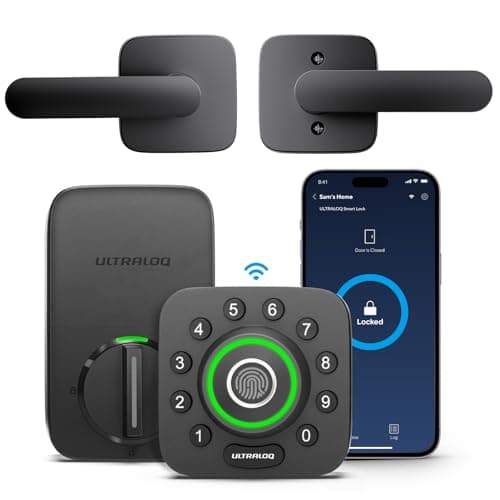
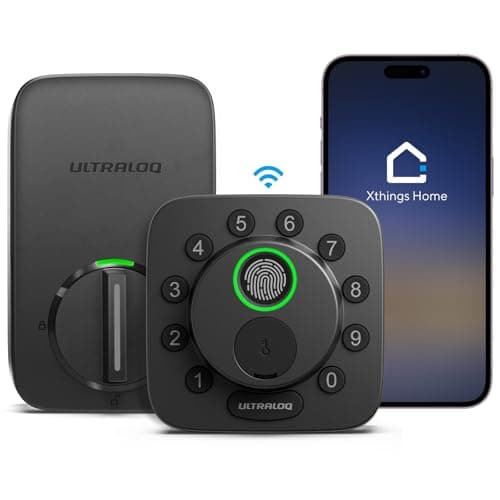
Ultraloq's money goes into entry methods. The U-Bolt Pro Wi-Fi puts a capacitive fingerprint reader on the outside knob, where your hand already is, rather than on a separate pad — and keeps a keypad, an app, Bluetooth auto-unlock and a mechanical key behind it. It bundles a door sensor, which is a genuinely useful and frequently missing piece: without one, a lock tells you the bolt threw, not that the door was shut. Its keypad supports anti-peek entry, where you pad a real code with junk digits in front of a stranger.
The cost of that bet is the software and the ecosystem around it. Ultraloq's app and partner integrations are a smaller operation than Yale's, so third-party support arrives later. And the fingerprint reader, like every capacitive reader of every brand, misreads wet, cold or worn fingers — which on an exposed door with no overhang means you type the code anyway. Both points are in the lock's own entry as stated limitations, not as a reviewer's grumble.
Yale's bet: spend it on the radio slot
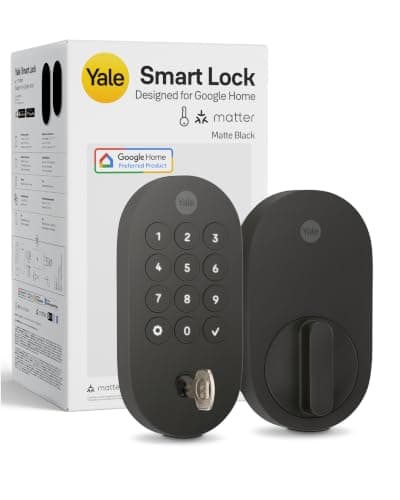
Yale sells the Assure Lock 2 as one lock body with the connectivity as a card in the battery compartment. Today's Wi-Fi module comes out and a Matter-over-Thread or Z-Wave module goes in, and the door hardware, the cylinder and the install never change. That sounds like a technicality until you price the alternative: on every other lock in this comparison, a platform change is a new lock.
The cost of Yale's bet is at the door. Nothing in the Assure Lock 2 line reads a fingerprint — it is a touchscreen or a pushbutton keypad, a key if you buy the keyed version, and the app. And because Yale ships the same body in several radio configurations, it is genuinely easy to order the wrong one: the listing has to say Matter for you to get Matter, which is a real returned-lock story and is why we rank the Matter configuration as its own entry above.
The module cuts both ways. A swappable radio is a hedge, but it is also an extra part, an extra firmware and an extra candidate when pairing fails. On the ULTRALOQ Bolt SE the equivalent flexibility is in software — one SKU that runs either Matter over Thread or Wi-Fi, chosen in the app — which removes the part but creates a different confusion: advice you read about the Bolt SE often describes the mode you are not running. How each brand implements Matter is ranked in our Matter lock roundup.
Why this page does not rank on published grade
It would be the obvious tiebreaker, and it is not available. ULTRALOQ references BHMA and ANSI standards in general terms but does not publish a model-specific grade for the Bolt SE, which is recorded as a disqualifier in its own entry above. We are not going to supply a number neither manufacturer prints. If a verifiable printed grade is your buying criterion, the brand to look at is Schlage and the page is our main smart lock roundup; what the grades mean and what they are actually testing is in our ANSI/BHMA explainer.
Compiled from manufacturer documentation and the live Amazon listings for the configurations we link, October 2026. Prices on the cards above are pulled live and dated October 18, 2026.| | Ultraloq | Yale |
|---|
| Fingerprint on the lock | Yes, on both picks here | No, on any Assure Lock 2 |
|---|
| Radio changeable later | Bolt SE only, in software (Thread or Wi-Fi) | Yes — physical module swap |
|---|
| Bridge or hub on a socket | No (U-Bolt Pro has built-in Wi-Fi) | No for the Wi-Fi module; Thread needs a border router |
|---|
| Mechanical key | Yes on both | Yes on the keyed versions |
|---|
| Door sensor in the box | Yes, with the U-Bolt Pro | No |
|---|
| Cells | 4x AA | 4x AA |
|---|
| Model-specific published BHMA grade | Not published for the Bolt SE | Not printed on the listings we link |
|---|
| Subscription for codes or remote unlock | None | None |
|---|
Battery reality, which favours Thread on both sides
All four locks here take four AA cells, so the difference is entirely in what the radio does with them. Wi-Fi in a battery lock is the heaviest design there is, because the lock holds an association with the access point rather than sleeping between short bursts. ULTRALOQ states roughly eight months on Wi-Fi with alkaline cells rising to about a year and a half on Matter over Thread with lithium cells — which is the clearest statement either brand makes about the cost of the convenient radio, and it is a real reason to run a Bolt SE in Thread mode if you have a border router. The arithmetic across the category is in our battery guide.
What neither brand will do for you
Fit a door it does not fit. Both are deadbolt replacements, so backset, bore diameter and door thickness decide this before any feature does, and getting it wrong means a return rather than a workaround. Measure first: our fit guide walks the three numbers. If the door is rented or otherwise not yours to drill, neither brand's deadbolt is the answer and the retrofit field is — where, as it happens, Yale competes and Ultraloq does not.
The decision rule
- Do you want a fingerprint on the door? Buy Ultraloq. Yale does not read prints on the Assure line, and no module changes that.
- Are you confident about your platform for the next five years? If yes, buy whichever lock does what you want today. If no, buy the Yale and keep the module slot as insurance — it is the only hedge in this comparison that is a part rather than a promise.
- Do you have a Thread border router, or will you? If yes, the ULTRALOQ Bolt SE in Thread mode is the cheapest lock here and the longest-running on a set of cells. If no, do not buy a lock for Matter yet — run it on Wi-Fi and accept the shorter battery intervals.
- Do you need to know the door is shut, not just locked? Ultraloq bundles a door sensor; Yale does not. You can add one from our sensor roundup for very little if you go Yale.
- Does the door take a deadbolt at all? Measure before you order either brand. A slider, a french door or a storm door is a different purchase entirely.
What decides the price between them
Entry methods and radio, in that order. A fingerprint reader is the single most expensive thing you can add to a lock at this end of the market, which is why the Ultraloq picks cost what they do and why the Bolt SE is remarkable for having one. On the Yale side you are paying for the body and then for whichever module is fitted, and the Matter configuration carries a premium over the plain Wi-Fi one. Neither brand gates app control, codes, guest access or remote unlock behind a plan, so the only running cost is cells.
The mistake buyers make with both brands
With Ultraloq it is buying a fingerprint reader for an exposed door and then typing the code all winter. With Yale it is ordering the wrong configuration: the Assure Lock 2 exists in keyed and key-free, touchscreen and pushbutton, Wi-Fi and Matter and Z-Wave, and the photographs look alike. Read the exact listing title, both times. The whole field, with the constraint removed, is at the smart locks hub.