HUB 06 · Guides
Do Security Cameras Record All the Time?
Most cameras record events, not continuously - and the ones that cannot do 24/7 are physically unable to, not holding it back as an upsell.
We earn a commission if you buy through our links. It does not change the price you pay, and it does not decide our picks — our selection criteria are published in full. How this works.
Verdict
The bottom line
Most home security cameras do not record all the time. They record events: a sensor detects movement, the camera wakes, and a clip is saved. Continuous 24/7 recording needs two things no battery camera has — constant power and a destination with room for hundreds of gigabytes — which in practice means a mains or PoE camera writing to a card, an NVR or a local base. If 24/7 capture is what you actually need, that requirement decides the purchase before any other specification does.
Which cameras record continuously, and which do not
A camera can only record continuously if it is awake continuously, and a camera is only awake continuously if something is feeding it power. That single physical fact sorts the whole category: wired and PoE cameras can do 24/7, and battery and solar cameras cannot, no matter what the app settings offer. Reolink states it plainly in its own documentation, and it is not a limitation any firmware update will remove.
| Camera type | Continuous recording | Why |
|---|---|---|
| PoE camera with an NVR | Yes | Constant power, and a recorder sized for it |
| Mains camera with a card | Yes, limited by card size | Constant power; the card overwrites oldest first |
| Mains camera, cloud only | Usually not, or only on a plan tier | Continuous upload is expensive for the vendor |
| Battery or solar camera | No | It has to sleep, or the battery lasts hours |
What you actually miss when a camera sleeps
Event recording is not simply “the same footage with the boring parts cut out.” Three things are genuinely absent, and they are the three complaints people have about battery cameras six months in.
The start of the event. A sleeping camera needs to be woken by its motion sensor, boot its imaging pipeline and begin writing. Some cameras hold a short rolling buffer to recover part of that gap; many do not, and the clip begins with the subject already in frame.
Anything static.A car that was already parked when the camera went to sleep generates no motion, so it appears in no clip. If the question you will ask the footage is “when did that van arrive,” event recording may genuinely not be able to answer it.
Slow or distant movement. Passive infrared sensors respond to heat crossing detection zones. Someone moving slowly, at the edge of the zone, or behind glass can fail to trigger a wake at all. Turning sensitivity up trades this for a notification every time a cat walks past, which is how most people end up ignoring their alerts.
Decide which question you will ask the footage.“Who came to the door” is an event question, and a battery camera answers it well. “What happened on the drive between two and four” is a continuous question, and only a wired camera with a recorder can answer it. Nobody needs both on every approach.
What 24/7 recording needs
Three things. Constant power, which for an outdoor position usually means PoE rather than a mains lead, because one cable carrying power and data is easier to run than a weatherproof supply — the comparison is in PoE versus Wi-Fi. A destination with room: a large card, an NVR, or a local base station. And a decision about retention, because continuous recording does not stop when the disk fills — it overwrites the oldest footage, and how far back you can look is a function of disk size and bitrate.
The retention arithmetic
You can work out retention yourself from two numbers, and it is worth doing before you buy a drive. Take the stream bitrate in megabits per second, divide by eight for megabytes per second, and multiply out. At a 4 Mbit/s bitrate — a reasonable mid setting for a 2K camera — that is 0.5 MB/s, which is 1.8 GB per hour and about 43 GB per day per camera. A 2 TB drive therefore holds roughly 46 days from one camera, or about 11 days from four.
Push the bitrate to 8 Mbit/s for more detail and the numbers halve: about 86 GB per day per camera, so roughly 23 days of one camera on the same 2 TB drive, or under a week from four. This is why the recorder, not the camera, is the component that decides what a continuous system can actually do, and why we rank systems on the recorder in our camera system rankings. Those figures are arithmetic from a bitrate you choose, not a measurement of any particular model.
The middle ground most people should use
Continuous and event recording are not mutually exclusive on a wired camera. Most recorders will capture a continuous low-bitrate stream for the record and flag motion events within it for quick review, which gives you a complete timeline and a short list of things to look at. If your camera and recorder support it, this is almost always the right configuration: you keep the ability to answer continuous questions without scrubbing through fourteen hours of an empty drive.
Where the footage lands still matters more than the mode. A continuous recording on a vendor cloud is a continuous bill, and a continuous recording on your own drive is a one-off purchase — the full argument is in local storage versus cloud, and the five-year cost comparison is in what the plans cost.
How to choose between continuous and event recording
- Name the question you will ask the footage.Event capture answers “who,” continuous capture answers “when.” Most households need continuous on one approach at most.
- Check the power you can get to the position. No power means no continuous recording, and no amount of app configuration changes that.
- Size the storage from the bitrate, not from the box.Use the arithmetic above. “Up to 30 days” on a listing is a claim about a bitrate nobody states.
- Prefer a continuous stream with event markers if your recorder supports it. Complete timeline, short review list.
- Keep the recordings where they cost nothing to keep. Continuous recording is the single worst case for a per-camera cloud plan.
The hardware that does each job
The four products below are one per approach rather than a ranking: a complete PoE system with the recorder and drive in the box, a pair of PoE cameras for adding continuous coverage to an existing recorder, a local base station for a eufy household, and a solar camera as the honest event-only case — the camera that cannot do this and says so. Their prices come live from the Amazon API and were last checked October 5, 2026. The full field is at the cameras hub, the wired class in our PoE roundup, and the rubric at our methodology.
The hardware
The hardware this guide is about
The products this guide refers to, with prices pulled live from Amazon and dated on every card. Full rankings live in the roundups linked above.
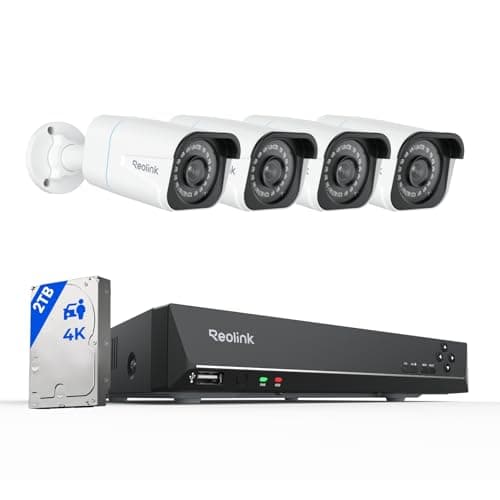
Best complete local system
Reolink 8CH 4K PoE System with NVR + 2TB
Four 4K PoE cameras, an eight-channel recorder and a 2TB drive in one box. Continuous recording, nothing in anybody's cloud, and no monthly anything — the endgame of subscription-free.
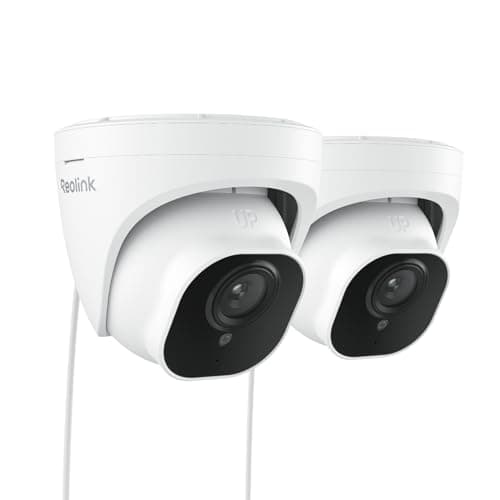
Best multi-camera value
Reolink RLC-520A PoE Dome (2-pack)
The sensible way to buy your second and third camera. A pair of wired PoE domes with the same RTSP and ONVIF support as the flagship, at roughly the per-camera cost of one consumer battery cam.
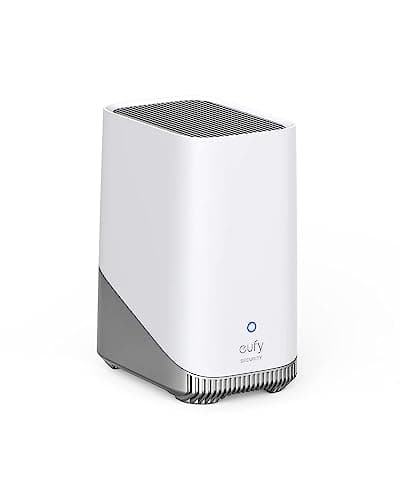
Best local storage base
eufy HomeBase 3 (S380)
The box that makes eufy's no-subscription claim true. Up to 16TB of expandable local storage and on-device face recognition, so the processing and the footage both stay in your house.

Best subscription-free outdoor camera
eufy SoloCam S340 (solar, dual camera)
Solar panel, pan and tilt, dual lenses and onboard storage — no wire, no monthly fee, and no recording leaving the device unless you choose to send it.
#ad · As an Amazon Associate we earn from qualifying purchases.
Questions
Frequently asked
Do security cameras record all the time?
Why can't battery cameras record 24/7?
How many days of footage does a 2TB drive hold?
What does a camera miss if it only records events?
Can a camera do continuous and event recording at once?
Keep reading
Related
- Best home security camera systemsRanked on the recorder, which is what decides retention.
- Best PoE security camerasThe wired class, which is the only one that can do 24/7.
- How much data do security cameras use?The uplink side of the same question.
- Best security cameras for a drivewayWhere continuous recording matters most, and why.
Receipts
Sources
- Reolink — documentation on continuous recording, battery camera behavior and NVR capacity
- eufy — HomeBase 3 expandable local storage specifications
- ONVIF — profile specifications covering recording and replay on IP video devices
We do not run a testing lab and we do not pretend to. Specifications come from the manufacturer's own published documents and from published standards; prices come from the live Amazon API. Where a figure is not published, the page says “not published” rather than guessing. Read the full method.