HUB 06 · Guides
Home Security Basics: What to Buy First
Start with the cheapest layer, not the most impressive one. Four purchases in order, what each one actually tells you, and the two most people get backwards.
We earn a commission if you buy through our links. It does not change the price you pay, and it does not decide our picks — our selection criteria are published in full. How this works.
Verdict
The bottom line
Buy a contact sensor first, not a camera. A pair of door and window sensors costs less than a takeaway, needs no monthly plan, and answers the question a camera cannot: the door just opened. Then make the door itself controllable, then cover the doorstep, then cover the outside. In that order, each purchase makes the previous one more useful — and the running cost stays at zero until you deliberately choose to add a subscription.
What should I buy first for home security?
A contact sensor. It is the cheapest device in the category and the only one that tells you a specific thing happened at a specific opening, with no camera to review and nothing to subscribe to. Most people start with a camera, which gives them a video feed they will not watch and a notification every time a cat crosses the garden. Sensors tell you facts; cameras give you footage to interpret.
The four layers, in buying order
1. Know when something opened — contact sensors
A contact sensor is two parts: a magnet on the moving leaf and a sensor on the frame. When they separate, it reports. That single fact covers the front door, the back door, the ground-floor windows, the garage side door and the patio slider, for a few dollars per opening. There is no footage to scrub through and no judgment call — the door was either open or it was not.
Buy these first for three reasons. They are the cheapest thing that changes anything. They need no plan, ever. And they are the layer that tells you where the gaps actually are: a week of sensor history teaches you which door the household really uses and which window nobody ever closes. The field is ranked in our door and window sensor roundup, and if you do not want a hub at all, in our no-hub sensor rankings.
2. Control the door — a smart lock
The second purchase is the lock, because the most common real failure in a house is not an intrusion: it is a door left unlocked. A smart lock with auto-lock closes that gap mechanically, and gives you codes instead of keys, which means the spare under the mat stops being part of the plan.
The decision here is retrofit or replacement. A retrofit motor sits over your existing thumbturn and needs no drilling, which is the only option in most rentals. A replacement deadbolt needs the right backset, cross-bore and door thickness — four minutes with a tape measure, worked through in will a smart lock fit my door. The whole field starts at our main smart lock roundup.
3. See the doorstep — a video doorbell
A doorbell is the first camera worth owning, because it points at the one place where something happens every day: parcels, visitors, people who knock and leave. It is also the camera with the clearest useful output — a short clip of somebody at your door is immediately legible in a way that a wide garden view is not.
The thing to check before buying is power. A wired doorbell needs a transformer and a chime circuit behind the existing button; a battery doorbell needs neither but needs charging and usually ships its own plug-in chime. Start at our doorbell rankings, and if you are not sure a doorbell is worth it at all, that question has its own page.
4. Cover the outside — one camera, deliberately placed
Last, and only one to begin with. Pick the single approach that matters — the drive, the side passage, the back gate — and put one camera on it with a narrow, deliberate job. A single camera that covers one thing properly is worth more than three covering everything badly, and it teaches you what you actually want from the next one.
Two questions decide the camera: where the footage is stored, and where the power comes from. Storage is the one with a bill attached, which is why this site ranks on it — see local storage versus cloud. Power decides whether you are running a cable, charging a battery, or relying on sun. Placement is its own skill, covered in where to place security cameras.
Each layer makes the previous one better. A sensor tells you the back door opened. The lock tells you whether it was locked afterwards. The doorbell tells you who came to the front. The camera tells you what happened on the drive. Bought in that order, every purchase adds information the earlier ones were missing. Bought in reverse, you end up with four cameras and no idea whether a door is shut.
The two things most people get backwards
Buying the camera first.A camera is the most impressive device in the category and the least informative per dollar. It generates footage, which requires you to look at it, and alerts, which quickly become background noise. The sensor-first order exists because “the garage door has been open for forty minutes” is more useful than forty clips of a street.
Buying a system before buying a device. Alarm kits, hubs and base stations are usually not the first purchase. A single sensor and a single lock will tell you whether you want a hub at all, and what protocol it should speak. If you do end up wanting one, the decision is in our smart home hub guide, and the platform question — Apple Home, Google Home, Alexa, SmartThings or Home Assistant — in the ecosystem guide.
What a monthly plan does and does not buy
Almost every brand in this category sells a subscription, and almost none of them is required for the device to work at the door. What a plan typically adds is cloud video history and some cloud-side detection features. What it rarely adds is anything a sensor or a lock does. So the practical position is: you can build all four layers above with no recurring cost at all, and add a plan later if you decide you want off-site video retention.
The arithmetic matters because it compounds. A per-camera monthly fee on four cameras over five years is a larger number than the hardware cost, and we publish the comparison in what the plans actually cost. The hardware that works fully without one is collected at the no-subscription hub.
What you do not need
You do not need professional monitoring to use any of this; self-monitoring means the alerts come to your phone, and what that does and does not cover is a separate page. You do not need everything on one brand — mixing a lock from one maker with sensors from another is normal, and what makes it manageable is protocol rather than branding, explained in Matter explained. And you do not need to cover every opening on day one. Two sensors and a lock is a real improvement on nothing, and it costs less than one mid-range camera.
How to decide what you need
- Write down the three openings that matter. Usually the front door, the door nobody locks, and one window. That list is your shopping list, in that order.
- Decide whether you want a hub. Hub-free devices use Wi-Fi or Bluetooth and are simpler to start with. Hub-based devices use Thread or Zigbee, last far longer on a battery, and keep working when the internet drops.
- Decide where footage should live before you buy a camera. A card or a local base costs nothing to keep. A cloud plan is a bill for as long as you own the device.
- Check what still works offline. Codes on a lock, a siren on a sensor and recording to a card all keep working with the internet down. Remote access does not.
- Buy one layer at a time. Each purchase tells you something about the next. Nobody gets the whole plan right on day one, and nothing here requires you to.
What this costs to start
Less than most people assume, because the first layer is the cheapest. A pair of contact sensors is the entry price, a retrofit lock is the next step up, and a doorbell and one camera are the two larger purchases. All four products below carry live Amazon prices on this page, last checked October 5, 2026, and none of them requires a subscription for its core function. The one running cost you cannot avoid is batteries, and the arithmetic for those is in how long smart lock batteries last.
The hardware for each layer
Below is one product per layer — the sensor, the lock, the doorbell and the outdoor camera — each of which is the pick or a close runner-up in its own roundup. They are here as a starting point rather than a bundle: nothing about them has to match, and you do not need all four at once. The full rankings for each category are at sensors, smart locks, doorbells and cameras, and the way we score anything is published at our methodology.
The hardware
The hardware this guide is about
The products this guide refers to, with prices pulled live from Amazon and dated on every card. Full rankings live in the roundups linked above.
Best door and window sensor
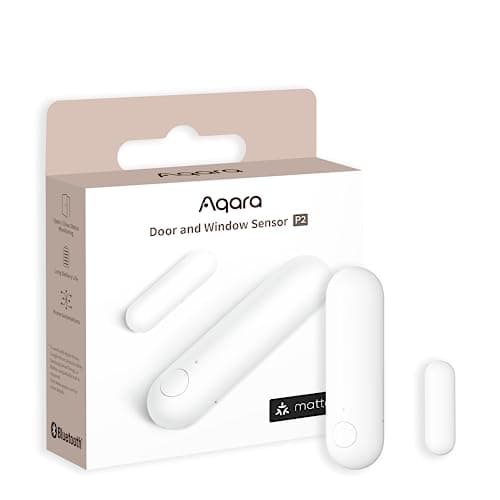
Aqara Door and Window Sensor P2
Thread, and that is the whole point. It joins a Matter fabric directly, so it reports to Apple Home, Google Home, SmartThings or Home Assistant without Aqara's cloud anywhere in the path.
Best retrofit with a keypad option
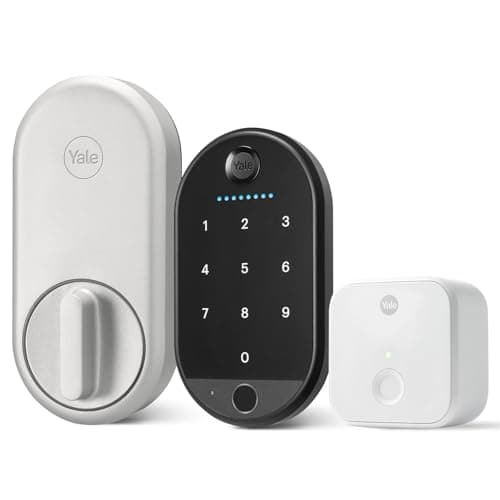
Yale Approach Lock with Wi-Fi
Yale's answer to August, built by the same parent. A retrofit that keeps the exterior and your keys, and the bundle we link ships the biometric keypad with it, so code and fingerprint entry arrive without changing anything on the door.
Best video doorbell
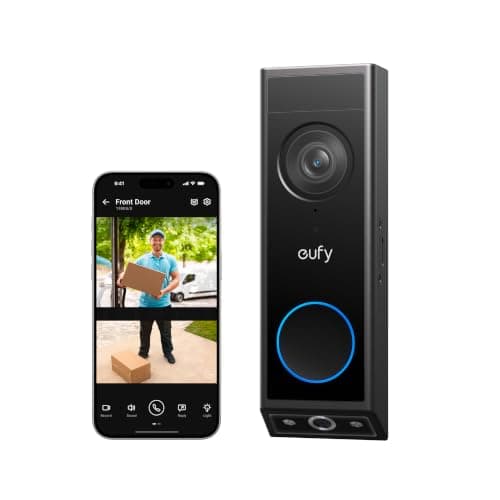
eufy Video Doorbell E340 (dual camera)
Two cameras — one on the visitor, one pointed down at the doorstep — so you see the parcel as well as the person. Records locally, wired or battery, no plan.

Best subscription-free outdoor camera
eufy SoloCam S340 (solar, dual camera)
Solar panel, pan and tilt, dual lenses and onboard storage — no wire, no monthly fee, and no recording leaving the device unless you choose to send it.
#ad · As an Amazon Associate we earn from qualifying purchases.
Questions
Frequently asked
What should I buy first for home security?
Do I need a hub to start?
Do I have to pay a monthly fee?
Is a camera or a doorbell more useful?
How much does a basic setup cost?
Keep reading
Related
Receipts
Sources
- CSA-IoT — Matter specification and what it covers for security devices
- Thread Group — Thread networking specification and device roles
- Aqara — Door and Window Sensor P2 specifications
- eufy — Video Doorbell E340 and SoloCam S340 specifications and storage documentation
We do not run a testing lab and we do not pretend to. Specifications come from the manufacturer's own published documents and from published standards; prices come from the live Amazon API. Where a figure is not published, the page says “not published” rather than guessing. Read the full method.