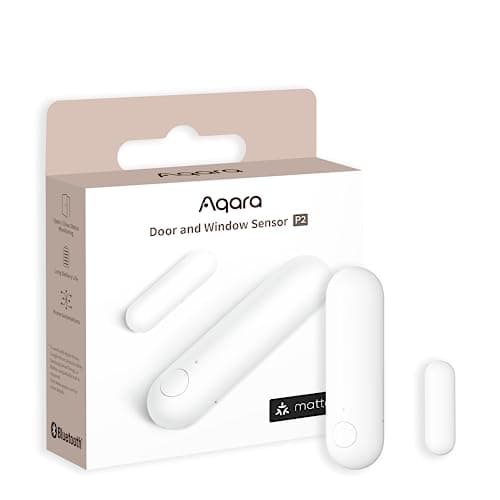
A door sensor is the cheapest useful thing in home security and the one most buying guides skip. It costs less than a takeaway, it runs for a year or more on a coin cell, and it tells you the thing a camera cannot: that the door just opened. Put it on an Echo household and one question decides which to buy, and it is not range, battery or price. It is the path.
The three ways a sensor reaches Alexa
Alexa does not talk to a contact sensor's radio out of nowhere. There are exactly three arrangements on sale, and they have different failure modes:
- As a Matter device. The sensor speaks Thread, joins a Matter fabric through a border router, and Alexa sees it as a contact sensor directly. Amazon publishes the supported Matter device categories, and the contact sensor is one of them. No skill, no vendor account, no vendor server.
- Through a vendor hub and a vendor skill. The sensor speaks the manufacturer's radio to the manufacturer's hub, the hub talks to the manufacturer's cloud, and an Alexa skill connects that cloud to Amazon's. Three services have to be up for your door to report. This is how most of the market works.
- Through a closed base station. The sensor is an endpoint for one manufacturer's alarm panel and nothing else. Integration can be excellent — Amazon owns Ring, so Ring Alarm is first-class in the Alexa app — but the hardware is not portable to any other system, ever.
Arrangement one is structurally better and has a hard prerequisite. Arrangement two works everywhere and adds two clouds. Arrangement three is the best integration and the worst lock-in. That is the whole decision, and the rest of this page is which products sit where.
How we ranked them
Three things, in this order. First, the number of things between the door and the Echo: fewer hops is fewer outages. Second, what Alexa can actually do with the state once it arrives — an Announcement on every Echo, a Routine that turns on a light, a condition on a camera recording. Third, what the sensor still does when Alexa, the internet, or the vendor is not there, because a door sensor whose only output is a push notification is useless in the one scenario you bought it for. The rubric is published at our methodology, and it is compiled from manufacturer documentation and published standards rather than from testing.
Compiled from manufacturer documentation and Amazon's published Matter device categories, October 2026. “Hops to Alexa” counts the devices and services between the sensor and an Echo. Prices on the cards above are pulled live and dated October 18, 2026.| Sensor | Path to Alexa | Hops to Alexa | Works with no cloud | Cell |
|---|
| Aqara Door and Window Sensor P2 | Matter over Thread, direct | Border router only | Yes, for local automations | 1x CR2032 |
|---|
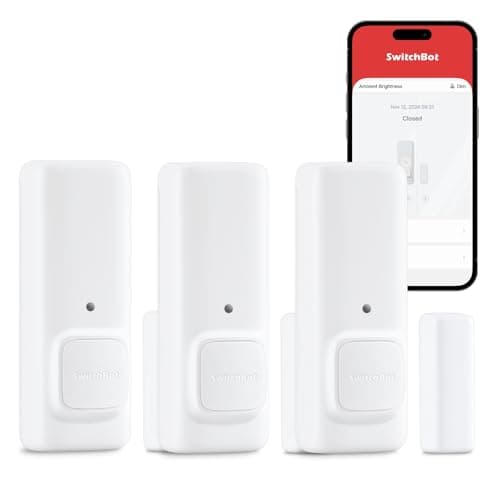
| SwitchBot Contact Sensor | SwitchBot hub + Alexa skill | Hub, vendor cloud, skill | Local alert only, no app | Replaceable cells |
|---|
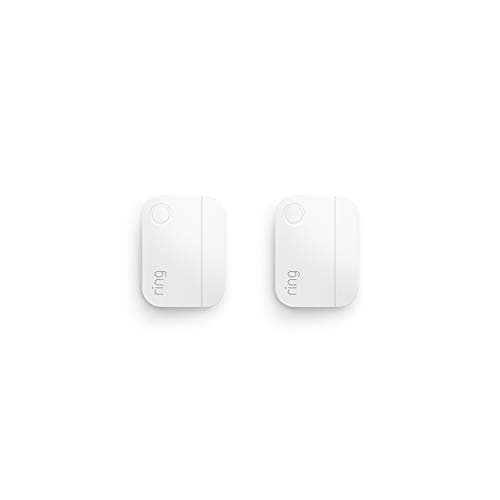
| Ring Alarm Contact Sensor | Z-Wave to a Ring Alarm base | Base station, Ring cloud | No | Approx. 3 years (Ring) |
|---|
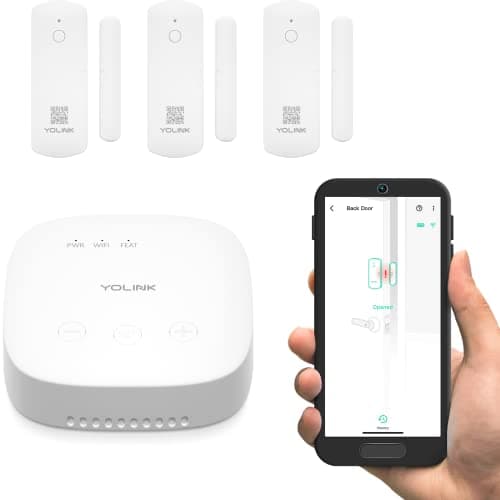
| YoLink LoRa Door Sensor Kit | LoRa to SpeakerHub + Alexa skill | Hub, vendor cloud, skill | Spoken alert from the hub | AAA cells |
|---|
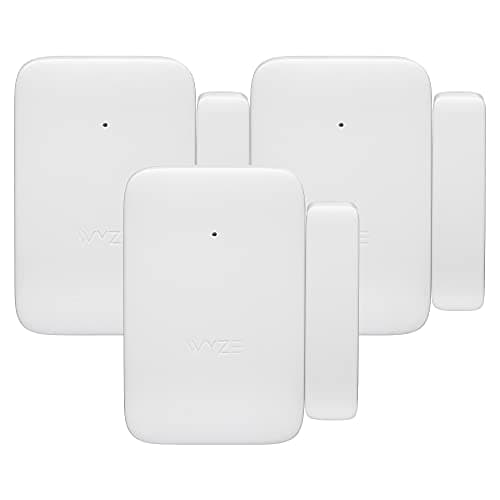
| Wyze Entry Sensor (3-pack) | Wyze Sense Hub + Alexa skill | Hub, vendor cloud, skill | No | Replaceable cells |
|---|
Aqara P2 — the only one with no middleman
The P2 speaks Thread and joins a Matter fabric, which means Alexa can adopt it as a contact sensor without Aqara's app, hub or servers existing at all. That is a different class of product from everything below it: there is no skill to break, no vendor cloud to go down, and no account to be migrated when the manufacturer changes its terms. A single CR2032 in a device that only transmits on a state change is also the best battery shape in home security.
The prerequisite is absolute. Without a Thread border router this sensor joins nothing, and the listing does not make that clear. In an Alexa house the border router is usually recent Echo hardware — Amazon publishes which models include Thread and act as a Matter controller, and it is worth checking your exact Echo before ordering rather than after. Apple TV 4K, HomePod mini, a Google Nest Hub (2nd gen) and a SmartThings Station all work too, which is the point of Matter: the sensor is not tied to the controller you start with.
One honest limit on what Alexa does with it. Matter gives Alexa the open/closed state and the battery level, cleanly. It does not give you Aqara's own richer behaviors, which live in Aqara's app and need Aqara's hub — so if you want the sensor to drive Aqara-specific automations as well as Alexa Routines, you are buying the hub anyway. How Matter actually behaves in practice, as opposed to on the specification sheet, is in our Matter explainer.
SwitchBot Contact Sensor — the one that works before Alexa does
This is the pragmatic pick and the one to buy if the Thread prerequisite is a problem. It is a contact sensor with a motion detector built in and its own audible alert, so out of the box, with no hub and no ecosystem chosen, it already does something: the door opens and it makes a noise. On a garage side door or a back gate, that is frequently the entire requirement.
Alexa support comes through SwitchBot's hub and skill, which is the standard three-service arrangement — and it is also what you need for phone notifications at all, because without the hub this is a local noisemaker that will not reach you at work. Bluetooth range between sensor and hub is the real constraint in a house with thick internal walls, so place the hub centrally rather than next to the router.
Ring Alarm Contact Sensor — best integration, total lock-in
Amazon owns Ring, so this is the deepest Alexa integration available: Ring Alarm appears natively in the Alexa app, Echo devices can announce openings, and the whole system is designed by the same company that designed the assistant. Ring publishes an approximate three-year battery life — among the longest claimed in the category — the sensors are slim enough for frames that defeat bulkier units, and in a 2-pack they are the cheapest per opening of anything we rank.
All of that is conditional on owning a Ring Alarm base station, and the sensor is inert without one. It will not join Home Assistant, Apple Home, a Matter fabric or any other vendor's hub, now or later. If a Ring Alarm is already on the wall this is the obvious buy; if it is not, you are buying a base station to get a contact sensor, and the arithmetic stops making sense. Ring also pushes hard toward a subscription even where the hardware does not need one — the five-year figures are in our subscription cost comparison, and the kit itself is ranked in our no-subscription systems roundup.
YoLink LoRa kit — for the door Alexa cannot hear
Every other sensor on this page needs to be within radio range of a hub inside the house. LoRa is the exception: YoLink publishes up to roughly a quarter-mile open-air range, which is the only technology here that reaches a detached garage, a barn, or a gate at the end of a drive. The kit includes the SpeakerHub, so alerts are spoken aloud in the house rather than only pushed to a phone — a genuinely useful property when the door in question is 200 feet away and nobody is looking at a screen.
Two limits. It is a closed ecosystem: LoRa here means YoLink's LoRa, not an open standard, and Alexa support is a vendor skill. And it is heavily over-specified if every opening you care about is inside one house — within four walls a Thread or Zigbee sensor does the same job for far less. The outbuilding case in full is in our shed and barn roundup.
Wyze Entry Sensor — cheapest per opening, for a Wyze house only
Three sensors for very little money, which is what actually gets a whole house covered rather than one door. If a Wyze Sense Hub is already installed, this is the cheapest way to put a sensor on every window on the ground floor, and the sensors can trigger recording on Wyze cameras.
It is last for two reasons stated in its own entry. The Sense Hub is required, so starting from scratch costs more than an Aqara or THIRDREALITY setup that is not tied to one vendor's cloud. And Wyze has publicly disclosed security incidents — a documented fact rather than a rumor, and a fair thing to weigh before putting one brand on every opening in the house.
What Alexa actually gives you once the sensor is in
Three things worth having, and one thing people expect that does not exist. The useful ones: an Announcement on every Echo in the house when a door opens, which is the feature people keep; a Routine, so the hall light comes on when the back door opens after sunset; and a condition, so a camera records or a siren arms only when a specific door is open.
What you do not get is a security system. Alexa will tell you a door opened; it will not dispatch anyone, it will not hold a log you can rely on in an insurance claim, and nothing here is monitored. If that is what you are shopping for, the kits are in our no-subscription systems roundup and the self-monitoring model is explained in our self-monitored security guide.