Skip to content
SensorLatch

HUB 03 · Sensors

The Best Sliding Glass Door Sensors

A slider is the one opening where a standard contact sensor most often fails to mount, and the one where the glass is as likely to be the way in as the panel. Two different sensing jobs, and most guides only name the first.

By Stephen V.Updated How we pick
#ad

We earn a commission if you buy through our links. It does not change the price you pay, and it does not decide our picks — our selection criteria are published in full. How this works.

Verdict

The bottom line

For a sliding glass door the sensor to buy is the Aqara Door and Window Sensor P2: it is slim enough to sit on the narrow aluminum stile that a slider actually gives you, it reports over Matter over Thread so the alert is generated locally rather than in a vendor cloud, and a single CR2032 lasts because the thing only transmits when the door state changes. It has one hard requirement — a Thread border router in the house, which is not optional. If the pane worries you more than the panel, buy the Aqara Multi-State Sensor P100 instead and get contact and vibration in one body. If you want the whole job done with no hub and no account, the WSDCAM four-pack is a 125dB noise at the glass and nothing else.

The short answer

Quick picks

#ProductBest forScorePrice
01
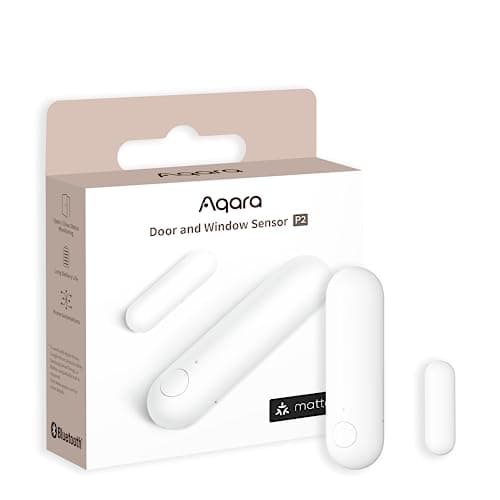
Aqara Aqara Door and Window Sensor P2
Aqara Door and Window Sensor P2

Thread, and that is the whole point. It joins a Matter fabric directly, so it reports to Apple Home, Google Home, SmartThings or Home Assistant without Aqara's cloud anywhere in the path.

Best door and window sensor
8.8
$27.99Amazon
02
no image
Aqara Multi-State Sensor P100

Contact and vibration in one body, with ten sensitivity levels — so a single device covers both the window being opened and the window being struck.

Best combined contact and vibration sensor
8.5
Check priceAmazon
03
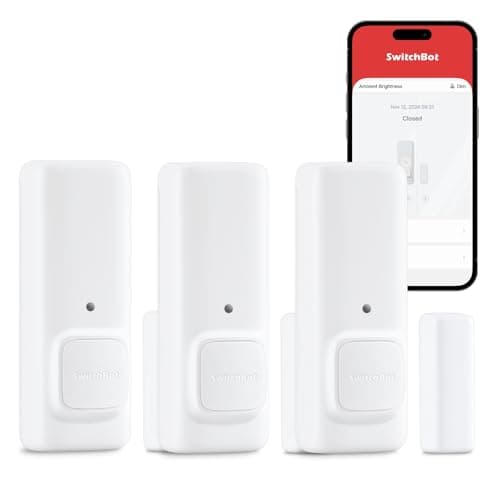
SwitchBot SwitchBot Contact Sensor
SwitchBot Contact Sensor

A contact sensor with a built-in motion detector and its own audible alert, so it does something useful before you have bought a hub or picked an ecosystem.

Best standalone alarm sensor
8.0
$35.99Amazon
04
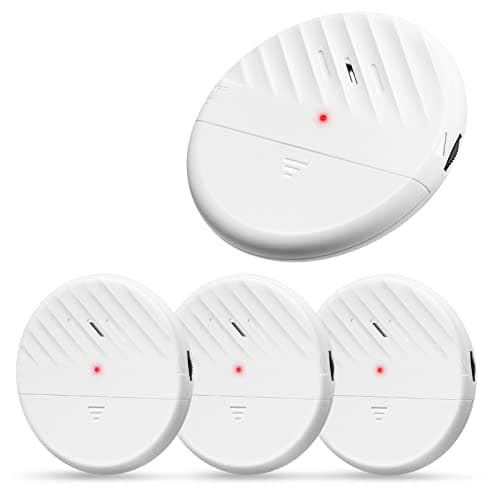
WSDCAM WSDCAM Glass Break Window Alarm (4-pack)
WSDCAM Glass Break Window Alarm (4-pack)

No hub, no app, no account: a slim vibration alarm that sticks to the pane and sounds at 125dB if the glass is struck. The whole product is the siren, and on a rental that is often the right amount of technology.

Best no-hub window alarm
8.0
$27.99Amazon
05
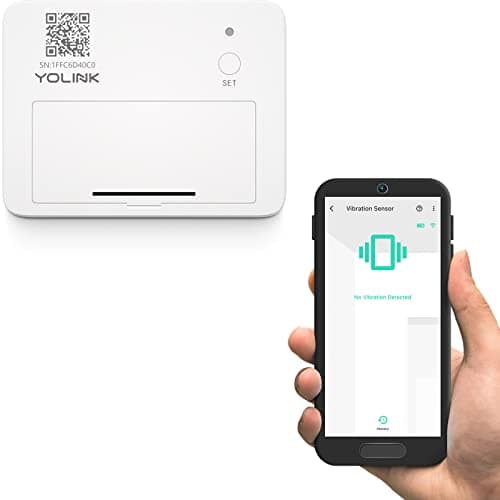
YoLink YoLink LoRa Smart Vibration Sensor
YoLink LoRa Smart Vibration Sensor

Shock and vibration detection on YoLink's long-range LoRa radio, escalating to email and SMS rather than app push alone — the sensor for a window at the far end of a property.

Best long-range window sensor
8.0
$24.59Amazon

#ad · Prices pulled live from the Amazon Product API, last checked October 15, 2026. Where we have no verified live price we show none — we would rather leave a gap than print a number that has gone stale. Scores are our own, compiled from published specs; they are not test results.

Buying a sensor for a sliding patio door is not the same purchase as buying one for a hinged door, and the reason is mechanical rather than electronic. Every two-piece contact sensor works the same way: a magnet in one half holds a reed switch in the other half closed, and separating them trips the alarm. On a hinged door the two halves sit on the door edge and the jamb, millimetres apart, and almost anything fits. On a slider you have a panel that travels sideways past a fixed frame, narrow stiles to stick things to, and a closed-position gap that is frequently wider than the sensor is rated for.

Why sliders defeat ordinary contact sensors

Three specific problems, and they are worth knowing before you order anything.

The gap.Contact sensors publish a maximum operating gap — the distance at which the magnet still holds the reed closed. On a slider the sliding panel and the fixed panel overlap at the interlock, and the flat surfaces you can actually mount to may sit further apart than on a hinged door, especially on an older frame that has dropped in its track. If the gap exceeds the rating, the sensor reads “open” with the door shut, and the fix is packing the magnet out on a shim rather than buying a different brand.

The stile. The vertical frame member on a patio door is often only an inch or so of flat aluminum or vinyl, and some of that is taken by the weatherstrip and the handle. A chunky sensor body physically will not sit flat, and a sensor that is not flat is a sensor that gets knocked off. This is why physical size is a first-order specification here and a footnote everywhere else.

The glass.A slider is mostly a large sheet of glass in a frame, and a contact sensor is blind to the pane entirely. Breaking the glass and reaching through leaves the magnet and the reed exactly where they were. That is not a theoretical attack on a ground-floor patio door, and it is the reason two of the five picks below sense vibration rather than separation. The mechanical fixes that come before any sensor — a secondary bolt, set screws in the upper track, the lift gap — are in our guide to securing a sliding glass door.

Measure the gap before you order.Close the door, put a ruler across the two surfaces you intend to mount to, and write the number down. Then check the maker's published maximum gap. That single step prevents most of the “sensor says open when it is closed” reports in this category, and no listing on any retailer prompts you to do it.

How we ranked them

Mounting geometry first: physical size, whether the adhesive goes onto a narrow stile, and whether a magnet can be shimmed. Then what generates the alert and where — a sensor whose automation runs locally still works during the outage that an intruder may have caused. Then whether the device covers the pane as well as the panel. Battery and price last, because a patio door is one opening and the per-unit cost barely moves the decision. The rubric is at our methodology, compiled from manufacturer specifications rather than from testing.

Compiled from manufacturer specifications, October 2026. “Senses” is what the device physically detects, not what the marketing calls it.
SensorSensesRadioNeedsAlerts you how
Aqara Door and Window Sensor P2Panel open / closedMatter over ThreadThread border routerPhone, via your own smart home
Aqara Multi-State Sensor P100Open / closed + vibrationThread / ZigbeeHub or border routerPhone, via your own smart home
SwitchBot Contact SensorOpen / closed + motion in frontBluetoothNothing, for the local sirenNoise at the door; phone needs a SwitchBot hub
WSDCAM Glass Break Alarm (4-pack)Vibration in the paneNoneNothing at all125dB siren at the glass only
YoLink LoRa Vibration SensorShock / vibration / tamperLoRaYoLink hubPush, email and SMS

Aqara Door and Window Sensor P2 — small enough, and local

This is the pick for the panel itself. It is one of the slimmer two-piece sensors sold, which is the specification that matters on a stile, and it joins a Matter fabric directly over Thread — so it reports to Apple Home, Google Home, SmartThings or Home Assistant with Aqara's cloud nowhere in the path. For a patio door that means the automation that turns an opening into an alert runs on hardware inside the house and keeps running when the internet does not, which is exactly when you want a door sensor to work.

The requirement is absolute and under-advertised: without a Thread border router — an Apple TV 4K, a HomePod mini, a recent Nest Hub, a SmartThings Station or equivalent — this sensor joins nothing. Nothing on the box tells you that clearly enough. It is also dearer per sensor than Zigbee alternatives, which matters if you are covering a whole perimeter rather than one door; the multi-pack route is in our door and window sensor roundup.

Aqara Multi-State Sensor P100 — the panel and the pane in one device

The honest answer to “what if they break the glass instead of sliding it?” in a single body. The P100 does contact and vibration together, with ten sensitivity levels, so one device on a patio door covers the panel being slid open and the panel being struck. The sensitivity range is the feature that makes it usable: a patio door in a wind-exposed garden rattles, and ten levels means tuning the sensor rather than switching it off.

Two limits, both from Aqara's own positioning. Vibration sensing on the frame is not acoustic glass-break detection and should not be sold as equivalent — it will miss a pane broken cleanly at the far corner. And like the P2 it needs a hub or a border router. If genuine acoustic detection across a large glazed room is the requirement, that is a different device class, ranked in our glass break sensor roundup.

SwitchBot Contact Sensor — the one that makes a noise on its own

A contact sensor with a built-in motion detector and its own audible alert, which means it does something useful before you have bought a hub or chosen an ecosystem. On a patio door that combination is well matched to the opening: the contact half catches the panel moving, the motion half catches somebody standing on the patio in front of the glass, and the noise happens at the door rather than on a phone somewhere else.

The limit is stated plainly in its registry entry: without a SwitchBot hub this is a local noisemaker and will not reach you at work. Bluetooth range is also a real constraint in a house with thick internal walls, and a patio door is usually at the back of the house, which is the far end of that range. Buy it if the deterrent is the point; buy the Aqara if the notification is.

WSDCAM Glass Break Window Alarm — no hub, no app, no account

Four slim vibration alarms that stick to the glass and sound at 125dB if the pane is struck. There is nothing to pair and nothing to sign up for, which means there is nothing that stops working when a company changes its plans — and on a rental, where you are not installing anything you cannot peel off, that is frequently the right amount of technology.

It alerts nobody out of earshot. There is no radio in it of any kind: it makes a noise at the window and that is the end of it. Vibration triggering also means a slammed door or a passing truck can set it off until the sensitivity is dialed in. As a layer on top of a connected contact sensor it is excellent value; as the only thing on the door it is a deterrent and not a monitoring system. The no-hub field more generally is in our no-hub sensor roundup.

YoLink LoRa Vibration Sensor — for the slider at the far end of the property

A shock and vibration sensor on YoLink's long-range LoRa radio, which carries from places Wi-Fi and Zigbee do not: a basement slider, a garden room, a patio door on a detached annexe. It escalates to email and SMS rather than app push alone, so a 3am alert is not swallowed by a silenced phone.

It needs a YoLink hub, which is a separate purchase if you are not already on the platform, and YoLink is explicit that vibration sensing is not acoustic glass-break detection. It is also one sensor per pane: a three-panel slider is three sensors. Buy it for range, not for cost. The troubleshooting side of sensors that drop off a mesh — which is what drives most people toward LoRa in the first place — is in our sensor troubleshooting guide.

Where to put it on a slider

On the vertical stile of the moving panel and the matching stile of the fixed panel or the jamb, as high as you can comfortably reach, with the magnet on the moving half. High is better than low for two reasons: the stile is cleaner up there than at the bottom where the track collects grit, and a sensor at knee height on a glass door is a sensor that gets caught by a vacuum cleaner. Put a vibration sensor on the glass itself, near the centre of the pane rather than at an edge, following the maker's own placement instruction.

Two things that catch people out. Adhesive pads do not bond well to a cold, damp or dusty aluminum stile — clean it with alcohol and fit it on a dry day, or the sensor arrives on the floor in February. And if the door is the kind with a deep interlock, mount both halves on the room-side faces rather than trying to bridge the interlock itself.
In detail

The picks, in full

01
Aqara Aqara Door and Window Sensor P2

Best door and window sensor

Aqara Door and Window Sensor P2

Matter over Thread1x CR2032Thread border router requiredLocal automations
Local, no cloudThread border router required
8.8/10

Thread, and that is the whole point. It joins a Matter fabric directly, so it reports to Apple Home, Google Home, SmartThings or Home Assistant without Aqara's cloud anywhere in the path.

Local control
9.5
Battery
9
Ecosystem
9
Install
9
Value
7.5

What it gets right

  • Matter over Thread means it is not tied to Aqara's app or servers — the sensor belongs to your smart home, not to a vendor
  • Local automations keep running when the internet is down, which is precisely when you want a door sensor to work
  • A single CR2032 in a device that only radios on state change is the best battery-life shape in home security

What it doesn't

  • Absolutely requires a Thread border router — this is not optional
  • More expensive per sensor than Zigbee alternatives

What it costs to run

1x CR2032. No hub subscription, no cloud account required for local automations.

Skip this if…

…you have no Thread border router. Without an Apple TV 4K, HomePod mini, Google Nest Hub (2nd gen), SmartThings Station or an equivalent, this sensor will not join anything — and nothing on the box or the listing tells you that clearly enough.

$27.99on Amazon

$29.997% off

Price last checked October 15, 2026. Prices move constantly — Amazon's at checkout is the one that counts.

#ad · we may earn a commission from this link to Aqara Door and Window Sensor P2

02

Best combined contact and vibration sensor

Aqara Multi-State Sensor P100

Thread / ZigbeeContact + vibration10 sensitivity levelsOpen/close or object monitoring
Local automationsHub or border router required
8.5/10

Contact and vibration in one body, with ten sensitivity levels — so a single device covers both the window being opened and the window being struck.

Local control
9
Battery
8.5
Ecosystem
8.5
Install
8.5
Value
8

What it gets right

  • Vibration detection covers the attack a contact sensor misses entirely: breaking the pane and reaching through
  • Ten sensitivity levels means you can tune out a rattly sash instead of disabling the sensor
  • Doubles as a movement detector for a safe, a bike or a tool chest

What it doesn't

  • Vibration sensing is not acoustic glass-break detection and should not be sold as equivalent
  • Requires a hub or Thread border router

What it costs to run

Coin cell. No subscription.

Skip this if…

…you need genuine glass-break detection on a large picture window. Vibration sensing on the frame is a different mechanism from acoustic glass-break detection, and it will miss a pane broken cleanly at the far corner.

Check price on Amazon →

We don't have a verified live price right now, so we aren't showing one.

#ad · we may earn a commission from this link to Aqara Multi-State Sensor P100

03
SwitchBot SwitchBot Contact Sensor

Best standalone alarm sensor

SwitchBot Contact Sensor

Contact + motionBluetoothLocal audible alertHub for remote alerts
Works without a hubHub required for phone alerts
8.0/10

A contact sensor with a built-in motion detector and its own audible alert, so it does something useful before you have bought a hub or picked an ecosystem.

Local control
8
Battery
8
Ecosystem
7
Install
9
Value
8

What it gets right

  • Detects both the door opening and movement in front of it, which two separate devices would otherwise cover
  • Makes a noise on its own — useful on a garage side door where a phone notification is not enough
  • Cheapest route to a working alarm on a single door with nothing else installed

What it doesn't

  • Phone notifications and automations need a SwitchBot hub
  • Bluetooth range is a real constraint in a house with thick internal walls

What it costs to run

Replaceable cells. No subscription; the hub is hardware.

Skip this if…

…you want notifications on your phone while you are out. Without a SwitchBot hub this is a local noisemaker — it will not reach you at work.

$35.99on Amazon

Price last checked October 15, 2026. Prices move constantly — Amazon's at checkout is the one that counts.

#ad · we may earn a commission from this link to SwitchBot Contact Sensor

04
WSDCAM WSDCAM Glass Break Window Alarm (4-pack)

Best no-hub window alarm

WSDCAM Glass Break Window Alarm (4-pack)

125dB local sirenVibration triggerAdhesive mountNo hub, app or account
No hub or accountNo remote alert
8.0/10

No hub, no app, no account: a slim vibration alarm that sticks to the pane and sounds at 125dB if the glass is struck. The whole product is the siren, and on a rental that is often the right amount of technology.

Local control
9.5
Battery
8
Ecosystem
4
Install
9.5
Value
9

What it gets right

  • Nothing to pair and nothing to sign up for, so nothing stops working when a company changes its plans
  • A four-pack covers the ground-floor windows of a small house for about the price of one connected sensor
  • The noise happens at the window rather than on a phone somewhere else, which is the entire deterrent

What it doesn't

  • Alerts nobody out of earshot — there is no notification of any kind
  • Vibration triggering means a slammed sash or a passing truck can set it off until the sensitivity is dialed in

What it costs to run

Coin cells. No hub, no subscription and no account of any kind.

Skip this if…

…you want to know about the break while you are out. This device has no radio at all: it makes a noise at the window and that is the end of it.

$27.99on Amazon

Price last checked October 15, 2026. Prices move constantly — Amazon's at checkout is the one that counts.

#ad · we may earn a commission from this link to WSDCAM Glass Break Window Alarm (4-pack)

How to choose a sensor for a sliding door

  1. Measure the closed gap, then read the rating.Ruler across the two mounting faces with the door shut. Compare to the maker's published maximum gap. If yours is bigger, you need a shim under the magnet, not a different sensor.
  2. Measure the flat width of the stile. Subtract the weatherstrip and the handle. What is left is the space the sensor body has to sit in, and it is usually less than people expect.
  3. Decide whether you are covering the panel or the glass. A contact sensor is blind to a broken pane; a vibration sensor is blind to a door slid quietly open. The P100 does both, and two cheap devices do both as well.
  4. Decide who gets the alert. A local siren deters whoever is at the door. A connected sensor tells you at work. They are different products solving different problems, and a patio door often wants one of each.
  5. Check what the alert depends on. A Thread or Zigbee sensor paired to a local hub generates its alert in the house. A cloud-dependent sensor does not. The protocol background is in our Z-Wave versus Zigbee versus Matter guide.

What decides the price

The radio and what has to exist for it to work. A no-radio vibration alarm is a few dollars a pane because it is a piezo and a cell. A Thread sensor costs more per unit and requires a border router you may already own. A LoRa sensor costs more again and requires a hub you probably do not. None of them charges a subscription, which is the point of this hub, and the five-year running cost of everything here is coin cells. The plan arithmetic for the camera side of the same door is in our subscription cost comparison.

The mistake buyers make

Treating a patio door as just another door and ordering the cheapest multi-pack. The sensors arrive, the stile is too narrow or the gap too wide, and the pack goes in a drawer. Measure twice, then decide whether you are sensing the panel, the pane, or both. And remember the sensing layer is the second job on a slider, not the first — the panel lifts in its track and the factory latch is a hook into extruded aluminum, which is why the mechanical fixes come first. The lock itself is ranked in our sliding-door smart lock roundup, and the whole field of contact sensors is at the sensors hub.

How we picked

Products we claim to have tested: 0

Everyone in this category says they tested a dozen locks on their own front door. We have not tested any, and we say so. Here is what we do instead: read the manufacturer's manual and spec sheet, record the published protocol, power and storage figures, check the published standard where one exists, compute what the device costs to keep running, and cite all of it so you can check the work. Prices come live from Amazon's API and disappear rather than go stale.

The scores above are judgments from that documented research — not bench measurements. The full rubric, including what disqualifies a product, is published in full.

Questions

Frequently asked

Will a normal door sensor work on a sliding glass door?
Often, but not always, and the two reasons it fails are physical. The flat part of a patio-door stile may be too narrow for the sensor body, and the gap between the two mounting faces with the door closed may exceed the magnet's published range. Measure both before ordering. Where the gap is too wide, packing the magnet out on a thin shim usually fixes it.
Do I need a glass break sensor as well as a contact sensor?
On a ground-floor patio door it is worth considering, because a contact sensor cannot see a broken pane — the magnet and the reed stay exactly where they were. A vibration sensor on the glass, or the Aqara P100 which does contact and vibration in one body, covers that. Note that vibration sensing is not the same mechanism as acoustic glass-break detection, and the makers do not claim it is.
Where should the sensor go on a sliding door?
On the vertical stiles, high rather than low, with the magnet on the moving panel and the sensor body on the fixed panel or the jamb. Clean the aluminum with alcohol before the adhesive goes on, and fit it dry — a cold damp stile is the most common reason a sensor is found on the floor a few months later.
Can I get a sliding door alarm without a hub?
Yes, with a trade-off. The WSDCAM alarms need nothing at all and sound at the glass, but they cannot notify you anywhere. The SwitchBot Contact Sensor makes its own noise without a hub but needs one for phone alerts. If an alert on your phone while you are out is the requirement, a hub or a Thread border router is part of the purchase.
Do any of these need a subscription?
None of them. Every pick here runs on coin cells with no monthly fee at any tier — the Aqara sensors through your own hub or border router, the YoLink through its hub including the email and SMS alerts, and the WSDCAM through nothing whatsoever. The only ongoing cost is batteries.

Keep reading

Receipts

Sources

We do not run a testing lab and we do not pretend to. Specifications come from the manufacturer's own published documents and from published standards; prices come from the live Amazon API. Where a figure is not published, the page says “not published” rather than guessing. Read the full method.