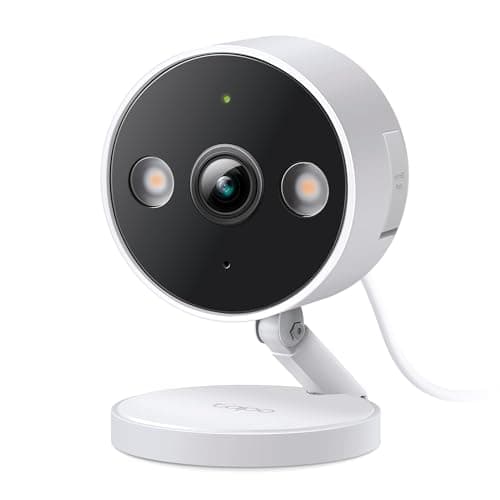
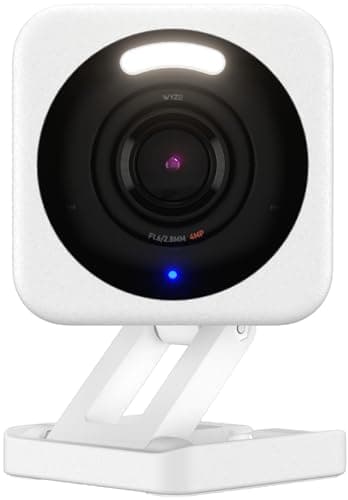
The best budget security camera for most people is the Wyze Cam v4: nothing else this cheap records 2.5K to a local card with no plan, and it works indoors or out. Two honest caveats decide whether it is right for you. Read Wyze's publicly disclosed security incidents before you point it anywhere private, and know that the smarter AI detection sits behind the Cam Plus subscription.
Cheap cameras are easy to sell and easy to regret. The trick every budget brand uses is the same: a low sticker price, and then the features that make the camera actually useful — person alerts that are not false alarms, saved video you can go back and watch — quietly moved into a monthly plan. A camera can be genuinely inexpensive or it can be a subscription with a lens on the front, and the whole job of this page is to tell you which is which. Every pick here is a real buy at its price; what differs is what that price costs you, and we put that in the second column of the table on purpose.
The best budget security cameras, compared
Compiled from manufacturer specifications and published plan terms, August 2026. “Plan needed for full function” is the honest column: it names what a subscription actually unlocks, so a low price is not mistaken for a complete camera.| Model | Storage | Plan needed for full function | Resolution | Power | Indoor / outdoor |
|---|
| Wyze Cam v4 | Local microSD | None to record locally; Cam Plus unlocks the smarter AI detection | 2.5K | Mains (USB) | Indoor or outdoor |
|---|
| Tapo 2K+ Wired | Local microSD, continuous 24/7 | None — full function with no plan | 2K+ | Mains | Indoor or outdoor |
|---|
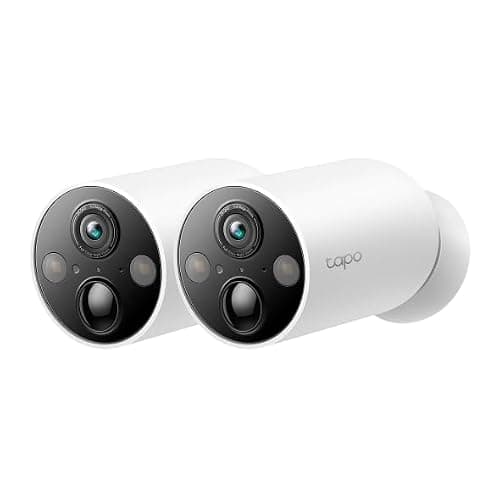
| Tapo MagCam 2K+ | Local microSD | None — full function with no plan | 2K+ | Rechargeable battery | Outdoor-rated |
|---|
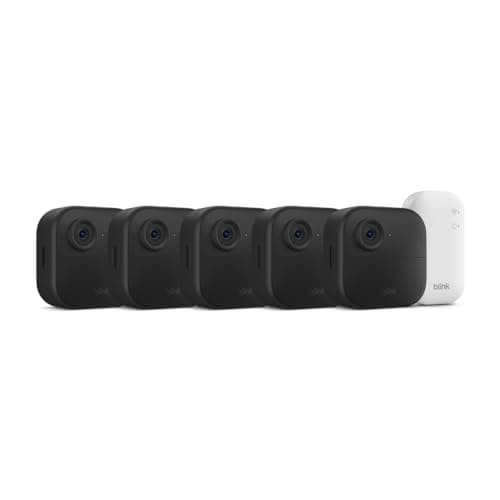
| Blink Outdoor 4 | Cloud by default; local needs a Sync Module 2 and a USB drive | Blink plan for cloud clips, or buy the Sync Module for local | 1080p | 2x AA lithium, 2-year published life | Outdoor-rated |
|---|
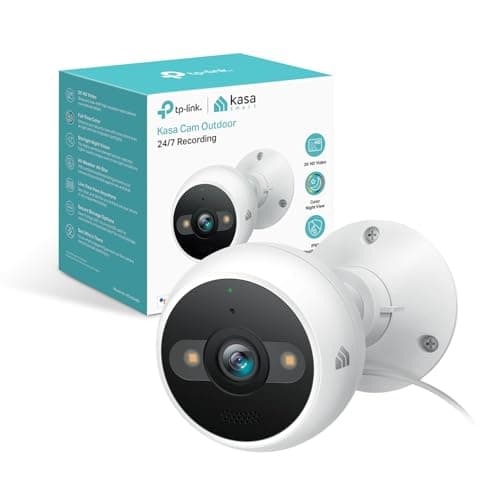
| Kasa 2K+ Outdoor Wired | Local microSD, continuous 24/7 | None — full function with no plan | 2K+ | Mains | Outdoor-rated |
|---|
What a low price actually costs you
Three things, usually, and it is worth naming them so the sticker price does not surprise you later.
- Resolution and distance.Budget cameras top out around 2K to 2.5K, with the Blink still at 1080p. That is fine for a doorway, a garage or a side passage where the subject is close. It is not enough to read a plate across a garden. If distance detail is the job, that is a different and more expensive camera — the optical-zoom picks on best PoE security cameras exist for exactly that.
- No continuous recording, on the battery ones. A battery camera sleeps until motion wakes it, so there is a wake-up delay and no rolling timeline. Of the picks here, the Tapo MagCam and the Blink are event-only; the mains-powered Tapo, Kasa and Wyze can record continuously to a card. If you want a camera that never misses the moment before the motion, buy a wired one.
- The plan you did not know you were signing up for. This is the big one, and it has its own section below.
The subscription trap, in plain terms
A budget camera's price is often not the price. Two of the picks here show the two shapes it takes. The Wyze Cam v4 records to a local card free, but its cleverer detection — the part that tells a person from a passing car and stops your phone buzzing all evening — sits behind Cam Plus. The Blink Outdoor 4 goes further: out of the box, the clips it records are saved to Blink's cloud on a plan, and getting subscription-free local storage means buying a Sync Module 2 and a USB stick as well, which is real money the headline price does not mention. Read the module carefully: current kits include the Sync Module Core, and Blink's support documentation states that the Core does not support local storage or clip backup, so the Sync Module 2 is the part you have to add.
The contrast is the point. The Tapo wired camera, the Tapo MagCam and the Kasa outdoor camera do their whole job — record, store, alert, play back — with no plan at all. That is why they rank where they do. If avoiding a monthly fee entirely is the reason you are shopping, start from the filtered list at best security cameras without a subscription, and if you want to see the five-year cost of the plan brands laid side by side, that table is maintained at subscription costs compared. The reasoning behind local storage over cloud is in local storage vs cloud security cameras.
The five cameras, ranked
1. Wyze Cam v4 — the cheapest competent camera sold
It wins because nothing else at this price records 2.5K to a local card, and it works indoors or out from a USB supply. For a garage, a shed, a driveway or a nursery, where the stakes are low and the camera is close to the action, it is an easy yes, and it has a wide, active third-party firmware community behind it. The honest cons are real and worth weighing rather than dismissing: Wyze has had publicly disclosed security incidents, so read its history before you put one anywhere private, and much of the smart detection needs Cam Plus. For a driveway, buy it without a second thought; for a bedroom, buy something else.
2. Tapo 2K+ Wired — the cheapest camera that records all day, free
The cleanest no-plan buy here. Plug it into a socket, put a card in it, and it records 24/7 to that card without ever asking for a card number, which is genuinely uncommon at this price. It is rated for indoor or outdoor use, so one model covers both jobs, and TP-Link's app and firmware support are steadier than most of the budget field. It is 2K rather than 4K, so distant detail is limited, and it needs a socket within reach of the mount — running an outdoor-rated supply to a soffit is a bigger job than the camera costs, so confirm the power before you order.
3. Tapo MagCam 2K+ — the two-minute install
Wire-free and magnetically mounted, so siting it is a decision rather than a drilling project, and it still records to a card with no plan. The magnet is the feature: you can live with a view for a week and reposition it, which almost nobody does with a drilled bracket. It is also the feature's weakness — a magnetically mounted camera within reach is a camera that can be lifted off and pocketed, so mount it high or buy something bolted. As a battery camera it records events, not a continuous stream.
4. Blink Outdoor 4 — the battery-life outlier
Blink publishes a two-year battery life on a pair of AA lithium cells, and nothing else here is close; that endurance is the reason to buy it and also the reason it is 1080p and event-only, because a camera that sips power that gently cannot also stream 4K around the clock. The catch is storage. Out of the box, saved clips go to Blink's cloud on a plan; free local storage means adding a Sync Module 2 and a USB drive, which is a second purchase the sticker price hides. Buy it to cover several low-priority approaches cheaply, with eyes open about the plan-or-hardware choice on storage.
5. Kasa 2K+ Outdoor Wired — the unglamorous right answer
Person detection, 24/7 recording, a built-in siren and starlight color night vision, wired, with local storage and no plan. It is not exciting and it is repeatedly the correct camera for a side passage: the color night vision works without a floodlight blazing at the neighbors all night, and the onboard siren gives you a response rather than just a recording. It is mains-only — no battery variant, no PoE option — so the socket has to be there, and the person detection is basic next to the AI on pricier cameras.
Which one to buy
- The cheapest camera that is still worth owning.Wyze Cam v4, for a low-stakes spot, having read the brand's incident history.
- Continuous recording with no plan, indoors or out. Tapo 2K+ Wired, if there is a socket within reach.
- No drilling, no wiring, no plan. Tapo MagCam, mounted high enough to be out of reach.
- Set-and-forget battery life across several cheap points. Blink Outdoor 4, with a Sync Module 2 if you want to skip the cloud plan.
- An outdoor side passage on a budget. Kasa 2K+ Outdoor Wired, siren and color night vision included.
If you are cross-shopping the two brands that dominate this price bracket, the head-to-heads are at Wyze vs Tapo cameras and Ring vs Wyze, which is the cleanest statement of the cheap-local-storage-versus-cloud-ecosystem choice. The step up from budget into the main field is on best home security cameras.
How we picked
Products we claim to have tested: zero. We do not have a lab and we will not imply one. Instead we compile the published specification, read the plan terms line by line so the real cost of “free” features is on the table, work out what keeps the camera running, and cite it. Rankings weight local storage, usability with no plan, resolution and power arrangement, with an honest reason to skip beside every pick. The rubric is at methodology, and the rest of the category is on the cameras hub.
How to choose a budget security camera
Decide the storage question first
Before resolution, before brand, ask where the video goes and what it costs to keep it there. A camera that records to a local card is paid for once. A camera that records to a cloud is paid for every month you own it. At the budget end this is the single biggest difference between two cameras that look identical on a shelf, and it is why the picks that store locally with no plan rank above the ones that do not. The full argument is in local storage vs cloud security cameras.
What actually decides the price
The sensor and the power arrangement, mostly. Mains-powered cameras are cheaper to build than battery ones and can record continuously; battery cameras cost more for the cell and the charging electronics and record only events. Resolution above 2K adds cost quickly. What is often kept out of the purchase price entirely is the useful software — the reliable person detection, the saved history — which the plan brands move into a monthly line item. Read the price as the hardware plus whatever the plan adds, not the hardware alone.
The mistake buyers make
Buying on the sticker price and discovering the plan in week two. The classic version is a camera bought because it was cheap, that turns out to save nothing you can watch later without a subscription, or that buzzes constantly because the smart filtering is a paid tier. The second most common mistake is buying a battery camera for a spot that needed a continuous timeline, then being surprised it missed the moment before the motion. Match the power type to the job: mains for anywhere you want a full record, battery only where wiring genuinely is not possible.
Where you can spend nothing more, and where you cannot
The Tapo wired, Tapo MagCam and Kasa picks here are complete at the purchase price: card in, done. The Wyze is complete for local recording but charges for its best detection. The Blink is the one where “budget” needs an asterisk, because subscription-free storage means buying extra hardware. Knowing which camp a camera is in before you buy is the difference between a cheap camera and a cheap-looking one. If a genuinely zero-fee setup is the goal, start at best security cameras without a subscription.
What a cheap camera still will not do
It watches one scene and reports movement in pixels. It cannot tell you a door or a window was opened, and it needs light or a clear infrared view to see at all. A handful of contact sensors cover openings for a fraction of the price per point and report a plain fact rather than a judgment about a blurry frame; those are indexed on best door and window sensors. And before you mount anything, spend five minutes on where to place security cameras, because a well-placed cheap camera beats a badly-placed expensive one.