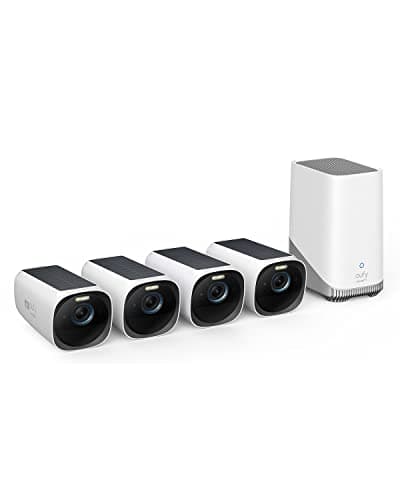
The best 4K security camera is the eufyCam 3 (S330). It records 4K to a HomeBase in your own house with expandable local storage, charges off its own solar panels, and never sends you a bill to keep or play back the footage — which is close to unique at this resolution. If you want the detail of 4K without renting access to your own recordings, that is the one to buy.
This is the resolution-led page in the cameras hub. The other roundups sort the field by how a camera is powered or whether it needs a subscription; this one sorts it by pixels, because a specific buyer has already decided the thing that matters to them is detail — being able to crop into a recorded frame and still read a license plate at the end of a drive, or make out a face at the gate rather than a smudge in a hoodie. That is a reasonable thing to want, but 4K is oversold, and the honest job of this page is to say exactly what the resolution buys, what it costs, and where a cheaper mechanism gets you the same result.
What 4K is, in one line.A 4K UHD sensor captures roughly 3840 by 2160 pixels — about 8.3 million of them, close to four times as many as a 1080p camera. More pixels do not make the picture look four times better on your phone; the whole point is what happens when you crop in. Enlarge a corner of a 4K frame and there are still enough pixels in that corner to resolve a plate or a face. Do the same to a 1080p frame and you run out of detail and get blocks. Resolution is a zoom budget, not a prettiness setting, and that framing decides everything below.
The best 4K security cameras, compared
Compiled from manufacturer specifications and published support documentation, August 2026. “Resolution” is the sensor's headline figure; how much detail survives at distance also depends on the lens and on optical versus digital zoom, which the columns to the right separate out.| Model | Resolution | Power | Storage | Zoom | Subscription |
|---|
| eufyCam 3 (S330) | 4K | Solar and battery, wireless | HomeBase 3, expandable local drive | Digital only | None needed |
|---|
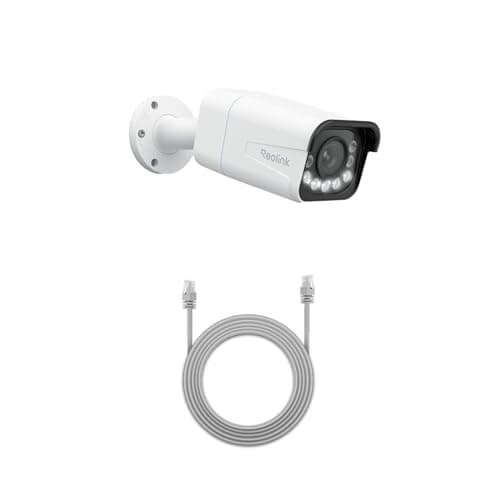
| Reolink RLC-811A | 4K | PoE, one wired cable | microSD or an NVR, continuous | 5x optical | None needed |
|---|
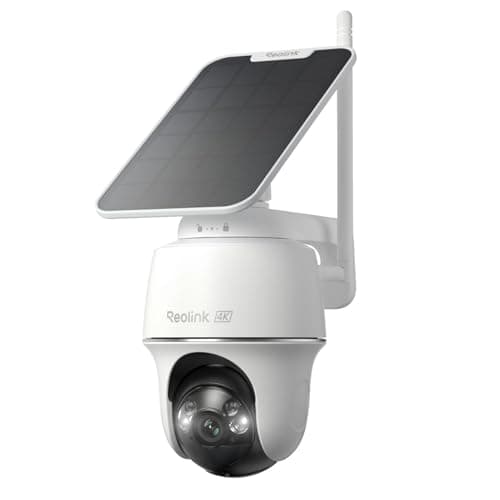
| Reolink Argus PT Ultra | 4K | Solar and battery, wireless | microSD in the camera | Digital; pan-and-tilt reframes | None needed |
|---|
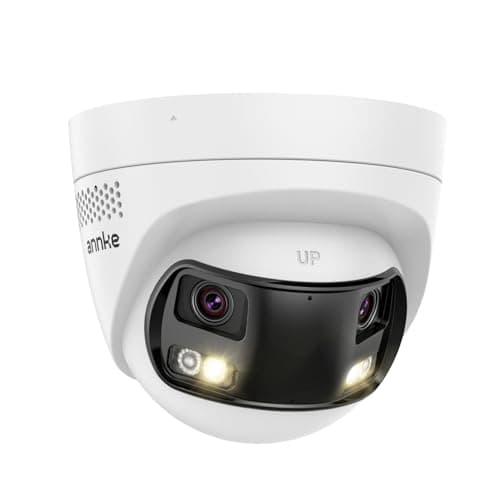
| ANNKE FCD800 | 8MP dual-lens, 180° | PoE, one wired cable | microSD or an NVR | Digital; two lenses for width | None needed |
|---|
What 4K actually buys you
The value of 4K shows up in one moment: the point where you stop watching a live view and start trying to extract a fact from a recording. Somebody walked up the drive; what was on their plate. A parcel went missing; who picked it up. On a 1080p camera the subject fills a small part of a two-megapixel frame, and when you enlarge that part there simply are not enough pixels there to resolve the characters — you get a confident-looking blur. On a 4K camera the same subject occupies far more pixels, so the crop holds together and the plate or the face stays legible after the enlargement. That is the entire case for the resolution, and it is a real one for gates, driveways and any approach where the thing you care about is twenty or thirty feet from the lens.
It follows that 4K matters most where subjects are farand least where they are near. A camera over a front door, where a visitor stands three feet away and already fills the frame, gains very little from 4K over 1080p or 2K — the detail was never the problem at that range. Spend the resolution budget where the distance is, and do not pay for pixels you will never crop into. If you are still working out which camera type your house actually needs before you get to resolution, start with how to choose a security camera, which walks the decisions in order.
What 4K costs, and nobody prints it on the box
Four times the pixels is four times the raw data per frame, and that bill lands in three places.
Storage fills faster
A day of 4K footage is a great many more bytes than a day of 1080p, so a card or a drive that held two weeks at lower resolution holds a fraction of that at 4K. This is why the storage column above matters as much as the resolution one: buying a 4K camera and pairing it with a small card just means the oldest footage is overwritten sooner. The eufyCam 3 answers this by recording to a HomeBase that takes a large expandable drive, so retention is a hardware decision you make once rather than a plan tier you rent. The wired Reolink and the ANNKE answer it by recording to an NVR or a card of whatever size you choose. The solar Argus PT Ultra is the tightest here, because it is limited to a microSD card in the camera — fine for event clips, but not a place to hoard weeks of continuous 4K.
Bandwidth and upload
A 4K stream is heavier to move than a 1080p one, which matters if you watch live over a slow connection or if a camera uploads clips off-site. Local-first cameras like these four keep most of that traffic inside your own network, which is one more quiet advantage of local storage over a cloud-only design. The general version of that argument — where your footage lives and what it costs to keep — is in local storage vs cloud security cameras, and it is worth reading before you buy any camera by resolution alone.
Night vision can get noisier, not sharper
This is the counter-intuitive cost. Packing more pixels onto a sensor of a given size makes each individual pixel smaller, and a smaller pixel gathers less light. In good daylight that is invisible. In near-darkness it can mean a 4K frame that is grainier than a 1080p one from a sensor with fewer, larger pixels — more resolution, less clean low-light detail, unless the maker compensates with a bigger sensor, a brighter lens or a spotlight. The lesson is not that 4K is bad at night; it is that a resolution number on its own tells you nothing about after-dark performance, and you should read the low-light specification separately rather than assume the big number wins in the one condition where a security camera earns its keep.
Optical zoom is the other kind of detail
There are two ways to get a readable subject at distance, and only one of them is resolution. The first is a high-resolution sensor you crop into after the fact — digital zoom, which is what three of the four cameras here offer. Digital zoom never adds detail; it only re-uses the pixels the sensor already captured, and 4K just gives you more of them to work with. The second is optical zoom, where lens elements physically move to magnify the scene before it hits the sensor, so distant detail is genuinely captured at full resolution rather than reconstructed from a crop.
The Reolink RLC-811A is the only camera on this page with real optical zoom — a 5x optical lens — and it is why it is the pick for anyone whose actual requirement is a plate at the far end of a long drive. Optically magnify that plate and it is captured sharp; digitally crop into it on a fixed 4K lens and you are hoping the pixels stretch far enough. For a serious wired install where distance is the whole problem, optical zoom beats raw resolution, and that is the case the RLC-811A makes. It sits at the head of the wired field on the best PoE security cameras roundup for the same reason. The Argus PT Ultra takes a third path: it cannot zoom optically, but its pan-and-tilt head lets you sweep the camera across a wide arc and re-aim it at a subject from the app, which covers more ground from one mount even though it does not magnify.
Which 4K camera to buy
- You want 4K and you never want a bill.eufyCam 3 (S330). Four solar 4K cameras and a HomeBase that holds the footage locally on an expandable drive covers a typical detached property in one purchase, with no subscription to record, play back or be notified. The honest catch is the up-front cost — it is the most expensive way onto this page — and the fact that everything lives on the base in your house, so if a burglar takes the HomeBase the recordings go with it. eufy's past disclosures about cloud thumbnail handling are also a fair thing to read before you buy the brand.
- You want the sharpest possible detail at distance and you will run a cable. Reolink RLC-811A. It is the only 4K camera here with a real 5x optical zoom, it records continuously to a card or an NVR rather than in event clips, and its published RTSP and ONVIF support make it a first-class citizen in Home Assistant, Frigate or Blue Iris. The catch is the install: it is PoE, so you have to run Ethernet to it and buy a switch or injector, which for most houses is the whole project. If pulling Cat6 into a loft is not happening, this is not your camera.
- You want 4K with no wiring and no plan.Reolink Argus PT Ultra. It gives you 4K, solar charging and a pan-and-tilt head that reframes the scene, and it records to a microSD card with no account and no feature gating — Reolink's habit of not charging for basic functionality is the reason it is here. Two honest cons: its app polish is behind eufy's and Ring's, and like every battery-and-solar camera it records events, not a continuous 24/7 timeline. It gets its own full review.
- You want one camera to cover a corner that would otherwise take two. ANNKE FCD800. Its 8MP resolution is spread across a true 180-degree view stitched from two lenses, so a single mounting point watches a driveway and a side path at once, over PoE, with a card slot and ONVIF. It ranks last here on pure resolving power for one reason worth stating plainly: 8MP spread over 180 degrees is fewer pixels per degree than the same count over a narrow field, so this is a wide-coverage camera, not a long-distance-detail one. Some NVR software also handles stitched dual-lens streams less gracefully than a single sensor, so check your recorder before committing.
How we compiled this
Products we claim to have tested: zero. Most pages that rank cameras by resolution imply someone bolted four of them to a wall and pixel-peeped the footage. We have not, and we would rather say so than pretend to a lab we do not have. What we do instead is read each manufacturer's published specification, installation guide and support documentation — sensor resolution, zoom type, storage and what a plan does or does not gate — work out the running cost, and cite every source at the bottom of the page. Rankings weight resolving detail at distance, storage location, usability with no plan, power and ecosystem, and every pick carries a specific reason to skip it. The full rubric is at methodology, and the rest of the category is indexed on the cameras hub.
How to choose a 4K security camera
First, decide if you actually need 4K
4K earns its price where subjects are far from the lens: a gate, a long drive, a yard boundary, a parking area. At those distances the extra pixels are what let you crop in and still read a plate or a face. Over a front door or in a hallway, where the subject is a few feet away and already fills the frame, 4K buys you very little that 2K would not, and it costs you storage and possibly cleaner night vision. Match the resolution to the distance, not to the biggest number on the shelf. If you are not yet sure which camera type fits your house at all, work through how to choose a security camera before you sort anything by resolution.
Optical zoom versus a bigger sensor
These are two different tools for the same job. A 4K sensor with digital zoom gives you a wide fixed view you can crop into after the fact — good for general coverage where you do not know in advance which corner will matter. An optical zoom, like the RLC-811A's 5x, physically magnifies one part of the scene and captures it at full resolution — better when you already know the detail you need is at a fixed distant point, such as a specific gate or the mouth of a drive. If a plate at range is the single reason you are shopping, weigh optical zoom above raw megapixels.
What actually decides the price
In rough order: the imaging system, where optical zoom and a large low-light sensor cost the most; the included storage or base station, which is why the eufyCam 3 kit costs more than a bare camera and also why it needs no plan and no separate recorder; the power design, where integrated solar and a battery add cost over a bare PoE camera but remove the cabling job; and the number of cameras in the box — the eufyCam 3 is a four-camera system, not a single unit, which is most of its price. What does not show up in the purchase price on a cloud-based rival is storage: it is moved into a monthly line item, which is the entire commercial design of that half of the market and the thing every camera on this page avoids.
The mistake buyers make
The most common one is buying a 4K camera and pairing it with a tiny card, then wondering why the footage from four days ago is already gone. Four times the pixels is four times the bytes; size the storage to the resolution, or record only events rather than a continuous stream. The second is assuming the big resolution number wins at night — it can be noisier, not sharper, because the pixels are smaller, so read the low-light spec separately. The third is buying resolution for a doorstep, where the subject is already close and 4K changes almost nothing, instead of spending it on the distant approach where it would actually pay off.
Wired or wireless changes what 4K means
A wired PoE camera like the RLC-811A or the ANNKE has constant power, so it can hold a continuous 4K timeline you scrub through. A solar-and-battery camera like the eufyCam 3 or the Argus PT Ultra sleeps until motion wakes it, so it records discrete 4K event clips, not a 24/7 record, and there is a fraction of a second of wake-up delay before the first frame. Neither is wrong; they are different products. If a continuous timeline is non-negotiable, you are buying wired, and the field is on the PoE roundup. If never running a cable is non-negotiable, you are buying solar, and you accept event clips.
The five-year number
Compare the hardware plus five years of whatever keeps it working. Every camera on this page is the purchase price plus, at most, a card or a drive, and then nothing — local storage is paid for once. A cloud-only 4K camera is the purchase price plus sixty monthly payments to keep the footage you are recording, and 4K plan tiers tend to sit at the top of the price list because the clips are large. The gap over five years is usually larger than the difference in sticker price, and it is the reason a local-storage camera that looks expensive up front is frequently the cheaper one to own. The cloud-versus-local trade-off at this resolution is laid out head to head at eufy vs Arlo.