The best home security camera system is the Reolink 8-channel 4K PoE system. It arrives as a working whole — four 4K cameras, an eight-channel recorder and a 2TB drive — records around the clock rather than in clips, needs no subscription of any kind, and leaves four channels spare so the second phase of the install is a camera and a cable rather than a new system. What it asks in return is Ethernet to every camera position, and that is not a small ask.
What makes a system different from a camera
Buying a camera and buying a system are different purchases with different failure modes. A camera is judged on its own merits: resolution, night vision, power, whether it survives rain. A system is judged on the thing sitting in the cupboard — the recorder — because that box decides how many cameras you can ever run, how long footage is kept, whether recording is continuous or event-driven, and whether any of it survives your internet going down. Almost every regret in this category traces back to the recorder, not the lens.
So this page ranks on the recorder and the expansion path. If you want a single camera for a single spot, you are on the wrong page, and our main cameras roundup is the right one. If you want to cover a whole house and stop thinking about it, read on.
Count the channels before you count the cameras. A four-camera kit on a four-channel recorder is a finished system: adding a fifth camera means replacing the recorder. The same four cameras on an eight-channel recorder is a system with four expansion slots already paid for. That single number does more to determine what the install costs over five years than any camera specification on the box.
How we ranked them
Recorder capability first: channel count, whether the drive is included, and whether it records continuously or only on motion. Then storage ownership — every system here keeps footage on hardware in your house, because a system that stores centrally in someone else's cloud has a running cost that compounds for as long as you own it, and our subscription cost page works through what that arithmetic looks like. Then the install burden, because a PoE system and a wire-free system are separated by a weekend of cable runs. Then the expansion path: what the fifth and sixth cameras cost. The rubric is published in full at our methodology; it is compiled from manufacturer specifications, not from bench testing.
Compiled from manufacturer specifications, August 2026. Channel counts and included storage vary by bundle; check the exact kit before ordering.| System | Recorder | Recording style | Power and cabling | Plan required |
|---|
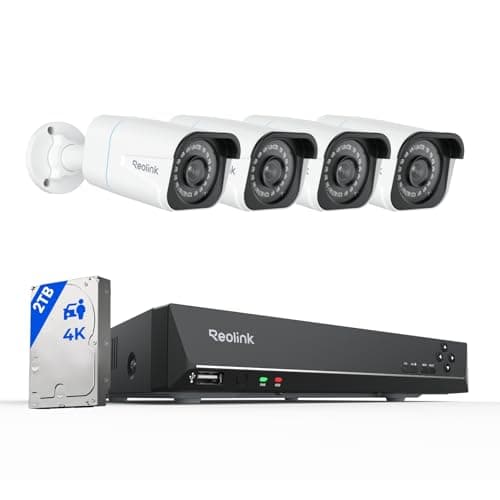
| Reolink 8CH 4K PoE + NVR | 8-channel NVR, 2TB drive included | Continuous 24/7 | One Ethernet run per camera | None |
|---|
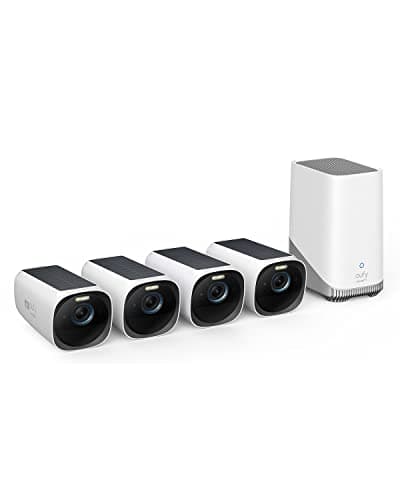
| eufyCam 3 (S330) 4-camera kit | HomeBase 3, expandable storage | Event clips | Solar and battery, no cabling | None |
|---|
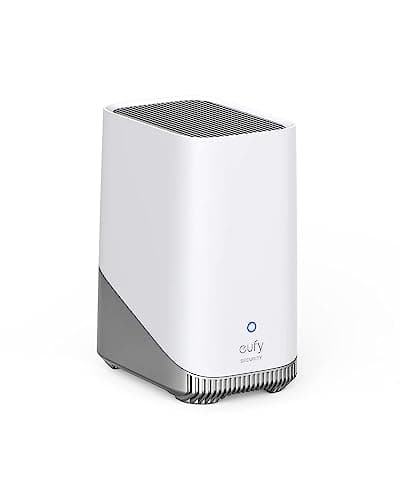
| eufy HomeBase 3 (S380) | Base station, up to 16TB | Event clips from paired cameras | Mains for the base only | None |
|---|
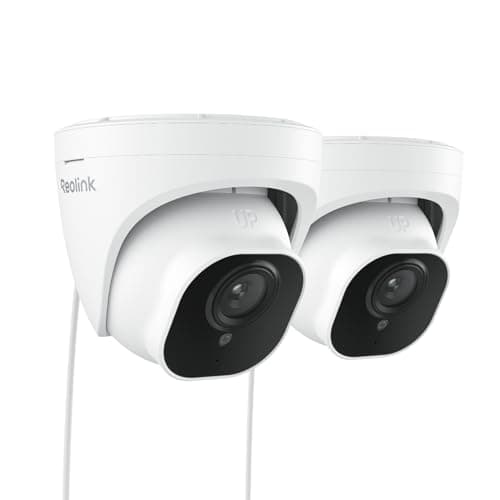
| Reolink RLC-520A PoE domes (2-pack) | Uses your existing NVR | Continuous, recorder permitting | One Ethernet run per camera | None |
|---|
Reolink 8CH 4K PoE with NVR — the complete local system
This is what a camera system looked like before app-first consumer brands redefined the category, and for whole-house coverage the old shape is still the right one. Four 4K cameras feed an eight-channel network video recorder with a 2TB drive already fitted. Each camera takes power and data down one Ethernet cable, so there is no battery to recharge, no Wi-Fi congestion to fight, and no clip-versus-continuous compromise: the recorder writes everything, all the time, and you scrub back through a timeline rather than hunting for the event someone hoped the camera caught.
The four spare channels are the reason it wins rather than the 4K. Camera systems grow — the side return you did not think mattered, the shed, the driveway once the first package goes missing — and a system with headroom absorbs that growth for the price of a camera and a cable. The Reolink RLC-520A PoE Dome (2-pack) further down this page is exactly that expansion, at roughly the per-camera cost of one consumer battery camera.
The cost is honest and it is labor. Every camera position needs a Cat6 run back to the recorder, which for most houses means a loft, a drill and a weekend, or a quote from an electrician. If that is a non-starter, skip to the eufyCam below and accept event clips instead of continuous footage; the full trade is worked through in our PoE versus Wi-Fi guide.
eufyCam 3 (S330) — the system for a house you cannot cable
Four 4K cameras with integrated solar panels and a HomeBase 3 that takes a large drive, and not one cable run between them. For a rented house, a listed building, a solid-brick wall or anyone unwilling to spend a weekend in a loft, this is the system that is actually installable, and it keeps the property in the same place the Reolink does: on local storage you own, with no plan attached.
Understand what battery-and-solar buys and what it costs. It buys an install measured in hours instead of days. It costs continuous recording — every wire-free camera on the market records events and sleeps between them, because a radio and a sensor running constantly is not something a battery and a small panel can sustain. If your requirement is “show me everything that happened between two and four in the morning,” no wire-free system will satisfy it, this one included. If your requirement is “show me who came to the house,” it satisfies it completely, and the full write-up is in our eufyCam 3 review.
eufy HomeBase 3 — the upgrade that turns cameras into a system
A base station rather than a kit, and the answer for anyone who already owns one or two eufy cameras and now wants central, expandable, whole-house storage. It takes a drive of up to 16TB, keeps the footage in the house, does its detection work on the device rather than in a cloud, and charges nothing monthly for any of it.
It is a component, not a complete purchase, and that is the caveat. If you own no eufy cameras, this is not where to start — buy the eufyCam 3 kit and get the HomeBase with it. If you own two SoloCams and keep running into the limits of what they store on board, it is the single most useful upgrade available to you, and it is the reason we treat eufy as a system rather than a collection of cameras in our local-storage cameras roundup.
Reolink RLC-520A domes — how a PoE system grows
Two wired PoE domes with the same RTSP and ONVIF support as the flagship, sold as a pair. They are on this page not as a system but as the reason a system with spare channels is worth buying: this is what filling the fifth and sixth channels costs, and it is roughly the per-camera price of one battery camera. Buying two coverage cameras at this price and one detail camera with optical zoom for the driveway is a better-designed system than four identical mid-range cameras, and it usually costs less.
They are coverage cameras, deliberately. Fixed lens, 5MP, no optical zoom, so a face at the end of a long drive is not going to be readable — for that you want a camera with real zoom, and the options are ranked in our PoE camera roundup. Domes also collect spider webs directly in front of the infrared under an eave, which is a genuine maintenance nuisance nobody mentions until you own one.
How much recording time you actually get
The one number every system buyer wants is retention: how many days of footage sits on the drive before it starts overwriting. There is no single answer, and any page that gives you one without asking about your cameras is guessing. Retention is a division: the size of the drive divided by how much video the cameras write each day. That daily figure moves by a large multiple depending on four things — how many cameras are recording, their resolution, whether they record continuously or only on motion, and how busy the scene is, because modern codecs compress an empty driveway to almost nothing and a windy hedge to a great deal.
So do it the other way around. Decide how many days you want — two weeks is the usual answer, long enough to notice something happened and go back to it — then check the recorder's own storage calculator with your camera count and resolution, and buy the drive that produces that number. Every manufacturer publishes one, they are configured with the real bitrates of their own cameras, and it is the only method here that does not involve somebody making up an average. The practical shortcut: continuous 4K recording is storage-hungry enough that most people either drop the sub-stream resolution, record continuously at a lower resolution with events at full resolution, or fit a larger drive. If you want to run the division yourself before you buy anything, do security cameras record all the time works it through from a stated bitrate, and how much data do security cameras use does the same for the internet connection rather than the drive.
The systems we deliberately left off
Cloud-first camera systems — the ones where the recorder is a subscription rather than a box — are absent from this ranking by design. They can be excellent cameras. But the purchase this page is about is a system you own, and a system whose footage lives on somebody else's server, retrievable only while you pay, is a different arrangement wearing the same word. If a plan is on the table for you, the honest comparison of what one costs over five years is in our subscription cost breakdown, and the storage decision itself is worked through in local storage versus cloud.