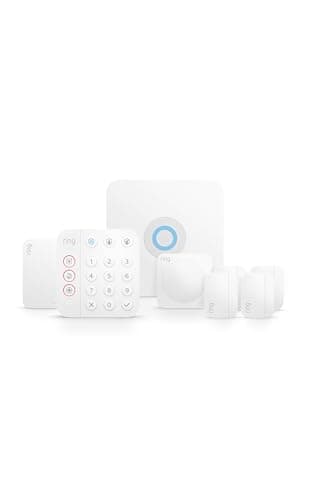
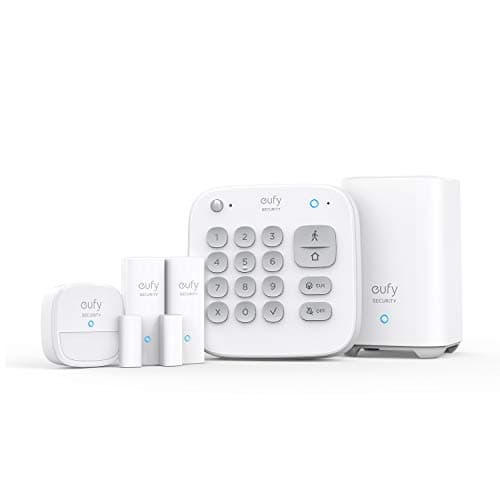
The eufy 5-Piece Home Alarm Kitis the pick: a keypad, a motion sensor and two entry sensors around a HomeBase, with arming, disarming, alerts and the siren all working forever with no plan and no account tier. Before you buy it, read the next section — because self-monitored means something specific, and it is not what the category's advertising implies.
Self-monitored means nobody else is watching. When a sensor trips, the siren sounds and a notification reaches your phone. That is where it stops. No one calls you to check. No one dispatches anybody. If your phone is silenced, in another room, out of signal, or you are on a plane, the alert has nowhere to go. Every system on this page has that property. It is a legitimate design and it is the right answer for a lot of households, but it is not the same product as a monitored alarm and we will not blur the two.
The best home security systems without a subscription, compared
These five are not interchangeable. Two are alarm systems, two are camera systems and one is a storage base — because in practice the phrase “security system without a subscription” is used for all three, and pretending otherwise sends people to the wrong product.
Compiled from manufacturer specifications and published support documentation, July 2026.| System | What is in the box | Monitoring model | Where footage or events are stored | What a plan would add | Works offline |
|---|
| eufy 5-Piece Alarm Kit | HomeBase, keypad, motion sensor, 2 entry sensors | Self-monitored only | On the HomeBase, in your house | Nothing — there is no monitoring plan for it | Siren and local arming keep working |
|---|
| Ring Alarm 8-Piece Kit | Base, keypad, 4 contact sensors, motion, range extender | Self-monitored, with optional professional monitoring | Ring's cloud for event history | Professional response and cellular backup | Siren works; alerts need the connection |
|---|
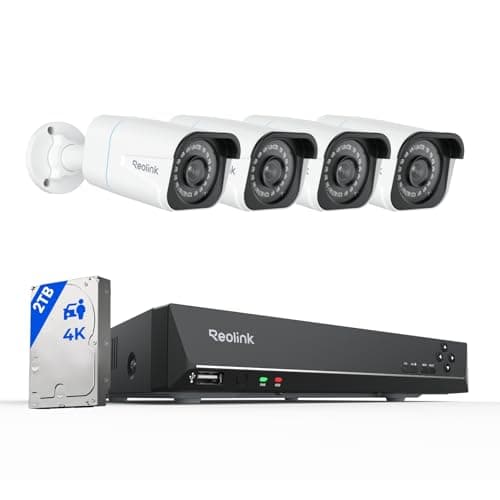
| Reolink 8CH PoE NVR system | NVR, 2TB drive, 4x 4K PoE cameras | Not an alarm — continuous video only | 2TB drive in the recorder | Nothing — no plan exists at any tier | Records and plays back with no internet at all |
|---|
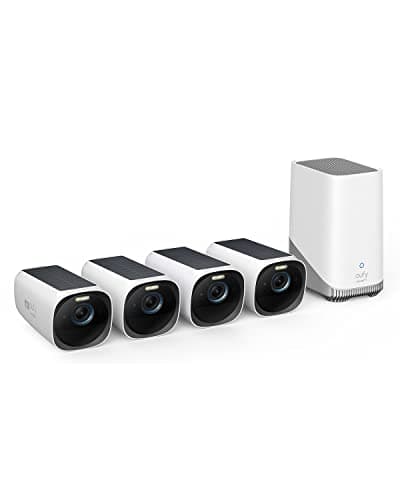
| eufyCam 3 (S330) 4-camera kit | 4x 4K solar cameras, HomeBase 3 | Not an alarm — camera system | Expandable local storage on the HomeBase | Optional off-site cloud backup only | Records locally during an outage |
|---|
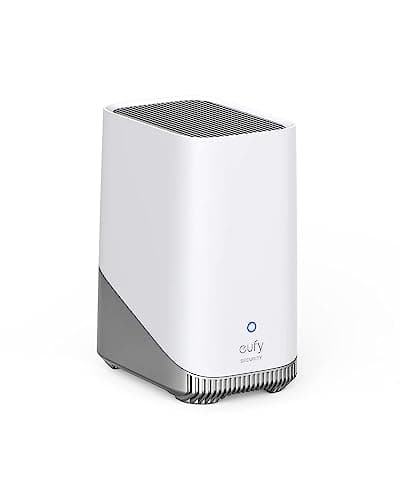
| eufy HomeBase 3 (S380) | Storage base only, no cameras | Storage, not monitoring | Up to 16TB expandable, in your house | Nothing — it exists to remove the plan | Yes, with on-device recognition |
|---|
When professional monitoring is genuinely the right answer
We earn nothing from monitoring. Every affiliate dollar on this site comes from hardware, which means this section costs us money to publish and is exactly why you should weigh it. Most of the pages competing with this one are funded by monitoring leads, and they cannot credibly tell you when self-monitoring is enough. We can, and we can also tell you when it is not.
Life safety: fire, smoke and carbon monoxide
This is the clearest case and it is not close. A self-monitored alarm that detects smoke or carbon monoxide sends a notification to a phone. A house fire at 3am does not wait for you to look at your phone, and carbon monoxide specifically incapacitates the people who would otherwise respond. Life-safety detection is the one domain where a third party who dispatches the fire service without you is doing something you structurally cannot do for yourself. NFPA and the Consumer Product Safety Commission both publish guidance on smoke and CO alarm placement and interconnection; read it before you decide a phone notification is adequate coverage. If you take one thing from this page: do not use a self-monitored security kit as your fire or CO strategy. Interconnected alarms, and monitoring if the household needs it, are a different purchase.
A household that cannot respond
Self-monitoring assumes an adult who will see an alert, assess it and act. If the household is an older relative living alone, someone with a medical condition that could prevent a response, a property that is empty for long stretches, or anyone for whom “call the police yourself” is not a realistic instruction, then the alert reaching a phone is not a plan. Professional monitoring exists precisely for the gap between detection and response, and buying hardware to avoid a monthly fee is a false economy when nobody is positioned to act on what the hardware detects.
Where the response has to be verifiable
Some insurers require a monitored, certificated alarm for a discount or for cover at all, and some municipalities require a verified alarm before police will respond at all. Both are checkable facts about your address rather than opinions about security. Check them before you buy, because a self-monitored system cannot be retro-fitted into a certificate.
Where self-monitoring is genuinely enough: an occupied home with adults who carry phones, where the job is deterrence, knowing when a door opened, and having a recording afterward. That describes most households looking at this page. The siren does the deterring, the notification does the informing, and the footage does the evidence. None of those three requires anybody to be watching a screen on your behalf.
Why the eufy kit is at the top
It is the only system here with no monitoring plan to be upsold into, which makes the proposition unambiguous. There is no tier where the siren gets louder or the alerts get faster. The keypad matters more than it looks: it means a household member who does not want the app on their phone — a teenager, a cleaner, an older relative — can still arm and disarm the house, which is the single most common reason alarm systems stop being used. And it extends onto the same base with more eufy sensors and cameras, so the starter set is a starting point rather than a ceiling.
Skip it if you want somebody to call the police for you. That is the disqualifying case and it deserves to be stated in the same breath as the recommendation. Five sensors is also a starter set, not a perimeter — a real ground floor is usually six to twelve openings, and the per-opening cost of adding contact sensors is low enough that it should not be the thing you economize on. We rank the sensors themselves separately on our sensors hub, and the sensor buyer and the smart lock buyer are usually the same person a month apart.
Ring Alarm is the honest exception in Ring's range
We are hard on Ring's cameras on this site, so it is worth being precise here: Ring Alarm genuinely works without a subscription. The siren sounds, the app alerts arrive, arming and disarming work, and the plan buys a professional response and cellular backup rather than the basics. That is a materially more honest structure than the camera line, where no plan means no recorded footage. Eight pieces also covers a real ground floor rather than a demonstration.
The cost is lock-in. Ring Alarm sensors pair to the Ring base and nothing else — they will not join Home Assistant, Apple Home or a Matter fabric later, so the money you spend on sensors is spent inside one estate permanently. If you are building toward an open smart home, that is a real reason to look elsewhere; see our explainer on Matter for home security for what portability actually buys you. If you want the head-to-head on the two brands in this comparison, it is at Ring vs eufy.
Cameras are not an alarm, and an alarm is not cameras
Three of the five picks here are camera systems, and they are included because the search phrase covers them — not because a camera does an alarm's job. The distinction is worth spelling out. An alarm system detects an event and makes an immediate noise, which is the deterrent. A camera system records an event so you can see it, which is the evidence. They fail differently and they are complementary.
The Reolink PoE system is the strongest expression of subscription-free video on the site: four 4K cameras, an eight-channel recorder and a 2TB drive, recording continuously with nothing in anybody's cloud and no plan at any tier, ever. It is also four Ethernet cable runs, which for most houses is the whole project. The eufyCam 3 kit trades the cable runs for solar and battery, which means event-only recording rather than continuous. The HomeBase 3 on its own is for people who already own eufy cameras and want retention to become a drive-size decision. All three are covered in more depth in our local storage roundup, and the video-specific picks are on the cameras hub.
How we picked
Every system here had to arm, alert and record without a plan; publish its storage and monitoring model in the manufacturer's own documentation; and carry a specific, disqualifying reason to skip it. We weighted no-plan value, coverage, local control, install practicality and value. Scores are judgments compiled from published sources rather than bench measurements, and the full rubric is on our methodology page. The cost model that sits behind the “no plan” claim is published separately at subscription costs compared, and everything in this category ladders up to the subscription-free hub.
How to choose a self-monitored security system
Count the openings before you count the kits
A starter kit is priced to look complete and almost never is. Walk the ground floor and count every exterior door and every window that opens, then add the garage side door and the basement window everyone forgets. That number is your sensor count. A five-piece kit covering a house with nine ground-floor openings is a system with four blind spots, and the blind spots are where the sensors were not bought. Contact sensors are the cheapest component in home security; this is the wrong place to save.
Decide who has to be able to arm it
Systems die from friction, not from failure. If arming requires the app and one household member does not have the app, the system gets left disarmed. A keypad solves this for a small amount of money and is the reason the eufy kit is ranked first. Ask who is coming and going — kids, a dog walker, a cleaner, an older relative — and make sure each of them has a route in that does not depend on your phone.
Understand what happens in an outage
Three separate failures are usually collapsed into one word. A power cut stops mains devices unless the base has a battery — most alarm bases do, most NVRs do not. An internet outage stops notifications and remote arming but not local sirens or local recording. A vendor cloud outage stops anything that routes through the manufacturer's servers, which on some systems includes arming from the app. Ask the three questions separately when you are reading a spec sheet, because a system can pass one and fail the others.
Local control is worth paying for, and it is a spec you can check
A system whose automations execute on a hub in your house keeps working when the internet does not. A system that round-trips every event through a vendor cloud does not, and it also gives that vendor the ability to change the terms later. Zigbee, Z-Wave, Thread and Matter devices with a local hub sit in the first group; most Wi-Fi cloud devices sit in the second. This is checkable on the box and it is the single most durable property to buy for.
The mistake buyers make
Buying an alarm system to solve a camera problem, or the reverse. People who want to know what happened buy a siren kit and are frustrated that there is no footage. People who want a deterrent buy four cameras and are frustrated that nothing makes a noise. Write down the sentence that starts “I want to be able to…” before you shop. If the sentence ends in “…see what happened”, you are buying cameras and storage. If it ends in “…know the moment a door opens”, you are buying sensors and a siren. Most households eventually want both, and buying them in the right order costs less.
Then check the recurring cost you are actually avoiding
The saving from self-monitoring is real but it is not infinite, and it is worth quantifying rather than assuming. Multiply the monthly figure by twelve and by the number of years you expect to own the system, and compare that against the extra hardware a subscription-free setup costs up front. Our cost model pageshows the arithmetic with a worked example, and links each vendor's own pricing page so you are working from today's number rather than ours.