HUB 06 · Guides
Do Video Doorbells Need Wi-Fi?
Yes, and the useful question is a different one: which parts stop. People conflate Wi-Fi, a home network and an internet connection, and a doorbell behaves differently when each of the three goes away.
We earn a commission if you buy through our links. It does not change the price you pay, and it does not decide our picks — our selection criteria are published in full. How this works.
Verdict
The bottom line
Yes. Every consumer video doorbell on sale needs Wi-Fi to do the thing you bought it for: send a notification to your phone and let you see and speak to whoever is at the door. There is no mainstream cellular video doorbell — the LTE models in home security are cameras, not doorbells. But “needs Wi-Fi” hides a distinction that decides what actually happens during an outage, because Wi-Fi, a home network and an internet connection are three separate things. With the router up but the internet down, a doorbell that records to a card in the house keeps recording and a local app on the same network can often still reach it. With the router itself down, the doorbell is a button: a wired one may still ring the chime it is wired to, and a battery one does nothing but sit there. If reliability during outages is the requirement, buy a doorbell with local storage and, where you can, run it wired.
This question is usually asked for one of two reasons: somebody has patchy Wi-Fi at the front door, or somebody wants a doorbell for a property with no broadband at all. They have different answers, and both get buried under “yes it needs Wi-Fi” — so this page separates the three things that can be missing.
The three failures, and what each one costs you
1. No Wi-Fi coverage at the door
The commonest real problem, and it is not a doorbell problem. Front doors are at the edge of the house, often behind a brick or stone wall and a long way from a router that was installed beside the TV. Nearly all video doorbells use the 2.4GHz band, which is the right choice because it travels further than 5GHz; what it does not fix is a thick wall and twelve metres.
The symptoms are specific and recognisable: the doorbell pairs and then drops, notifications arrive two minutes late, live view spins and fails, clips are truncated. The fix is almost always on the network side — move the router, add a mesh node near the front of the house, or pick a doorbell that can be wired to Ethernet or run via a chime unit that doubles as a bridge, which is how the Aqara G4 is arranged. Before buying anything, stand at the door with a phone and look at the signal strength on the 2.4GHz network. If your phone struggles there, so will the doorbell.
2. Network up, internet down
The underrated case, and the one where products differ most. Your router is working, so the doorbell is still on the network — but nothing can reach the manufacturer's cloud. What survives depends entirely on where the doorbell writes its video:
- A doorbell with local storage keeps recording. A microSD card in the unit or a base station in the house is a complete recording path that does not touch the internet. Several of the doorbells we rank are built this way — a card slot or a HomeBase — and this is the main practical argument for choosing one.
- A cloud-only doorbell records nothing. If the footage lives in the manufacturer's cloud and the route there is gone, the event is not stored anywhere. It is also not retroactively uploaded.
- Local app access may still work. Some brands let the app talk to the device directly over the LAN; others route every request through their servers even when the phone and the doorbell are two metres apart. This is worth checking per brand before you buy, because it is the difference between a usable doorbell and a dead one during an outage.
3. Router down, or a power cut
Now there is no network at all. A battery doorbell is just a button with a dark screen: no notification, no recording, no chime unless its own chime unit is independently powered and in radio range, which in most designs it is not because the chime is on the same Wi-Fi.
A wired doorbell is in a better position, with a caveat. It is connected to your existing chime circuit, so pressing the button can still ring the mechanical chime inside the house — and that is a genuinely useful last line. Whether it does depends on whether the doorbell drives the chime itself through the supplied chime kit or asks the cloud to do it, and that is model-specific. Check the manufacturer's documentation for your exact model rather than trusting a general claim, including ours. Note also that the transformer powering a wired doorbell is on your mains, so a power cut takes out both the doorbell and the router together.
The thing to test on day one. Once the doorbell is installed, unplug your router for five minutes and press the button. Whatever happens next is what will happen during a real outage, and it is much better to learn it on a Tuesday afternoon than to discover it afterwards. Note whether the chime rings, whether a clip was recorded, and whether the app can see the device.
What about a property with no broadband at all?
Three honest options, and one non-option.
- A mobile hotspot or a 4G/5G router. This is the normal answer. The doorbell gets real Wi-Fi from a cellular router, and everything works as designed. Watch the data: continuous recording is out of the question on a metered plan, event clips are manageable, and live viewing is the expensive part. The arithmetic is in our bandwidth guide.
- Local recording with no internet, and accept no notifications. A doorbell on a local network with a card in it is a doorstep recorder you review when you are there. For a holiday cabin or a workshop that is a legitimate product, and it is free to run.
- A non-connected doorbell plus a separate camera. A wireless chime kit handles the ringing, and a battery camera with local storage handles the looking. Often cheaper and more reliable than making a video doorbell work somewhere it does not belong.
The non-option is a cellular video doorbell. There are LTE security cameras — and cameras that work with no Wi-Fi at all are ranked in our no-Wi-Fi camera roundup — but a doorbell with its own SIM is not a product the mainstream brands sell. Do not plan around one appearing.
Does it need a subscription as well as Wi-Fi?
Different question, frequently confused with this one. Wi-Fi is how the doorbell reaches you; a subscription is whether the manufacturer will store what it sees. Several brands need both, which is why a plan-free doorbell with local storage answers two problems at once. The per-brand position is in our doorbell subscription guide, the no-plan field is ranked in our no-subscription doorbell roundup, and the five-year arithmetic is in our subscription cost comparison.
The same question for the rest of the house
Locks and cameras answer it differently, and it is worth knowing the pattern. A smart lock's codes are verified inside the lock, so a keypad works with no network at all — the radio only carries remote access, which is in our smart lock Wi-Fi guide. A camera with a card records locally with no network, and some record to an NVR over a cable, which is in our camera Wi-Fi guide. A doorbell sits in between: the recording can be local, but the ringing and the talking are the whole product and those need the network.
How to choose for a weak or unreliable connection
- Measure the signal at the door first. Stand where the doorbell will go, on your phone, on the 2.4GHz network. This single check prevents most doorbell returns.
- Prefer local storage. A card slot or a base station in the house means an internet outage costs you notifications, not evidence.
- Prefer wired if the transformer exists. Wired removes the battery schedule, usually enables continuous standby recording, and keeps a route to the mechanical chime.
- Check whether the chime unit doubles as a bridge. Some brands put the Wi-Fi radio in a plug-in chime indoors rather than in the doorbell, which is a real advantage on a thick-walled house.
- Decide what the fallback is. If notifications matter in a power cut, the answer is a UPS on the router, not a different doorbell.
- Then unplug the router and press the button. On day one, not in a crisis.
What this costs
Nothing extra, if you choose on this axis from the start: doorbells with a card slot are not more expensive than cloud-only ones and frequently cheaper over five years, because the plan is the recurring cost rather than the hardware. The spend that genuinely helps is on the network — a mesh node near the front of the house fixes the problem for every device, not just the doorbell, and costs less than a premium doorbell. If you are choosing hardware now, our doorbell roundup ranks the field and our wired roundup covers the transformer question.
The mistake buyers make
Buying a second doorbell to fix a network problem. If clips are late or live view fails, the doorbell is reporting the condition of your Wi-Fi at the front of the house, and a different doorbell on the same weak signal behaves the same way. Fix the signal, or move the radio indoors by choosing a model whose chime is the bridge. The other common mistake is assuming local storage means local access — several brands store on a card but still route the app through their cloud, so check both before buying if outage behavior is the reason you are choosing.
The hardware
The hardware this guide is about
The products this guide refers to, with prices pulled live from Amazon and dated on every card. Full rankings live in the roundups linked above.
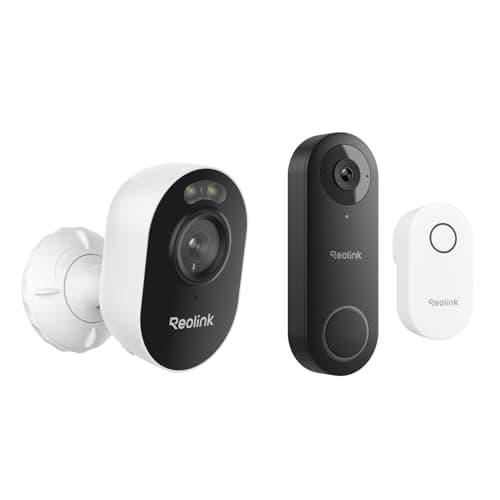
Best value doorbell
Reolink Video Doorbell WiFi (with chime)
2K, wired, local storage, chime in the box, and a head-to-toe aspect ratio that shows the parcel without a second lens. Reolink's usual trade: less polish, no bill.
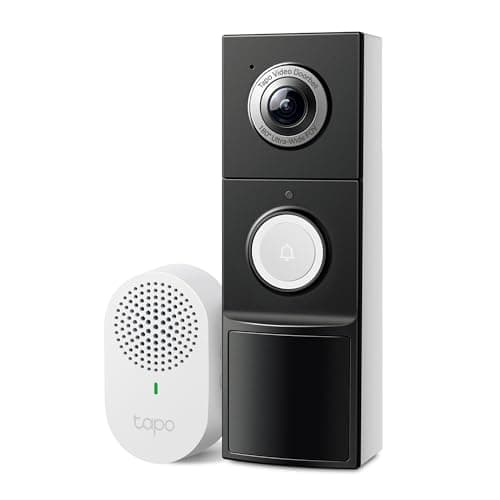
Best flexible install
TP-Link Tapo 2K+ Video Doorbell with Chime
Wired or battery, 180-degree field of view, chime included and a card slot — the most flexible install in this group and the one least likely to be blocked by your wiring.
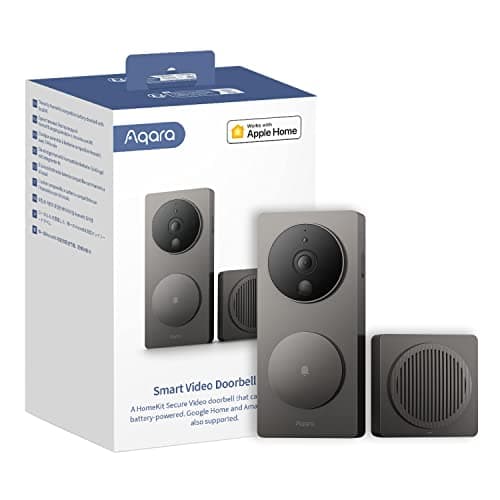
Best for Apple Home
Aqara Video Doorbell G4 (with chime)
The HomeKit Secure Video doorbell that also does local face recognition and local automations — the one to buy if your house runs on Apple Home rather than on a manufacturer's app.
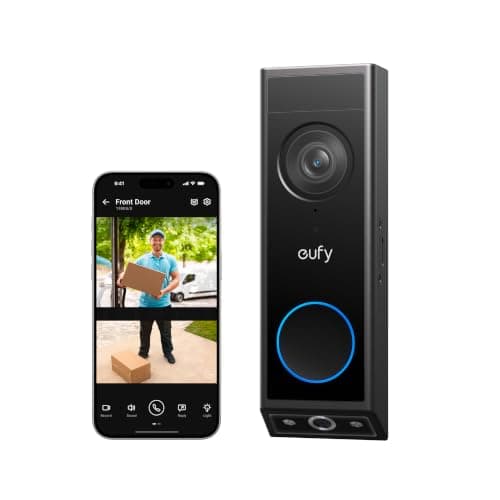
Best video doorbell
eufy Video Doorbell E340 (dual camera)
Two cameras — one on the visitor, one pointed down at the doorstep — so you see the parcel as well as the person. Records locally, wired or battery, no plan.
#ad · As an Amazon Associate we earn from qualifying purchases.
Questions
Frequently asked
Do video doorbells work without Wi-Fi?
Is there a video doorbell that uses cellular data?
Will my doorbell still record if the internet goes down?
Does a video doorbell need 5GHz Wi-Fi?
How much Wi-Fi bandwidth does a video doorbell use?
Keep reading
Related
- Do smart locks need Wi-Fi?The same question for the lock, with a different answer.
- Do security cameras work without Wi-Fi?The camera version, including wired and card-only setups.
- Best wired video doorbellsWired removes the battery and keeps a route to the chime.
- Best video doorbells without a subscriptionLocal storage, which is what survives an internet outage.
Receipts
Sources
- Reolink — Video Doorbell WiFi specifications, local storage and network requirements
- TP-Link Tapo — video doorbell specifications, chime unit and microSD recording
- Aqara — Video Doorbell G4 documentation, including the chime unit acting as the Wi-Fi bridge
- eufy — Video Doorbell E340 specifications, wired and battery modes, local storage
We do not run a testing lab and we do not pretend to. Specifications come from the manufacturer's own published documents and from published standards; prices come from the live Amazon API. Where a figure is not published, the page says “not published” rather than guessing. Read the full method.