Skip to content
SensorLatch

HUB 04 · Cameras

The Best Security Cameras for Checking On Elderly Parents

One person buys this camera and a different person lives with it. That changes the ranking completely: coverage of a whole room beats detail, talking back beats recording, and nobody should be paying a monthly fee to look in on their own mother.

By Stephen V.Updated How we pick
#ad

We earn a commission if you buy through our links. It does not change the price you pay, and it does not decide our picks — our selection criteria are published in full. How this works.

Verdict

The bottom line

For checking in on a parent from somewhere else, buy the eufy Indoor Cam S350. It pans and tilts through 360 degrees, so one camera on a sideboard covers an entire living room instead of a corner of it; the second telephoto lens means you can zoom in on the armchair without buying a second camera; and it records to a microSD card with no plan, so the footage is not rented. Two-way talk works from the app wherever you are. If you want a second room covered cheaply, add a TP-Link Tapo 2K+ wired camera, which records continuously for a fraction of the price. Two things this page will keep saying, because they matter more than any specification: none of these is a medical alert device, and the person who lives in the house has to agree to the camera being there.

The short answer

Quick picks

#ProductBest forScorePrice
01
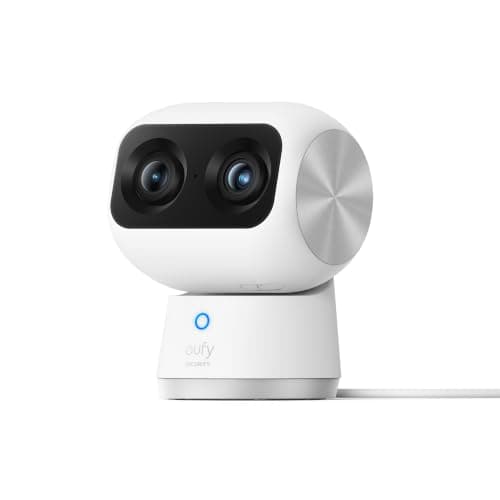
eufy eufy Indoor Cam S350 (4K, dual camera)
eufy Indoor Cam S350 (4K, dual camera)

4K with a second telephoto lens and 8x zoom, 360-degree coverage, and card storage with no plan — the indoor camera that does not charge you to watch your own recordings.

Best indoor camera
8.6
$139.99Amazon
02
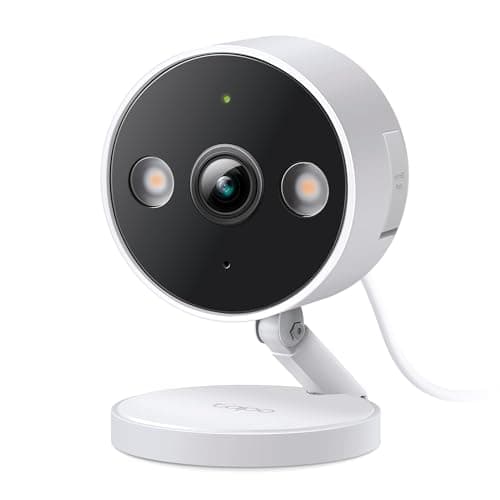
TP-Link Tapo TP-Link Tapo 2K+ Indoor/Outdoor Wired Camera
TP-Link Tapo 2K+ Indoor/Outdoor Wired Camera

The cheapest camera here that does continuous recording. Plug it into a socket, put a card in it, and it records all day without ever asking for a card number.

Best budget wired camera
8.4
$35.99Amazon
03
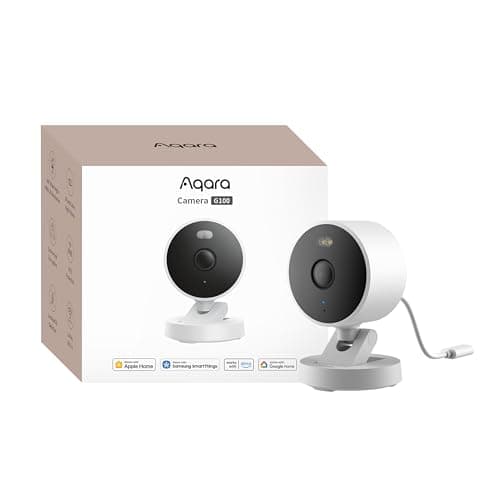
Aqara Aqara Camera G100 (2K, indoor/outdoor)
Aqara Camera G100 (2K, indoor/outdoor)

The only camera here that is a full HomeKit Secure Video camera AND a full local recorder. It writes to its own card whether or not you ever open an iCloud+ plan, which makes it the rare Apple Home camera with no running cost attached.

Best HomeKit camera
8.5
$35.99Amazon
04
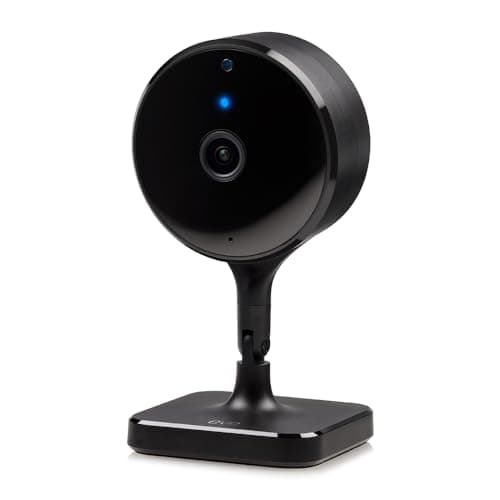
Eve Eve Cam (indoor)
Eve Cam (indoor)

An indoor camera you can set up without creating an account anywhere. Eve builds Apple-only hardware and does not operate a camera cloud, so the entire chain from lens to storage is Apple's.

Best no-account indoor camera
5.9
$149.95Amazon

#ad · Prices pulled live from the Amazon Product API, last checked October 18, 2026. Where we have no verified live price we show none — we would rather leave a gap than print a number that has gone stale. Scores are our own, compiled from published specs; they are not test results.

Almost every camera buying guide assumes the buyer and the resident are the same person. Here they are not, and that single difference changes which specifications matter. You are not trying to identify an intruder at the end of a driveway. You are trying to see, from two hundred miles away, whether the kitchen light is on and whether your father is in his chair — and to be able to say something to him without him having to find a phone.

Start here: this is somebody else's home

Before any product question, the one that decides whether this works at all. A camera in an adult's home is a camera in an adult's home, whatever their age. It needs their agreement, it needs to be somewhere they chose, and it needs to be something they can turn off. Cameras installed without that conversation get unplugged, covered with a tea towel, or resented in a way that costs far more than the camera.

Practical version of that principle: put it in the shared living space and nowhere else. Not a bedroom, not a bathroom, not a hallway outside either. Agree out loud who can watch and when. And pick hardware that can be pointed at a wall or switched off from the room rather than only from your phone — the ability to say “turn it off when you want” and mean it is what makes the arrangement last.

None of these cameras is a medical alert device. They do not detect falls, they do not call anyone, and nobody is watching the feed but you. If the actual need is a response when something happens, that is a personal alarm or a monitored service, and a camera is not a substitute for one. What a camera genuinely does well is the ordinary reassurance in between — a glance that says the room is normal, and a voice that does not need the phone to be answered.

How we ranked them

Four things, in this order. First, how much of a room one camera sees, because the alternative is three cameras and a conversation about surveillance. Second, two-way talk that works from a phone anywhere, which is the feature that turns a camera into contact rather than observation. Third, whether footage needs a subscription — paying monthly to look in on a parent is the kind of recurring charge that runs for a decade. Fourth, where the video lives, because two households now have to be comfortable with the answer. The rubric is published at our methodology; the scores are compiled from manufacturer documentation, not from testing.

Compiled from manufacturer specifications and documentation, October 2026. Prices on the cards above are pulled live and dated October 18, 2026.
CameraRoom coverageWhere footage goesPlan needed to recordPower
eufy Indoor Cam S350360° pan and tilt, plus 8x telephotomicroSD card in the cameraNoMains
TP-Link Tapo 2K+ WiredFixed, single lensmicroSD card, 24/7 continuousNoMains
Aqara Camera G100Fixed, single lensmicroSD card, NAS, or iCloud via HomeKitNo for the card; iCloud+ for HomeKit videoUSB
Eve CamFixed, 150° fieldApple iCloud only, encryptedYes — iCloud+USB

eufy Indoor Cam S350 — one camera, the whole room

The pan-and-tilt head is the reason this is first. A fixed camera in a corner shows you a corner, and the chair you actually want to see is usually outside the frame — so people buy a second camera, and the house starts to feel watched. A 360-degree head solves that with one device on one shelf, and the second telephoto lens with 8x zoom means you can look closely at one part of the room without losing the wide view.

It records to a microSD card with full playback and no plan, which matters more here than on any other camera page: this is a device that will be running for years, and a monthly fee for the privilege of watching your own footage compounds. Two-way talk works from the app. And there is a privacy behavior worth knowing about: you can point the lens at a wall, from the app or by hand, which is a usable “off” that the resident can see has happened.

Two honest limits, both from its own entry. It is indoor only — it will not do the porch as well. And it repositions rather than closing a physical shutter, so if a hardware lens cover is the thing that makes the household comfortable, this is not the camera; the Eve below is closer to that philosophy.

TP-Link Tapo 2K+ Wired — the cheapest way to add a second room

This is the pick for coverage rather than conversation. It is the cheapest camera we rank that records continuously — not event clips, the whole day — to a local card with no plan at all. On a kitchen or hallway where you want to be able to answer “did she go out this morning?” rather than watch live, continuous recording is worth more than resolution.

It is also rated for indoor or outdoor use, so the same model covers a back door if that becomes the next worry. The limits are simple: it is fixed, so aiming is a one-time decision you want to get right, and it needs a socket within reach of the mounting point. Mains power is a positive in this context though — nobody wants a camera whose battery has to be charged by the person it is watching.

Aqara Camera G100 — for a house that already runs on Apple

If there is an iPad, an Apple TV or a HomePod in either household, this is the pick. It is a full HomeKit Secure Video camera, so it appears as a normal tile in the Apple Home app and can be shared with other family members through Apple's own sharing rather than a manufacturer's account system — which, when several siblings want to look in, is the difference between one shared login and five.

Unusually, it also writes to its own microSD card whether or not anyone ever opens an iCloud+ plan, and the person detection runs on the device rather than in a cloud. It is IP65 rated, so one model can cover the hall now and the porch later. Two limits from its entry: Apple Home caps the stream at 1080p, so the extra detail in the 2K sensor is only visible in Aqara's own app or on the card; and it is 2.4GHz Wi-Fi only, which matters if the camera needs to sit at the far end of an older house.

Eve Cam — when the objection is “who else can see this?”

Sometimes the obstacle to a camera is not the camera. It is a reasonable question from someone who does not want a company in their living room, and this is the product that answers it: Eve does not operate a camera cloud and does not ask you to create an account or register the device. Footage is analysed on an Apple home hub and encrypted before it leaves the house.

You pay for that in specifications, and we are not going to pretend otherwise. It is 1080p with a 150-degree field, it has no card slot and no local recording, and recording anything at all requires an iCloud+ plan — so it is both the most expensive camera here and the only one with a monthly cost attached. It is last on the list for exactly that reason. It is also, for some households, the only one that gets agreed to, and a camera that is allowed to exist beats a better camera that gets unplugged.

The camera we left off this page

The Wyze Cam v4 (2.5K) is the cheapest competent camera sold, it records 2.5K to a local card, and we rank it well elsewhere. It is deliberately not a pick here. Its own entry says to skip it if the camera is pointed anywhere private, because Wyze has publicly disclosed security incidents — a documented fact rather than a rumor. A parent's living room is exactly the case that caveat was written for. For a garage, a shed or a driveway it remains an easy recommendation, and it sits in our budget camera roundup.

What to set up on the day, not later

Three things that decide whether this gets used. Put the camera at seated eye level rather than up near the ceiling — a camera looking down at the top of someone's head is no use for a conversation, and two-way talk is the half of this product that people actually keep using. Turn motion notifications down hard, because a camera in an occupied room will otherwise alert every few minutes until it is muted and then ignored. And set up a second viewer: if a sibling or a neighbour can also look in, the arrangement survives you being busy, and the apps that make this easy are a genuine differentiator.

The lock side of the same situation — letting a carer or a family member in without handing out keys, and code management from somewhere else — is ranked in our smart locks for elderly parents roundup, and the code mechanics are in our guest code guide.
In detail

The picks, in full

01
eufy eufy Indoor Cam S350 (4K, dual camera)

Best indoor camera

eufy Indoor Cam S350 (4K, dual camera)

4K + telephoto8x zoom360° pan / tiltmicroSD local storage
No subscriptionLocal microSD
8.6/10

4K with a second telephoto lens and 8x zoom, 360-degree coverage, and card storage with no plan — the indoor camera that does not charge you to watch your own recordings.

Storage
9.5
No-sub value
9.5
Image
9
Power
7.5
Ecosystem
7.5

What it gets right

  • Two lenses means wide room coverage and a usable zoomed detail view at the same time
  • Local card recording with no plan, including full playback
  • Physical privacy positioning — you can point it at a wall when you are home

What it doesn't

  • Indoor only
  • A cloud-connected camera indoors is a considered decision regardless of brand

What it costs to run

Mains. No subscription for recording, playback or notifications.

Skip this if…

…you want a camera with a physical shutter. This one repositions rather than closing a lens cover — if a hardware privacy shutter is your requirement, this is not it.

$139.99on Amazon

Price last checked October 18, 2026. Prices move constantly — Amazon's at checkout is the one that counts.

#ad · we may earn a commission from this link to eufy Indoor Cam S350 (4K, dual camera)

02
TP-Link Tapo TP-Link Tapo 2K+ Indoor/Outdoor Wired Camera

Best budget wired camera

TP-Link Tapo 2K+ Indoor/Outdoor Wired Camera

2K+Mains powered24/7 recording to microSDIndoor or outdoor rated
Continuous recordingNo subscription
8.4/10

The cheapest camera here that does continuous recording. Plug it into a socket, put a card in it, and it records all day without ever asking for a card number.

Storage
9.5
No-sub value
9.5
Image
7.5
Power
7.5
Ecosystem
8

What it gets right

  • Continuous 24/7 recording to a local card at a price most brands charge for event clips
  • Rated for indoor or outdoor use, so one model covers both jobs
  • Mains powered — no charging cycle to forget

What it doesn't

  • Needs a socket within reach of the mounting point
  • 2K rather than 4K, so distant detail is limited

What it costs to run

Mains, a few watts. No subscription for continuous local recording.

Skip this if…

…there is no outdoor socket where you want it. This is a mains camera. Running an outdoor-rated supply to a soffit is a bigger job than the camera costs.

$35.99on Amazon

$39.9910% off

Price last checked October 18, 2026. Prices move constantly — Amazon's at checkout is the one that counts.

#ad · we may earn a commission from this link to TP-Link Tapo 2K+ Indoor/Outdoor Wired Camera

03
Aqara Aqara Camera G100 (2K, indoor/outdoor)

Best HomeKit camera

Aqara Camera G100 (2K, indoor/outdoor)

2304x1296 (2K)HomeKit Secure VideomicroSD to 512GB + NASIP65, Wi-Fi 6 (2.4GHz)
Records locally with no planHomeKit stream capped at 1080p
8.5/10

The only camera here that is a full HomeKit Secure Video camera AND a full local recorder. It writes to its own card whether or not you ever open an iCloud+ plan, which makes it the rare Apple Home camera with no running cost attached.

Storage
9.5
No-sub value
9.5
Image
8
Power
7
Ecosystem
8.5

What it gets right

  • Continuous card recording to microSD up to 512GB, plus backup to a NAS and an RTSP stream - none of which needs a subscription of any kind
  • Full HomeKit Secure Video support, so it also appears as a normal camera tile in the Apple Home app alongside everything else
  • Person detection runs on the device rather than in a cloud, so the useful half of the AI is free
  • IP65 rated, which means one model covers the hallway and the porch instead of two different purchases

What it doesn't

  • 2.4GHz Wi-Fi only, so a far-corner mount depends on how far your 2.4GHz band actually reaches
  • Apple Home caps the stream at 1080p, so the extra detail in the 2K sensor is visible only in Aqara's own app, in an RTSP client or on the card
  • Powered over a 5V USB lead, so an outdoor position needs a route for the cable and a weatherproof supply

What it costs to run

USB power. Card recording, NAS backup and on-device person detection cost nothing; HomeKit Secure Video needs an iCloud+ plan and Aqara's cloud AI extras need its own plan.

Skip this if…

…you were buying one box to also bring your Aqara sensors online. Despite the family naming, the G100 is not a Thread border router and not a Zigbee hub - that is the G5 Pro's job, and buying the G100 expecting it will leave your P2 sensors with nothing to join.

$35.99on Amazon

$39.9910% off

Price last checked October 18, 2026. Prices move constantly — Amazon's at checkout is the one that counts.

#ad · we may earn a commission from this link to Aqara Camera G100 (2K, indoor/outdoor)

04
Eve Eve Cam (indoor)

Best no-account indoor camera

Eve Cam (indoor)

1080p, 150-degree fieldHomeKit Secure Video onlyNight vision to about 5 mUSB powered, indoor
No account, no registrationNo recording without iCloud+
5.9/10

An indoor camera you can set up without creating an account anywhere. Eve builds Apple-only hardware and does not operate a camera cloud, so the entire chain from lens to storage is Apple's.

Storage
5
No-sub value
4.5
Image
6.5
Power
7
Ecosystem
6.5

What it gets right

  • No account and no product registration - Eve states plainly that it does not ask you to register accessories or hand over personal data
  • HomeKit Secure Video means the analysis happens on your home hub and footage is encrypted before it leaves the house
  • Small and USB powered, so it sits on a shelf without a mounting project

What it doesn't

  • 1080p with a 150-degree field, so it is a room camera rather than a detail camera
  • No card slot and no local recording of any kind
  • It is the most expensive way on this page to get 1080p indoor coverage, and what you are paying for is the absence of a company rather than specifications

What it costs to run

USB power. No Eve subscription exists; recording requires an iCloud+ plan.

Skip this if…

…you are shopping on specifications per dollar. On paper the Aqara G100 beats it on resolution, weatherproofing and local storage for a fraction of the outlay - the Eve is worth it only if a house with no third-party account in it is the thing you are buying.

$149.95on Amazon

$164.959% off

Price last checked October 18, 2026. Prices move constantly — Amazon's at checkout is the one that counts.

#ad · we may earn a commission from this link to Eve Cam (indoor)

How to choose a camera for checking on a parent

  1. Have the conversation first. Agree the room, agree who watches, and agree how it gets switched off. Everything below is secondary to this, and skipping it is the single most common reason these cameras end up in a drawer.
  2. Does one camera cover the room they are actually in? A pan-and-tilt head usually does; a fixed lens in a corner usually does not. Buying one camera that works beats three that make a home feel monitored.
  3. Is two-way talk good enough to hold a conversation? This is the feature that gets used daily. Mount it at seated height, in the room where talking will happen.
  4. Will you be paying monthly? Check before buying, not after. Local card recording costs nothing forever; cloud plans run for as long as the arrangement does. The five-year arithmetic across brands is in our subscription cost comparison.
  5. Can more than one relative get access? If three siblings need to look in, an ecosystem with real sharing is worth more than a better sensor.
  6. Is there a socket where the camera needs to be? All four picks here are mains or USB powered, which is correct: nobody should be asking the resident to recharge a camera.

What decides the price

Movement and storage, not megapixels. A pan-and-tilt head with a second lens is the most expensive mechanism in an indoor camera and the one that earns its money in this situation. A card slot costs the manufacturer almost nothing and saves you a subscription, which is why its absence on an otherwise premium camera is a pricing decision rather than an engineering one. What you should not pay for here is resolution: 2K covers a living room completely, and 4K matters at a distance you do not have indoors. The storage argument in full is in our local versus cloud guide.

The mistake families make

Buying for the worst day instead of the ordinary one. A camera bought in a panic gets mounted high in a corner, points at a doorway, alerts forty times a day and is muted within a week — and it would not have helped on the worst day either, because nobody watches a live feed at 3am. Buy it for the ordinary check-in: one camera, in the room where life happens, at talking height, with notifications almost all turned off. The general indoor ranking without this situation applied is our indoor camera roundup, the plan-free field is in our no-subscription camera roundup, and the whole category sits at the cameras hub.

How we picked

Products we claim to have tested: 0

Everyone in this category says they tested a dozen locks on their own front door. We have not tested any, and we say so. Here is what we do instead: read the manufacturer's manual and spec sheet, record the published protocol, power and storage figures, check the published standard where one exists, compute what the device costs to keep running, and cite all of it so you can check the work. Prices come live from Amazon's API and disappear rather than go stale.

The scores above are judgments from that documented research — not bench measurements. The full rubric, including what disqualifies a product, is published in full.

Questions

Frequently asked

Is it legal to put a camera in my parent's house?
This is not legal advice, and the rules differ by state — particularly on recording audio, which several states treat far more strictly than video. The practical answer that keeps you right in every jurisdiction is consent: it is their home, so install it with their knowledge and agreement, keep it to shared living space, and never put one in a bathroom or bedroom. If a professional carer visits, tell them the camera is there too.
Can these cameras detect a fall?
No. None of the cameras here is a medical alert device and none of them calls anybody. Some brands market motion or person detection in language that sounds close to it; that is a motion event, not a fall alarm, and treating it as one is the mistake this page exists to prevent. If a response is needed, buy a personal alarm or a monitored service as well.
Do I need a subscription to check in on a camera?
Not for live viewing or two-way talk, on any camera we rank. Subscriptions buy recorded history, and three of the four picks here keep that history on a memory card in the camera for nothing. The exception is the Eve Cam, which stores only through Apple and therefore needs an iCloud+ plan to record at all.
What if my parent doesn't want a camera?
Then do not install one — and consider whether a sensor answers the actual question instead. A contact sensor on the front door tells you it opened this morning without anybody being filmed, which is often all the reassurance that was needed. That field is ranked in our door and window sensor roundup, and it is a far easier conversation.
Can several family members watch the same camera?
Usually yes, and how well it works varies more than the specifications do. The Aqara G100 is shared through Apple Home, so anyone already in the household's Apple sharing can see it without a new account. eufy and Tapo share through their own apps with an invited second user. Decide this before you buy if more than one person will be looking in.
Should the camera be indoors or at the front door?
They answer different questions. An indoor camera tells you the room is normal; a doorbell tells you who called and whether a parcel arrived, and it is the less intrusive of the two because it faces outward. Plenty of families start with the doorbell for exactly that reason — our doorbell roundup ranks that field.

Keep reading

Receipts

Sources

We do not run a testing lab and we do not pretend to. Specifications come from the manufacturer's own published documents and from published standards; prices come from the live Amazon API. Where a figure is not published, the page says “not published” rather than guessing. Read the full method.