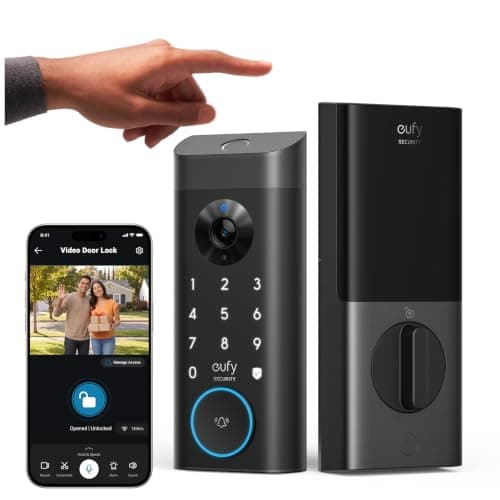
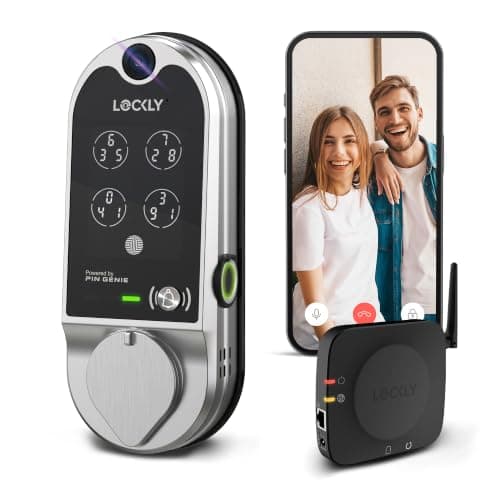
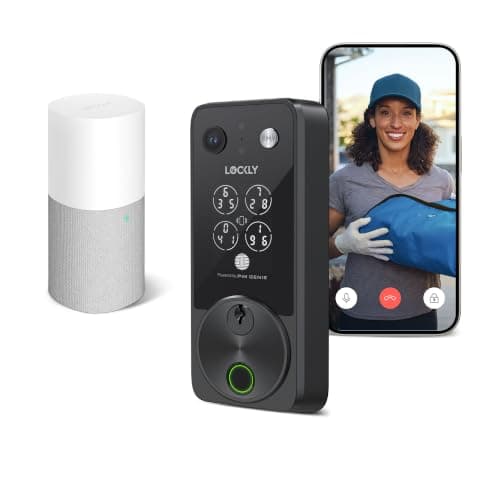
The best smart lock with a camera is the Lockly Vision Zeno Series— 2K, a 32GB card in the box, two battery packs rated up to eight months, and Apple Home Key. But the one most people should actually buy is the eufy Video Smart Lock E330, which records to 8GB inside the lock itself with no card, no hub and no plan, for a good deal less money.
What a smart lock with a camera actually is
Strip the marketing away and this category is two products welded together: a motorized deadbolt and a doorbell camera, sharing one battery and one hole in your door. That is a genuinely useful thing to own. It removes the second device from the door frame, it means the camera sees the person operating the lock rather than a view of the street, and on a door with no room for a separate doorbell it is often the only way to get a camera on the entrance at all.
It also means you are buying a camera. And a camera is the half of this purchase where a monthly bill gets in — not through the lock, which almost always keeps working on codes and fingerprints forever, but through the recorded clip you go back and watch. That is the split this page ranks on.
The one line that decides this purchase: ask where a recorded clip is written and who owns that place. Four of the five locks here write to a card or to storage in the lock body, which is yours. One writes only to a cloud you rent by the month. The hardware is comparable; the ownership is not.
How we ranked the best smart locks with a camera
Every lock here has a camera, two-way audio, a keypad, a fingerprint reader and a physical key. Those are the entry requirements, not the ranking. Five criteria separate them, in this order:
- Storage — where a recorded clip is written. In the lock, on an included card, on a card you buy, on a base station, or only in a vendor cloud. This is the criterion the category is least honest about.
- No-subscription value — what still works when you never pay. Live view and notifications are almost always free. Recorded history is the feature that gets gated, and it is the feature people bought the camera for.
- Camera — resolution and aperture. A doorway is usually the shadiest square meter of the front of a house, so the lens matters more here than the sensor count.
- Security — entry methods and weather rating. None of these five publishes a BHMA/ANSI grade we could find, which is itself worth knowing; the grade-carrying end of the market is on our main smart lock rankings.
- Battery — how often you deal with it. A camera on a battery lock is a permanent power draw, and the spread here is enormous: from roughly three months to a manufacturer-rated twelve.
Scores are judgments compiled from published specifications, not measurements. We do not have a test lab, and the rubric is published in full on our methodology page.
Compiled from manufacturer specifications, August 2026.| Model | Where video is stored | Plan needed to keep a clip? | Hub or bridge | Power |
|---|
| Lockly Vision Zeno Series | 32GB card, included | No | Vision Connect hub, included | 2x 10000mAh packs, rated up to 8 months |
|---|
| eufy Video Smart Lock E330 | 8GB inside the lock; HomeBase 3 optional | No | None required | 10000mAh pack, rated around 3 months |
|---|
| Lockly Vision | TF card, included | No | Vision Connect hub, included | 8x AA, rated up to 12 months |
|---|
| eufy Video Smart Lock S330 | On the included chime; SD card required | No, but you supply the card | Chime acts as the bridge, included | 10000mAh pack, rated around 3 months |
|---|
| myQ Secure View 3-in-1 | Vendor cloud only | Yes, after the trial | None — joins Wi-Fi directly | Rechargeable pack, rated up to 6 months |
|---|
The five video locks, ranked
1. Lockly Vision Zeno Series — the completely specified one
Lockly publishes a 2K camera with a wide-angle lens, a 32GB card in the box, two 10000mAh rechargeable packs rated up to eight months of regular use, IP65, and Apple Home Key alongside the fingerprint reader and the PIN Genie keypad. There is no line on that list where something else here is clearly better, which is why it takes the top slot.
The PIN Genie keypad is the part worth understanding, because it is the one genuinely unusual security feature in this group. The digit positions reshuffle on every use, so the smudge pattern left on the glass and the sequence a stranger watches your hand trace both become useless. It is the same mechanism we rank on the keypad door lock roundup, and the same trade applies here: a pad whose digits move is measurably slower to use, every time, for everyone in the household.
Two honest costs. It is the most expensive lock on this page by a clear margin. And it has no built-in Wi-Fi — network access comes through the bundled Vision Connect hub, which is a second device that needs a socket indoors. That is included rather than an extra purchase, but it is still a box to place. Apple Home Key is the feature that justifies the price gap, and it only pays off inside an Apple household; the wider case is on our Apple Home Key smart lock roundup.
2. eufy Video Smart Lock E330 — the one that records to itself
This is the pick we would recommend to most people asking the question, and it wins on a single structural fact: the storage is inside the lock. eufy publishes 8GB of built-in eMMC, which means the E330 records with nothing else bought, powered or paired. No card in a shopping basket, no bridge on a shelf, no plan. Every other lock here needs at least one of those three before a clip exists.
The camera is 2K behind an f/1.6 aperture, the widest published on this page. That number matters more than it looks: a front door is usually shaded by an overhang for most of the day, and aperture is what decides whether a face under that overhang is a face or a silhouette. If 8GB turns out to be tight, eufy documents pairing it with a HomeBase 3 for local storage expandable up to 16TB — the same base the battery doorbell roundup discusses, so one base can serve both.
Two things it gives up for the price. There is no chime in the box, so an audible indoor bell means adding a compatible eufy device or accepting phone alerts only. And its auto-lock runs on a countdown timer rather than a door sensor. That distinction is not cosmetic: a timer will drive the bolt at a door standing ajar, and on a frame that is even slightly out of alignment that means a jammed bolt and a drained battery. The S330 lower down this page exists largely to fix exactly that.
3. Lockly Vision — one battery event a year
The base Vision trades the camera for the power supply, and for a lot of households that is the right trade. It runs on eight AA cells that Lockly rates up to twelve months in regular use. Set that against the roughly three months eufy publishes for its rechargeable packs and the difference is one battery event a year against four — on a device mounted at the front door, in the weather, that you have to take apart to service.
A TF card is included, so recorded video lands on storage you own from day one, and the PIN Genie keypad and 3D fingerprint reader carry over from the rest of the Lockly line. Lockly also publishes free access logs in the app for up to ninety days, which is the entry history rather than the video — a useful distinction to hold onto when you are comparing what each vendor gives away.
Two real limits. The camera is Full HD rather than 2K, making it the softest image here, and that gap is visible the moment you enlarge a face or a plate. And it carries IP54 rather than the IP65 the eufy and Zeno locks publish. IP54 is splash resistance; it is not a driving-rain rating, and a camera module is the wrong component on which to discover the difference. It wants a porch or an overhang.
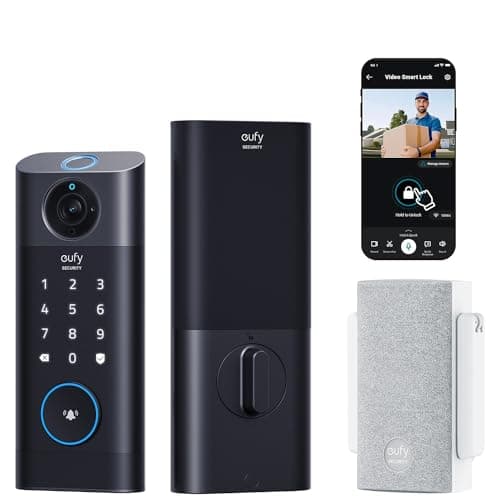
4. eufy Video Smart Lock S330 — the one that rings inside the house
The S330 is the only lock on this page that ships something that makes a noise indoors. eufy puts a doorbell chime in the box, stores the video on it, and pairs it with a built-in door sensor so auto-lock fires because the door is genuinely shut rather than because a timer expired. eufy's own E330-versus-S330 comparison also credits the S330 with leaving and loitering detection where the E330 carries human detection alone.
It is worth being blunt about who that is for. If nobody in your household will hear a phone from the back bedroom, a chime is not a luxury and this is the pick. If phone alerts are fine, you are paying a clear premium over the E330 for a chime and a sensor rather than for a better camera — both are 2K.
The catch is the one buyers miss: the SD card is not included. Out of the box the S330 streams and alerts, and records nothing at all until you supply a card. eufy states the no monthly fee position with that condition attached, and it is an honest condition, but it is a purchase on top of the most expensive eufy option here.
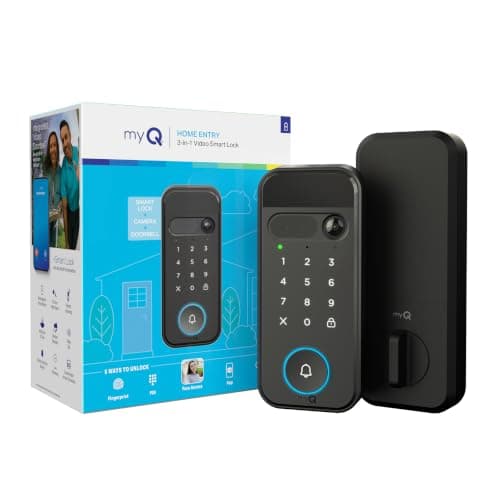
5. myQ Secure View 3-in-1 — cheapest in, and the one with a bill
On hardware the Secure View argues for itself. Chamberlain publishes 2K HDR with a wide-angle lens and color night vision, five documented ways in — face, fingerprint, PIN, app and a physical key, the widest set on this page — and it joins your Wi-Fi directly, so it is the only pick here with no bridge to place and power. The battery figure is stated properly too: up to six months against a defined daily duty cycle rather than an unqualified marketing number.
It ranks last anyway, and the reason is structural rather than a matter of taste. Recorded video history sits behind a myQ Video Monitoring plan once the included trial ends. Without it you keep live 2K HDR viewing and motion alerts, which is a real product — but nothing on this lock writes to storage you own, so the clip of whoever stood at your door at three in the afternoon is not yours to go back to. Every other lock on this page hands you that clip on a card.
There is also no chime in the box; it is a separate accessory. If a plan is genuinely fine with you, this is a lot of hardware for the money and we would not talk you out of it. If you are here because you did not want a subscription, read the five-year cost of a camera plan before you decide the entry price is the cheap one.
How to choose a smart lock with a camera
Decide where the video lands before you compare anything else
Every other specification in this category is recoverable. If the camera is a little soft you live with it; if the battery is short you charge it more often. Storage is the one choice you cannot undo after the fact, because a clip that was never written to hardware you own is simply gone when you stop paying. Work out which of the four patterns you are buying: storage inside the lock, a card included, a card you supply, or a vendor cloud.
The same reasoning drives the whole camera side of this site, and the long version is in local storage versus cloud. A lock is a longer-lived purchase than a camera — people keep deadbolts for a decade — which makes the ownership question sharper here, not softer.
Then check what has to be powered indoors
Three of the five locks here need a second device on a socket: both Lockly models use a Vision Connect hub, and the eufy S330 uses its chime as the bridge. All three include that device, so it is not a hidden cost, but it is a hidden constraint. The lock has to reach that box, and the box has to reach your router. On a thick masonry wall or a long hallway that is a real siting problem, and it is worth walking the route before you order.
The eufy E330 and the myQ are the two that skip it. Neither approach is automatically better: a bridge is also what lets a lock keep a low-power radio and a longer battery. Which side of that trade you want is the same decision covered in whether a smart lock needs Wi-Fi.
What decides the price
Roughly in order: the battery system, where a rechargeable pack with a spare costs more than a tray of AA cells; the camera and its aperture; whether storage is included and how much; and ecosystem credentials such as Apple Home Key, which is a licensing cost that shows up on the sticker. What does notshow up in the purchase price on the cloud-only model is storage — that has been moved into a monthly line item, which is the entire commercial design of that half of the category.
Weather rating deserves more weight than its price impact suggests. A conventional deadbolt has no optics and no microphone; a video lock has both, on the outside face, permanently. IP65 against IP54 is the difference between a door that faces the weather and a door that needs an overhang.
The mistake buyers make
The common one is buying on the lock and discovering the camera terms afterward. People compare fingerprint capacity and code counts, order the cheapest unit that has a lens on it, and find out in month two that the recorded history they assumed was included is a subscription. Read the storage line first and the entry methods second — it is the reverse of how these listings are written.
The second is treating a video lock as a doorbell replacement. It sees whoever comes to the door, but it is mounted at lock height and framed on the person operating it, so a parcel left on the step can sit outside the shot entirely. If package deliveries are the actual reason you are shopping, a doorbell with a dedicated downward lens does that job properly and the field is ranked on our best video doorbells page. The categories are compared directly in security camera versus doorbell camera.
If this page has narrowed the decision to the two brands that dominate it, the head-to-head is in Lockly Vision versus the eufy Video Smart Lock. Neither charges a plan to record, so it is decided on who supplies the storage — 8GB soldered into the eufy against a card in Lockly's box — and on who feeds it, where the gap is roughly three months against up to twelve.
The third is skipping the door survey. A video lock is heavier and deeper than a plain deadbolt, and the exterior escutcheon is large because it has to hold a camera. Measure the backset, the cross-bore and the door thickness before you order, using will a smart lock fit my door. The rest of the field, cameras included or not, is indexed on the smart locks hub.