HUB 06 · Guides
PoE vs Wi-Fi Security Cameras: The Cable Is the Whole Decision
One is a wiring project that pays you back in reliability; the other is a ten-minute install that you maintain forever. The right answer is almost entirely about whether you can run a cable.
We earn a commission if you buy through our links. It does not change the price you pay, and it does not decide our picks — our selection criteria are published in full. How this works.
PoE vs Wi-Fi security cameras: which is better?
Power over Ethernet wins when you can run one cable: it carries power and data together, records continuously to a local NVR with no battery to babysit, and never drops off congested Wi-Fi. Wi-Fi wins when pulling cable is not an option and you accept the bandwidth and battery trade that buys you a ten-minute install.
The one-line version. PoE is a wired install: a single Cat5e or Cat6 run delivers both power and network, and the camera can record around the clock to a recorder in your house. Wi-Fi is a wireless install: the camera runs on a rechargeable battery, solar, or a plug, and sends video over your home network. PoE is more work to put in and far less work to live with. Wi-Fi is the reverse.
Almost every real disagreement about camera reliability traces back to this one choice, and it is usually made backwards — people pick a camera for its resolution or its app, then discover the power and network reality afterward. Decide the delivery method first. Everything else, including which model, follows from it. This guide sits under the guides hub, and the two families it describes each have their own ranked roundup you can jump to once you know which side of the cable you are on.
What Power over Ethernet actually is
Power over Ethernet sends low-voltage DC power down the same eight-conductor cable that carries the network data. That is the entire trick: instead of a power adapter at the camera and a separate network drop, one Cat5e or Cat6 run does both jobs. The camera has no wall wart, no battery, and no charging schedule. It draws a few watts continuously and it is simply always on.
The power comes from the other end of the cable — either a PoE network switch, a PoE-capable network video recorder (NVR), or a small inline injector that adds power to an ordinary switch port. That end-device is the piece Wi-Fi buyers do not have to think about and PoE buyers do. It is also where the reliability comes from: a switch on a battery backup keeps every camera powered through a blackout, which no battery camera can match once its own cells run down.
The PoE standards, in plain terms
PoE is standardized, which is why a camera from one brand works with a switch from another. Two classes cover essentially every residential camera. The original standard, published as 802.3af, delivers up to about 15.4 watts at the switch and roughly 12.95 watts at the device after cable loss — plenty for a fixed camera with infrared night vision. The later 802.3at class, usually badged PoE+, raises that to about 30 watts at the switch, which is what a pan-tilt camera with a motor and heaters wants. A newer, higher-power tier exists (802.3bt, or PoE++), but no ordinary home camera needs it.
The practical takeaway is short: buy a switch or NVR rated for at least 802.3af on every port you will use, and step up to 802.3at (PoE+) if any of your cameras pan, tilt, or heat. Add up the per-camera wattage from the spec sheets and confirm the switch's total power budget covers the sum, because a switch that is fine for two cameras can brown out at eight.
The cabling reality nobody puts on the box
This is the part that decides whether PoE is a weekend or a non-starter. Ethernet for PoE runs to about 100 meters(328 feet) per cable before the signal and power degrade, which is generous for a house but means the recorder and switch have to live somewhere central. Every camera needs its own home run back to that switch. That is a hole drilled through an exterior wall, a cable fished through a wall cavity, attic, or soffit, and a terminated connector at each end — or a pre-made outdoor-rated cable you route and tuck.
For a new build, a remodel with open walls, a detached garage you are already wiring, or a single-story house with an accessible attic, that work is straightforward. For a finished two-story house with no attic access above the ground floor, it can be the largest part of the whole project. Be honest about which you have before you buy a wired camera, because there is no battery fallback: a PoE camera with no cable run to it is an expensive paperweight.
What Wi-Fi cameras trade for the easy install
A Wi-Fi camera skips all of that. It mounts wherever a bracket or a magnet will hold it, it powers from a rechargeable battery, an integrated solar panel, or a nearby plug, and it joins your home network over the air. The install is measured in minutes, and for a renter or anyone unwilling to drill, it is the only realistic option. Those advantages are real and they are the reason wireless dominates the shelf.
The costs are equally real and they show up later. The first is bandwidth. Every wireless camera competes with your phones, TVs, and laptops for the same air and the same upstream connection; a handful of them streaming or uploading at once can congest a modest home network, and video is the heaviest thing on it — how much data do security cameras use puts numbers on that, including why local recording removes the uplink problem rather than reducing it. The second is range. Wi-Fi weakens through exterior walls and across a yard, and a camera at the far corner of a property is exactly where the signal is worst — which produces the dropped clips and “camera offline” notices that fill the review sections. The third is battery upkeep. A battery camera has to be recharged, and even a solar one only stays charged if its panel gets real sun; mount it under a deep eave or on a shaded north wall and you are back to a ladder every few months.
One consequence deserves its own line: most battery Wi-Fi cameras cannot record continuously. To make the battery last, they wake on motion, capture a clip, and sleep, so there is no 24/7 timeline — only events. If you need an unbroken record of a driveway, that alone points you at PoE. If motion clips are enough, Wi-Fi is fine.
PoE vs Wi-Fi at a glance
| Attribute | PoE (wired) | Wi-Fi (wireless) |
|---|---|---|
| Install effort | High — one Cat5e/Cat6 run per camera back to a switch or NVR | Low — mount and join the network, no cable to fish |
| Power | From the cable; a few watts continuous, no charging | Rechargeable battery, solar, or a plug near the camera |
| Continuous recording | Yes — 24/7 to a card or NVR is the normal mode | Usually event clips only on battery models; continuous needs a plug |
| Network load | On its own wired link; does not fight your Wi-Fi | Shares the air and the uplink with everything else |
| Reliability at range | Constant to 100 m of cable; unaffected by walls | Degrades through exterior walls and across a yard |
| Local storage / open protocols | NVR plus RTSP and ONVIF are the norm | Card or app storage; RTSP/ONVIF less common |
| Extra hardware | PoE switch, injector, or NVR required | None beyond the camera and its charger |
When PoE wins
Choose PoE when you want the camera to disappear into the house and never ask you for anything again. It is the right answer for a long driveway or a property line where you need an unbroken 24/7 record rather than motion clips, for anyone who wants footage on a recorder in their own house rather than a vendor cloud, and for a self-hosted setup built on RTSP and ONVIF— the open streaming and discovery standards that let a camera drop into Home Assistant, Frigate, or Blue Iris without a manufacturer app in the middle. If you are already running cable for anything else, the marginal cost of a camera drop is small, and the reliability is in a different class from wireless. The ranked options live in our best PoE security cameras roundup.
When Wi-Fi wins
Choose Wi-Fi when running a cable is not going to happen — you rent, the wall is brick or has no cavity, or the spot you want is nowhere near the recorder. It is also the honest answer when you want a camera up today, when the location has good sun for a solar panel, or when event clips are all you actually need. The convenience is the point, and for a huge share of houses it is the correct trade. Just site it where the signal is strong and the panel sees sun, and accept the recharge cycle. The field is ranked in our best wireless security cameras roundup, and if the deciding question for you is whether a camera keeps working when the internet drops, read whether security cameras work without Wi-Fi before you buy either kind. You can also browse the whole category from the cameras hub.
How to decide, camera by camera
You can run cable and want a serious, hands-off install.This is PoE territory. The Reolink RLC-811A is the straightforward pick: 4K over a single PoE cable, a real 5x optical zoom that keeps a license plate readable at the end of a drive rather than a digital crop that mushes it, continuous recording to a card or NVR, and first-class RTSP and ONVIF support. Its own honest limit is the one every wired camera shares — you have to run the Ethernet and add a PoE switch or injector, and there is no battery version if that is not happening.
You want an open, self-hosted PoE camera on a budget.The Amcrest 5MP Bullet is the cheapest sensible way in, precisely because Amcrest publishes its RTSP URL format and ONVIF conformance openly, so pulling the stream into Home Assistant or Frigate is a copy-paste rather than a forum hunt. The trade is stated plainly in its record: it is 5MP where the rest of the field has moved to 4K, and it is a component that expects you to have somewhere to send the stream — not a ten-minute appliance.
You cannot or will not run cable.Go wireless and pick for the mount. The TP-Link Tapo MagCam is the easy-siting option: it is wire-free with a magnetic mount, so you can live with the view for a week and reposition it, and it records to a microSD card with no plan. Because it is battery-powered it captures event clips rather than a continuous timeline, and a magnet mount within arm's reach is a camera that can be lifted — so mount it high.
You want wireless you install once and forget. The eufy SoloCam S340 pairs an integrated solar panel with pan-and-tilt and onboard local storage, so in a spot with real sun it is genuinely install-once with no recharge ladder and no monthly fee. The catch is the sun itself: under a deep porch overhang or on a shaded north elevation the panel cannot keep up, and you have bought an expensive battery camera you now have to climb up to charge.
The mistake buyers make
They buy the camera for its resolution and discover the delivery method afterward. A 4K wireless camera at the far corner of a lot, streaming through two exterior walls on a shared uplink, will disappoint next to a 5MP wired one on its own cable — because the bottleneck was never the sensor, it was the link. Decide wired or wireless first, confirm you can actually deliver power and network to each spot, and only then compare models within the family you chose. Pick the family in the PoE roundup or the wireless roundup, and if off-site recording matters to you more than local footage, weigh that against the local storage that both families here default to.
“Can I actually deliver power to that spot?” is the half of this decision that gets settled with a tape measure rather than a spec sheet, and all four real answers — PoE, a mains spur, solar and long-life battery — are ranked in how to power an outdoor security camera, along with the two improvised methods that cause most failures. If the answer turns out to be “no network either,” the cameras that still record and play back with nothing online are in the best security cameras without Wi-Fi.
The hardware
The hardware this guide is about
The products this guide refers to, with prices pulled live from Amazon and dated on every card. Full rankings live in the roundups linked above.
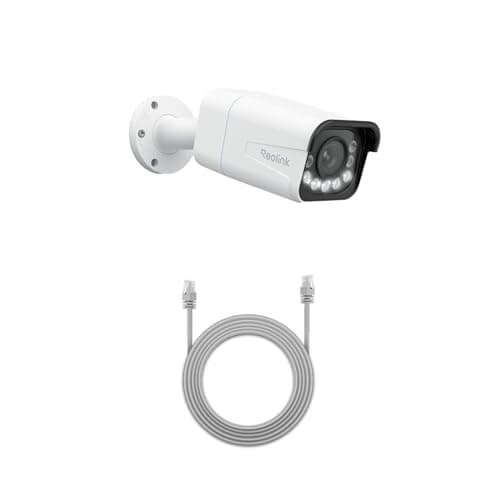
Best wired camera
Reolink RLC-811A (4K PoE, 5x zoom)
One cable for power and data, 4K with a real 5x optical zoom, and continuous recording to a card or an NVR. This is the camera for someone who wants a serious install rather than a convenient one.
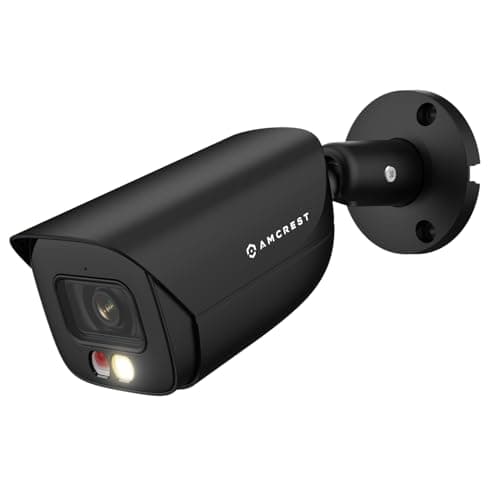
Best budget ONVIF camera
Amcrest 5MP PoE AI Bullet Camera (IP5M-B1276EB-AI)
The cheapest way into a properly open camera. Amcrest publishes its RTSP URL format and ONVIF conformance openly, which is the entire reason this camera exists in a Home Assistant build rather than a nicer-looking one.
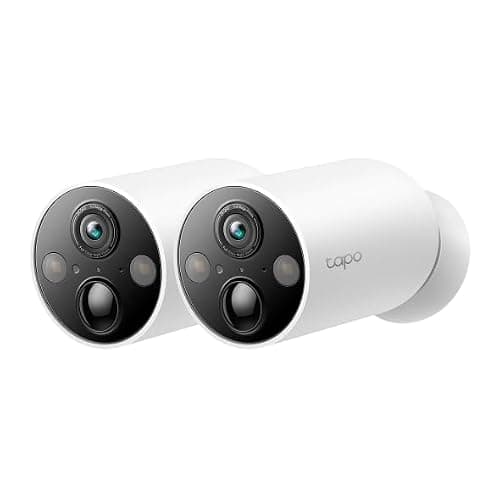
Best easy-mount camera
TP-Link Tapo MagCam 2K+
Magnetic mount and wire-free, so siting it is a two-minute decision rather than a drilling project — and it still records to a card without a plan.

Best subscription-free outdoor camera
eufy SoloCam S340 (solar, dual camera)
Solar panel, pan and tilt, dual lenses and onboard storage — no wire, no monthly fee, and no recording leaving the device unless you choose to send it.
#ad · As an Amazon Associate we earn from qualifying purchases.
Questions
Frequently asked
Do PoE cameras need the internet to work?
Can I power a PoE camera without an NVR?
What is the difference between 802.3af and 802.3at PoE?
How far can a PoE camera be from the switch?
Why does my Wi-Fi camera keep dropping offline?
Is PoE worth it if I only want one camera?
Keep reading
Related
- Best PoE security camerasThe wired field ranked, for when you can run a cable.
- Best wireless security camerasBattery and solar picks for when you cannot.
- Do security cameras work without Wi-Fi?What keeps recording when the internet drops.
- eufy SoloCam S340 reviewThe install-once solar camera, and where its panel struggles.
Receipts
Sources
- Reolink — RLC-811A PoE camera specifications, RTSP and ONVIF documentation
- Amcrest — bullet PoE camera specs and published RTSP URL format
- ONVIF — open interface standards for IP cameras and NVRs
- TP-Link — PoE switches and injectors, home networking documentation
- TP-Link Tapo — MagCam wire-free camera specifications
- eufy — SoloCam S340 solar camera documentation
We do not run a testing lab and we do not pretend to. Specifications come from the manufacturer's own published documents and from published standards; prices come from the live Amazon API. Where a figure is not published, the page says “not published” rather than guessing. Read the full method.