HUB 06 · Guides
Sensors keep going offline: the six causes, in the order you should check them
Almost every dropout is one of six things, and only one of them is a faulty sensor. Four are fixed by moving something or adding a mains-powered device, and the cheapest fix is almost never a new sensor.
We earn a commission if you buy through our links. It does not change the price you pay, and it does not decide our picks — our selection criteria are published in full. How this works.
Why do my sensors keep going offline?
Nearly always because the mesh has too few mains-powered devices in it, not because the sensor is faulty. Battery sensors cannot relay for each other, so every one of them needs a permanently powered device within radio range to hang off. Add a plug or a powered bulb between the hub and the far sensor and most dropouts stop.
The one-line rule: in Zigbee and Thread, anything that runs on a cell is a leaf. Only mains-powered devices carry traffic for anyone else. A house with twelve battery sensors and one hub is not a mesh — it is twelve devices all shouting at the same single point.
The five-minute triage, in order
Work down this list rather than starting with the sensor that annoys you most. Each step rules out a cause of the ones below it, which is why the order matters more than any individual check.
- Is it one sensor or several? One sensor is a battery, a magnet gap or a dead unit. Several, especially several at the same end of the house, is the network — and no amount of re-pairing that one sensor will touch it.
- Is the hub itself online? A coordinator that has lost wifi takes every child device down with it, and most apps report that as a list of offline sensors rather than as one offline hub.
- How many mains-powered devices sit between the hub and the sensor? If the answer is none, you have found it. This is cause 1 below and it is the most common by a wide margin.
- Fresh cell, correct chemistry, in the sensor that drops. Two minutes, and it eliminates the fault that imitates every other fault on this page.
- Where is the coordinator physically? On a USB 3 port, behind a metal case, or on top of the router are three separate ways to cripple a mesh from the center outward.
- Only then change a radio setting. Channel changes are the last resort, not the first move, because on Zigbee they can cost you a re-pair of the whole network.
A battery sensor is asleep most of the time, and that changes the diagnosis
The single most useful thing to understand about a contact sensor is that it is not listening. The Home Assistant ZHA documentation puts it plainly: battery-powered products are “so-called ‘sleepy devices,’ so they normally are asleep and only receive commands when the state of the device is changed.” The radio wakes, sends, and goes back to sleep. That is how a cell the size of a shirt button lasts a year or more.
Thread names the same idea formally. The OpenThread primer divides nodes into those that forward packets for other devices and keep the transceiver enabled at all times, and end devices that do not forward and “can disable [their] transceiver to reduce power.” A Sleepy End Device is one whose radio is “normally disabled, wakes on occasion to poll for messages from its parent.” And critically: “The relationship between a Mesh Extender and an End Device is a Parent-Child relationship.”
Two consequences follow, and they explain most of the confusion in this category. First, a sensor that reports state changes correctly but shows “offline” in an app may simply have missed a check-in with its parent, not lost the network. Second, when its parent goes away — the plug you unplugged, the bulb on a switch you turned off at the wall — the child has to find a new one, and on a sparse network there may not be one to find. The radio in the sensor is not the weak link. The absence of a parent is.
Cause 1: the network has endpoints but no routers
This is the big one. The ZHA documentation states that “Zigbee networks depend heavily on having multiple Zigbee Router devices to expand coverage and increase device capacity,” that router devices are mains-powered and “help pass messages to other nearby devices in the Zigbee network and therefore can improve range and increase the number of devices you can add,” and — the figure worth writing down — that the coordinator can directly connect up to 32 end devices.
That number is where a lot of houses quietly hit a wall. It is not a bug and it is not vendor-specific: the design deliberately pushes you toward a mesh rather than a star. The same documentation notes that in theory a coordinator with three router devices could support 77 devices in total, while adding that “in practice, you will likely need to add a lot more Zigbee router devices than in this example to extend the coverage.”
The practical fix costs less than a sensor. Add permanently powered devices — a smart plug, a mains-powered smart bulb, a wired wall switch — on the same protocol as your sensors, and put them between the hub and the part of the house that drops out rather than next to the hub. Then give the network a day: re-parenting is not instant, and a sensor that only wakes on a state change may not notice a better parent exists until the next time the door opens.
The garage and the shed are not a mesh problem, they are a radio problem. A detached structure across a yard is usually past the point where adding another 2.4GHz repeater helps, because there is nowhere to put one that has both power and line of sight. That is a case for changing radio rather than extending the mesh — see the distance section in the buyer's guide below, and the best smart garage door openers for the door itself.
Cause 2: the coordinator is in the worst place in the house
A mesh degrades from the center outward, and the center is usually the least considered object in the installation. The ZHA documentation is specific about three things, all of which are free to fix.
Do not use a USB 3 port.The instruction is to “make sure to only connect the Zigbee USB adapter to a USB 2.0 port (and not to a USB 3.x port),” and where only USB 3 ports exist, to connect the coordinator through a powered USB 2.0 hub. USB 3 controllers radiate broadband noise in the 2.4GHz band, and a stick plugged directly into one can lose most of its usable range.
Do not sit it on the router.The same page says to place the coordinator “away from any Wi-Fi access points and all other sources of Wi-Fi,” and “away from electrical wires/cables, power supplies, and household appliances.” The most common installation — coordinator stick in the back of a server that lives in the cabinet with the router — manages to violate both at once.
Get it out of the metal. A coordinator inside a steel rack, a media cabinet with a mesh door, or a basement utility box is transmitting into a shield. A short USB 2.0 extension that moves the stick a foot into open air is the highest-value change in this whole guide per dollar spent.
Cause 3: wifi and your sensors are sharing the band
Zigbee and Thread both run in the crowded 2.4GHz band, alongside wifi, Bluetooth and a microwave oven. When they overlap, the low-power mesh is the one that loses — a sensor transmitting at 13dBm or less is not going to win a contest with an access point.
The order of operations here is counterintuitive and worth following. The ZHA guidance is to “not change the Zigbee channel from the ZHA default,” and that “if you have issues with overlapping frequencies between Wi-Fi and Zigbee, then it is usually better to first only try changing and setting a static Wi-Fi channel on your Wi-Fi router.” Where a Zigbee channel does get picked automatically, the Smart option “scans all of the channels and then picks the best one, preferring 15, 20, 25 over all other channels.”
The reason to move wifi rather than the mesh is entirely practical: your router will change channel in seconds with no consequences, and changing the Zigbee channel on an established network can require re-pairing devices one at a time, on ladders, with the manual. Fix the loud radio, not the quiet one.
Cause 4: the cell is fine at rest and not fine under load
This is why a multimeter reading of “3 volts, looks fine” is misleading. A coin cell has real internal resistance, and it rises as the cell ages. The sensor draws almost nothing while asleep and then a short, sharp pulse when the radio transmits, and it is during that pulse that a tired cell's voltage collapses below the radio's cutoff. The symptom is not a dead sensor. It is a sensor that works when you test it at the door and drops off overnight, or reports the first event of the day and nothing after.
Three details matter more than they should:
- Match the chemistry on the cell, not the size. A CR1632 and a CR2032 are both 3V lithium coin cells and are not interchangeable; a rechargeable lithium coin cell at 3.6V or a 1.5V alkaline button cell in the same physical size will either damage the device or never work properly.
- Replace all cells in a multi-cell sensor at once, from the same pack. An uneven pair sags under load and behaves exactly like a flat one.
- Buy dated stock and check it. Lithium coin cells self-discharge slowly but they are not immune, and a bargain multipack that has sat in a warehouse is a plausible explanation for a brand-new cell that lasts weeks.
The arithmetic for how long a cell should have lasted in the first place — cycles per day, not hours of use — is set out in the battery section of our door and window sensor roundup, which also names the sensors whose makers publish a battery figure at all.
Cause 5: the sensor is past its published temperature range
Every manufacturer that publishes a specification sheet publishes an operating temperature range, and almost nobody reads it before mounting a sensor in an unheated garage, on a storm door, or inside a shed. Below the lower limit a lithium cell's internal resistance climbs and the pulse problem in cause 4 arrives early; the device has not failed, it is simply outside where the maker says it works.
| Sensor | Radio | Published operating temperature | Published humidity |
|---|---|---|---|
| Aqara Door and Window Sensor P2 (DW-S02E/DW-S02D) | Thread, BLE | -10 °C to 50 °C (14 °F to 122 °F) | 0 to 95% RH, no condensation |
| Aqara Door and Window Sensor (MCCGQ11LM) | Zigbee | -10 °C to +45 °C (14 °F to 113 °F) | 0 to 95% RH, non-condensing |
| Aqara Motion Sensor P1 (MS-S02) | Zigbee 3.0 | -10 °C to +55 °C | 0 to 95% RH, no condensation |
Read those numbers against where the sensor actually is. A garage in a cold climate spends weeks below 14 °F; a south-facing conservatory window or a metal storm door in direct sun spends afternoons above 113 °F. Both are outside the published range of sensors that are perfectly reliable indoors, and neither is a defect. The other half of that specification — humidity with no condensation — rules out an unconditioned crawl space or a bathroom window more often than people expect.
Cause 6: it is the hub, not the sensor
When a whole group disappears at once, stop looking at sensors. A coordinator reboots after a firmware update and comes back on a different wifi channel; a hub on DHCP gets a new address and the app cannot find it; a Thread border router you did not know you were relying on — an Apple TV, a HomePod, a Nest hub, certain Echo models — gets unplugged or moved to another room. The sensors are all fine; the thing they were children of has gone.
Two habits prevent most of this. Give the hub a fixed address on your router rather than letting DHCP move it, and know which box in your house is acting as a border router or coordinator before you tidy a cable. If you are not sure which box that is, or whether you should own a dedicated one at all, smart home hubs for security separates the four jobs a hub does, and Matter and Thread, explained covers the border router requirement that Thread sensors depend on and their packaging rarely states clearly.
What “offline” even means, and why two apps disagree
There is no standard definition. One platform marks a device offline when it misses a scheduled check-in, another when a poll goes unanswered, another only when an automation fails. That is why the same sensor can read offline in a vendor app and perfectly healthy in Home Assistant at the same moment, and why “it went offline for an hour” is not always a fault at all.
The test that settles it is behavioral rather than cosmetic: open the door and watch whether the state changes. If it does, the sensor and its parent are talking and you are looking at a reporting artifact. If it does not, work the list above. And if a sensor is genuinely dropping in a way that breaks an automation you rely on, the protocol you chose is part of the answer — which is the whole of Z-Wave vs Zigbee vs Matter.
How to build a sensor network that does not drop out
Put the mains-powered devices in first, not last
Almost everyone buys sensors until something breaks, then buys a repeater. Reverse it. If you intend to run more than about half a dozen battery sensors, plan on at least one permanently powered device on the same protocol per floor, positioned between the coordinator and the outer walls. They are cheaper than sensors, they never need a battery, and they raise the ceiling on how many endpoints the network can hold at all.
The practical corollary: do not put a mesh router on a switched circuit. A powered bulb that acts as a router is only a router while the wall switch is on, and a household that turns lights off at night is a household whose mesh collapses at night.
Pick the radio for the distance, not for the price
Adding hops works inside a building. It does not work across a yard, because the place you would need to put the hop has no power. Once a sensor is in a detached garage, on a gate, in a barn or at a well house, the honest answer is a different radio rather than a bigger mesh. Sub-GHz systems trade data rate for penetration and reach, which is exactly the trade you want for a door you check twice a day. The LoRa starter kit in the picks above is the example of that shape on this site, and YoLink's own claim for it is open-air range measured in hundreds of yards rather than tens.
The same logic runs the other way indoors. If everything you own is already on one vendor's Zigbee hub, adding a Thread sensor means adding a border router dependency; if your house already has an Apple TV or a HomePod doing that job, a Thread sensor is the one that keeps working locally when the internet does not. Both routes are ranked in best door and window sensors, and the route that needs no hub at all is in best no-hub door sensors.
Mount where the radio can get out, not where the sensor looks tidy
A contact sensor screwed to the inside face of a steel door, behind a metal security screen, or inside a uPVC frame with a foil-backed reflective insert is transmitting through a partial shield. Foil-faced insulation, wire lath and plaster, masonry, and the appliances in a kitchen are all worse for a 2.4GHz mesh than the distance alone suggests. Where you have a choice, mount on the frame rather than in a recess, and keep the magnet gap within the manufacturer's stated figure — a sensor operating at the outer edge of its gap will report phantom open events as the door settles.
Buy the cells in advance and write the date on the sensor
Battery replacement is the maintenance this category actually has, and the failure mode is always the same: nobody notices a sensor has stopped reporting until they need the history. Keep a strip of the right cells in a drawer, and put a piece of tape inside the battery cover with the date you last changed it. If your platform can alert on a low-battery report, turn it on; if it can alert on a device that has not reported in 24 hours, turn that on too, because it catches the failures the battery report misses.
What decides whether this is fixable
Dropouts that follow a pattern are almost always fixable, and the pattern names the cause. Same sensor, same time of year: temperature or a cell. Same end of the house, several sensors: mesh topology. Everything at once, repeatedly: the hub or the network it sits on. Random single events with no pattern across a healthy mesh: usually a reporting artifact rather than a fault.
What is not fixable by configuration is a radio that was never going to reach. No amount of re-pairing gets a 2.4GHz endpoint across sixty feet of yard and a masonry wall, and the hours people spend trying are the strongest argument in this guide for choosing the radio before the product.
The mistake people make
Re-pairing the sensor first.It is the most disruptive step with the lowest hit rate, it loses the device's history and any automation bound to it, and on a network with no routers it puts the sensor straight back into the situation that made it drop. Re-pair when you have ruled out power, parents and placement, and not before.
Buying a second hub to fix the first one. Two coordinators on the same protocol in one house means two networks competing in the same band, which is usually worse than the problem it was bought to solve. Add routers to the mesh you have.
Treating a manufacturer battery rating as a floor. A published figure is a claim under stated conditions, generally a low cycle count. A sensor on a front door opened forty times a day is not the device that rating describes. We say the same thing about lock batteries and every other published number on this site, and the method is on our methodology page.
When to stop repairing
Replace the sensor when a fresh cell of the correct type lasts weeks rather than months on a network whose other devices are stable, when the reed contact no longer registers with the magnet at the stated gap, or when the housing has been through enough weather that moisture has reached the board. Replace the network design — not the sensor — when more than one device at the same end of the house drops, because a new sensor in the same position will do exactly what the old one did.
If this is a lock rather than a sensor, the faults and their order are different and they are mostly mechanical: smart lock troubleshooting is the companion to this page. And if you are starting a perimeter rather than repairing one, the rankings live on the sensors hub — including motion sensors, which drop out for the same six reasons and have one extra of their own.
The hardware
The hardware this guide is about
The products this guide refers to, with prices pulled live from Amazon and dated on every card. Full rankings live in the roundups linked above.
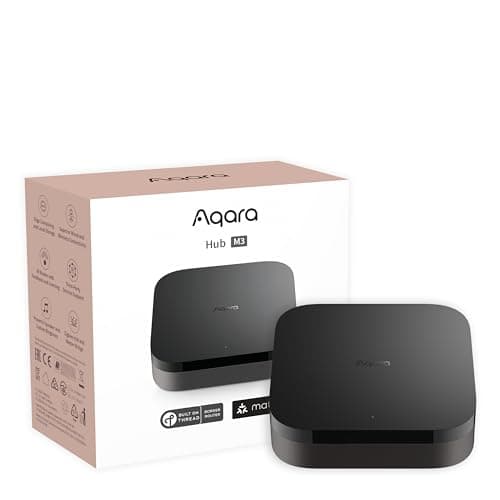
Best smart home hub for security
Aqara Hub M3
Matter controller, Thread border router, Zigbee coordinator, PoE and an IR blaster in one box — the single most useful purchase for anyone building a local, subscription-free sensor estate.
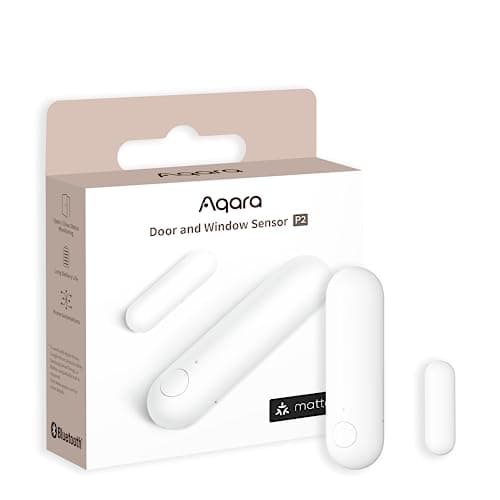
Best door and window sensor
Aqara Door and Window Sensor P2
Thread, and that is the whole point. It joins a Matter fabric directly, so it reports to Apple Home, Google Home, SmartThings or Home Assistant without Aqara's cloud anywhere in the path.
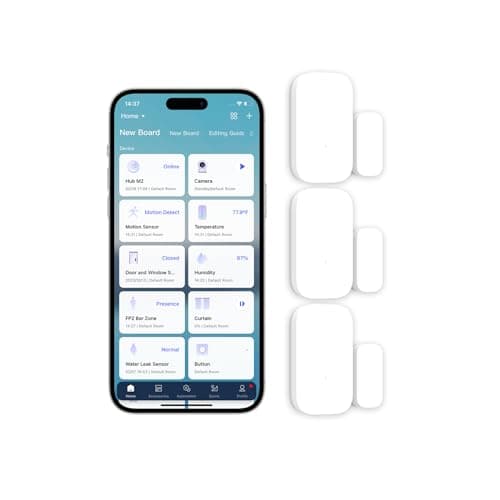
Best value multi-pack
Aqara Zigbee Door and Window Sensor (3-pack)
The cheapest way to cover a whole house. Zigbee, tiny, and sold in threes — which matters because a real perimeter is six to twelve sensors, not one.
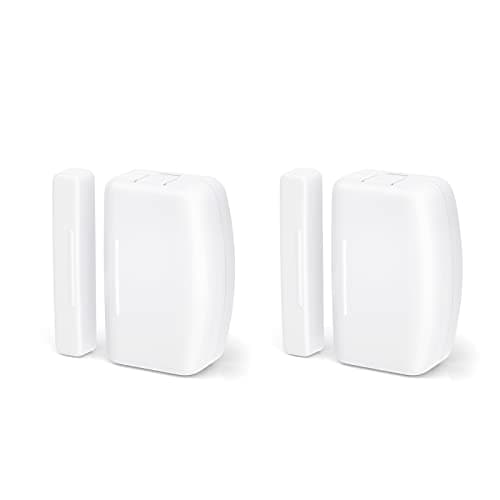
Best for Home Assistant
THIRDREALITY Zigbee Contact Sensor (2-pack)
The Home Assistant crowd's default. Plain Zigbee, no vendor cloud, no proprietary app requirement, and it is explicitly documented as working with Home Assistant, SmartThings and Hubitat.
Best interior motion sensor
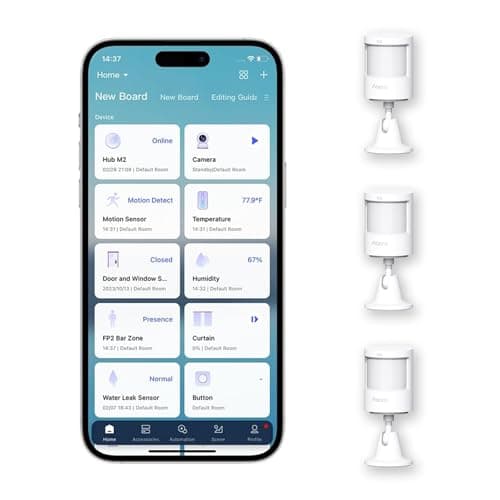
Aqara Motion Sensor P1 (3-pack)
Motion detection with a five-year published battery claim and an adjustable 1-200 second timeout, which is the setting that decides whether a motion sensor is useful or maddening.
Best standalone alarm sensor
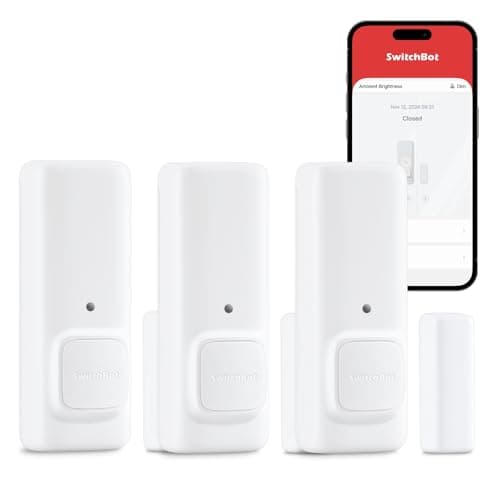
SwitchBot Contact Sensor
A contact sensor with a built-in motion detector and its own audible alert, so it does something useful before you have bought a hub or picked an ecosystem.
Best long range
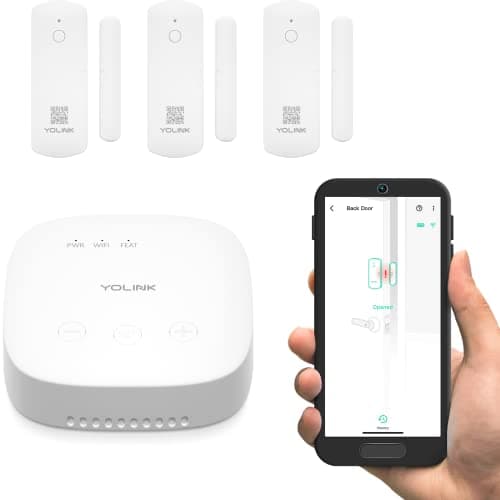
YoLink LoRa Door Sensor Starter Kit
For the outbuilding. LoRa radio gives quarter-mile open-air range, which is the only technology here that reaches a detached garage, a barn or a gate at the end of a drive.
Best for wiring into existing contacts
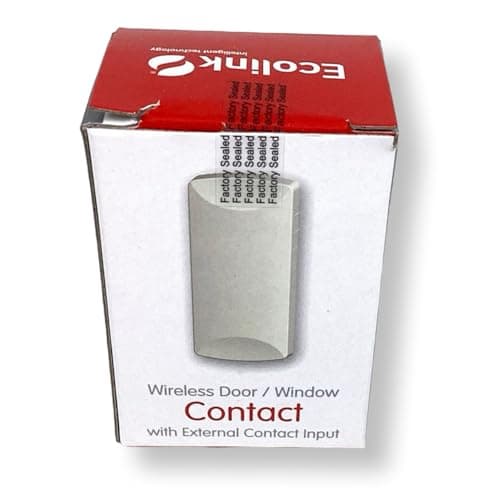
Ecolink WST-232 Door/Window Sensor
The one with a screw terminal. An external input lets you wire it to an existing hardwired alarm contact, a gate switch or a roller-shutter reed — which nothing else in this roundup can do.
#ad · As an Amazon Associate we earn from qualifying purchases.
Questions
Frequently asked
Why do my Aqara sensors keep going offline?
How do I replace a door sensor battery, and how often?
Do I actually need a Zigbee repeater?
Can cold weather knock a sensor offline?
How do I tell whether it is the battery or the network?
Will changing my Zigbee channel mean re-pairing everything?
Keep reading
Related
- Smart lock troubleshootingThe lock-side companion: five failures, three of them mechanical, in fix order.
- Best door and window sensorsThe rankings, plus the battery arithmetic behind how long a cell should last.
- Best no-hub door sensorsThe route with no coordinator to go offline in the first place.
- Z-Wave vs Zigbee vs MatterChoosing the radio before the product, which prevents most of this page.
Receipts
Sources
- Home Assistant - ZHA integration documentation (Zigbee router and end-device roles, the up-to-32 end devices connected directly to a coordinator, sleepy devices, channel selection guidance, and coordinator placement including USB 3.x interference)
- OpenThread - Thread Primer: Node Roles and Types (packet-forwarding nodes keep the transceiver enabled at all times; end devices can disable it; Sleepy End Device definition; the parent-child relationship)
- Aqara - Door and Window Sensor P2 published specifications (model DW-S02E/DW-S02D, Thread and BLE, operating temperature -10 C to 50 C, 0-95% RH no condensation)
- Aqara - Door and Window Sensor published specifications (model MCCGQ11LM, Zigbee, CR1632, operating temperature -10 C to +45 C)
- Aqara - Motion Sensor P1 published specifications (model MS-S02, Zigbee 3.0, 2x CR2450, operating temperature -10 C to +55 C, approximately 170 degrees and 7 m detection)
- Connectivity Standards Alliance - Zigbee (2.4 GHz mesh networking specification and certification)
- Thread Group - what Thread is, and its IEEE 802.15.4 low-power foundation
- Panasonic Energy - CR2032 lithium coin cell datasheet (nominal voltage, discharge characteristics and published temperature range)
- YoSmart - YoLink LoRa product and range documentation
We do not run a testing lab and we do not pretend to. Specifications come from the manufacturer's own published documents and from published standards; prices come from the live Amazon API. Where a figure is not published, the page says “not published” rather than guessing. Read the full method.