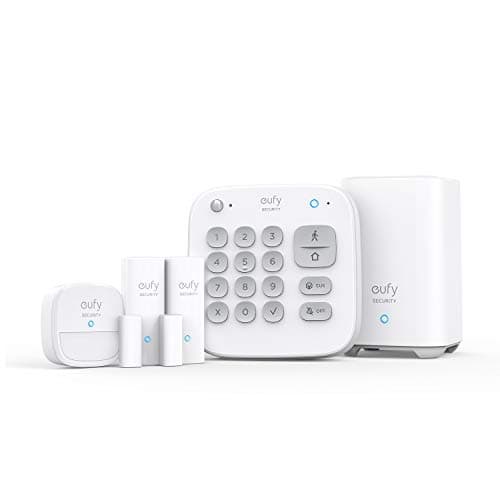
The best SimpliSafe alternative for most households is the eufy 5-Piece Home Alarm Kit: the same shape of system, a keypad and sensors around a base you own, and no monthly line item attached to the siren. Everything below is the reasoning, including the two cases where staying with SimpliSafe is the right call.
First, what SimpliSafe actually gets right
SimpliSafe is the company that made a professionally monitored alarm something you could install yourself on a Saturday with no contract and no technician in your hallway. That was a genuine change in the category, and the execution is good: the base station and keypad are well designed, the sensor range is wide and sensible, the install really is as fast as advertised, and the monitoring is month-to-month rather than a three-year commitment with a cancellation fee at the end of it.
The monitoring itself is the part the alternatives on this page cannot match, and we should be straightforward about that. SimpliSafe's own support documentation is clear about what the plan is for and what happens without it: without a monitoring plan the system still functions as a siren, but SimpliSafe will not be able to request police dispatch or call you to alert you about a break-in. That is the service you are paying for, and if your household needs someone to call for a response when nobody is home to look at a phone, it is worth paying for.
Stay with SimpliSafe if either of these is true: you want professional dispatch with a human escalation path and a company accountable for it, or your insurer gives a discount for a monitored system and the discount is bigger than the plan. Neither is solved by anything below. Everything on this page is self-monitored, which means you are the monitoring center — that is cheaper and it is a real job, and what self-monitoring actually involves is worth reading before you cancel anything.
The one reason to leave, stated precisely
SimpliSafe sensors work with a SimpliSafe base station and nothing else. That is the fact that makes this a one-way door: a glass-break sensor, an entry sensor or a keypad bought for this system cannot be moved to another platform, cannot be read by Home Assistant, and has no value the day you leave. You are not buying sensors, you are buying into a sensor estate, and the platform's commercial pitch is a monitoring plan.
The second half of the reason is the notification model. The useful half of a self-monitored alarm is the alert on your phone, and on SimpliSafe the alert side sits with the plan tiers rather than with the hardware — SimpliSafe's plan documentation lists push notifications for alarms and warnings among plan features, and its no-plan description covers live camera video and remote arming rather than alarm alerts. A siren with nobody listening is a deterrent, not a security system. If your intention was to buy the hardware and never pay again, that is the detail that decides it.
None of that is a defect. It is a business built around a service, and the service is good. It is simply the opposite of what this site is for, which is hardware you own outright with the useful functions intact at zero recurring cost.
SimpliSafe alternatives, compared
Five routes, ranked by how much of the system survives you deciding to stop paying. The column that matters is the third one.
Compiled from eufy, Aqara, Ring and SimpliSafe product and support documentation, November 2026. Prices on the cards above are pulled live and dated November 20, 2026; no price appears in this table.| System | Shape | Works with no plan | Professional monitoring available | Sensors reusable elsewhere |
|---|
| eufy 5-Piece Home Alarm Kit | Base, keypad, motion, 2x entry | Arm, disarm, siren, app control | Optional | No — eufy estate |
|---|
| Aqara Hub M3 + Thread sensors | Matter controller you build on | Everything, locally | No | Yes — Matter and Zigbee |
|---|
| Ring Alarm 8-Piece | Base, keypad, 4x contact, motion, range extender | Siren and keypad arm/disarm only | Optional | No — Ring estate |
|---|
| Aqara Door and Window Sensor P2 | Sensor for a Matter fabric | Everything, locally | No | Yes — any Matter controller |
|---|
| Aqara Hub M100 | Cheapest Matter controller | Everything, locally | No | Yes — Aqara Zigbee and Thread |
|---|
1. The closest drop-in: eufy 5-Piece Home Alarm Kit
This is the system that looks and behaves most like what you already have. A base station, a keypad on the wall by the door, a motion sensor and two entry sensors, armed from the keypad or the phone, with a siren that goes off whether or not anyone is paying anybody. eufy sells its alarm hardware as a one-time purchase with footage and system state held locally, and publishes two years of battery life on the entry sensors and motion detector and about six months on the keypad — which is the figure that decides whether a sensor estate is install-and-forget or a chore.
Honest cons. The sensors are eufy's and only eufy's, so you are swapping one closed estate for another — a cheaper one, but closed. The ecosystem is strongest if the rest of your gear is also eufy, because the alarm links with eufyCam and HomeBase and is less interesting on its own. And eufy's own past disclosures about cloud thumbnail handling are a fair thing to read before you commit to the brand; we would rather you heard that from us. Check eufy's current product page for the footnote on its breach-alert claim rather than taking the headline, because that is the one function you are switching for.
Skip it if you want professional dispatch as the primary plan rather than as an option. The wider plan-free system field is ranked in home security systems without a subscription.
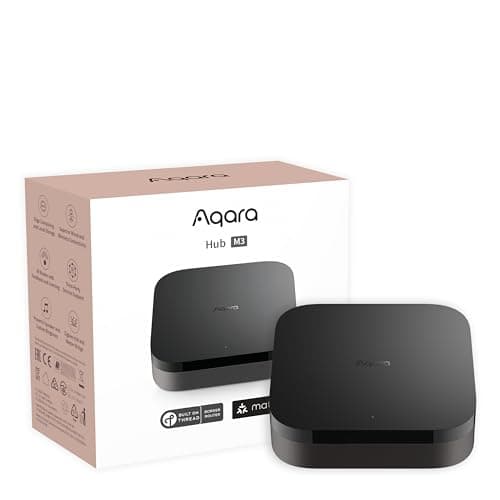
2. The fully local route: Aqara Hub M3 plus Thread sensors
This is the answer for the reader whose objection to SimpliSafe is not the price of the plan but the existence of the plan. The M3 is a Matter controller and a Thread border router with Zigbee and an infrared blaster, and it takes power over Ethernet. Built on top of it, a security estate reports to Apple Home, Google Home, SmartThings or Home Assistant directly, runs its automations locally, and keeps running when your internet does not — which is precisely when you want a door sensor to work.
It is also the only route on this page where the sensors keep their value if you change your mind. A Matter sensor is portable between controllers by design; a SimpliSafe sensor, a eufy sensor and a Ring sensor are not.
Cons, and they are significant. This is a build, not a kit: there is no box with a keypad and four sensors in it, no siren until you add one, and no monitoring at all. You are assembling a hub, sensors and a notification path, and the quality of the result depends on you. There is no professional dispatch and never will be. Skip it if you want to open a box and be armed in twenty minutes, and skip it if nobody in the household wants to own the automations. If you do want it, start with the door and window sensor rankings and the motion sensor rankings, and read what Matter actually changes before you buy a hub.
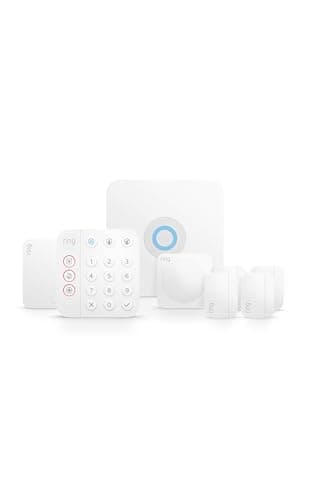
3. If you want monitoring on the table: Ring Alarm 8-Piece
Shape-for-shape this is the closest thing to SimpliSafe anyone sells: a base station, a keypad, four contact sensors, a motion detector and a range extender, with optional professional monitoring you can turn on and off month to month, and by far the widest accessory range in DIY security — Z-Wave, plus Ring's own sensor line, plus integration with the rest of the Ring and Alexa estate. If what you liked about SimpliSafe was that a monitoring center was available when you wanted it, this is the swap that keeps that.
Now the fact that almost every list gets wrong, from Ring's own support documentation: with no subscription, a Ring Alarm still sounds its siren and you can still arm and disarm it from the physical keypad — but Ring states that you and your shared users will not receive digital notifications, and that a compatible subscription is required to enroll in professional monitoring. So unmonitored Ring Alarm is a loud local alarm, not a self-monitored one. That is a perfectly good product and it is not the product most people think they are buying.
Skip it if the whole point of leaving was to stop paying and still get alerts on your phone — that is the eufy, or a local build. The two kits are set side by side in eufy Alarm Kit versus Ring Alarm.
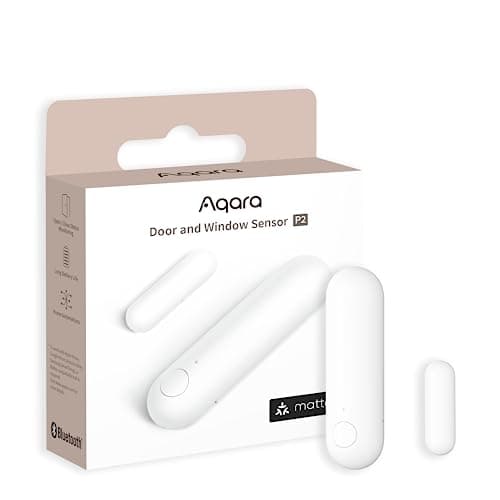
4. What you extend any of this with: Aqara Door and Window Sensor P2
Worth its own entry because the sensor is where a system's lock-in actually lives. The P2 is Matter over Thread, which means it joins a Matter fabric directly and reports to Apple Home, Google Home, SmartThings or Home Assistant with no vendor cloud in the path. One CR2032 in a device that only transmits on a state change is the best battery shape in home security, and local automations keep working with the internet down.
The con is categorical and the listing does not say it clearly enough: this sensor absolutely requires a Thread border router. Without an Apple TV 4K, a HomePod mini, a Nest Hub (2nd gen), a SmartThings Station or an equivalent — or the Aqara hub above it on this page — it will not join anything. It is also more expensive per sensor than Zigbee alternatives. Skip it if you have no border router and do not intend to buy one; the Zigbee and no-hub routes are ranked in no-hub door sensors.
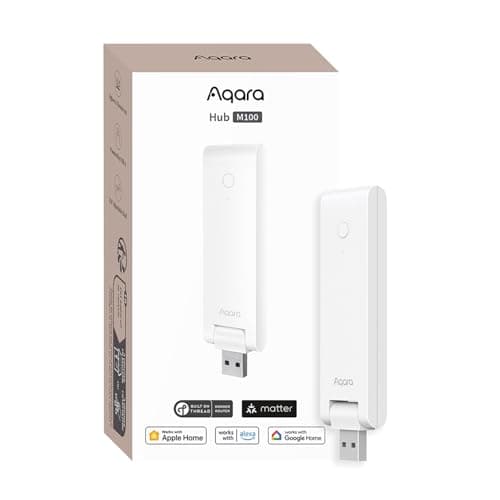
5. The budget pick: Aqara Hub M100
The cheapest honest way out of SimpliSafe. The M100 is a Wi-Fi Matter controller and Thread border router that also speaks Aqara's own Zigbee, which makes it the lowest-cost entry point to a local security estate: add it, add two or three sensors, and you have door and motion alerts running through a platform you already own without a subscription anywhere in the chain.
Cons: it is Wi-Fi rather than PoE, so it depends on your wireless coverage where the M3 does not; and its Zigbee radio is for Aqara's own devices rather than third-party Zigbee, so it is a narrower hub than the M3 in exactly the way that matters if you were planning a mixed estate. Skip it if you intend to run third-party Zigbee gear or want the infrared blaster and Ethernet of the M3. It is still the cheapest thing on this page that replaces what a SimpliSafe base station does for door and window monitoring.
Can you use SimpliSafe without a subscription?
Partly, and the specifics matter more than the yes or no. On SimpliSafe's own documentation the system continues to function as a siren with no plan, and SimpliSafe lists live camera video and remote arming and disarming through the app as available if you choose to forego a plan — while push notifications for alarms and warnings sit in its plan feature list. What you lose with no plan is stated by SimpliSafe directly: it will not be able to request police dispatch, or call you to alert you about a break-in.
So an unmonitored SimpliSafe is a local alarm you can check in on, not a self-monitored system that chases you down when something trips. If you already own the hardware, that may be enough, and keeping it costs nothing. If you have not bought yet and self-monitoring is the plan, start from a system where the alert is a hardware function rather than a plan feature — which is the eufy kit at the top of this page, or a local build.
What switching away from SimpliSafe actually costs you
Three things, and a page that listed only the savings would not be useful.
Your existing sensors. They are not portable. Every contact sensor, motion sensor and glass-break sensor you own is a SimpliSafe component and stops being worth anything the day the base station leaves. Price the switch as a whole system, not as a base station swap. The one reason to keep SimpliSafe hardware is that it is already on the walls and already paid for.
The dispatch path. Nothing on this page will call the police for you. Two of the five keep optional professional monitoring on the table; the other three do not have it at all. If somebody in the household is not able to respond to a phone alert, that is the deciding factor and it points back at a monitored system.
The single phone number. SimpliSafe sells the hardware, the app and the monitoring, and is accountable for all three. A local build replaces that with a hub brand, a sensor brand and your own judgment. It is cheaper and it is more work, and whether that trade is a good one depends entirely on whether anybody in the house enjoys it.
What this page is based on
Products we claim to have tested: 0. We do not run a test lab and we do not pretend to. This page is built from SimpliSafe's own support documentation for what a plan is and is not required for, Ring's own support article on how a Ring Alarm behaves with no subscription, and each alternative maker's published specifications for the hardware — all listed in the sources below. Where a maker footnotes a claim, we say so rather than quoting the headline. Prices come from the Amazon API with a date stamp attached, never from memory, and the rubric behind the rankings is on our methodology page.
How to replace a SimpliSafe system without regretting it
Decide whether you are leaving the plan or the platform
These are different problems with different answers. If you object to the monthly cost but want the same product shape, the eufy kit is a direct swap and you will barely notice the change. If you object to a closed sensor estate — to the fact that none of your hardware is portable — then a Matter build is the only route on this page that actually fixes it, and the eufy kit does not. Answer this first and the rest of the page collapses to one option.
Count the openings before you price anything
Walk the house and count the doors and ground-floor windows you would actually sensor. A starter kit covers two openings; most houses need five or six, and the gap between the kit price and the real price is sensors. Doing this before you shop stops the most common outcome, which is a kit on the shelf and three unmonitored windows.
Do not uninstall anything until the replacement is armed
Leave the SimpliSafe base station in place and working while you install the new system alongside it. Run both for a week. You are checking two things no specification will tell you: whether the new system's motion sensor fires on your dog, and whether the notification path actually reaches your phone when the house is empty and you are on cellular rather than home Wi-Fi. Then cancel.
Test the notification path deliberately, not accidentally
The point of a self-monitored system is the alert. Arm the house, leave, and have somebody open a door. If the phone does not buzz within a few seconds, you own a siren, not a security system. Do this on day one rather than discovering it on the day it mattered, and repeat it after any app update.
Plan for the power cut and the internet cut separately
They are different failures. A battery in the base covers the power cut; nothing in a cloud-dependent system covers the internet cut, which is why local automations are worth something concrete. Ask of any replacement: with the router unplugged, does the siren still sound and does the keypad still arm? For the Matter builds on this page the answer is yes by design. Our write-up on what happens in a power outage makes the same argument for the lock on the same door, and why sensors drop offline covers the failure you will actually hit.
The mistake people make leaving SimpliSafe
Buying a system whose alerts also require a plan, because the plan was cheaper in the month they compared. The useful test is not the monthly figure, it is what the hardware does with no account in good standing: does it arm, does it sound, and does it tell you. On the Ring kit the answer to the third is no, by Ring's own documentation. On the eufy kit and the local builds it is yes. The whole arithmetic of plans across this category, over five years, is in our subscription cost comparison.
The second mistake is treating an alarm as the whole of a front door. A system that tells you a door opened is worth much more when the door is also hard to open, and the sensor and lock decisions are the same purchase a week apart — the smart lock rankings and how to secure a front door properly are the other half of this job.