These two brands end up on the same shortlist because they answer the same question — how do I put cameras on the house without a monthly bill — and they answer it differently enough that the comparison is not about picture quality. eufy's position is that the footage is yours and lives in your house. Blink's position is that the camera is cheap, the batteries last two years, and the recording is a cloud service you can choose to pay for. Everything else follows from that.
Where a clip is written
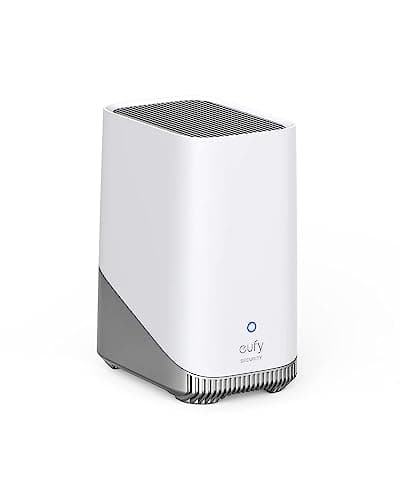
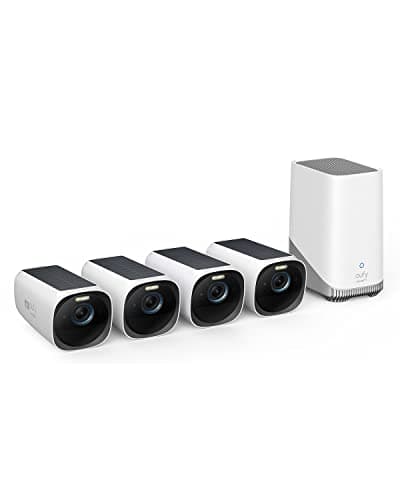
eufy writes locally first. The SoloCam S340 has 8GB built into the camera. The eufyCam 3 kit records to a HomeBase 3, which eufy publishes as 16GB of built-in storage expandable with a 2.5-inch SATA hard drive or SSD up to 16TB, with no monthly fee for local recording and 24/7 continuous recording available from wired cameras once a drive is fitted. Retention stops being a subscription tier and becomes a hardware decision: a bigger drive is a longer history, permanently, for one payment.
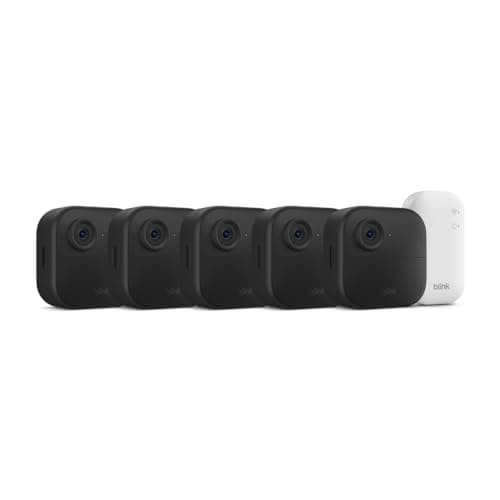
Blink writes to the cloud first. With a plan, motion clips and live views are stored in Blink's cloud — up to 60 days in the US and Canada, 30 days elsewhere by Blink's own documentation. Without a plan, Blink's support pages say the Sync Module 2 is used for saving clips to a USB flash drive, and that there is no subscription fee to use the Sync Module 2 for that purpose. So a plan-free Blink is real. It is also a second purchase, and the retrieval is less convenient than it sounds: the most recent local clips appear in the app, but Blink states that to view all clips you must safely eject the USB drive and move it to a computer.
Check which Sync Module is in the box before you count on local storage. The current Outdoor 4 systems include the Sync Module Core. Blink documents the Core's USB-C port as power only, not data transfer, and says the Core does not support Local Storage or Clip Backup; only the Sync Module 2 has the hardware and firmware for a USB drive. Drives must be between 1GB and 256GB, and Blink reformats them to exFAT, erasing whatever was on them.
What a subscription changes
This is the sharpest difference between the two brands, and it is not about storage alone. On Blink, live view, motion-activated notifications and manual thumbnail refresh work with or without a plan. Smart detection — distinguishing a person or a vehicle from movement generally — sits inside the paid plans, as do cloud storage, live view recording, photo capture, Moments and extended live view. A plan-free Blink is therefore a motion-alert camera: it tells you something moved and lets you look now.
On eufy, recording, playback and detection are hardware functions. The HomeBase 3 runs facial recognition on the box rather than in a data center, which is why eufy can offer the feature with no fee attached. Cloud backup exists and is optional. That difference compounds over a five-year ownership period, and the arithmetic — without quoting a plan price, which this site does not do — is laid out in our subscription cost comparison. The structural argument for owning the storage at all is in local storage versus cloud.
Compiled from eufy and Blink support and product documentation, October 2026. Prices on the cards above are pulled live and dated October 20, 2026; no price appears in this table.| Decision | eufy | Blink |
|---|
| Default storage destination | Local: in-camera 8GB, or a HomeBase drive | Blink cloud, on a plan |
|---|
| Plan-free storage path | Included, nothing to add | Sync Module 2 plus a USB drive, bought separately |
|---|
| Maximum retention | Up to 16TB of expandable storage on HomeBase 3 | Up to 256GB on USB, or 60 days in the cloud (US/Canada) |
|---|
| Person detection with no plan | Yes, processed on the device or HomeBase | No, smart detection is a plan feature |
|---|
| Playback inside the app with no plan | Full local playback | Recent local clips only; the rest off the drive on a computer |
|---|
| Resolution ceiling in these kits | 3K on the SoloCam S340, 4K on eufyCam 3 | 1080p |
|---|
| Power | Integrated solar on both cameras here | 2x AA lithium, two-year published life |
|---|
| Cost per camera | Mid to high; the HomeBase is an extra box | Lowest in this comparison, by a wide margin |
|---|
The case for Blink, made honestly
It would be easy for a site with this site's position to dismiss Blink, and that would be wrong. Two things about it are genuinely excellent. The first is the battery: Blink publishes two years on a pair of AA lithium cells, which is a real engineering achievement and also the explanation for the 1080p sensor and the event-only recording — a camera that sleeps that hard cannot be awake all the time. The second is the price per camera. A five-camera Outdoor 4 system costs about what a single mid-range eufy camera costs, which changes what you can cover. Four low-priority approaches — a side gate, a shed door, a fence line, the far corner of a yard — are worth watching badly rather than not at all.
Blink is the right buy when the alert is the product. If what you want is to know that something moved by the shed and to open a live view for ten seconds, a plan-free Blink does that for less money than anything else in this category, with two years between battery changes. Where it stops being the right buy is the moment you want to go back and watch what happened at 3am last Tuesday, because that is the function Blink puts behind either a plan or a second module and a trip to a computer with a USB stick.
The case for eufy, with its own caveats
eufy sells the thing Blink sells as a service: a recording you own. 3K or 4K rather than 1080p, person and face recognition without a plan, full playback in the app, and a retention ceiling set by the drive you choose rather than by a tier. For a household that bought cameras in order to review footage, that is not a feature difference, it is the whole purchase.
Three honest caveats, all of them in the product entries above. Local storage means a stolen camera or a stolen HomeBase takes the footage with it — a genuine risk that cloud recording does not have, and one almost nobody in this category states. The solar cameras need real sun: a north wall under a deep eave turns an install-once camera into a ladder job, which is why panel siting has a page of its own. And eufy's past disclosures about cloud thumbnail handling are a fair thing to read before buying the brand; we say so in the product entries rather than quietly leaving it out.
With the internet down, and on the way out
Two questions this hub asks of every comparison, and this pairing answers them asymmetrically. The first is offline behavior. eufy's architecture writes the clip to hardware inside the house, so the recording is a local operation by design. Blink's default destination is a cloud, which an outage cuts off by definition; on the Sync Module 2 path the drive is in the house, but neither company publishes a plain statement of exactly what each product does with the broadband unplugged, including whether the app will still reach the device over the local network. We are not going to invent one. If that scenario is the reason you are buying, it is the question to put to support before you order, and the general shape of the answer across brands is in do security cameras work without wifi.
The second is what it costs to leave, and here Blink has an advantage worth stating plainly on a site that prefers eufy. Blink's local clips are files on an exFAT USB drive, and Blink's own instructions for viewing all of them are to eject the drive and open it on a computer — which is inconvenient day to day and genuinely portable in the end. Those clips outlive your Blink account. eufy's footage lives on a drive you own inside a HomeBase that serves eufy devices only, reached through eufy's app, so leaving the brand means leaving the retrieval path even though you own the disk. Neither arrangement is a cloud subscription, and they are not the same kind of ownership.
The decision rule
Not a winner, a rule. Buy Blink if you need four or more cameras on a tight budget, the job is notification-and-live-look, and you are content either to pay for the cloud or to add a Sync Module 2 with a USB drive and fetch footage off it occasionally. Buy eufy if you want to keep footage, want it in the app without a fee, want more than 1080p, or expect to go back through a timeline rather than a notification list. If you are covering one or two important approaches, eufy is the better camera. If you are covering five unimportant ones, Blink is the better answer, and buying five eufy cameras to do that job is overpaying for footage you will never watch.
A third possibility worth naming, since neither brand owns this ground: TP-Link's Tapo line sits between them on price and records to a microSD card with no plan at all, which is the simplest plan-free arrangement of the three. Our Tapo MagCam 2K+ review covers what that buys and what it gives up, and the brand pairing is eufy vs Tapo.
Which model, inside each brand
On the eufy side, the SoloCam S340 is the single-camera answer: 3K dual lenses, 360-degree pan and tilt, integrated solar and 8GB on board, so it needs no base station at all. The eufyCam 3 four-camera kit is the whole-property answer, and it includes the HomeBase 3 that makes the storage expandable. Buy the HomeBase on its own only if you already own compatible eufy cameras and want to turn their recording into a drive-sized decision — it serves eufy devices and nothing else. Full write-ups are in our eufyCam 3 review and our SoloCam S340 review.
On the Blink side there is one decision and it is the module, not the camera. If the plan is to pay for Blink's cloud, the bundled Sync Module Core is all you need. If the plan is to avoid paying, budget for a Sync Module 2 and a drive between 1GB and 256GB, and expect to reformat it. Where both brands sit in the wider field is our camera rankings and the cameras that work with no subscription; the neighboring pairings are Ring vs Blink and eufy vs Wyze, and the rest live on the comparisons hub. How we score any of this is at our methodology.