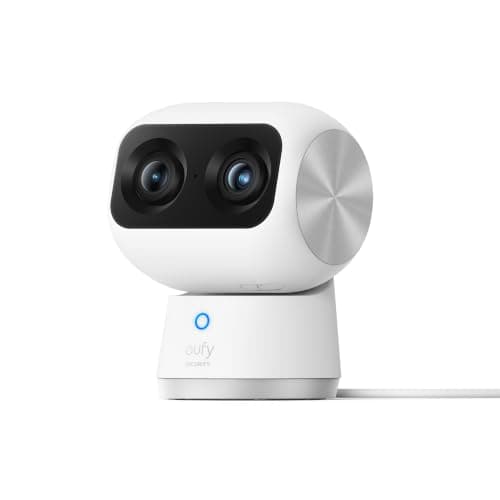
The best indoor security camera for most homes is the eufy Indoor Cam S350. It records 4K to a microSD card inside the camera with no plan, so the footage never leaves the house unless you choose to send it, and a second telephoto lens gives you a zoomed detail view of the same room. If footage that stays local is the point, start there and read the storage section before you spend anything.
An indoor camera is a different purchase from an outdoor one, and the difference is not weatherproofing. An outdoor camera watches a driveway that half the street can already see. An indoor camera watches the inside of your house, and the single most important fact about it is not the resolution or the night vision — it is where the recording goes and who can reach it. Every confusing thing about this category resolves once you decide that first. So this page is ranked on storage location, whether recording needs a subscription, resolution and field of view, and the privacy controls that actually exist on the hardware rather than the ones the marketing implies.
The order that matters. Storage, then plan dependence, then the lens. Most guides open with 4K and finish with a line about subscriptions, which is backwards for a camera pointed at your living room: the storage model decides both your privacy exposure and your five-year cost, and it eliminates half the field before resolution becomes interesting. Work through the storage column first and the list usually shrinks to two or three.
The best indoor security cameras, compared
Compiled from manufacturer specifications and published support documentation, August 2026. Confirm the storage and plan arrangement for the exact variant you order, as several of these ship in more than one bundle.| Model | Storage | Plan needed to record? | Resolution & view | Privacy shutter | Power |
|---|
| eufy Indoor Cam S350 | Local microSD, on the camera | No, full playback with no plan | 4K plus a telephoto lens, 360-degree pan and tilt | No mechanical shutter; pans the lens to face a wall | Mains |
|---|
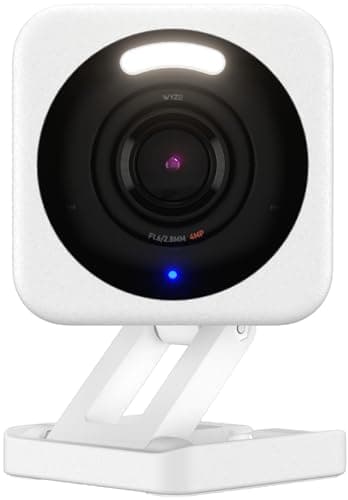
| Wyze Cam v4 | Local microSD | No for card recording; AI detection needs Cam Plus | 2.5K, single fixed wide lens | No | Mains |
|---|
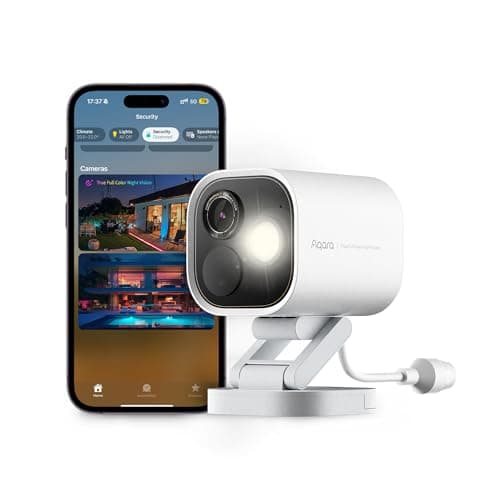
| Aqara Camera Hub G5 Pro | Local, plus HomeKit Secure Video | No for local; HomeKit Secure Video needs iCloud+ | 4MP, single fixed lens; also a Thread and Zigbee hub | No | PoE (one Ethernet cable) |
|---|
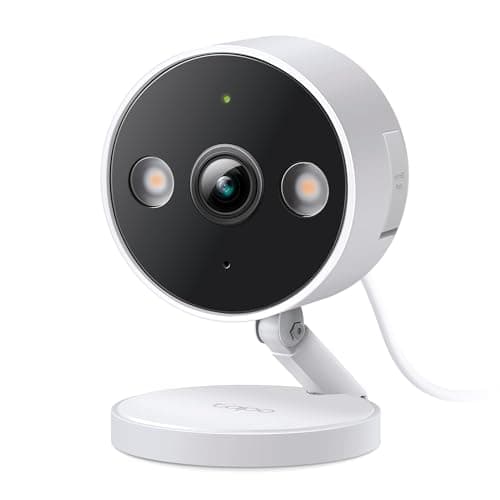
| Tapo 2K+ Wired | Local microSD, 24/7 continuous | No | 2K+, single fixed lens | No | Mains |
|---|
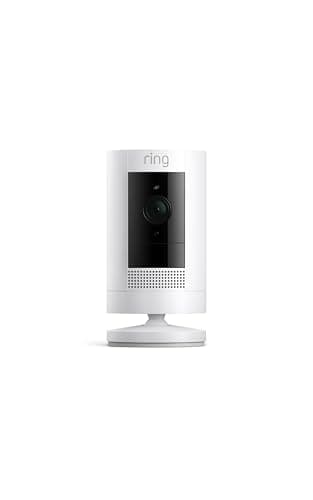
| Ring Outdoor Cam (Stick Up Cam) | Cloud only; no local option at all | Yes — no plan means nothing recorded to watch later | HD (1080p), single fixed lens | No; software privacy zones and a manual disarm | Battery or wired |
|---|
Question one: where does the footage actually live?
There are three answers and they are not equivalent. Local storage means a microSD card in the camera or a drive in a base station in your house, paid for once. The recording sits on hardware you own, and no company needs to be involved for you to watch it back. Cloud storagemeans the recording is uploaded to a manufacturer's servers and you rent access to it on a monthly plan, for as long as you own the camera. A hybrid, like Apple's HomeKit Secure Video, stores in your own iCloud rather than a camera vendor's cloud — a materially different arrangement, but still a paid cloud plan and an Apple hub.
For a camera inside your home this is not only a cost question, it is a privacy question, and the two point the same way. A local-storage camera keeps the video where you can see it and nowhere else by default. Four of the five here record to storage you own. The eufy Indoor Cam S350, the Wyze Cam v4 and the Tapo wired camera all put footage on a microSD card with no plan and full playback. The Aqara G5 Pro records locally too, and adds HomeKit Secure Video for households that want their clips in iCloud instead. The full version of this argument, including the five-year arithmetic, is in local storage vs cloud security cameras, and it is the same reasoning that drives our main camera rankings.
The Ring exception, stated plainly.The Ring Outdoor Cam has no local storage option at all. Without a Ring Home plan it gives you live view and a notification and saves nothing you can watch later. That is published, it is not a trick, and for a household that only wants a live intercom it may be fine — but it is a different product from what most people think they are buying. If a monthly fee is the thing you are trying to avoid, this camera is the wrong end of the list, and the head-to-head is at Ring vs eufy.
Question two: the privacy shutter you probably will not find
Buyers shopping for an indoor camera often ask for a physical privacy shutter — a mechanical cover that rotates over the lens so the camera cannot see the room even if the software is compromised. It is a reasonable thing to want. It is also rarer than the category implies: none of the five cameras here ships a true motorized lens cover. This is the honest finding, and it is worth stating rather than papering over, because the practical privacy control differs sharply from model to model.
The eufy Indoor Cam S350 gets closest. It cannot close a shutter, but its 360-degree pan and tilt means you can physically point the lens at a wall when you are home, which is a mechanical action a compromised app cannot silently undo the way it could toggle a software “privacy mode.” That is the reason it earns the top spot on a privacy-first page despite not having a shutter: it is the only one that can physically turn its own eye away. The Wyze, Aqara and Tapo cameras have fixed lenses and rely on you disabling them in software or cutting their power. The Ring camera offers software privacy zones and a manual disarm, which are useful, but they are software promises rather than a piece of plastic in front of the glass.
The blunt, always-works version of a privacy shutter is a socket on a smart plug or a physical switch: powering the camera off is the one control no firmware can override. For a mains camera in a bedroom or a nursery, that is the control worth wiring in, and it costs a few dollars. The rest of the placement question — which rooms a camera belongs in and which it does not — is in where to place security cameras.
Question three: resolution and field of view
Indoors, resolution matters less than it does on a driveway because the subject is close. What changes daily use is how the camera frames a whole room. There are two approaches and they are not equally good. The cheap approach is a single very wide lens: the Wyze, Tapo and Ring cameras all use one, and a wide lens captures the room but stretches and distorts anything at the edges, which is exactly where a doorway usually sits. The expensive approach is what the eufy S350 does — a 4K main lens for wide coverage plus a second telephoto lens with 8x zoom, so you get the whole room and a properly framed detail view of one corner of it at the same time, on a pan-and-tilt head that can follow movement across 360 degrees.
The Aqara G5 Pro is the interesting outlier on framing because it is not really an indoor specialist at all. It is a 4MP PoE camera that is also a Thread border router and a Zigbee hub, which means a single box can record a room and simultaneously be the radio that makes your Aqara door and motion sensors work. If you are building a sensor estate anyway, that collapses three purchases into one — the case for it is on our best cameras for a home assistant setup page, and it is a genuinely different reason to buy than image quality. Judged purely as a camera it is not the value leader here; judged as camera-plus-hub it is close to unique.
Wyze, Tapo and the brand-history question
The Wyze Cam v4 is the cheapest competent camera sold. Nothing else at its price records 2.5K to a local card, and as a garage, shed or workshop camera where the stakes are low it is an easy recommendation. It comes with a fact you should weigh rather than ignore: Wyze has had publicly disclosed security incidents. That is not a rumor and it is not disqualifying for a camera pointed at a driveway, but it is a real reason to think twice before putting one in a bedroom. Its own skip line says as much. The clean version of that decision is at Ring vs Wyze, which sets the budget-local option against the polished-cloud one.
The Tapo 2K+ Wired is the quiet, sensible pick. It is mains-powered, rated for indoor or outdoor use, and it records 24/7 continuously to a local card at a price most brands charge for event-only clips. Continuous recording is the feature battery cameras cannot offer, and having it indoors means you get an unbroken timeline rather than a set of motion-triggered fragments. The catch is the obvious one: it needs a socket within reach of where you want it, which indoors is rarely a problem.
It is fair to name eufy's own history in the same breath, because this is a privacy-first ranking. eufy has previously had to address questions about how some cloud thumbnails were handled, and that is a reasonable thing to read before buying the brand. It is also the reason we lean on the local-storage configuration and the pan-to-wall behavior rather than any cloud feature: run the S350 to a card, and the footage is on hardware in your house.
Which one to buy
- You want the best indoor camera and footage that stays local. eufy Indoor Cam S350. 4K plus a telephoto lens, 360-degree coverage, local card recording with no plan, and it can physically face the wall when you are home.
- You want competent and cheap for a low-stakes room. Wyze Cam v4, after reading its published incident history. For a garage or workshop it is an easy yes; for anywhere private, look higher up the list.
- You are building an Aqara or Apple Home sensor system. Aqara Camera Hub G5 Pro. Buy it for the Thread border router and Zigbee hub and HomeKit Secure Video, not for image quality per dollar.
- You want an unbroken 24/7 timeline on a budget. Tapo 2K+ Wired. Continuous local recording, mains powered, no plan gating anything.
- You are already inside the Ring and Alexa world. Ring Outdoor Cam, accepting that recorded playback requires a Ring Home plan. Its app is the best here; its storage model is the one this site exists to flag.
If avoiding a monthly fee is the specific goal, the filtered field is at best security cameras without a subscription, and the outdoor and battery half of the problem is on our best wireless security cameras page, ranked on the same storage question.
How we picked
Products we claim to have tested: 0. Every other page in this category tells you someone lived with a shelf of cameras for a month. We have not, and we would rather say so than imply a lab we do not have. What we do instead is compile the published specification, read the manufacturer's own support documentation for the storage and plan terms they state quietly, work out the running cost, and cite it. Rankings weight storage location, usability with no plan, resolution and field of view, privacy control and ecosystem, and every pick carries a specific reason to skip it. The rubric is at methodology, and the rest of the category is on the cameras hub.
How to choose an indoor camera
Decide the storage model before anything else
Local, cloud or hybrid is the first fork and it settles both your privacy exposure and your five-year cost. A local-storage camera keeps footage on a card or a base station in your house; a cloud camera uploads it and rents you access on a monthly plan. Decide which you are willing to live with, then filter the field, and the resolution comparison becomes a two-way choice rather than a fifteen-way one. If you are not sure, default to local: it is the reversible decision, because you can always choose to send a clip to the cloud, but you cannot un-send one.
What actually decides the price
In rough order: the camera system (a second telephoto lens and a pan-and-tilt head is the most expensive feature in this group, and the one that changes the most about daily use), the on-device processing for person and pet detection, and any hub functions bolted on, such as the Aqara's Thread and Zigbee radios. What does not show up in the purchase price on cloud models is storage — it has been moved into a monthly line item, which is the entire commercial design of the subscription cameras. A camera that looks cheaper on the shelf can be the most expensive one in the house over five years.
The mistake buyers make
Buying a cloud-only camera for an indoor room to save a few dollars up front, then discovering that every recorded clip lives behind a subscription and every year of ownership is another year of payments. The second most common mistake is assuming a “privacy mode” in an app is the same as a lens that cannot see — it is not, and for a camera in a private room the only privacy control that cannot be overridden in software is cutting the power. The third is pointing a camera into a bedroom or bathroom at all; a contact sensor on the door reports the plain fact that it opened without watching anyone, and that is often the better tool.
Where an indoor camera belongs, and where it does not
Entryways, hallways, a home office, a room with a back door, the top of a staircase: places where you want to know that something moved and to see what it was. Not bedrooms, not bathrooms, and think hard before a nursery, where a local-storage camera on a switched socket is the least-bad option if you decide you want one. A door or window sensor is a cheaper, less intrusive way to cover an opening than a camera, and it reports a binary fact rather than a judgment about pixels — the shortlist is at best door and window sensors, and the full placement logic is in where to place security cameras.
The five-year number
Compare the hardware plus five years of whatever keeps it working. A local-storage indoor camera is the purchase price plus a memory card, paid once. A cloud-only camera is the purchase price plus sixty monthly payments, and plan pricing in this category has moved upward more than once. We keep that comparison as a maintained table at subscription costs compared rather than printing a figure here that would be stale within a quarter.
Wi-Fi, and the one thing an indoor camera still cannot tell you
Indoor cameras usually sit close to the router, so coverage is rarely the problem it is at a front door, but a camera that drops connection saves nothing during the drop. What no camera reports is a plain state change: it cannot tell you a door was opened, only that something moved in front of a lens. A few contact and motion sensors cover openings and rooms for a fraction of the price per point and report a binary fact instead of a video clip you have to review. Pairing a camera with sensors is usually the stronger, cheaper system than more cameras.