HUB 06 · Guides
Z-Wave vs Zigbee vs Matter: What They Are, in Plain Language
Two are old low-power mesh radios that each need a matching hub. One is a newer software standard meant to make devices work across ecosystems. Here is which is which, and what it means for a lock or a sensor.
We earn a commission if you buy through our links. It does not change the price you pay, and it does not decide our picks — our selection criteria are published in full. How this works.
Z-Wave vs Zigbee vs Matter: what is the difference?
Zigbee and Z-Wave are older low-power mesh radios: each needs its own matching hub, and devices on one cannot talk to the other. Matter is a newer software standard that lets devices work across ecosystems; it runs over either Wi-Fi or Thread, and Thread is the low-power mesh Matter uses for battery devices like sensors and locks.
The one distinction that clears up the confusion. Zigbee, Z-Wave and Thread are radios — the physical way bits move through the air. Matter is a language— the way devices describe themselves so different apps understand them — and it rides on top of a radio rather than being one. So “Z-Wave versus Matter” is not quite apples to apples: a Matter device speaks Matter over Wi-Fi or Thread, while a Z-Wave device speaks Z-Wave. Keep “how it moves” separate from “what it says” and the rest falls into place.
Z-Wave: the proprietary workhorse
Z-Wave is a low-power mesh radio that has run door locks, sensors and alarm gear for well over a decade. It works on a sub-gigahertz band, which is a deliberate engineering choice for home security: lower frequencies pass through interior walls better and stay clear of the crowded 2.4 GHz band that Wi-Fi and Zigbee share, so a Z-Wave signal tends to be steady and interference-resistant across a house. Every mains-powered Z-Wave device also repeats the signal for its neighbors, so the mesh gets more robust as you add devices.
The catch is that Z-Wave needs a Z-Wave hub, and it only talks to other Z-Wave devices through it. A lock like the Kwikset SmartCode 916is a good example: it has no Wi-Fi and no manufacturer cloud at all, so it joins a hub such as Home Assistant, Hubitat or SmartThings and is controlled entirely on your own network. That is a strength if you already run one of those hubs — nothing to shut down, nobody to start charging a subscription — and its low-power radio means noticeably better battery life than a built-in Wi-Fi lock. It is a poor trade if you do not have a hub, because buying one purely to run a single lock costs more than a Wi-Fi lock that is working in ten minutes.
Zigbee: the cheap, dense mesh
Zigbee is the other long-established low-power mesh, and it also needs its own coordinator — a Zigbee hub — to run. It lives on the 2.4 GHz band, the same one as Wi-Fi, which makes it more prone to congestion in a busy radio environment but also lets the chips be small and cheap. That low cost is Zigbee's defining advantage for security: contact and motion sensors can be tiny and inexpensive, which matters because a real perimeter is six to twelve sensors, not one. As with Z-Wave, every mains-powered Zigbee device relays for its neighbors, so the mesh strengthens as it grows.
Zigbee devices interoperate with other Zigbee devices, but with caveats: historically different brands added their own tweaks, so a sensor from one maker did not always behave perfectly on another maker's hub. The practical answer most people reach is to run a single hub that speaks Zigbee well and pair the sensors to it — which is exactly what the Aqara Zigbee sensors do with an Aqara hub. Buy the sensors and the coordinator as one decision and the interoperability worry mostly disappears.
Matter and Thread: the interoperability play
Matter is the newer idea, and it exists to fix the frustration the two older radios created: a device bought for one ecosystem often would not work in another. Matter is an application-layer standard — the shared “language” from the callout above — backed by the major platform owners, so a Matter door sensor is meant to join Apple Home, Google Home, SmartThings or Home Assistant without being locked to the maker's own app. It does not replace a radio; it runs on top of one, either your existing Wi-Fi for mains devices, or Thread for low-power ones.
Thread is that low-power mesh. Like Zigbee it uses the 2.4 GHz band and forms a self-healing mesh of mains-powered nodes, but unlike Zigbee and Z-Wave it speaks native internet (IPv6) addressing, which is what lets Matter travel over it cleanly. A Thread network reaches the rest of your home through a border router— a mains-powered device that bridges the Thread mesh to your main network. The Aqara Door and Window Sensor P2is a textbook Thread-and-Matter device: a single coin cell in a sensor that only radios on state change, joining a Matter fabric directly with no Aqara cloud in the path — but it absolutely requires a Thread border router, and nothing on the box says so loudly enough.
This is where a hub like the Aqara Hub M3 earns its place: it is a Matter controller, a Thread border router and a Zigbee coordinator in one box, so it makes both the Thread sensors and the Zigbee sensors on a security estate work, and its automations run locally so the house keeps working with the internet down. If you want the fuller picture of what Matter promises and where it is still maturing, that is the whole subject of Matter smart home security explained.
On the lock side, the practical question is narrower than the protocol: whether Matter is the lock's own radio or a module fitted into it, and what your controller actually exposes once it joins. That is worked through model by model in the best Matter smart locks.
Why a lock or sensor lists a specific protocol
When a product page says “Z-Wave” or “Matter over Thread,” it is telling you two things at once: which radio the device uses, and therefore what controller you must already own for it to do anything. That single line decides whether the device is plug-and-play for you or a paperweight until you buy a hub. Read it before the feature list, because a beautiful sensor for a network you do not run is worse than a plain one for a network you do.
| Term | What it is | Controller you need | Works across brands and ecosystems? |
|---|---|---|---|
| Z-Wave | Sub-GHz low-power mesh radio | A Z-Wave hub | Within Z-Wave only |
| Zigbee | 2.4 GHz low-power mesh radio | A Zigbee hub or coordinator | Within Zigbee, with brand caveats |
| Thread | 2.4 GHz low-power IP mesh radio | A Thread border router | Yes, when carrying Matter |
| Matter | Software standard, runs over Wi-Fi or Thread | A Matter controller | Yes — that is the entire point |
What a hub or border router actually does
Strip away the marketing and a hub does one job: it translates between a low-power radio and the rest of your home, and it holds the automations that make devices act on each other. A Z-Wave hub speaks Z-Wave to the lock and your network to your phone. A Thread border router does the same for Thread. A device like the Aqara M3 is really several of these translators stacked in one enclosure, which is why one purchase can retire a drawer full of single-protocol bridges. The reason to care is resilience: when the translation and the automations run on a box in your house rather than a distant server, an internet outage stops your notifications but not your locks and sensors — the same local-versus-cloud theme as whether a smart lock needs Wi-Fi.
The short version
Z-Wave and Zigbee are mature, reliable radios that each lock you into a matching hub and its ecosystem. Thread is a modern low-power radio, and Matter is the software standard riding on Thread or Wi-Fi that finally lets devices cross ecosystem lines. For a new security build, Matter over Thread is the forward-looking choice provided you own a border router; for an existing Home Assistant or Hubitat setup, a proven Z-Wave or Zigbee device is often the pragmatic one. Either way, sort the protocol before the product — then shop the door and window sensors roundup or the best smart locks roundup with your controller already decided.
How to choose which protocol to build on
The right answer is set by what controller you already own, or are willing to buy, far more than by any radio being “better.” Work through it in that order.
If you want the simplest, most future-proof path
Build on Matter over Thread. The payoff is that your locks and sensors are not married to one company's app, and you may already own the border router that makes it work — many streaming boxes and smart speakers double as one. Confirm you have a border router before buying a Thread device such as the Aqara P2, because without it the sensor joins nothing at all. If you do not have one, a hub that includes a border router closes the gap in a single purchase.
If you already run a hub
Lean into it. A Home Assistant, Hubitat or SmartThings user gets more value from a proven Z-Wave or Zigbee device than from chasing the newest standard, because the ecosystem, documentation and community are already there. The Kwikset SmartCode 916 is the archetype: Z-Wave, no vendor cloud, controlled entirely on your own network, and very well documented in those communities. The trade is that it is useless without the hub — there is no app-only mode — so this route only makes sense when the controller already exists.
If you want one box that bridges all of them
A multi-protocol hub is the pragmatic middle. The Aqara M3 is a Matter controller, a Thread border router and a Zigbee coordinator at once, so it lets you mix the cheap Zigbee sensors for volume with the cross-ecosystem Thread sensors where interoperability matters, all under local automations. It is expensive as hubs go, and its own app remains the smoothest way to configure it, which is a soft form of lock-in — but for anyone building a real subscription-free sensor estate it removes the most friction for the least thought.
The mistake buyers make
The classic error is buying the device before the controller: a Thread sensor with no border router, or a Z-Wave lock with no Z-Wave hub, and then discovering the box does nothing on its own. The protocol line on the listing is not a footnote; it is a shopping list of what you must already have. Decide the controller first, buy devices that match it second, and reach for the Matter explainer if you are still unsure which way the standard is heading.
How this guide was compiled
Products we claim to have tested: zero. This is built from the published documentation of the Connectivity Standards Alliance, the Thread Group, and each manufacturer named — every one a source you can open yourself, listed below. Our scoring rubric is at our methodology, and the neighboring buyer questions sit across the guides hub.
The hardware
The hardware this guide is about
The products this guide refers to, with prices pulled live from Amazon and dated on every card. Full rankings live in the roundups linked above.
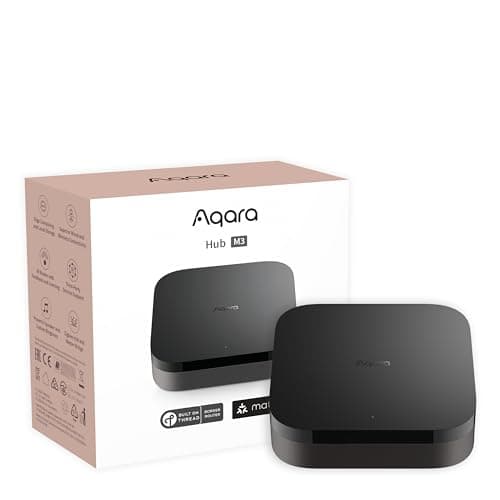
Best smart home hub for security
Aqara Hub M3
Matter controller, Thread border router, Zigbee coordinator, PoE and an IR blaster in one box — the single most useful purchase for anyone building a local, subscription-free sensor estate.
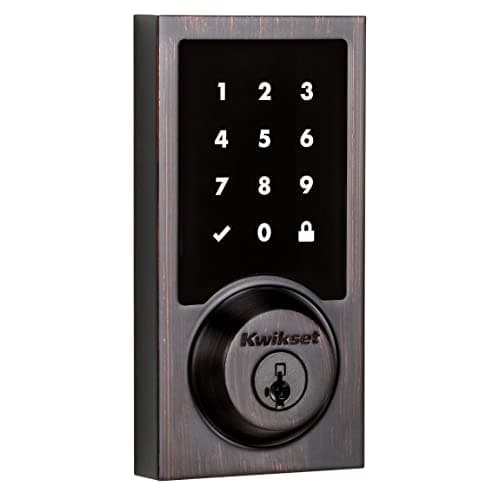
Best for Home Assistant and Z-Wave
Kwikset SmartCode 916 Z-Wave Touchscreen Deadbolt
The Z-Wave workhorse. No Wi-Fi, no manufacturer cloud — it joins a Z-Wave hub such as Home Assistant, Hubitat or SmartThings and is controlled entirely on your own network.
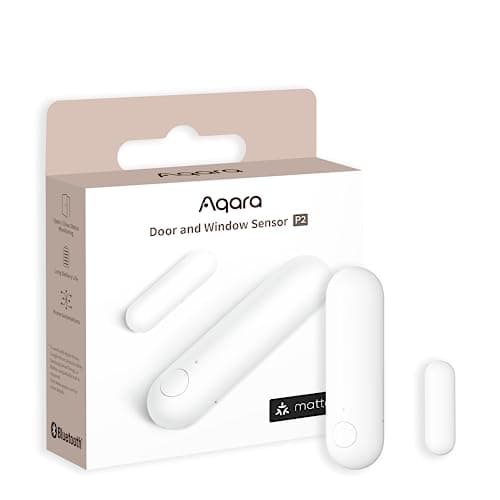
Best door and window sensor
Aqara Door and Window Sensor P2
Thread, and that is the whole point. It joins a Matter fabric directly, so it reports to Apple Home, Google Home, SmartThings or Home Assistant without Aqara's cloud anywhere in the path.
#ad · As an Amazon Associate we earn from qualifying purchases.
Questions
Frequently asked
What is the difference between Z-Wave, Zigbee, and Matter?
Is Matter replacing Z-Wave and Zigbee?
Do I need a hub for Matter?
Which protocol has the best battery life for sensors?
Can Zigbee and Z-Wave devices talk to each other directly?
Is Thread the same as Matter?
Keep reading
Related
- Best door and window sensorsWhere the Thread, Zigbee and hub choices above turn into actual hardware.
- Best smart locksIncluding the Z-Wave and Matter locks whose protocol lines this guide decodes.
- Matter smart home security explainedWhat Matter promises for security devices, and where it is still maturing.
- Do smart locks need Wi-Fi?The local-versus-cloud angle on the same hub-and-radio question.
- Sensors that keep going offlineWhat these radios do when the mesh is too thin, and how to diagnose it.
- Best smart home ecosystem for securityWhich platforms speak which of these radios natively, and what else they decide.
Receipts
Sources
- Connectivity Standards Alliance — Matter overview and specification
- Thread Group — low-power mesh networking and border router documentation
- Aqara — Hub M3 and Door and Window Sensor P2 protocol specifications
- Kwikset — SmartCode 916 Z-Wave deadbolt specifications and hub compatibility
- Yale Home — swappable smart module documentation for Z-Wave and Matter
- August — Matter and connectivity documentation for smart locks
We do not run a testing lab and we do not pretend to. Specifications come from the manufacturer's own published documents and from published standards; prices come from the live Amazon API. Where a figure is not published, the page says “not published” rather than guessing. Read the full method.