The five picks, and what each one is for
All five leave the exterior of the door unchanged and keep the existing key working. What separates them is how you let someone in who does not have the app, and what has to be plugged in for the lock to be reachable from away. The full spec table is further down; this is the decision in one screen.
Specifications from the manufacturer product and support documentation cited in Sources. Prices are live and dated below the table.| Model | Best for | Key specs | Price |
|---|
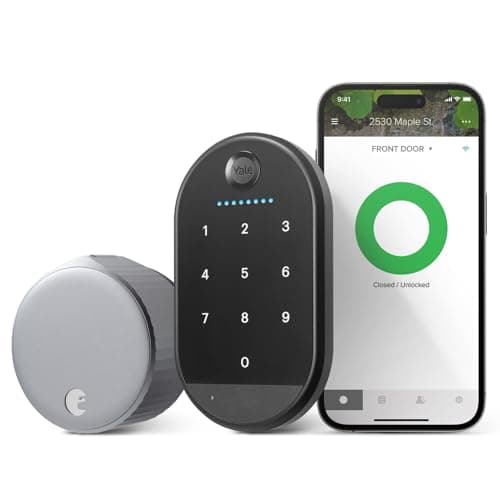
| August Wi-Fi Smart Lock (with Yale Keypad) | Best for renters | Retrofit (interior only) · Wi-Fi + Bluetooth · 2x CR123A · Code keypad in the box | $107.00·on Amazon |
|---|
| SwitchBot Lock Ultra Touch Combo (with Hub Mini) | Best no-drill retrofit | Retrofit (interior only) · Fingerprint keypad in the box · Rechargeable pack, 12-month rating · Hub Mini included | Check price on Amazon → |
|---|
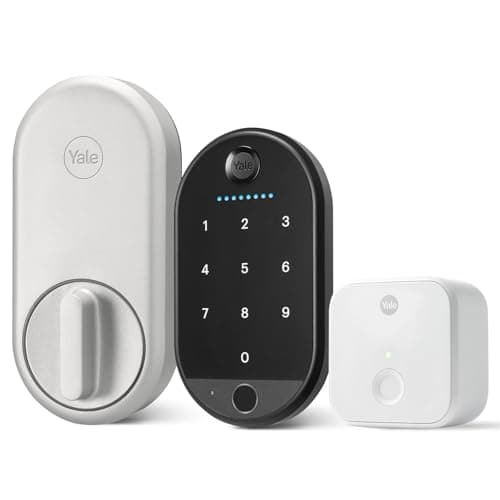
| Yale Approach Lock with Wi-Fi | Best retrofit with a keypad option | Retrofit (interior only) · Wi-Fi via included Yale Connect bridge · 4x AA · Fingerprint keypad in the box | $166.51·on Amazon |
|---|
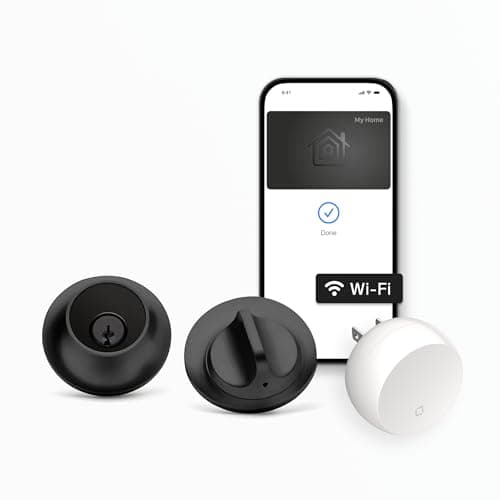
| Level Lock+ Wi-Fi Deadbolt | Best invisible install | In-door mechanism · Apple Home Key · 1x CR2 · Bluetooth + Wi-Fi | $259.32·on Amazon |
|---|
| Yale Keypad | Best keypad add-on | Code entry · IPX5, -4 to 122F · Adhesive or screw mount · 4x AAA (included) | Check price on Amazon → |
|---|
#ad· Prices pulled live from the Amazon Product API, last checked October 18, 2026. Where we have no verified live price the button reads “check price” rather than showing a number that has gone stale. We may earn a commission if you buy through these links.
What “no drilling” actually has to mean in a rental
The phrase gets used loosely. For a renter it has three specific requirements, and a product that misses any one of them is not a renter's lock no matter what the listing says:
- Nothing on the exterior may change. The outside face of the door has to look the same to a landlord walking past. This rules out every keypad deadbolt on the market, because they all put hardware on the outside.
- The landlord's key must keep working. Building management, a superintendent, or an emergency contractor will need to get in at some point. A retrofit leaves the original cylinder untouched, so their key still turns it.
- It has to come off cleanly. Adhesive that lifts paint, screws into fresh holes, or a swapped cylinder you cannot find the original for - each of those is a deposit deduction. The reversal test is: could you restore this door in fifteen minutes with a screwdriver?
Every pick on this page passes all three. That constraint is also why this list is short: the category of genuinely reversible smart locks is small, and most of what ranks for “smart lock for apartment” elsewhere is a full-replacement deadbolt that would get a renter in trouble.
The thing nobody tells renters. A retrofit lock inherits every mechanical problem of the deadbolt underneath it. If your bolt currently needs a shoulder against the door, or a lift of the handle, or a particular angle to throw - a motor will not fix that. It will strain, drain the batteries fast, and start reporting failed operations. A stiff bolt defeats any motor on the market. Check yours by throwing it with the door open and then again with the door closed: if those feel different, the strike plate is misaligned, and that is the problem to solve first. In a rental, that is a maintenance request, not a purchase.
Retrofit smart locks compared
Compiled from manufacturer product and support documentation, July 2026. All five leave the exterior of the door unchanged.| Model | Install type | Keeps the existing key? | Entry methods | Protocol | Battery | Works with the internet down? |
|---|
| August Wi-Fi Smart Lock | Interior thumbturn cover, screwdriver only | Yes | App, auto-unlock, existing key; codes on the bundled Yale Keypad | Wi-Fi + Bluetooth | 2x CR123A | Partly - Bluetooth app in range, or the key |
|---|
| SwitchBot Lock Ultra | Mounts over the thumbturn, adhesive or supplied mount | Yes | App; code or fingerprint on the keypad in the bundle | Bluetooth; hub for remote access | Rechargeable pack | Yes - Bluetooth and keypad are local |
|---|
| Yale Approach Lock | Interior thumbturn cover, screwdriver only | Yes | App; codes and fingerprint on the bundled Bluetooth keypad | Wi-Fi, via the included Yale Connect bridge | 4x AA | Partly - Bluetooth app in range, or the key |
|---|
| Level Lock+ | Replaces the bolt inside the bore; trim stays | Yes | Apple Home Key tap, app, key. No keypad | Bluetooth + Wi-Fi | 1x CR2 | Partly - Home Key tap, Bluetooth, or the key |
|---|
| Yale Keypad | Wall-mounted accessory, adhesive or screws | Not applicable - it is not a lock | Codes, including time-limited guest codes | Pairs with Yale Approach and compatible August locks | 4x AAA, included | Yes - pairs locally to the lock over Bluetooth |
|---|
The picks, in order
1. August Wi-Fi Smart Lock - the default answer, still
August built this category and the fourth-generation unit is still the cleanest execution of it. It fits over the interior thumbturn, installs with a screwdriver in a few minutes, and comes off just as fast. Wi-Fi is built into the lock body rather than sitting in a plug-in bridge, which matters in a small apartment where outlets near the door are scarce.
Auto-unlock on approach is the feature people are still using a year later, which is not true of most smart lock features. It runs on two CR123A lithium cells - a smaller reservoir than four AAs, but lithium chemistry holds voltage better in a cold entryway.
The disqualifier is the missing keypad. There is no pad in the box, so a guest without the app needs a physical key. If handing out codes is why you are shopping, look at the SwitchBot bundle below or the Yale Approach, both of which ship a pad with the lock.
2. SwitchBot Lock Ultra - the retrofit that arrives fully kitted
It mounts over the existing thumbturn and is genuinely reversible - nothing is drilled and the original deadbolt is untouched. The rechargeable pack, topped up over USB-C and rated at twelve months, is the right call for a device you will be taking off the door in a year or two anyway, and the Touch Combo bundle we link puts the fingerprint pad and the hub in the same box, so codes and remote access both work on day one.
Remote access, Matter and voice assistants all run through that bundled SwitchBot hub, which is still a second thing to find a socket for and keep powered. Bluetooth-only control at the door needs nothing. And the same warning applies harder here than anywhere: a motorized unit turning a stiff thumbturn is only as reliable as the deadbolt underneath it. If you are weighing SwitchBot as a platform rather than as one lock, the architectural comparison is Aqara versus SwitchBot.
3. Yale Approach Lock - retrofit with a real keypad option
Yale's answer to August, from the same parent company, and it closes August's biggest gap: there is a keypad in this bundle, so you can add code and fingerprint entry to a rented door without changing anything the landlord owns. The existing deadbolt and key stay exactly where they are.
The catch is where the Wi-Fi lives. It is not in the lock - remote access runs through the plug-in Yale Connect bridge, which is in the box but needs a free socket within range of the door. The keypad is a separate Bluetooth unit you stick or screw to the frame, with its own cells. And if you own the door, a full keypad deadbolt is worth comparing on our smart deadbolts page. It is still a motor driving your existing bolt, so a strike plate that is 2mm out will defeat it.
4. Level Lock+ - the reversible one nobody can see
Level sits slightly outside the strict retrofit definition - it replaces the bolt assembly inside the bore rather than covering the thumbturn - but it keeps your existing trim and key, adds nothing visible to either face of the door, and reverses by putting the original bolt back. In a rental where the landlord objects to visible hardware, that is the whole argument.
One CR2 lithium cell is the smallest reservoir on this page doing motor work, and there is no keypad and no fingerprint reader. Anyone without an iPhone or a key does not get in. Also, the swap does involve taking the bolt out of the door, so if the current bolt is seized this is a job, not a five-minute install.
5. Yale Keypad - the accessory that fixes the category's gap
Not a lock. It is an IPX5-rated code pad that sticks or screws to the wall beside the door and talks to the lock over Bluetooth, and it exists to solve the one thing every retrofit is bad at: giving a guest, a cleaner or a dog walker a way in without an app account. Time-limited codes make short-term access straightforward. It is the same pad that comes in the August bundle at the top of this page, which is why it is listed here separately - buy it on its own if you already own the lock.
It only works with the Yale Approach and with compatible August locks - the Wi-Fi Smart Lock, the Smart Lock Pro and the third-generation Smart Lock. On its own it opens nothing at all, it does codes rather than fingerprints, and it is another battery-powered device on an exterior wall to keep an eye on. Also worth confirming with your building: a pad on the corridor wall is technically outside your door, which is usually fine and occasionally is not.
What a retrofit lock cannot do for you
It cannot make a weak door strong. A retrofit adds no material to the bolt, the strike or the frame - if the deadbolt is a builder-grade unit in a soft jamb, it is exactly as resistant afterwards as it was before, and that is a fair thing to know rather than a reason not to buy. The full argument is in are smart locks safe.
It also cannot tell you the door is shut, only that the bolt turned. In an apartment where the door swings into a shared corridor, that distinction matters more than it does in a house. A contact sensor on the frame is a peel-and-stick fix that leaves no marks - the no-hub options in best no-hub door sensors suit a rental particularly well, because you are not installing a hub in a home you will leave. The broader ranking is at best door and window sensors.
How to choose a retrofit lock for a rented door
Check the thumbturn before you check anything else
Retrofit locks clamp to the interior thumbturn, and thumbturns are not standardized. Three things to check with your own hands and a tape measure:
- Does the bolt throw easily with the door closed? Throw it open, then closed. If closed is harder, the strike is misaligned and the motor will suffer. Fix that first.
- Is there room for the unit? Retrofit bodies are chunky. Measure the clearance to the door edge, to any interior handle set, and to a storm door if there is one behind you. August in particular can foul a narrow door edge.
- Is the thumbturn a shape the adapter supports? Manufacturers publish compatibility lists and adapter sets. Check yours against them, not against a photograph.
Codes, or no codes
This is the fork that decides the purchase. App-only locks - August, Level - are excellent for a one or two person household where everyone has the app and nobody else ever needs in. The moment a cleaner, a sitter, a parent or a delivery arrangement enters the picture, an app account is friction and a code is not.
If you need codes on a rented door, your options are the SwitchBot Lock Ultra Touch Combo or the Yale Approach with its keypad - both bundles ship the pad with the lock. Both put that pad on the wall or door frame, and both are removable. If you buy a bare retrofit instead, budget for the pad from the start, because it changes the price comparison substantially.
What running these actually costs
Nothing monthly. None of these five require a subscription for app unlock, codes, remote access or alerts, and that is the point of this whole site. The recurring cost is cells: two CR123A for the August, four AA for the Yale Approach, one CR2 for the Level, and a rechargeable pack for the SwitchBot, which is the only one on this page that does not put disposable cells in the trash. Where a bundle includes a keypad, that pad carries its own cells on top of the lock's.
Where hardware is required for remote access - the SwitchBot hub - it is a one-time purchase, not a plan. That distinction is worth understanding properly across every category, and our subscription cost comparison shows the shape of what a per-device monthly fee compounds to over a few years elsewhere in a home security setup.
The move-out checklist
Do this on the day you install, not the day you leave. Keep the original screws and any removed parts in a labeled bag taped inside a cupboard door. Photograph the door before you touch it. Use the supplied mounting plate rather than adhesive where the choice exists - if you do use adhesive, note that removal on a painted frame is where deposits go. Delete the lock from your account and factory reset it before it comes off the door, not after.
The mistake renters make
Buying a keypad deadbolt because the listing says “easy install, no wiring.” No wiring is not no drilling, and a keypad deadbolt replaces the exterior hardware your landlord owns. If you have already bought one, keep the original lock intact and reinstall it before the final inspection.
The second mistake is treating a retrofit as a fix for a bad door. It is a convenience layer. If the deadbolt is stiff, the frame is soft, or the strike is out of line, deal with that through maintenance first - the motor will not do it for you. And if you are weighing whether a connected lock is the right answer at all, read smart lock vs deadbolt before you spend. Everything in this category is indexed at the smart locks hub, and how we rank is published at methodology - including the claim we refuse to make: products we claim to have tested, zero.
Two further pages sit directly behind this one. Yale Approach vs August puts the two bundles from the same parent company head to head on where the Wi-Fi lives and what the included pad can read, and can you install a smart lock in an apartment answers the permission question that comes before any of this.