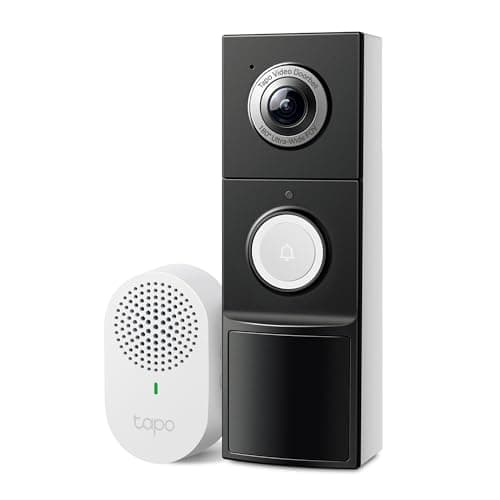
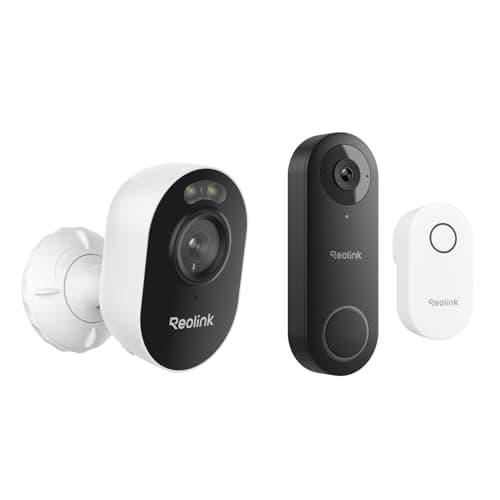
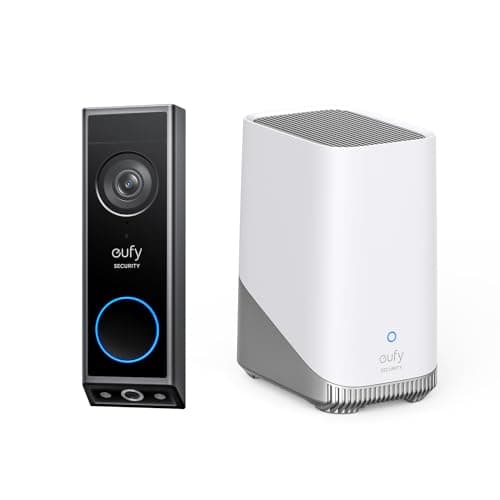
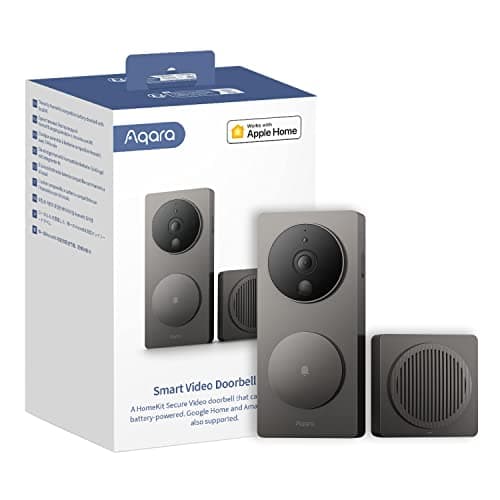
The best video doorbell for most houses is the eufy Video Doorbell E340. It has a second camera aimed down at the step, so you see the parcel as well as the person, it runs wired or on battery, and it records locally with no plan. If your wiring situation is unknown, read the transformer section before you order anything.
A video doorbell is a camera with a wiring problem. Everything that makes this category confusing comes from that one sentence. A camera you mount on a wall needs a view and a power source and nothing else. A doorbell has to sit in one specific place, has to be fed by a circuit that was installed to run a mechanical bell, and has to make a noise somewhere inside the house that people can actually hear. Get those three things wrong and you have a very good camera that nobody answers.
The order that matters. Transformer, then chime, then storage. Most buying guides start with resolution and finish with a note about wiring, which is precisely backwards, because the wiring eliminates half the field before resolution becomes interesting. Work through the three questions below in order and you will usually be left with two or three doorbells rather than fifteen.
The best video doorbells, compared
Compiled from manufacturer specifications and published support documentation, July 2026. Confirm the chime and storage arrangement for the exact variant you order, as several of these ship in more than one bundle.| Model | Wired / battery / both | Chime included? | Storage | Works with no plan? | Package (doorstep) view |
|---|
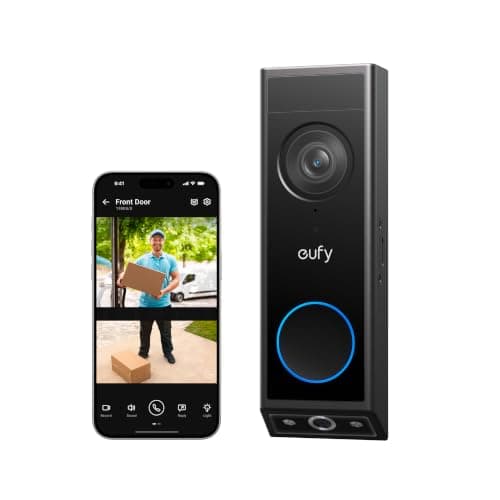
| eufy Video Doorbell E340 | Both | No separate unit; rings your existing chime when wired | Local, on the device or a eufy HomeBase | Yes, fully | Yes, a dedicated second camera aimed at the step |
|---|
| Tapo 2K+ Video Doorbell | Both | Yes, in the box | Local microSD | Yes, fully | Yes, via a tall 180-degree field of view |
|---|
| Reolink Video Doorbell WiFi | Wired only | Yes, in the box | Local storage, plus RTSP to your own recorder | Yes, fully | Yes, via a head-to-toe aspect ratio |
|---|
| eufy Video Doorbell E340 with HomeBase 3 | Battery or wired | No separate chime unit; HomeBase is included | Expandable local storage in the HomeBase | Yes, fully | Yes, a dedicated second camera aimed at the step |
|---|
| Aqara Video Doorbell G4 | Both | Yes; the chime unit is also the Wi-Fi bridge | HomeKit Secure Video in your iCloud | Partly, local automations are free | No dedicated doorstep view |
|---|
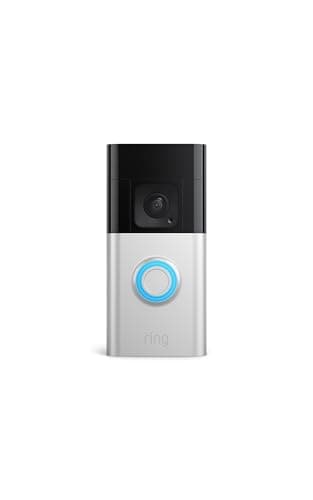
| Ring Battery Doorbell Plus | Battery | No, the Ring Chime is a separate accessory | Ring's cloud only | No, recorded clips need a plan | Yes, via a head-to-toe aspect ratio |
|---|
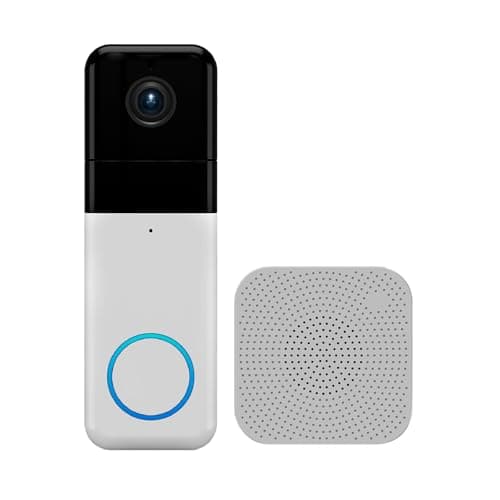
| Wyze Video Doorbell Pro | Battery | Yes, in the box | Cloud; the better detection sits behind Cam Plus | Partly, basic alerts are free | Yes, via a 1:1 aspect ratio |
|---|
Question one: do you have a doorbell transformer?
A wired video doorbell does not run on the two thin wires by itself. Those wires come from a transformer— a small block wired into a junction box somewhere in the house that steps line voltage down to the low voltage a doorbell circuit runs on. In a house wired for a mechanical bell it is usually rated somewhere around 16 volts, and its power capacity is printed on the case in volt-amperes, typically as something like “16V 10VA” or “16V 30VA”.
Here is the part buyers discover after the box is open. A mechanical bell draws power for the half second it is ringing. A video doorbell draws power continuously, to keep a camera, a radio and a processor alive. So every manufacturer publishes a minimum voltage and a minimum capacity for its wired doorbells, and an older, small transformer that rang a bell perfectly well for thirty years can be below it. The published requirement differs by model — some state a range beginning at 8 volts, others require 16 volts as a floor — so check the figure on the specific product's support page before ordering rather than assuming, because a doorbell fed below its stated minimum behaves in maddening ways: it works, then reboots mid-call, or it charges its battery so slowly that the battery never quite catches up.
Doorbell wiring is a low-voltage Class 2 circuit under the National Electrical Code, so the bell wire itself is not dangerous to handle. The transformer's other side is line voltage, and if you are going to touch the transformer rather than the button, turn the breaker off first. Replacing a transformer is a job for whoever normally does your electrical work.
How to check whether you have doorbell wiring, physically
Fifteen minutes with a screwdriver settles this, and it is the single most useful thing you can do before choosing a doorbell.
- Look at the existing button. If there is a button screwed to the door frame and it makes a sound inside the house when pressed, you almost certainly have a wired circuit. If the button is plastic, has a battery door on the back, and the chime inside is a plug-in unit, the house is on a wireless bell and there is no transformer.
- Take the button off. Two small screws, usually on the face or on the underside. Ease it forward. Behind it you should find two thin wires, commonly 18 or 20 gauge, going into the frame. Two wires and nothing else is exactly what you want to see.
- Find the chime. It is usually in a hallway, a landing, or above a door. The cover generally pulls straight off, or is held by one screw underneath. Inside is a coil and a set of screw terminals, commonly labeled TRANS, FRONT and REAR. The presence of those terminals confirms a wired system and tells you which side the front button is on.
- Find the transformer. This is the step people skip and then regret. Look near the electrical panel, in the basement, in the garage, in the attic near the chime, or attached to the side of a junction box on the furnace or air handler. It is a small metal or plastic block with two screw terminals on the low-voltage side and the rating printed on it. Write down both numbers: the voltage and the VA.
- Optional, if you own a multimeter.With the button removed, set the meter to AC volts and touch the two probes to the two bare wire ends. You should read roughly the transformer's rated voltage. A reading near zero means the circuit is dead somewhere, which is worth knowing now rather than while standing on a step with a new doorbell in your hand.
- Note the physical space. Measure the flat area on the frame where the doorbell will sit and check for anything that will foul it: a storm door that swings across the frame, a narrow mullion, brick that will need a masonry bit. Several doorbells here are wider than the button they are replacing.
If you cannot find a transformer, do not buy a wired-only doorbell. The Reolink Video Doorbell WiFi is the strongest value on this page and it has no battery variant at all — no wiring, no doorbell. Our Reolink Video Doorbell review sets out exactly what to check behind the button first. A house with no transformer wants the Tapo, or the eufy E340 in battery mode — bare or in its HomeBase 3 bundle — all of which run on a rechargeable cell and none of which care about your wiring.
Question two: what actually rings inside the house?
This is the question people forget until the first week, when someone knocks because the doorbell only rings on a phone that was on silent. There are three arrangements and they are not equivalent.
- Your existing mechanical chime.Only available if the doorbell is wired into the existing circuit. This is the best outcome, because the sound is loud, is heard on every floor, and does not depend on anybody's phone. Note that many wired video doorbells require a small module fitted at the chime to work correctly with a mechanical bell; check whether it is in the box.
- A plug-in chime unit in the box. The Tapo, Reolink, Aqara and Wyze doorbells all include one. You plug it into a socket somewhere central, and it rings. This is how a battery doorbell gets a real audible bell, and it is a genuine reason to prefer a model that includes one rather than selling it as an accessory.
- Phone notifications only. What you get when a battery doorbell has no chime unit. Fine for a household of two with phones in hand; poor for a family, a home office at the back of the house, or anyone who silences notifications in the evening.
This is also the one place the eufy E340 is beaten on paper: in battery mode there is no chime circuit, so unless you wire it you are on app alerts and the doorbell's own speaker. That is the entire content of its skip line, and if a chime you can hear upstairs is non-negotiable in your house, the Tapo doorbell with its included chime is the more honest recommendation.
Question three: where does the recording go?
Same question as the rest of the camera category, same three answers, and it decides the running cost. Local storage means a microSD card in the unit or a drive in a base station indoors, paid for once. Cloud storage means a monthly plan, paid for as long as you own the doorbell. The full version of the argument is in local storage vs cloud security cameras, and the same reasoning drives our main camera rankings.
Five of the seven doorbells here record to storage you own and keep every core function working with no plan. The Ring Battery Doorbell Plus does not: without a Ring Home plan it gives you live view and a notification and saves nothing you can watch later. That is published, it is not a trick, and for some households a live intercom is genuinely all they want — but it is a different product from what most people think they are buying, and Ring's hardware quality and notification reliability are good enough that people buy it without reading that line. The head-to-head is at Ring vs eufy, which is the cleanest statement of the two positions in this category.
The other head-to-head people search for is Ring against Nest, and it resolves less on brand than buyers expect. Google's current-generation doorbell is wired-only on a specific transformer rating while Ring's is battery, so the wiring usually settles it first — and neither of them writes a clip to storage you own. Ring vs Nest doorbell works through the decision, including what each keeps with no plan.
The Aqara G4 is the interesting middle case. Local face recognition runs on the device, local automations are free, and the video path uses HomeKit Secure Video, which stores in your own iCloud rather than in a manufacturer's cloud. That is a materially different arrangement from a vendor subscription, but it still requires an iCloud+ plan and an Apple home hub, so call it what it is: excellent if your house already runs on Apple Home, and an odd purchase if it does not.
The doorstep view is the feature that actually earns its money
A doorbell mounted at the usual height, aimed straight out, sees a person from the chest up and misses the ground entirely. Which means it misses the parcel, the note left on the step, and the dog. Manufacturers solve this two ways and they are not equally good.
The cheap solution is a taller aspect ratio: a 1:1 or head-to-toe frame, or a very tall field of view, so the ground in front of the door falls inside the frame. Tapo, Reolink, Ring and Wyze all do this. It works, and it costs nothing extra, but the step is at the very bottom of a wide-angle frame where the lens distortion is worst and the pixels are most stretched.
The expensive solution is a second camera pointed down. Both eufy models here do that, and it is the reason the E340 wins this page: a dedicated lens looking at the step gives you a properly framed, properly exposed image of what is on the ground, rather than the corner of a fisheye. If package deliveries are the actual reason you are shopping for a doorbell, that is the feature to pay for, and Tapo's own skip line concedes as much. The whole field sorted on that single question — lens geometry first, and whether the package alert belongs to the hardware or to a plan — is best video doorbells for packages.
Battery doorbells: what you are trading
A battery doorbell removes the wiring problem entirely, which is why they sell. Three things go with it.
- No continuous standby recording. A battery doorbell sleeps until its motion sensor fires, so there is a wake-up delay and no rolling timeline. Wired doorbells with a constant supply can hold a pre-roll buffer; battery ones largely cannot.
- A recharge cycle. How often depends entirely on traffic. A doorbell on a quiet cul-de-sac may go months. A doorbell facing a sidewalk with every passing pedestrian triggering motion may need charging every few weeks until you tune the detection zones, which is the first thing to do after installing one.
- The chime problem above. Either the model includes a plug-in chime or you are on phone alerts.
None of that makes a battery doorbell the wrong choice. It makes it the right choice for a specific house: one with no transformer, or a rented one where changing the wiring is not yours to do.
Which one to buy
- You have working doorbell wiring and want the best doorstep view. eufy Video Doorbell E340, wired. Second camera on the step, local recording, no plan, and your existing chime keeps ringing.
- You do not know what wiring you have, or you have none. Tapo 2K+ Video Doorbell. Runs wired or on battery, ships with its own chime, records to a card, and no plan gates anything. It is the least likely of these to be blocked by whatever you find behind the button.
- You have wiring and want the most camera per dollar. Reolink Video Doorbell WiFi. Chime in the box, local storage, and RTSP support that puts it in Home Assistant or Blue Iris. Wired only, so step four of the wiring check is mandatory.
- You are building a eufy system rather than buying one doorbell. The E340 with HomeBase 3 in the box, unless you already own a HomeBase 3, in which case buy the bare E340 and pair it with the base you have.
- Your house runs on Apple Home. Aqara G4, accepting 1080p and an iCloud+ plan for stored video.
If a monthly fee is the thing you are trying to avoid specifically, the filtered list is at best video doorbells without a subscription, and the five-year plan arithmetic across brands is maintained at subscription costs compared.
How we picked
Products we claim to have tested: 0. Every other page in this category tells you someone lived with six doorbells for a month. We have not, and we would rather say so than imply a test lab we do not have. What we do instead is compile the published specification, read the manufacturer's own installation and support documentation for the wiring requirements they state quietly, work out the running cost, and cite it. Rankings weight storage location, usability with no plan, install flexibility, image system and ecosystem. Every pick carries a specific reason to skip it. The rubric is published at methodology, and the rest of the category is on the doorbells hub.
How to choose a video doorbell
Do the wiring check first, always
The six steps above take fifteen minutes and they eliminate more of the field than any specification comparison will. Knowing you have a 16V 30VA transformer, a mechanical chime with FRONT and TRANS terminals, and 90mm of flat frame beside the door turns a confusing category into a two-way choice.
What actually decides the price
In rough order: the camera system (a second downward lens is the most expensive feature in this group, and the one that changes the most about daily use), the power arrangement (a rechargeable pack and the charging electronics cost real money), the included accessories (a chime unit, a bridge, a HomeBase), and the on-device processing for person, vehicle and package detection. What does not appear in the purchase price on cloud-based models is storage — it has been moved into a monthly line item, which is the entire commercial design of the category.
The mistake buyers make
Buying a wired doorbell without confirming a transformer exists. It is the most common single failure in this category and it is entirely avoidable with a screwdriver. The second most common is buying a battery doorbell with no chime in the box and only realizing in week two that the house has no audible bell any more. The third is mounting height: doorbells are usually replaced at the height of the button they replace, which is often around 120cm, and that is a good height for faces and a poor angle for the step unless the doorbell has a downward lens or a very tall frame.
Angle, and the wedge in the box
Most doorbells ship with a small angled wedge and a spacer. They are not packing material. If the door is set back in a recess, or the frame faces slightly away from the path, a fifteen-degree wedge is the difference between framing the visitor and framing the wall. Fit the doorbell, look at the live view from where a visitor actually stands, and then decide whether to add the wedge, before you seal anything.
Wi-Fi at the front door is worse than you think
The front door is usually the furthest point in the house from the router, on the other side of at least one external wall, and often behind masonry or foil-backed insulation. A doorbell that drops connection is reported by owners as a camera fault when it is a coverage fault. Check the signal at the door with a phone before buying, and if it is marginal, solve that with a mesh node or an access point rather than expecting the doorbell to be the exception. Models whose included chime unit doubles as a bridge, as the Aqara G4 does, help here because the bridge can sit closer to the door than the router does.
The five-year number
Compare hardware plus five years of whatever keeps it working. A local-storage doorbell is the purchase price plus a card. A cloud-only doorbell is the purchase price plus sixty monthly payments, and plan pricing in this category has moved upward more than once. We keep that comparison as a maintained table at subscription costs compared rather than printing a figure here that would be stale within a quarter.
What a doorbell still will not tell you
A doorbell watches one approach: the front step. It has nothing to say about the back door, a ground-floor window, or the garage side door, and it cannot tell you that a door has been opened — only that something moved in front of a lens. A few contact sensors cover those openings for a fraction of the price per point and report a plain binary fact instead of a judgment about pixels. That list is at best door and window sensors, and if you are still deciding whether a doorbell earns its place at all, is a video doorbell worth it makes the case both ways.