HUB 01
Home Security Without a Subscription
Hardware you own outright, with no monthly bill attached. What each brand's plan actually costs over five years, what you genuinely lose by skipping it, and the gear that works fully without one.
We earn a commission if you buy through our links. It does not change the price you pay, and it does not decide our picks — our selection criteria are published in full. How this works.

Start here

Best Security Cameras Without a Subscription
Our top pick: eufy SoloCam S340 (solar, dual camera) — Solar panel, pan and tilt, dual lenses and onboard storage — no wire, no monthly fee, and no recording leaving the device unless you choose to send it.
“No subscription” is the least reliable phrase printed on a security hardware box. It appears on cameras that record nothing at all until you pay, on kits where free recording only exists after a second purchase, and on a smaller group of products where it is simply and permanently true. Those three situations look identical in a product listing and cost completely different amounts over five years.
The three tiers hiding behind one phrase
Before comparing anything else about a camera, doorbell or alarm kit, sort it into one of three buckets. Almost every complaint in this category comes from a buyer who thought they were in the first bucket and was actually in the third.
1. Truly free local recording
The device writes video to storage you already own - a microSD card, onboard flash, or a hard drive in a base station or network video recorder - and live view, playback, scrubbing, download and export all keep working with no account payment, forever. Nothing degrades on day 31. This is the bucket most people believe they are buying, and it is the one this site is organized around.
2. Free, but only after you buy more hardware
The camera has no usable storage of its own. Recording is free once you add a base station, a hub with a drive bay, or a memory card the box does not include. The running cost is genuinely zero; the entry cost is not. Find the spec line that says whether storage is included or whether the slot ships empty, and add that missing part to the purchase price before you compare it against anything else.
3. Free, but nothing is ever saved
Live view works. Motion notifications arrive. No clip is written anywhere. If you do not open the app while the event is still happening, the event is gone. This tier is almost never labeled clearly, because the claim on the box is technically accurate: the camera does work without a plan, for a definition of “works” that quietly excludes recording.
The question that sorts every product in this hub: where does the video physically sit ten minutes after the event, and can I export it without paying? If the honest answer is “nowhere” or “in the cloud, only while I subscribe”, you are looking at a subscription product in subscription-free packaging.
The shape of the five-year number
A hardware purchase is one visible figure at checkout. A plan is a small figure charged every month, frequently per camera rather than per household, and it never appears in the comparison you make on the day of purchase. The arithmetic is not complicated, it is just never shown: take the monthly figure, multiply by sixty, multiply again by the number of devices if the plan is priced per device, and set that total beside the purchase price of equivalent hardware that stores footage locally.
For a single camera the recurring line usually passes the hardware line somewhere inside the first two years. For a household running a doorbell and three cameras on a per-device plan it passes far sooner, and it keeps climbing after the hardware has been paid off, replaced and paid off again. We keep the current published plan tiers in one place rather than scattering figures that go stale: what each brand's plan adds up to over five years.
Alarm monitoring and camera storage are different products
These get conflated constantly, because both arrive as a monthly charge from a company whose logo is on your wall. They are not the same thing.
A camera storage plan buys cloud video retention, and usually the smarter detection features - person, package, vehicle, animal, activity zones - when those run on the company's servers instead of on the device. Refuse it and you lose retention and possibly the detection filtering. The camera still works.
A monitored alarm plan buys something categorically different: a staffed monitoring center that receives the signal, plus cellular backup so the panel still reports when the broadband is down. Refuse that and you are the responder - the alert reaches your phone and stops there. That may be exactly what you want, but it is a separate decision from where your video is stored, and it should be made separately. Our alarm kits that run without a monthly fee page splits the two apart per system.
What most buyers get wrong
Assuming free means feature parity. The most common downgrade on a free tier is not storage length, it is detection. If person and package recognition run in the cloud, they are part of the plan and they stop when the plan stops, leaving you with generic motion alerts. If they run on the device, they keep working. That single spec line - on-device or cloud detection - changes what the free tier is worth more than any other.
Buying local-storage hardware and never inserting a card. A camera with an empty microSD slot records exactly as much as a camera with no slot at all. Check the maximum supported card size and the supported format before ordering.
Never checking the export path. Footage you cannot get off the device is footage you do not really have. Before you commit, find out how a clip leaves the system as a file, and whether that route is gated behind the plan.
Assuming local means offline. Plenty of local-storage cameras still route remote live view through the manufacturer's servers, so the recording survives an outage but your phone cannot see it until the internet returns. That is a reasonable trade, but it should be a known one: local storage versus cloud recording walks through what each model actually does when the connection drops.
Where to start
If cameras are the purchase, begin with cameras that work fully with no monthly fee. If you already know you want footage on a drive you own, go straight to local storage cameras and recorders.
Everything in this hub
All of No Subscription
Roundup
Best Security Cameras Without a Subscription
The eufy SoloCam S340 records to its own storage on solar power with no plan attached. Six alternatives ranked, plus the three tiers of 'subscription-free' nobody separates.
Top pick: eufy SoloCam S340 (solar, dual camera) · 7 ranked, 7 with live prices
$199.99on Amazon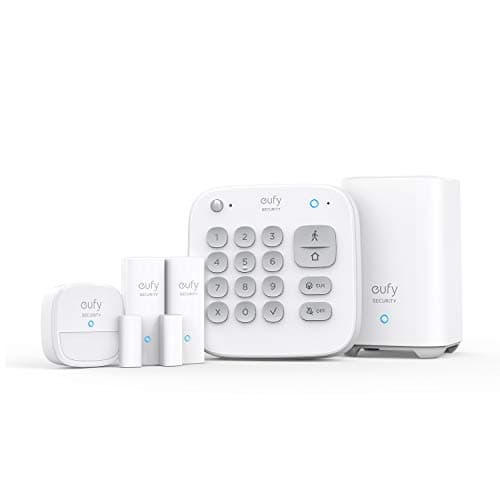
Roundup
Best Home Security Systems, No Subscription
The eufy 5-Piece Alarm Kit is a complete self-monitored system with no plan attached. Four alternatives, and the cases where professional monitoring genuinely wins.
Top pick: eufy 5-Piece Home Alarm Kit · 5 ranked, 5 with live prices
$159.99on Amazon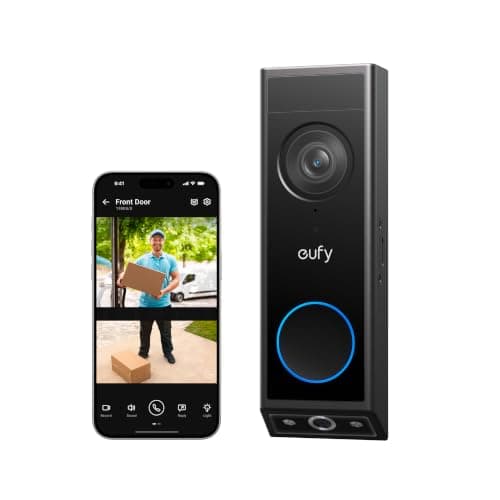
Roundup
Best Video Doorbells Without a Subscription
The eufy Video Doorbell E340 has a second camera pointed at the doorstep and records locally with no plan. Four alternatives, compared on storage, power and chime.
Top pick: eufy Video Doorbell E340 (dual camera) · 5 ranked, 5 with live prices
$149.99on Amazon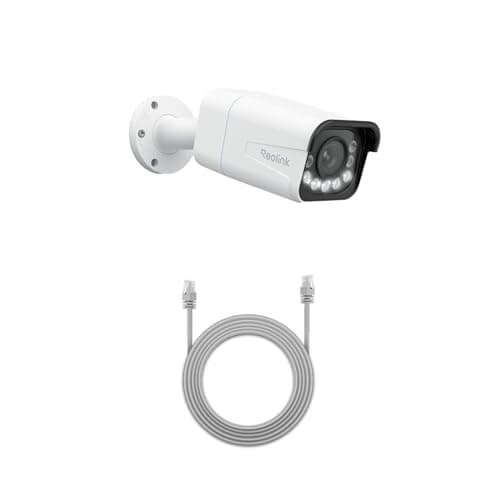
Roundup
Best Local Storage Security Cameras
The Reolink RLC-811A records 4K continuously over one PoE cable to storage you own. Five alternatives across all three local-storage architectures.
Top pick: Reolink RLC-811A (4K PoE, 5x zoom) · 6 ranked, 6 with live prices
$136.83on Amazon

Filed elsewhere, written for you
Also worth reading
These live under a different section of the site but answer the same question a no subscription buyer is actually asking.
Comparisons
Ring vs eufy: the storage model decides it
Ring has the better app and the better ecosystem; eufy records to hardware you own and never bills you. The head-to-head table, the Ring Alarm exception almost nobody states, and a decision rule instead of a winner.
Top pick: eufy SoloCam S340 (solar, dual camera)
$199.99on Amazon
Gifts & Deals
Black Friday & Cyber Monday Smart Home Security Deals 2026
What historically discounts in November and what barely moves, sorted by product class from published deal coverage of the 2025 season - with buy-now versus wait guidance and our current top picks at live prices. Deals will be posted here when they go live.
Covered here: Yale Assure Lock 2 (Wi-Fi, keyed)
$197.00on Amazon