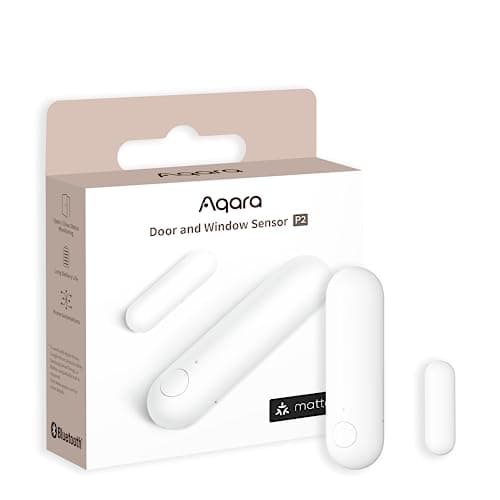
The Aqara Door and Window Sensor P2 is the best contact sensor we rank, and it requires a Thread border router. Without one it will not join Apple Home, Google Home, SmartThings, Home Assistant or anything else. That single sentence is the most important thing on this page and it is the sentence the packaging does not make plain.
The requirement, stated once and clearly
Thread is a low-power wireless mesh. A mesh needs a device that bridges it to your home network, and in Thread that device is called a border router. The P2 is a Thread endpoint. It has no Wi-Fi radio, no Zigbee radio, and no ability to talk to your phone directly. If there is no border router in the house, the sensor powers up, finds no network to join, and does nothing at all.
This is not a defect. It is how every Thread device works, and the same requirement applies to Eve, Nanoleaf, SmartThings and Apple's own Thread accessories. It is a problem purely because listings for Thread sensors say “no hub required”, which is technically true in the sense that no proprietary Aqara hub is required, and practically misleading to anybody who reads it as “works on its own”. Our page on what no-hub actually means exists because of exactly this phrase.
Check before you order. Walk the house and look for an Apple TV 4K, a HomePod mini or HomePod (2nd generation), a Google Nest Hub (2nd generation), a SmartThings Station, or an Aqara Hub M3 or M100. If one of those is plugged in, the P2 is a drop-in device and the best buy in the category. If none is, budget for one before you budget for sensors.
What a Thread border router is
A border router does three jobs. It carries a Thread radio so it can talk to the mesh. It holds an interface onto your regular home network, over Ethernet or Wi-Fi. And it routes IPv6 traffic between the two, so a sensor on the mesh becomes an addressable device your controller can reach directly.
That last part is the piece worth understanding. A Zigbee hub is a translator: it speaks Zigbee on one side and something proprietary on the other, and everything passes through the vendor's software. A Thread border router is a router: the sensor has its own address and your home controller speaks to it. Nothing is being interpreted on your behalf, which is why Thread devices are not owned by the brand that made them in the way Zigbee devices effectively are.
Devices that actually are Thread border routers
The list is longer than most people expect, and there is a fair chance you own one. As of this writing, all of the following act as Thread border routers:
- Apple TV 4K (Wi-Fi and Ethernet models with Thread hardware) and HomePod mini and HomePod (2nd generation)
- Google Nest Hub (2nd generation) and Nest Hub Max, plus Nest Wifi Pro
- SmartThings Station and current SmartThings hub hardware
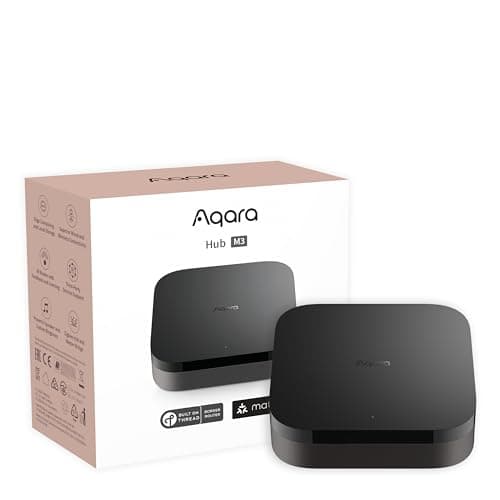
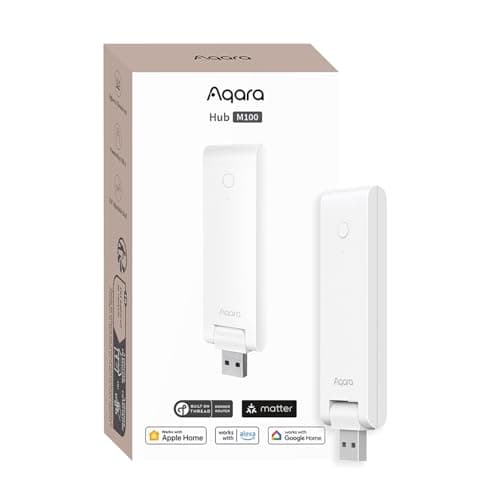
- Aqara Hub M3 and Aqara Hub M100, both of which are also Matter controllers and Aqara Zigbee hubs
Apple, Google, Samsung and the Thread Group all publish current lists, and the set changes as firmware ships, so check the vendor's own page for anything borderline rather than trusting a blog post. What matters for your decision is whether one of these is already powered on in your house.
Which one to buy if you have none
If Thread is all you need and you are in the Apple ecosystem, a HomePod mini is the cheapest route and does something else useful as well. If you want both Thread and Zigbee in one box, which is the sensible position for anyone building out a house rather than a door, the Aqara Hub M100 covers Matter controller, Thread border router and Aqara Zigbee hub duties for a fraction of the M3 — with the caveat that it pairs Aqara Zigbee devices only, and caps at 20 of them plus 20 Thread nodes. The M3 earns its price on a large estate with high device counts, third-party Zigbee hardware and a PoE run; on a normal house it is solving a problem you do not have.
What Matter over Thread actually buys you
Two things, and they are the reason this sensor wins its category rather than merely placing well.
1. Local automations that survive an internet outage
When the P2 changes state, that message travels over Thread to your border router and to your controller, which lives in your house. The rule you wrote executes there. No packet crosses your router's WAN interface, no request reaches a data center, and no vendor's service needs to be up.
The practical consequence: your internet connection can fail and the door sensor still triggers whatever you told it to trigger. Compare that with a Wi-Fi sensor whose state change is uploaded to a server that then decides to send a command back down. That architecture has a dependency chain of four or five links, and every one of them is somebody else's uptime. Home security automations that stop working during an outage are working exactly backwards.
2. No vendor cloud in the path, and no vendor lock-in
Because the P2 is a Matter device, it presents as a standard contact sensor to any Matter controller. Apple Home, Google Home, SmartThings and Home Assistant all see it natively. You do not need an Aqara account, you do not need the Aqara app to run an automation, and Aqara cannot deprecate a cloud service and take the sensor with it.
Matter also supports multi-admin, which means the same physical sensor can be shared into more than one ecosystem at once. A household with an iPhone user and an Android user is a real, common configuration that Zigbee and proprietary systems handle badly and Matter handles as a design goal. If the protocol layer is unfamiliar, our Matter and Thread explainer covers the mechanism without assuming networking knowledge.
The hardware
One CR2032 lithium coin cell, roughly 220 mAh by the cell manufacturers' published datasheets, and Aqara rates the sensor at up to two years on it. Two years is about 17,500 hours, so the average draw implied is around 12.6 microamps. That is the arithmetic of a device that is asleep almost permanently and wakes only when the reed switch changes state. It is also the reason a Thread contact sensor is a sensible thing to own while a Wi-Fi contact sensor mostly is not: a Wi-Fi radio cannot idle at twelve microamps.
Physically it is among the smallest contact sensors sold, which matters far more than it sounds. The constraint on a contact sensor is never the door, it is the window sash, and a unit that is a few millimeters too deep will stop a casement closing. Mount the magnet on the moving leaf and the body on the fixed frame, and check the maximum working gap in the manual against the gap your window actually has after twenty years of settling.
Installing it, and the two things that go wrong
Installation is adhesive pads and a battery tab, so there is nothing to describe there. The two failures worth anticipating are both geometric.
The first is the alignment mark. The two halves carry a small index line, and the reed switch reads reliably only when those marks face each other across the gap. Mounting the magnet upside down or offset along the frame produces a sensor that reports correctly at first and then starts missing state changes as the door settles through a season. Line the marks up, then close the door and confirm the state changed before you commit the adhesive.
The second is the gap. Aqara publishes a maximum working separation in the manual, and older doors, deep uPVC reveals and anything with secondary glazing regularly exceed it. If your gap is too wide, pack the magnet out on a shim so the two faces sit closer, rather than accepting a sensor that works in summer and fails in winter when the frame moves.
Cold is the third variable and it is not an installation error. Lithium coin cells lose usable capacity at low temperature, so a P2 on an unheated garage door will not reach the same interval as one in a hallway. That is chemistry, not a fault, and it applies to every coin-cell sensor on this site.
Where it costs more, and whether that matters
Per sensor, the P2 is more expensive than the Zigbee alternatives, including Aqara's own three-pack. On a nine-opening house that difference multiplies nine times, and it is the strongest argument against this sensor.
The counter-argument is that you are buying protocol independence. A Zigbee estate is bound to the hub that runs it: change ecosystems and the sensors are a sunk cost. A Matter over Thread estate moves with you, because the sensors belong to your home rather than to a vendor's app. Whether that is worth the premium depends entirely on how likely you think you are to change controllers in the next five years, and people who have already changed once tend to answer that question differently from people who have not.
Who should skip it
Skip the P2 if you have no Thread border router and do not want to buy one. That is not a soft caveat; without a border router this sensor is an inert plastic rectangle, and there is no firmware update or workaround that changes that. Buy the Aqara Zigbee three-pack with an Aqara hub, or THIRDREALITY sensors on a Zigbee stick you already run, and get the same local behavior for less.
Skip it also if the opening you want to cover is in a detached garage or at the end of a drive. Thread is a low-power mesh with modest range per hop, and a battery endpoint does not route for others. That is a job for a long-range LoRa sensor, and the alternatives are ranked in our main door and window sensor roundup.
How we assessed it
Products we claim to have tested: 0.This assessment is compiled from Aqara's published specifications and manual, the Thread specification and border router definition published by the Thread Group, the Matter specification published by the Connectivity Standards Alliance, and coin cell datasheets for the battery arithmetic. Everything above is reproducible from those documents, and the methodology page publishes the rubric we score against. The sensor is usually bought alongside a lock, and our smart lock rankings apply the same protocol logic to the door itself.