HUB 02
Smart Locks
Half the brand name, and the half that gets bought wrong most often. Ranked on published BHMA grade, door fit, protocol and battery arithmetic - not on how the app looks.
We earn a commission if you buy through our links. It does not change the price you pay, and it does not decide our picks — our selection criteria are published in full. How this works.
Start here

The Best Smart Locks for a Front Door
Our top pick: Yale Assure Lock 2 (Wi-Fi, keyed) — The modular one. Yale sells the same lock body in keyed and key-free, touchscreen and keypad, with the radio as a swappable module — so you buy the connectivity you want instead of the connectivity that shipped.
The smart lock purchase gets made on app screenshots and goes wrong on a tape measure. The features people compare - remote unlock, guest codes, auto-lock, fingerprint - are broadly similar across the category. The things that decide whether the lock ends up on your door or back in its box are three measurements and one fork in the road, and none of them are in the marketing copy.
The three measurements that decide fit
Backset
The distance from the edge of the door to the center of the large hole. US residential doors are almost always 2-3/8 in or 2-3/4 in, and most replacement deadbolts ship with an adjustable latch that covers both. Older doors, commercial slabs and some imported units are neither, and an adjustable latch will not stretch to meet them.
Cross-bore and edge-bore
The cross-bore is the big face hole, normally 2-1/8 in. The edge-bore is the smaller hole in the door edge that the bolt passes through, normally 1 in. Locks with a large interior escutcheon or an in-door mechanism can need a bore you do not have, and enlarging one is a jig-and-hole-saw job, not a screwdriver job.
Door thickness
Standard is 1-3/8 in to 1-3/4 in. Thicker doors need a spindle or screw extension kit, which is usually sold separately and occasionally not sold at all. Measure the slab, not the frame.
Two more physical checks save most of the returns in this category: does the interior side of the door have a raised panel, glass insert or applied molding within a few inches of the bore that a wide interior plate would foul, and does the existing deadbolt throw smoothly when the door is closed? Both are worked through in will a smart lock fit my door.
Measure before you shortlist, not after. Backset, cross-bore and door thickness eliminate more models than any feature preference will, and they take about four minutes with a tape measure.
The doors the catalog does not fit
Everything above assumes a swinging slab with a cross-bore. Two common doors are not that, and the mainstream catalog has nothing for either. A sliding patio door has no bore and no deadbolt - it takes a mortise case in the pocket already milled into the stile, and the number stamped on that case decides the purchase, which is why the patio door rankings lead on fitment rather than features. A storm door is thinner than any deadbolt will go on at all, and what to do about a storm door says so plainly rather than selling you something that will work loose.
A pair of french or double doors is the third shape the catalog assumes away. Only one leaf is meant to open, the other is held by manual flush bolts no smart lock operates, and the stile beside the glass is often too narrow to take a standard bore at all - smart locks for french doors works through why a retrofit over the existing thumbturn is usually the only thing that fits. If the door in question is a patio slider you want to make harder to open rather than keyless, how to secure a sliding glass door starts with the latch and the lift gap rather than with a purchase.
The fourth awkward door is the one between an attached garage and the house. It fits a normal deadbolt, but it is the only interior door in a house with a building code section written specifically about it, and if yours carries a fire label the hardware choice narrows sharply - smart locks for garage entry doors works through what that means.
Retrofit or replacement
This is the fork that determines almost everything else. A retrofit lock replaces only the interior thumbturn and drives your existing deadbolt. The exterior of the door is untouched, your keys keep working, nothing gets drilled, and it goes on and comes off in about ten minutes - which is why it is the default answer for renters. The trade-off is real: there is no exterior keypad unless you add a separate one, the interior unit is visibly bulky, and the whole thing depends on your existing deadbolt being smooth and well aligned, because the motor has less leverage than your wrist did.
A replacement deadbolt swaps the entire lock. You get the exterior keypad or fingerprint reader, a cleaner installation, and often a higher published grade. You also inherit a new keyway, which means re-keying or carrying a different key, and some models are fully keyless - no cylinder to pick or bump, but also no mechanical fallback, so the emergency power path matters more. Retrofit locks that need no drilling covers the first route; the main smart lock rankings cover both.
What a published BHMA grade measures
BHMA, working with ANSI, grades locks 1 to 3 under the A156 standards. The grade is earned on a bench: cycle count, bolt projection, torque and impact resistance, finish durability. Grade 1 is the highest. For electronic locks the relevant documents add tests for the keypad, the motor and the battery-fail behavior.
What the grade does not cover is everything past the metal. It says nothing about the firmware, the account recovery flow, whether the Bluetooth pairing is authenticated, or how long the manufacturer will keep the servers running. A Grade 1 deadbolt with a weak app is still a Grade 1 deadbolt, and a Grade 2 lock on a properly reinforced jamb is a better assembly than a Grade 1 lock held by half-inch screws into soft pine. In a residential door the weak component is usually the strike and the frame, not the bolt - which is why the cheapest upgrade in this entire hub is a longer set of strike screws that reach the stud.
The radio only carries remote access
The common worry here is what happens when the internet drops. For most locks the answer is: nothing much. The keypad, the fingerprint reader, the Bluetooth handshake with your phone at the door and the physical key all work locally. Wi-Fi, or a hub bridge, carries remote lock and unlock, away-from-home notifications and remote guest code management. Lose the connection and you lose those three things, not the lock. The exception is worth knowing before you buy, and do smart locks need wifi goes protocol by protocol.
Battery life follows directly from the radio. Four AA cells is the category standard. A lock with an always-listening Wi-Fi radio drains them fastest; Bluetooth, Thread and Z-Wave locks sip by comparison because the radio is asleep between events. Whichever you choose, find the emergency power path before you need it - a 9V contact, a USB-C port, or a key - and check you can physically reach it from outside.
Which raises the obvious question: does the lock need Wi-Fi at all? For a detached garage the router barely reaches, a cabin with no broadband, or a household that would rather the front door was not an internet-facing device, the answer is no - and there is a whole shortlist of deadbolts built that way, on Thread, on Z-Wave, on Bluetooth, or with no radio whatsoever. They are ranked in the best smart locks that work without Wi-Fi, along with what each one gives up to do it.
The opposite case is a household already built around a voice assistant, where the question is not whether the lock needs a network but how it gets onto Amazon's. That turns on one specification - whether the radio is inside the lock or in a bridge on a socket - and on a detail most buyers meet after the purchase: Alexa will lock a door on a bare command, but voice unlocking is off by default and then wants a spoken four-digit PIN every time. The best smart locks for Alexa ranks the field on both. And if the reason for the upgrade is that you want to keep the keys already in the household, whether your existing key still works has a one-line answer that depends entirely on which half of the category you buy.
What most buyers get wrong
Enabling auto-lock on a door that does not close squarely. The bolt meets the strike plate edge, the motor stalls, and the lock reports locked while the bolt sits in fresh air. Fix the alignment first. This is also the single best argument for pairing a lock with a contact sensor on the same door: the lock knows the bolt moved, only the sensor knows the door is actually shut.
Treating fingerprint as a security feature. It is a convenience feature, and a good one. Capacitive readers get less reliable with cold, wet or dry hands, so every fingerprint lock needs a code or key you have actually memorized or carried.
Buying for the person who installs it, not the person who uses it. Every entry method has a failure mode that lands on somebody: a touchscreen needs skin moisture, a fingerprint needs ridge detail, a key needs grip and rotation, a scrambling keypad needs patience. Locks for an older relative ranks on exactly that, and codes and guest access explains why a code created on the train may not exist at the door.
Buying a protocol without the thing that speaks it. A Z-Wave deadbolt with no Z-Wave controller is a keypad deadbolt. A Thread-only lock with no border router is a Bluetooth deadbolt. Both are fine purchases if that is what you meant to buy.
That last case is now a whole shelf of its own. Locks sold on the Matter badge are ranked in the best Matter smart locks, which separates the ones where Matter is the lock's own radio from the ones where it arrives on a module - and says plainly what a Matter controller will and will not let you do once the lock has joined.
Everything in this hub
All of Smart Locks
Roundup
The Best Smart Locks for a Front Door
Nine smart locks compared on published BHMA grade, entry methods, protocol, battery load and what still works with the internet down. The Yale Assure Lock 2 wins on the swappable radio module.
Top pick: Yale Assure Lock 2 (Wi-Fi, keyed) · 9 ranked, 8 with live prices
$197.00on Amazon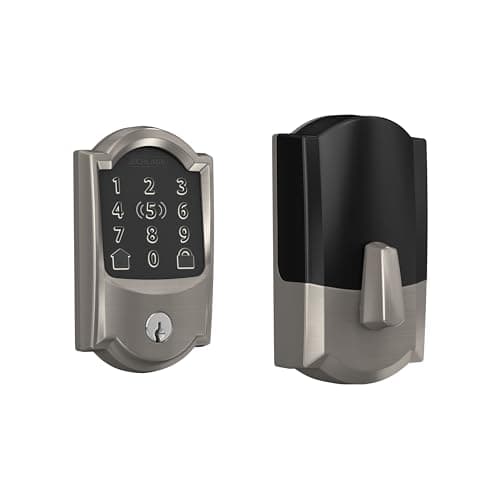
Roundup
The Best Smart Deadbolts
Seven full-replacement smart deadbolts, ranked. The Schlage Encode Plus wins on published BHMA Grade 1, and the page leads with the fit measurements that cause most returns.
Top pick: Schlage Encode Plus Wi-Fi Deadbolt · 7 ranked, 7 with live prices
$284.99on Amazon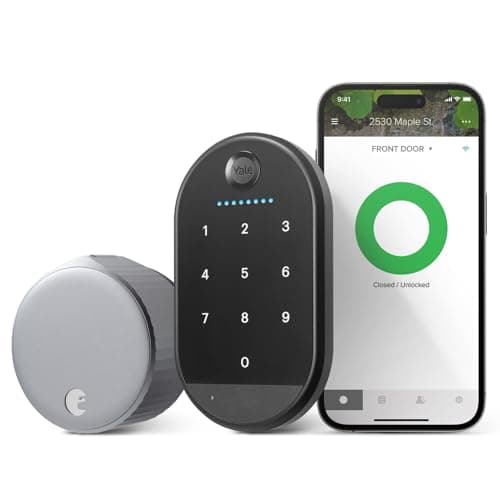
Roundup
The Best Smart Locks Without Drilling, for Renters and Apartments
Retrofit smart locks that need no drilling, keep the landlord's key working and reverse cleanly on move-out. The August Wi-Fi Smart Lock is the pick, with an honest warning about stiff deadbolts.
Top pick: August Wi-Fi Smart Lock (with Yale Keypad) · 5 ranked, 3 with live prices
$107.00on AmazonHead to head
Smart Lock vs Deadbolt
What a radio on your front door actually buys you and what it costs in battery, attack surface and vendor dependence - with a decision rule instead of a winner.
Top pick: Yale Assure Lock 2 (Wi-Fi, keyed) · 3 ranked, 3 with live prices
$197.00on Amazon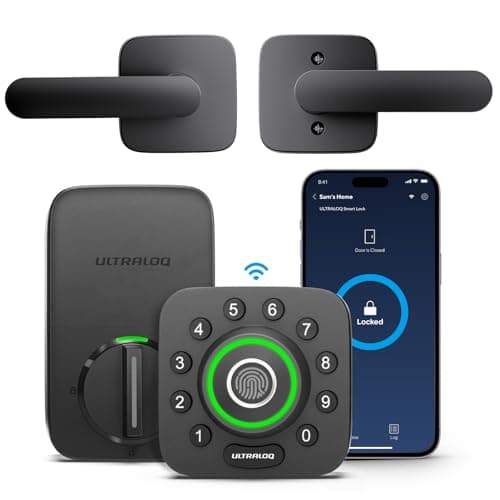
Roundup
The Best Fingerprint Door Locks
Five fingerprint deadbolts ranked on reader placement, cold- and wet-finger reliability, and the backups that open the door when a print fails. The Ultraloq U-Bolt Pro wins on the most ways in for the money.
Top pick: Ultraloq U-Bolt Pro Wi-Fi (with Handle) · 5 ranked, 4 with live prices
$159.99on AmazonRoundup
The Best Smart Locks for Airbnb and Short-Term Rentals
Five smart locks ranked for short-term-rental hosts on unique per-guest codes, codes that auto-expire at checkout, and remote add and revoke. The Yale Assure Lock 2 wins because it manages codes cleanly and keeps a physical cylinder for you, not your guests.
Top pick: Yale Assure Lock 2 (Wi-Fi, keyed) · 5 ranked, 5 with live prices
$197.00on Amazon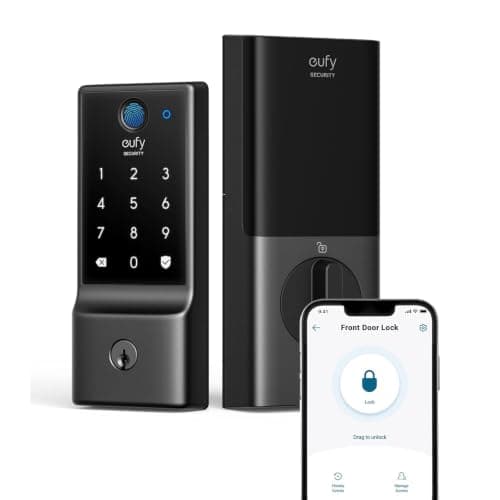
Roundup
The Best Budget Smart Locks
Five budget smart locks ranked on entry methods, connectivity, published grade and battery reality. The eufy Smart Lock C220 wins by keeping fingerprint entry and built-in Wi-Fi with no monthly fee, and we are honest about what a low price gives up.
Top pick: eufy Smart Lock C220 · 5 ranked, 4 with live prices
$119.99on AmazonReview
Schlage Encode Plus Review
The Schlage Encode Plus is the build-quality pick: a published BHMA Grade 1 deadbolt pedigree, built-in Wi-Fi with no separate bridge, and Apple Home Key. Reviewed from the published documentation, including who is paying for a feature they cannot use.
Top pick: Schlage Encode Plus Wi-Fi Deadbolt
$284.99on AmazonRoundup
The Best Apple Home Key Smart Locks
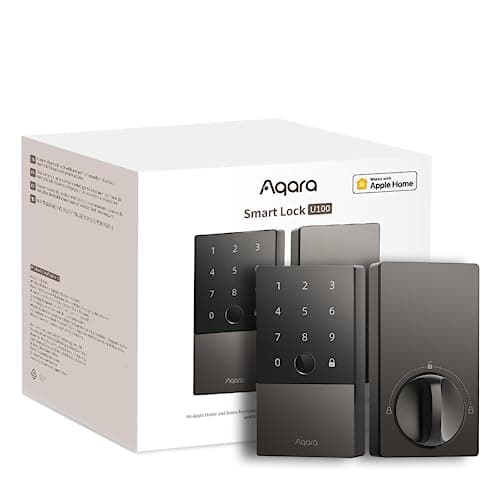
The three smart locks that support Apple Home Key tap-to-unlock. The Schlage Encode Plus wins on a published hardware grade and built-in Wi-Fi, with the Aqara U100 and the invisible Level Lock+ behind it.
Top pick: Schlage Encode Plus Wi-Fi Deadbolt · 3 ranked, 3 with live prices
$284.99on AmazonReview
August Wi-Fi Smart Lock Review
The August Wi-Fi Smart Lock is an interior-only retrofit that keeps your existing deadbolt, exterior hardware and key, and installs with a screwdriver. Reviewed from the published documentation, with the no-pad-on-the-door catch stated plainly.
Top pick: August Wi-Fi Smart Lock (with Yale Keypad)
$107.00on AmazonReview
Ultraloq U-Bolt Pro Review
The Ultraloq U-Bolt Pro packs fingerprint, code, key, app, Bluetooth and auto-unlock into a full deadbolt with built-in Wi-Fi and an anti-peep keypad, with no subscription. The listing we link ships the matching handle set with it. Reviewed from the published documentation.
Top pick: Ultraloq U-Bolt Pro Wi-Fi (with Handle)
$159.99on Amazon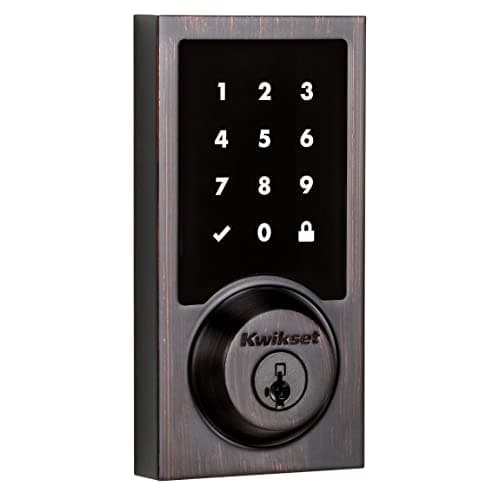
Roundup
The Best Smart Locks for Home Assistant
Four smart locks ranked by how they reach Home Assistant. The Kwikset SmartCode 916 wins on the only criterion that survives an outage: Z-Wave straight into Z-Wave JS, entirely local, with no vendor account anywhere in the path.
Top pick: Kwikset SmartCode 916 Z-Wave Touchscreen Deadbolt · 4 ranked, 3 with live prices
$159.99on Amazon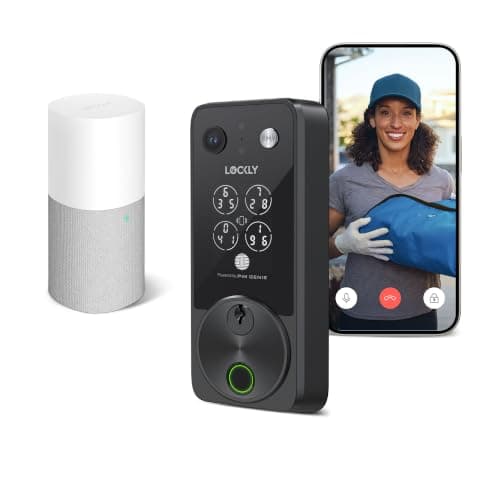
Roundup
The Best Smart Locks With a Camera
Five smart locks with a built-in camera, ranked on where the footage is stored and what it costs to keep. The Lockly Vision Zeno tops the specifications; the eufy E330 is the one most people should buy.
Top pick: Lockly Vision Zeno Series · 5 ranked, 5 with live prices
$339.00on Amazon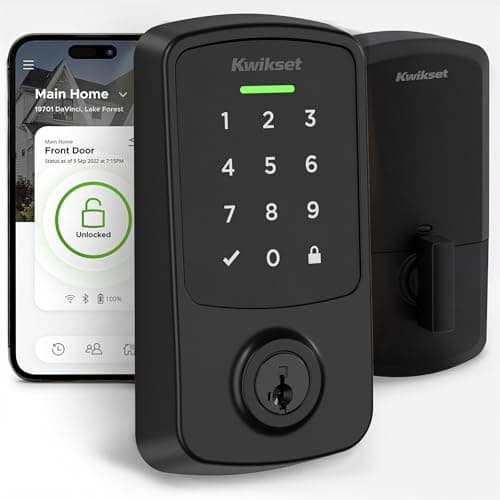
Roundup
The Best Matter Smart Locks
Five Matter smart locks ranked on whether Matter is the lock's own radio or an add-on module, and on what a Matter controller actually exposes once the lock has joined. The Kwikset Aura Reach wins for pairing native Matter over Thread with a published ANSI/BHMA grade.
Top pick: Kwikset Aura Reach (Matter over Thread) · 5 ranked, 5 with live prices
$153.00on Amazon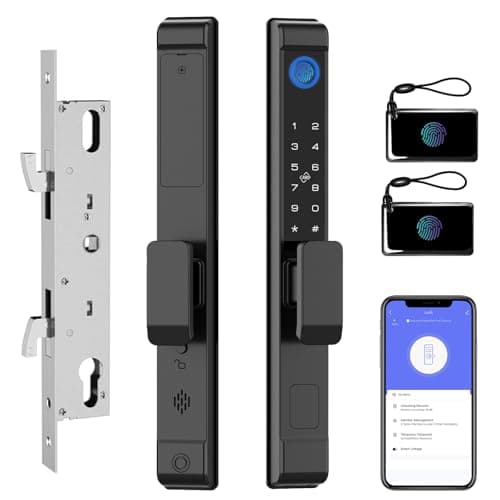
Roundup
The Best Smart Locks for Sliding Glass Doors
Five smart locks that genuinely fit a sliding patio door, ranked on mortise case and stile width rather than on features. The eLinkSmart 2885 wins for naming its case number, which is the one thing that decides whether a lock will seat.
Top pick: eLinkSmart 2885 Slim Sliding Patio Door Lock · 5 ranked, 4 with live prices
$131.96on AmazonRoundup
The Best Smart Locks for Garage Entry Doors
Smart locks for the garage-to-house door, ranked on whether they require drilling a code-regulated door, whether they work with no Wi-Fi in the garage, and how they behave on a self-closing slab. The no-drill retrofit is the pick most people should make.
Top pick: Schlage Encode Plus Wi-Fi Deadbolt · 5 ranked, 4 with live prices
$284.99on Amazon
Roundup
The Best Smart Locks for French Doors
Five smart locks for french and double doors, ranked on whether they need a new hole in a narrow stile. The SwitchBot Lock Ultra wins because it mounts entirely on the inside face of the active leaf, so stile width stops being a constraint.
Top pick: SwitchBot Lock Ultra Touch Combo (with Hub Mini) · 5 ranked, 4 with live prices
Check price on Amazon →Roundup
The Best Smart Locks for Elderly Parents
Five smart locks for an older relative, ranked on how many ways there are in without a phone and what a family member can manage from another city. The Ultraloq U-Bolt Pro wins on entry methods and because it ships a sensor that reports the door actually shut.
Top pick: Ultraloq U-Bolt Pro Wi-Fi (with Handle) · 5 ranked, 5 with live prices
$159.99on Amazon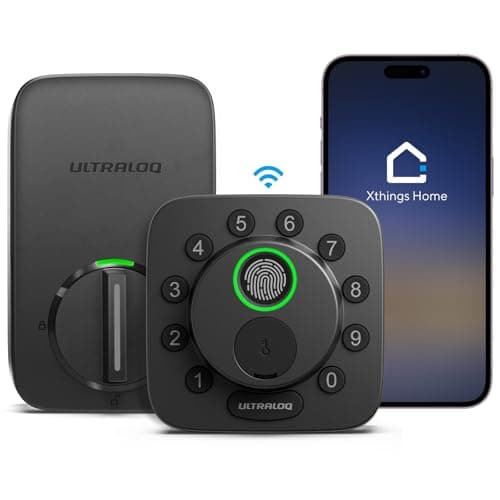
Roundup
The Best Smart Locks That Work Without Wi-Fi
Five keyless deadbolts that do not need a Wi-Fi network at the door, ranked by what radio is inside them. The ULTRALOQ Bolt SE wins because it runs Matter over Thread out of the box and still has a fingerprint reader; the TEEHO has no radio at all.
Top pick: ULTRALOQ Bolt SE (Matter over Thread) · 5 ranked, 5 with live prices
$84.99on AmazonRoundup
The Best Smart Locks for Alexa
Five smart locks for a household that already runs on Echo devices. The Yale Assure Lock 2 wins on the strength of its Alexa integration and the fact that its radio is a swappable module; the cheapest way in is the Kwikset Halo.
Top pick: Yale Assure Lock 2 (Wi-Fi, keyed) · 5 ranked, 5 with live prices
$197.00on Amazon
Filed elsewhere, written for you
Also worth reading
These live under a different section of the site but answer the same question a smart locks buyer is actually asking.
Gifts & Deals
Best Smart Home Security Gifts for New Homeowners
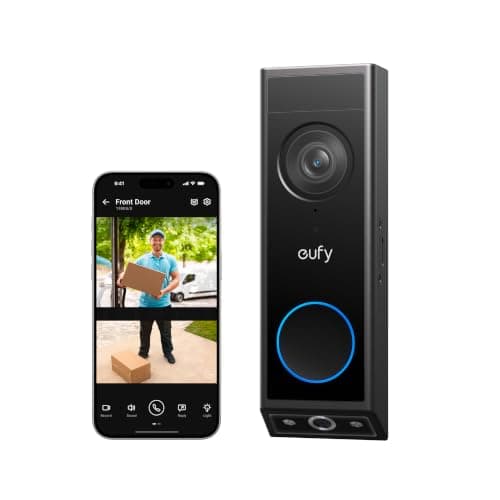
For someone who just got the keys: a doorbell that works on any door, a leak kit for the water heater, two front-door locks worth measuring for, a solar camera, a self-monitored alarm, a garage controller, and the one gift that shuts the water off.
Top pick: eufy Video Doorbell E340 (dual camera)
$149.99on Amazon