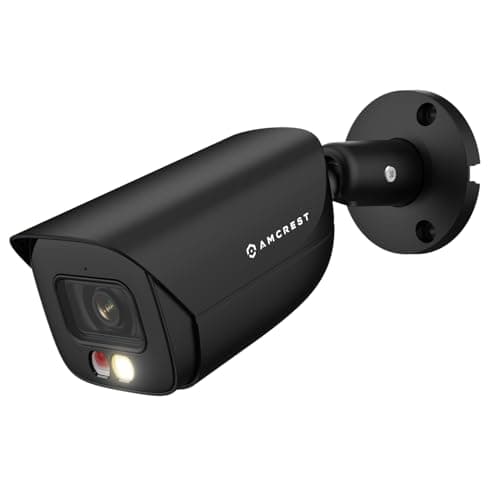
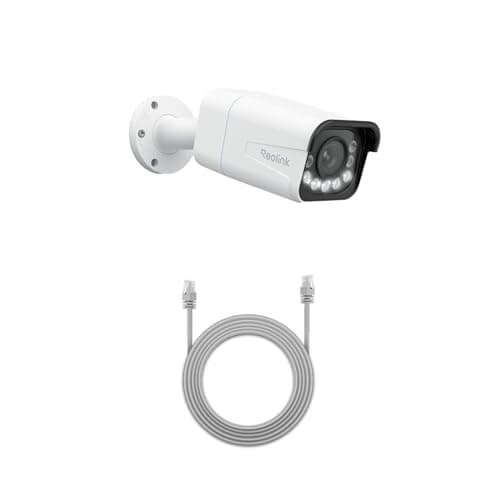
The Reolink RLC-811A and the Amcrest 5MP bullet are both wired PoE cameras, both speak RTSP and ONVIF, and both record to a card or a network recorder with no subscription. The split is not open versus closed — both are open. It is turnkey ecosystem and higher resolution on the Reolink side against the cheapest well-documented open component on the Amcrest side.
Reolink vs Amcrest: the short answer
Buy the Reolink RLC-811A if you want the sharper camera — 4K with a genuine 5x optical zoom that keeps a face or a plate readable at distance — and you value a coherent first-party recorder and app that still exposes RTSP and ONVIF when you want them. Buy the Amcrest 5MP bullet if you already run, or are building, a third-party recorder like Blue Iris or Frigate, and you want the cheapest way into a camera whose RTSP path is openly published. Both belong on our PoE camera roundup for different buyers; this page is about which buyer you are.
The decision rule in one line:if you want the camera to carry the install — higher resolution, optical zoom, a recorder and app that just work — the Reolink is the better single purchase; if you already have somewhere to send the stream and want the least expensive open, documented sensor to feed it, the Amcrest is the value pick.
Head to head: the four things that actually decide a PoE camera
The columns below are the ones that separate these two. Resolution and optical zoom are on the list because they genuinely differ; open standards are on it because both support them, which is the point people get wrong when they assume Amcrest is “the open one.”
Compiled from manufacturer specifications, August 2026.| Model | Resolution | Optical zoom | Open standards | Recorder it suits |
|---|
| Reolink RLC-811A | 4K | Yes, 5x optical | RTSP and ONVIF, plus first-party Reolink NVR | Reolink NVR or a third-party recorder |
|---|
| Amcrest 5MP Bullet | 5MP (not 4K) | None — fixed 129° lens | RTSP and ONVIF, with the RTSP path publicly documented | Blue Iris, Frigate or another third-party NVR |
|---|
Resolution and zoom: the clearest gap on the sheet
This is where the two are least alike. The Reolink RLC-811A is a 4K camera with a real 5x optical zoom — a motorized lens that moves glass, not a crop of the sensor — so a face at a gate or a plate at the end of a driveway stays readable as you zoom in. The Amcrest is a 5MP camera with a fixed 129-degree lens. Five megapixels is a perfectly usable resolution and it is honest to call it that, but it is not 4K, and where the rest of this tier has moved to 8MP and 4K sensors the Amcrest is deliberately the more modest, cheaper option. If reach and detail are the job — a long driveway, a parking lot, a boundary you want to identify people across — the Reolink is the camera, and it is not close.
If wide, near-field coverage is the job instead — a bullet over a door, a yard, a loading area — the Amcrest's fixed wide lens is fine, and its human and vehicle detection filters the alerts on the camera rather than in a plan. Note the shorter reach on both counts: 49ft of night vision against the Reolink's longer-range spotlight. Match the lens to the scene before you rank the megapixels.
Openness: both are open, but the emphasis is different
Here is the correction this comparison exists to make. Both cameras support RTSP and ONVIF, so both drop into Blue Iris, Frigate or another ONVIF recorder. The difference is which end of the openness spectrum each brand leans into. Amcrest publishes its RTSP URL format openly, which is precisely why it is a favorite for a from-scratch third-party build: pulling the stream into your recorder is a copy-paste rather than a forum hunt. That documented-RTSP habit is the whole reason the 5MP bullet earns a slot on our open-integration camera roundup over a nicer-looking camera that hides its stream.
Reolink is open too — the RLC-811A exposes RTSP and ONVIF — but it also ships a polished first-party story: its own NVR line, a coherent app and a support catalog that documents its own hardware well. You can run a Reolink camera into Blue Iris exactly like an Amcrest, or you can buy a Reolink NVR and have a turnkey system with no third-party software at all. That optionality is worth real money to someone who does not want to become the maintainer of their own camera stack. For a fuller look at where Reolink sits against a closed appliance brand, our eufy vs Reolink comparison runs that argument, and the whole hub is indexed at comparisons.
Recording, storage and the internet-down question
Both cameras record locally and neither requires a vendor account or a subscription to view the stream. The Reolink does continuous 24/7 recording to a card or an NVR; the Amcrest takes a microSD card up to 256GB on the camera as well as feeding whatever recorder you point it at. Because the storage is on your own hardware, both keep recording through an internet outage — a PoE camera plus a local NVR is one of the few setups that genuinely works with no internet at all, which is the subject of our guide on cameras that work without Wi-Fi. The card-on-the-camera detail matters more than it looks: it means the Amcrest keeps a copy even if the network link or the NVR itself goes down, which is a useful bit of redundancy in a wired build.
Software and living with it
This is where the Reolink pulls ahead for most people. Its app and NVR software are clearly more current than Amcrest's desktop and mobile tools, which are dated next to the consumer brands. If you are going to interact with the camera through the manufacturer's own software every day, the Reolink is simply the more pleasant thing to live with. If you are going to interact with it only through Blue Iris or Frigate, the manufacturer's app barely matters, and the Amcrest's weakness stops being a weakness — you are paying less for a sensor you will drive with someone else's, better, software.
Both share the real cost of admission for any PoE camera: you have to run Ethernet to them, and you need a PoE switch or injector. That is the whole project for most houses, and it is why our guide on PoE versus Wi-Fi exists — the cabling decides whether either of these is even the right category for you. If it is, both records land locally with no recurring fee, which is why they also sit on the local-storage roundup.
The decision rule
Both are wired, both are open, both record with no plan. The split is how much you want the camera to do by itself.
Buy the Reolink RLC-811A if…
- You want the sharper camera — 4K with a real 5x optical zoom to keep detail readable at distance.
- You value a coherent first-party ecosystem: a Reolink NVR and app that work out of the box, with RTSP and ONVIF still available when you want them.
- You do not want to become the maintainer of your own camera stack, but you want the option open.
- The scene needs reach — a long driveway, a boundary, a parking lot — where the zoom earns its place.
Buy the Amcrest 5MP bullet if…
- You already run, or are building, a third-party NVR like Blue Iris or Frigate and want the cheapest well-documented camera to feed it.
- A publicly published RTSP path matters to you, because it turns integration into a copy-paste rather than a forum hunt.
- The scene is wide and near-field — a bullet over a door or a yard — where 5MP, a fixed lens and 49ft of night vision are enough.
- You will drive the camera through someone else's software and do not care that the first-party app is dated.
What decides the price
On the Reolink side you are paying for the sensor and the glass: 4K and a motorized optical zoom cost more than a fixed lens, and the first-party NVR is a separate purchase that only pays off once you have several cameras feeding it. On the Amcrest side the low price tracks the modest 5MP sensor and the fixed lens — you are buying a competent open component and nothing more, which is exactly the point. Neither adds a subscription, so the real cost is the camera plus the cabling plus a recorder, and the recorder is where a Reolink-versus-third-party choice actually lands.
The mistake buyers make
The frequent error is assuming Amcrest is “the open one” and Reolink is locked down. Both speak RTSP and ONVIF; both work in Blue Iris. The genuine difference is emphasis: Amcrest documents its stream openly and leans on third-party recorders, while Reolink adds a polished first-party option on top of the open standards. Ranking them on “open versus closed” misses the point — rank them on resolution, zoom and which recorder you actually want to run.
How we compared these
Everything above is compiled from manufacturer specifications and published ONVIF and RTSP documentation, which is the only method we use and the only one we claim. Products we claim to have tested: 0. The rubric and the sources are on our methodology page, and the wider hub is at cameras.