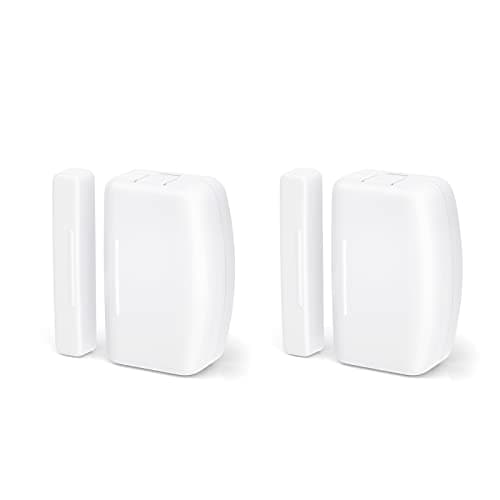
A contact sensor is the cheapest entity you will ever add to Home Assistant and one of the three most useful. It is a binary sensor that costs less than a takeaway, runs a year or more on a coin cell, and reports the one fact a camera cannot infer: that the door just opened. The question this page answers is not which sensor detects an opening best — a magnet and a reed switch are a solved problem — but what carries that state into your instance, and who owns it.
The best door sensors for Home Assistant start with the integration, not the sensor
Home Assistant publishes an IoT class for every integration, and it is the most useful thing on the page: it tells you whether the device is local or cloud, and whether it pushes state the moment it changes or waits to be asked. For a door sensor that distinction is the product. A sensor whose integration is Cloud Polling does not tell you the door opened; it tells you the door was open the last time something asked, which may have been minutes ago. There are four arrangements on sale and they are not equivalent:
- A radio you own. Zigbee through ZHA or Zigbee2MQTT, or Z-Wave through Z-Wave JS, with a coordinator stick on the machine running Home Assistant. The sensor joins your network. No vendor sits in the path at all, which means there is nothing to withdraw, discontinue or rate-limit.
- Matter over Thread. Also local — Home Assistant's Matter documentation says Matter products “always allow local control” — but it asks for two things first: the Matter Server, which the integration reaches over a WebSocket connection, and a Thread network with at least one border router near the sensor.
- Local Bluetooth. Home Assistant talks to the device directly over BLE with no hub. The published IoT class is Local Push, which is the right shape for a door, and the constraint is physical: Bluetooth has to reach from the sensor to the radio in your server.
- A vendor cloud. The sensor talks to the manufacturer's hub, the hub talks to the manufacturer's cloud, and Home Assistant asks that cloud. It works everywhere, it is how most of the market is built, and it puts a company's server between your door frame and your automation.
Arrangements one and two are structurally better. Three is excellent within range. Four is the one to understand before you buy rather than after. If the protocol words in that list are doing more work than you would like, the explainers are Z-Wave vs Zigbee vs Matter and what Matter actually changes for home security.
How we ranked them
Three criteria, in this order. First, what carries the state: a radio you own beats Thread, Thread beats local Bluetooth, and all three beat a cloud. Second, what the sensor does during an outage, because the reason to run Home Assistant at all is that the house keeps working when the internet does not. Third, cost per opening, since a real perimeter is six to twelve sensors and the per-unit price is what decides whether you cover the windows or only the front door. The rubric is published at our methodology, and the scores on the cards above are compiled from manufacturer documentation, Home Assistant's own integration pages and the Zigbee2MQTT device database — not from testing, which we do not do and do not claim.
Integration names and IoT classes as published by Home Assistant, October 2026. “Hub you must buy” counts hardware beyond the coordinator or radio already attached to your instance. Prices on the cards above are pulled live and dated October 20, 2026.| Sensor | Home Assistant integration | Published IoT class | Vendor hub needed | Reports with the internet down |
|---|
| THIRDREALITY Zigbee Contact Sensor | ZHA or Zigbee2MQTT | Local polling (ZHA) | No, a coordinator stick | Yes |
|---|
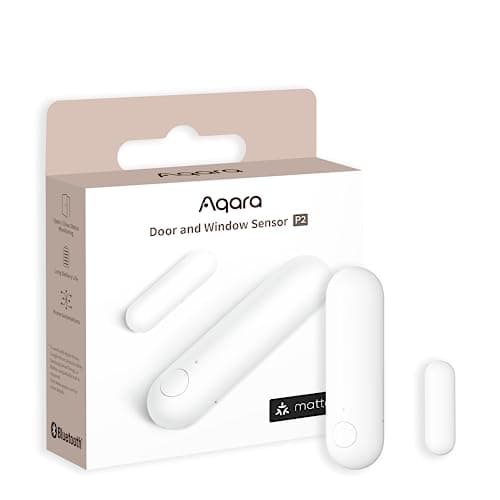
| Aqara Door and Window Sensor P2 | Matter, via the Matter Server | Local push | No, a Thread border router | Yes |
|---|
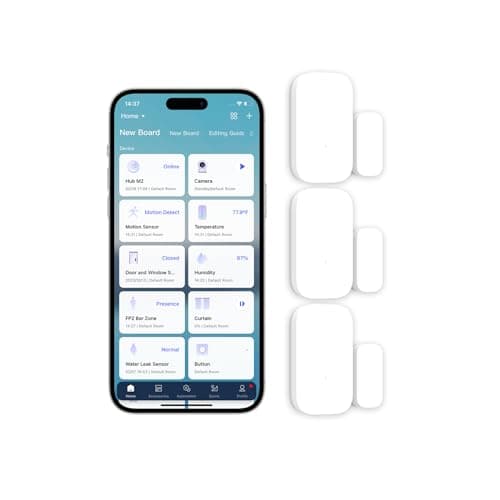
| Aqara Zigbee Door and Window Sensor (3-pack) | ZHA or Zigbee2MQTT | Local polling (ZHA) | No, a coordinator stick | Yes |
|---|
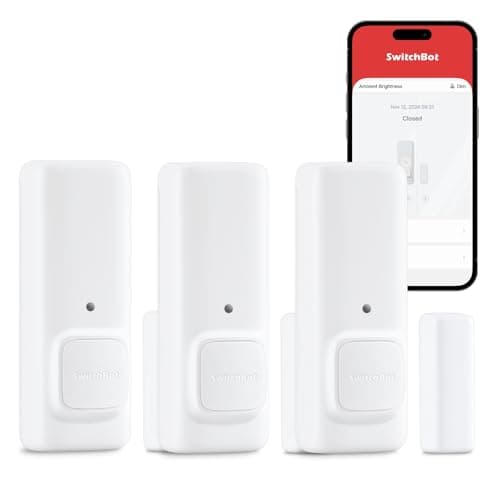
| SwitchBot Contact Sensor | SwitchBot over Bluetooth, or SwitchBot Cloud | Local push, or cloud polling | No for Bluetooth; yes for the cloud path | On the Bluetooth path only |
|---|
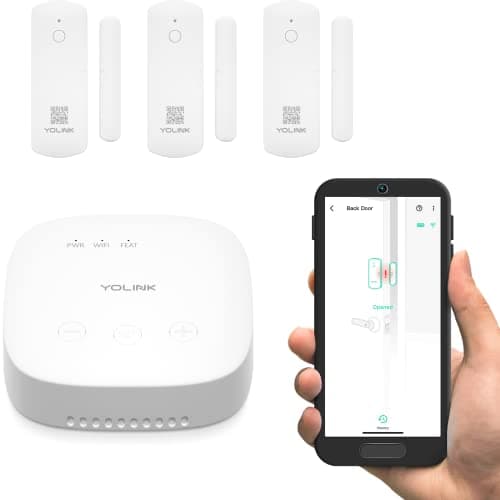
| YoLink LoRa Door Sensor Kit | YoLink | Cloud push | Yes, included in the kit | No |
|---|
THIRDREALITY Zigbee Contact Sensor — the one with nothing in the middle
This is the default in the Home Assistant community for a reason that has nothing to do with the hardware being special. It is a reed switch, a coin cell and a Zigbee 3.0 radio, and it behaves like a textbook Zigbee end device: it joins the coordinator you already run, it appears as a binary sensor, and it is finished. Zigbee2MQTT publishes the device entry — contact, battery percentage, battery voltage, a low-battery flag and a configurable open delay — and lists over-the-air firmware updates as supported, which is the unglamorous detail that tells you the device is still maintained.
What you are buying is the absence of things. No manufacturer app is required. No account exists to be migrated. No integration can be deprecated, because ZHA and Zigbee2MQTT are not a vendor's gift — Home Assistant describes ZHA as a “hardware-independent Zigbee gateway implementation” that forms a single Zigbee network of your own. Five years from now this sensor works the way it works today, and the company that made it has no ability to change that.
The honest costs, both in its registry entry above: it is physically larger than the Aqara sensors, so measure a narrow sash before ordering three for windows, and it assumes you already run a coordinator. If you do not, that is the real purchase and it comes before the sensor — see the buyer's guide below.
Aqara Door and Window Sensor P2 — the Matter route, with two prerequisites
The P2 speaks Thread and joins a Matter fabric, which makes it the most portable sensor here: the same device works in Home Assistant, Apple Home, Google Home or SmartThings, and Home Assistant's Matter documentation notes you can join one device to multiple controllers, with standard devices supporting at least five fabrics. If you want a sensor estate that survives you changing your mind about platforms, this is it. It is also the sensor this site ranks first in the general door and window roundup and in the Alexa rankings, where the absence of a vendor skill is decisive.
It is second here on an admission Home Assistant makes about itself. The Matter integration needs the Matter Server app, which the project recommends running on Home Assistant OS and explicitly does not support in a plain Docker container; Thread support requires Home Assistant OS 10 or later; a Thread device needs a border router within range; over-the-air updates for Thread devices do not work through an Apple border router; and the documentation describes the ecosystem as early-stage, with compatibility issues expected. Matter also deliberately exposes less than a native integration — for a contact sensor that is open, closed and battery level, which is all you need, but the ceiling is real and worth knowing about.
If your border router is an Apple TV or a HomePod, plan for a second one. Home Assistant documents that over-the-air firmware updates for Thread devices do not work with Apple border routers. The sensor still reports perfectly; you simply cannot update its firmware through that path.
Aqara Zigbee three-pack — the cheapest way to cover a whole house
A perimeter is not one door. Ground-floor windows, a patio slider, a garage side door and the front door is five to eight openings, and at that point the per-sensor price stops being a detail. These are among the smallest sensors in the category, they are sold in threes, and the same ZHA or Zigbee2MQTT coordinator reads them. Aqara's own documentation specifies an Aqara hub; in practice the Home Assistant world pairs them directly, and Zigbee2MQTT publishes a device entry exposing contact, battery percentage, voltage, device temperature and a trigger count.
The caveat is published, specific, and the reason this is rank three rather than rank one. Zigbee2MQTT states that Xiaomi-family devices do not fully follow the Zigbee standard and may drop off the network, and it names router brands that routinely cause them trouble — Centralite, General Electric, Iris, Ledvance, Legrand, OSRAM, Sylvania, SmartThings and Securifi among them. The documented workaround is to pair the sensor directly to the coordinator while standing next to it, and to watch for a link quality below 20. If your mesh routes through mains-powered devices from that list, buy one three-pack and see how it behaves before you commit the whole house. Diagnosing the drop-outs themselves, in order, is our sensor troubleshooting guide.
SwitchBot Contact Sensor — two integrations, and only one is any good for a door
SwitchBot is the interesting case on this page, because Home Assistant ships two separate integrations for it and they are not close in quality. The local one, SwitchBot, connects over Bluetooth with the IoT class Local Push, needs working Bluetooth on the host, and says plainly that a SwitchBot hub is not required. On that path this is a genuinely good Home Assistant device: instant state, no cloud, no hub, and it reports motion and light level as well as open and closed.
The cloud one is where buyers get caught. SwitchBot Cloud requires a hub, an account, a token and a secret key, and its published IoT class is Cloud Polling: each sensor requests a status update from the SwitchBot Cloud API once every ten minutes. There is a webhook that pushes contact-sensor updates faster, and the documentation is blunt about its condition — without a publicly reachable external URL or a Home Assistant Cloud subscription, those devices do not receive updates. Ten-minute polling is fine for a thermometer and useless for a door. So buy this sensor for the Bluetooth path, within Bluetooth range of your server, and take the constraint in its registry entry seriously: thick internal walls are the limit.
It earns its place anyway, because it is the only sensor here that makes a noise by itself. On a garage side door or a gate, an audible alert at the opening beats a notification that arrives wherever you happen to be. The brand-level version of this decision, if you are choosing a whole sensing estate rather than one device, is Aqara vs SwitchBot.
YoLink LoRa Door Sensor Kit — for the building Zigbee cannot reach
Buy this one for a distance problem and nothing else. LoRa carries roughly a quarter mile in open air, which makes it the only radio here that reaches a detached garage at the end of a drive, a barn, a gate or a shed across a paddock. Home Assistant lists the integration as verified for the YS7704-UC door sensor, the YS7706-UC garage door sensor and the YS7707-UC contact sensor, and account linking is provided free through Nabu Casa with no subscription required.
It is last because of what that integration is: IoT class Cloud Push, over an MQTT connection on port 8003, with the hub bridging YoLink's LoRa to YoLink's cloud. When your internet is down this sensor does not report to Home Assistant. For the structure it was bought for that trade is usually worth making — a shed door you would otherwise never know about beats a perfectly local sensor that cannot reach the shed — and the included SpeakerHub announces the opening aloud in the house either way. Everything inside the main building should still be Zigbee or Thread. One footnote from YoLink's own setup documentation, worth reading before you start: do not use UAC credentials for the Home Assistant integration.
The two we left off this page
Two of the cheapest sensors in the category are popular, well made, and effectively unavailable to Home Assistant, which is a different thing from being bad.
Ring Alarm contact sensors. Home Assistant's Ring integration supports doorbells, stick-up cams, chimes and intercoms. Alarm panels and their contact sensors are not in the supported device list, and the integration states that it does not connect locally to devices at all — all communication goes via the cloud, with data updates every 60 seconds. If you own a Ring Alarm base those sensors are excellent inside Ring, and they are ranked for exactly that in the Alexa roundup. They are not a Home Assistant purchase.
Wyze Entry Sensors. They need the Wyze Sense Hub, there is no official Home Assistant integration, and the brand's disclosure history is a fair thing to weigh before putting it on every door in the house. The budget argument behind them is real, and the Aqara three-pack answers it without the tie-in.
Buy the coordinator first, and a router before you buy sensors
The mistake that makes people think Zigbee sensors are unreliable is a mesh with no mesh in it. Home Assistant's ZHA documentation draws the distinction in its own words: a Zigbee router device is “a hardware device that is always mains-powered (AC) such as outlets or fans,” while a Zigbee end device is “typically battery-powered (DC) such as remotes or motion sensors.” Battery sensors do not relay traffic for anyone. They talk to a router or to the coordinator and to nothing else. ZHA's own advice is to add mains-powered routers before battery devices, because a weak mesh can stop a device pairing at all and limits how many you can add.
In practice the order of purchase is: coordinator stick, then one or two mains-powered Zigbee devices positioned between the coordinator and the far doors, then the sensors. Home Assistant recommends its own Connect ZBT-2 for a new Zigbee setup, and for Z-Wave an 800-series adapter with firmware at 7.23.2 or later. If you are still picking the box that runs all of this, that decision is best smart home hubs for security, and the platform-level version of the same question is the best smart home ecosystem for security.
What decides the price
Not the sensor. The radio arrangement decides the price, and the spread is wide: plain Zigbee multi-packs sit at the bottom of the range, a single Thread sensor costs several times as much per opening, and a LoRa kit with its own hub is a different budget entirely because what you are buying is range rather than a contact. Count the openings first, multiply, and only then compare products. A whole-perimeter Zigbee install usually costs less than two Thread sensors, which is the arithmetic nobody does before buying the first one.
Running cost is a coin cell every year or two and nothing else. None of these sensors has a subscription, none of them should ever have one, and if a door sensor is ever sold to you on a monthly plan, the plan is charging for notifications you can generate yourself.
The mistake buyers make
Buying the sensor for the ecosystem they wish they had. The Thread sensor is the better long-term device and the wrong purchase if there is no border router in the house today, because it joins nothing at all until there is one. The cloud sensor is the wrong purchase if the automation it is for has to fire in under a second. And a three-pack of anything is the wrong purchase before you know how your mesh behaves at the far corner of the house. Buy one, pair it, look at the link quality, then order the rest.
Second mistake, specific to this device class: putting the radio half on the door rather than the frame. The magnet half goes on the moving slab and the radio half on the fixed frame, because the radio half is the one with the battery you will replace and the antenna whose orientation matters. On a metal frame, lift both halves onto a plastic or adhesive spacer — metal detunes a 2.4GHz antenna, and a sensor sitting two inches from a steel jamb can report a link quality the mesh cannot route.
What a door sensor unlocks once it is an entity
The point of putting the cheapest device in the house into Home Assistant is that it becomes a condition for everything else. A door opening is the trigger that turns on a light, starts a camera recording, announces itself on a speaker, or — the automation that actually earns its keep — fires a notification when a door has been open for ten minutes and nobody meant it to be. That left-open timer is the best argument for a local integration: a template counting minutes is only as reliable as the state updates feeding it, which is why a ten-minute cloud poll cannot do this job at all.
The lock side of the same house is ranked in the best smart locks for Home Assistant, the camera side in the best Home Assistant security cameras, and the rest of this category sits on the sensors hub. If what you actually want is a sensor that needs no coordinator at all rather than one wired into a platform, that is a different ranking: the best no-hub door sensors.