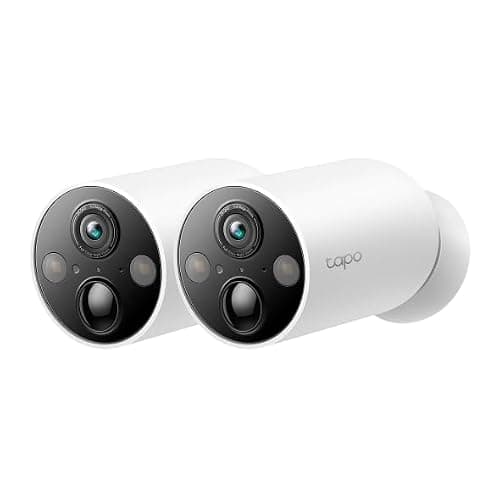
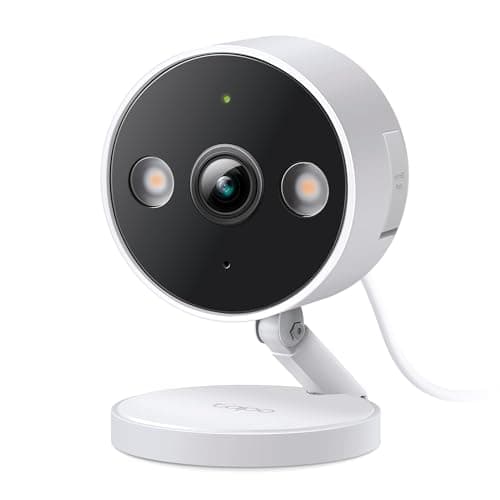
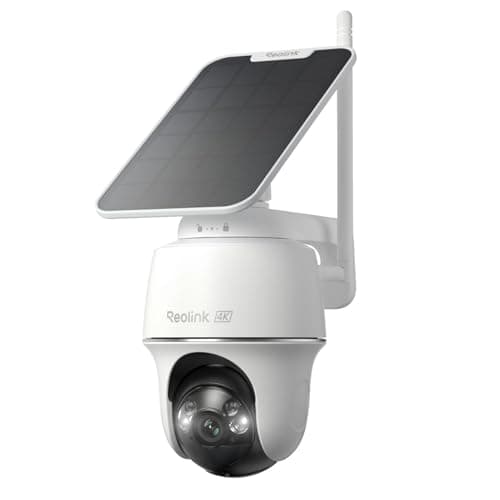
The Tapo C425, sold as the MagCam 2K+, is the camera to buy when you are not sure where the camera should go. It is wire-free, it shoots 2K QHD at 2560 x 1440, TP-Link publishes a 10000mAh battery with a runtime claim measured in months rather than weeks, and it records to a microSD card with no subscription attached. The mount is a magnet, which means siting it is a decision you can change in ten seconds instead of a hole you have to live with — and that same magnet is the reason this camera does not belong at head height next to a public path.
The magnet is the product
Almost every battery camera is sold on resolution and battery life, and almost every battery camera is installed badly, because the owner picked the spot from the ground with a drill in one hand. A magnetic base inverts that. You put the camera up, live with the view for a week, and move it when you discover that the angle catches the neighbor's driveway or that the tree branch triggers it at dawn. TP-Link's own description of the base is that it allows easy adjustment and battery access, and the second half of that matters as much as the first: on a camera charged by cable rather than swapped cells, the thing you will do most often is take it down and bring it inside.
The trade is obvious and we are not going to soften it, because the product entry above already says it: a magnetically mounted camera within arm's reach is a camera that can be taken, and with it the card holding the footage. Mount it high, mount it where a hand cannot reach from the ground, or mount something bolted. On a rental, the magnet is doing different work — it is the difference between a camera you are allowed to install and a lease conversation — which is why this camera ranks where it does in our renter camera rankings. Where to put it at all is where to place security cameras.
Storage: a card, not a plan
TP-Link publishes microSD support to 512GB, and local recording does not require a subscription. Tapo Care exists as an optional cloud service; nothing about recording, playback or detection on the card depends on it. That is the entire reason this camera appears on our no-subscription rankings: the card is in the camera, the footage is yours, and the arithmetic is one payment rather than a monthly line item for as long as you own it.
It is also the simplest plan-free arrangement in the category, and that simplicity is worth naming precisely. eufy puts the storage in the camera or in a base station you buy, and Blink needs a specific Sync Module plus a USB drive before it will keep anything locally at all — a comparison we work through in eufy vs Blink. Here you buy a card, you push it in, and the camera records. The cost of simplicity is that there is no second copy: a card in a camera that walks away is footage that walked away with it, and a camera that fails takes its own evidence with it. The structural version of that argument is local storage versus cloud.
One practical note on the listing we link: the current Amazon offer for this model is a two-camera pack, and no card is included with it. Budget for two cards, or for one card and a plan to swap it, before you decide this is the cheapest option on your shortlist.
The battery claim, and what it actually says
TP-Link publishes up to 300 days per charge from a 10000mAh lithium-ion cell. That number is not a lie, and it is also not a promise about your house, because TP-Link states the condition alongside it: the figure comes from its own lab testing at 230 seconds of camera use per day. The same page gives 180 days at 360 seconds per day. Read those two numbers together and you have the only battery guidance that is worth anything — runtime on a battery camera is a function of how often something walks past, how long you watch the live view, and how often the spotlight fires.
Two minutes more activity per day costs you four months of battery, on TP-Link's own figures. A camera over a quiet side gate will run for most of a year. The same camera pointed at a sidewalk, a bird feeder or a shared driveway will not, and no firmware update will change that. Set detection zones and sensitivity on day one rather than after the first recharge.
A solar panel is sold separately and is the right accessory for a camera you would rather never take down, provided the spot gets real sun — how much is a question with a page of its own in how much sun a solar camera needs. If the mounting point has mains power nearby, a permanently powered camera is a better answer than any battery, and the options are in how to power an outdoor security camera.
Night, and the spec TP-Link does not agree with itself about
Color at night on this camera comes from two things working together: a starlight sensor that gathers more light than a conventional one, and built-in spotlights that fire when the sensor runs out of scene. That is the honest mechanism. A camera that needs its spotlight for color is a camera that announces itself when it records, which is either a deterrent or a nuisance depending on whether your bedroom window is nearby.
Here the published figures stop being tidy, and a review that pretended otherwise would be worse than useless. TP-Link's Tapo product page lists an f/1.6 aperture with a 142-degree diagonal field of view (122 horizontal, 66 vertical). Regional tp-link.com pages for the same model number list f/2.1 with a 150-degree diagonal (134 horizontal, 77 vertical). The listings also differ on the number of spotlights. The likely explanation is a hardware revision — there is a published v2 page for this model — and the responsible thing for a buyer to do is check the specification on the page for the exact variant being sold rather than trust whichever number is quoted in a review, including this one.
What that disagreement means in practice: the wider, slower lens sees more of a scene and less of the dark, and the narrower, faster one is the opposite. Either way this is a camera for watching an area and recognizing an event, not for reading a plate at the end of a drive. For that job you want optical zoom, which is a different class of camera entirely — see our Reolink RLC-811A review and the driveway rankings.
What it is rated for, and what it is not
The body is IP66, which under IEC 60529 means protection against dust ingress and against powerful water jets — rain, wind-driven spray and hose cleaning, not immersion. That is the correct rating for a camera under an eave or on a wall, and it is the rating almost every outdoor battery camera carries. Detection covers people, pets and vehicles, which is the useful filter set for a residential approach: most false alerts come from movement that is none of those three.
What you do not get, and should not expect at this price: continuous recording. This is an event camera, because a battery camera sleeps in order to survive, and the 3am hour nobody triggered does not exist on the card. If scrubbing back through time matters more than clips, the camera class to look at is wired, and the comparison is in PoE vs Wi-Fi. The brand's own wired, mains-powered model is the cheapest way into that behavior, and it is one of the alternatives listed with this review.
Who should buy it, and who should not
Buy it if you want several wire-free cameras covering the approaches to a normal house, you would rather own the footage than rent access to it, and you value being able to move a camera after seeing what it sees. At the price the two-pack sells for, it is one of the least expensive ways to put 2K coverage with local recording on two sides of a building, and TP-Link's firmware and app support are more consistent than most of the budget field.
Skip it if the only available mounting spot is within reach of a path — buy something bolted. Skip it if you need continuous recording or long retention, which is a wired camera and a recorder. Skip it if the thing you must identify is at distance, which needs optical zoom. And skip it if you want a second copy of footage off-site by default, because a card in a camera is one copy in one place. Where this camera sits against the rest of the field is our wireless camera rankings, the brand pairings are eufy vs Tapo and Wyze vs Tapo, and the rest of the category is on the cameras hub. How we score without a test lab is set out at our methodology.