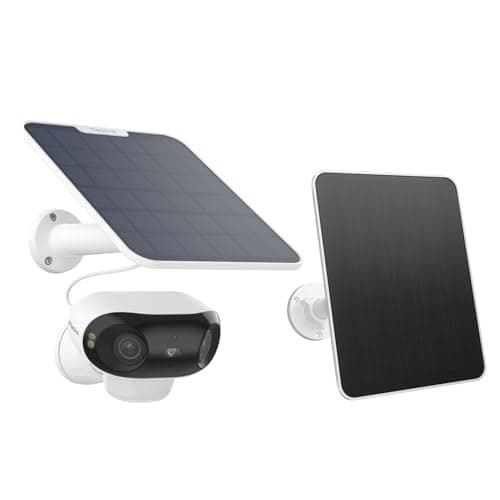
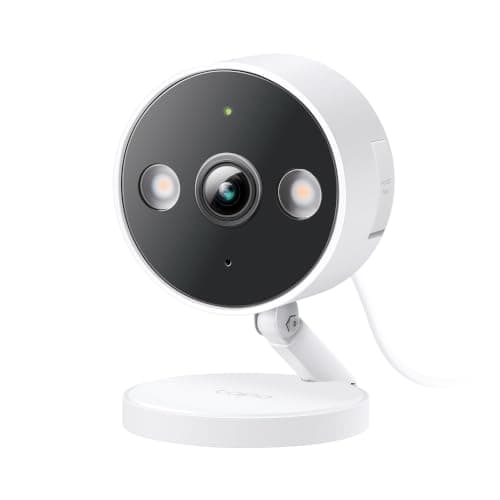
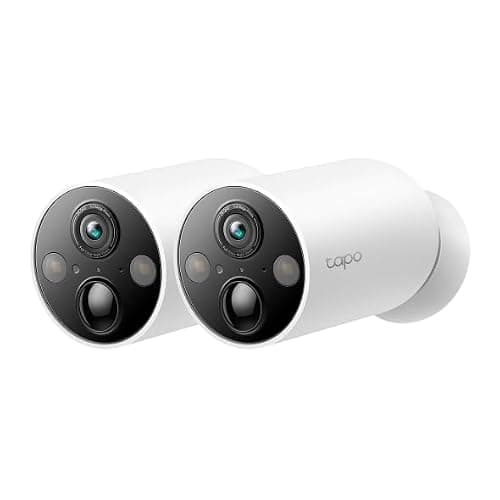
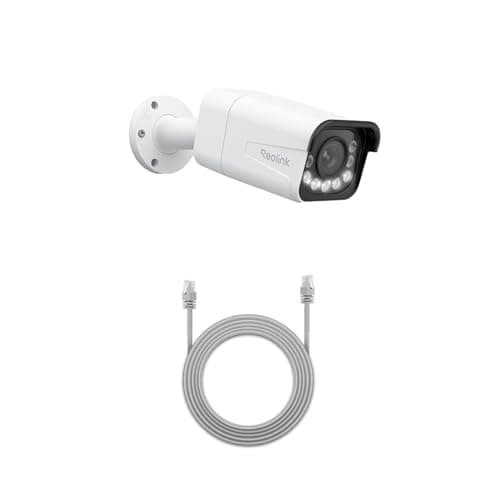
This pairing is the one a buyer reaches after deciding not to pay a monthly fee. Both brands record to a microSD card, both sell optional cloud storage nobody has to buy, and both have a reputation for undercutting the big ecosystems. Choosing between them on price alone is reasonable and it is also how people end up with four cameras they cannot get the footage out of. The question that actually separates them is ownership of the stream.
The axis: what each brand lets you do with your own video
RTSP is the protocol that lets any software read a camera's stream. ONVIF is the standard that lets a recorder discover and control the camera. Together they are the difference between a camera that is a product and a camera that is a feature of somebody else's app. Neither brand hides where it stands — both publish the answer in support documentation almost nobody reads before buying.
Reolink. Its support article on which products support CGI, RTSP and ONVIF lists standalone PoE cameras, plug-in Wi-Fi cameras and its Professional range as supporting all three directly. Battery-powered Wi-Fi cameras — the Argus and Altas families — are listed as needing a Home Hub to reach those protocols, and 4G LTE cameras as not supported. Its Battery Video Doorbell documentation goes further and states that RTSP and ONVIF work in wired power mode and not in battery mode.
Tapo. TP-Link's FAQ says most Tapo cameras, except for battery-powered models, support RTSP and ONVIF Profile S. The exceptions are specific: the C425 and D230 are named as unsupported, while the D235, D225 and TD25 can stream RTSP only when hardwired for power, with a jumper cable fitted and always-on mode enabled. Where it works, you create a separate camera account in the app and connect on port 554 for RTSP or 2020 for ONVIF, with a high-quality and a standard stream path. TP-Link lists Synology Surveillance Station, Blue Iris, Agent DVR, iSpy, Scrypted and ONVIF Device Manager among the clients people use.
Read those two paragraphs next to each other and the pattern is clear: in both ranges, openness tracks the power cable. The difference is what each brand does about it. Reolink sells a bridge for its battery cameras and an entire wired tier with recorders above it. Tapo mostly does not.
Compiled from Reolink and TP-Link support documentation, October 2026. Prices on the cards above are pulled live and dated November 12, 2026; no price appears in this table.| Decision | Reolink | Tapo |
|---|
| RTSP and ONVIF on wired cameras | Published across PoE, plug-in Wi-Fi and Professional | Published on most wired models, by model |
|---|
| RTSP on battery cameras | Through a Home Hub only | No on the C425 and D230; three models only when hardwired |
|---|
| Wired tier | Full PoE range, including 16MP dual-lens units | Mains-powered Wi-Fi cameras, no PoE camera line |
|---|
| Recorder of its own | Yes, Reolink NVRs and the Home Hub | Hubs with storage; no NVR equivalent |
|---|
| Plan-free local storage | microSD, NVR or FTP, no plan at any tier | microSD or a Tapo hub, no plan required |
|---|
| Optional cloud | Reolink Cloud, regional | Tapo Care |
|---|
| Price for a similar specification | Higher, and it buys the wired options | Consistently lower |
|---|
| Continuous 24/7 recording | Yes on PoE cameras to a card or NVR | Yes on mains-powered models to a card |
|---|
Where Reolink wins
Range, and what is at the top of it. If a cable can reach the mounting point, Reolink sells cameras that take power and data on one Cat6 run, record continuously to a card or to a recorder you own, and publish the protocols that let software you run read the stream. The RLC-811A is the example this site keeps returning to, because a real 5x optical zoom on a wired 4K camera does a job no battery camera on either side of this comparison can: reading something small at distance, continuously, forever, with no charging cycle. The wired field is ranked in our PoE rankings and the question of whether to add a recorder is IP camera vs NVR.
Second, the battery end of the Reolink range is not a dead end. A Home Hub brings RTSP to cameras that do not have it natively, which means a battery camera bought today can be read by Home Assistant later. That is a genuinely different proposition from a battery camera whose manufacturer documents no path at all, and it is why Reolink appears in our Home Assistant camera rankings and Tapo does not.
Third, and newest: the optics at the top of Reolink's battery range are ahead. Its Argus 4 Pro publishes an F1.0 lens on a 1/1.8-inch sensor and color night vision with the spotlight off — no infrared at all — which is the mechanism we rank in the color night vision roundup. Nothing in the Tapo range publishes a comparable aperture.
Where Tapo wins
Price, and the quality of the cheap end. A mains-powered Tapo 2K+ camera costs less than most brands charge for 1080p, records to a card with no plan, and — because it is wired — is one of the models that can stream RTSP into a recorder. That combination at that price is the reason Tapo dominates our budget rankings. TP-Link also ships firmware updates for longer and more consistently than most of the budget field, which is not a glamorous advantage and is the one that matters three years in.
Second, mounting and install simplicity. The MagCam 2K+ goes up on a magnet, has no bracket to drill and is repositionable in seconds, which makes it the easiest camera in either range to live with — and the pick for a rented home, where it leads the renter rankings. Reolink has nothing with that install story.
Third, honesty about where the ceiling is. If you have no interest in RTSP, no recorder, no Home Assistant and no plan to acquire any of them, then the openness argument above is worth nothing to you, and paying a premium for it is the wrong decision. A Tapo card-first camera in the Tapo app is a complete product for a great many households, and the brand comparison that covers that reader more directly is eufy vs Tapo.
The two caveats that apply to both
A battery camera is a closed camera, whichever brand is on it. This is the single most useful thing on the page. Tapo names its own best battery camera as not supporting RTSP or ONVIF; Reolink requires a hub for its battery line. If software you run has to read the stream, buy a camera with a cable — in either range — and treat any battery camera as app-only until the vendor's documentation says otherwise for that exact model. The power question behind this is PoE vs Wi-Fi security cameras.
ONVIF does not carry everything. TP-Link states that ONVIF Profile S does not include two-way audio, that on a dual-lens camera an ONVIF client sees only the wide-angle lens, and that cloud storage, local card recording and NAS or ONVIF recording cannot all run at once because the camera has a limited number of streams. Those are standard limits rather than brand failings, and they are exactly the sort of thing that turns a working plan into a disappointing afternoon. TP-Link also recommends a VPN rather than port forwarding for remote access, which is the correct advice and worth repeating: never expose a camera directly to the internet.
Which model, inside each brand
On the Reolink side the decision is the cable. If one can reach the mounting point, the RLC-811A is the camera to buy: 4K on a motorized 5x optical zoom, PoE at IEEE 802.3af, continuous recording to a card rated to 512GB or to an NVR, and RTSP and ONVIF published. If a cable is not happening, the Argus 4 Pro is the battery pick, with the trade stated plainly — a 180-degree panorama at 5120 x 1440 and 50 degrees of vertical coverage, and RTSP only once a Home Hub is in the house.
On the Tapo side the same question produces the same answer in miniature. The mains-powered 2K+ wired camera is the one that can be read by a recorder, records continuously, and costs less than most brands charge for 1080p. The MagCam 2K+ is the one to buy when the install has to be reversible or quick, and you should buy it knowing TP-Link's own FAQ names it as supporting neither RTSP nor ONVIF — it is an app camera, and an unusually good one. Neither brand asks for a subscription to record or play back on either model, which is why both are in the no-subscription rankings.
The decision rule
Buy Reolink if any of these is true: a cable can reach the camera position, you want continuous recording rather than clips, you want the stream in software you run now or later, or you expect to add a recorder. Buy Tapo if the brief is the lowest competent price, the app is the whole system, and the camera is going somewhere a drill is not welcome. If you are buying one camera for a doorway and you will watch it on a phone, Tapo is the better value and the difference above is theoretical. If you are building toward three or more cameras and a place to keep the footage, Reolink is the range that goes there, and starting on it costs less than migrating to it.
Either way the storage model is the same and it is the one this site argues for: local storage rather than a cloud plan. The neighboring pairings are eufy vs Reolink, Reolink vs Amcrest and Wyze vs Tapo, and the rest are on the comparisons hub. How we score without a test lab is at our methodology.