HUB 06 · Guides
Do Smart Locks Need a Subscription?
The short answer is no, and it is one of the few genuinely good pieces of news in smart home security. The useful answer is where the exceptions are, because there are exactly three of them.
We earn a commission if you buy through our links. It does not change the price you pay, and it does not decide our picks — our selection criteria are published in full. How this works.
Do smart locks need a subscription?
No. On every consumer smart lock we rank, locking, unlocking, keypad codes, access schedules, activity history and remote access from your phone are hardware functions paid for once at the till. This is the opposite of the camera market, where storage is the product and the plan is the business model. A lock has nothing to store, so there is nothing to rent you.
That is the answer, and it holds. What follows is the part worth your time: the three specific places in this market where a recurring fee genuinely does appear, how to recognize them before you have paid, and why “no subscription today” is a license rather than a property of the metal.
Why locks escaped the subscription model and cameras did not
It is worth understanding the mechanism, because it tells you where the risk is.
A camera generates a continuous stream of expensive data. Somebody has to pay to keep it, and if the camera has no card slot, that somebody is you, monthly, forever. That is the whole argument of our subscription cost model and the reason this site exists.
A lock generates almost nothing. Its entire state is one bit — locked or not — plus a short event log and a handful of PINs, all of which fit in a few kilobytes and most of which live in the lock itself. Codes are validated on the lock, not in a data center, which is why a keypad still works when your broadband is out. There is no storage cost to pass on, so no plan formed around it. The cloud service a lock vendor runs is a relay for remote commands and a notification pipe, and it is cheap enough that every brand in this category gives it away to sell hardware.
The test that catches almost everything: does the device produce video? If yes, expect a plan somewhere and check for a card slot. If no, a monthly fee is a business decision rather than a technical necessity — and in the lock market, nobody has managed to make it stick.
Exception one: rental and property-management access platforms
This is the real one, and it catches hosts rather than homeowners. There is a whole category of software that sits above the lock: it holds the lock accounts for a portfolio of doors, issues and expires codes automatically from a booking calendar, gives cleaners their own credentials, and logs who opened what. RemoteLock is the clearest example, and its published plans are billed per lock per month, in tiers, with annual and monthly options.
That fee is not for the lock. The lock already worked; what you are buying is the orchestration — a booking on a channel manager turning into a code that starts at 3pm on Friday and dies at 11am on Monday without anyone touching an app. Short-term rental platforms and channel managers publish integrations with exactly this layer, which is how you can tell it is a genuine product category rather than a toll.
Whether you need it is a volume question. One property, and the manufacturer's own app does this free: every lock in our Airbnb lock rankings issues time-limited codes without a platform on top, and our guide to guest codes and access walks through doing it by hand. Several properties with turnover, and the per-door fee starts to look cheaper than the hour a week you spend not making mistakes with codes.
Exception two: locks with a camera in them
A video smart lock is two products in one casting, and the camera half brings the camera half's economics with it. Video has to go somewhere. The question to ask about any lock with a lens, before anything else: does it have a card slot, or onboard storage? And check that the thing providing it is actually in the box, because the trap is not always the lens — our Blink Outdoor 4 review is a worked example of a product whose plan-free path exists but arrives as a separate accessory purchase.
If it does, you are fine — the footage lands on hardware you own and the vendor's cloud is optional. If it does not, the clip has to go to a server, and that is where a plan appears. It is the same decision tree as a doorbell, which is why whether video doorbells need a subscription is the better companion read here than anything about deadbolts, and why our camera lock rankings lead with storage rather than with resolution.
Worth saying plainly: a lock with a camera is usually the wrong way to buy a camera. A separate doorbell or camera sees more, mounts where you want it, and can be replaced without touching your door hardware — and a plain deadbolt plus a doorbell is frequently cheaper than the combined unit. The combination is a real answer for a door with nowhere to put a doorbell, and a convenience purchase everywhere else.
Exception three: a lock inside a monitored alarm contract
The third way people end up paying monthly for a lock is that the lock arrived as part of something else. Professionally monitored alarm companies will happily include a smart lock in a package, and that package has a contract, usually a long one, and the lock is integrated into their app rather than yours.
The fee there is for monitoring — a staffed center that calls the police — not for the lock, and it is a legitimate thing to buy if you want it. What it is not is a smart lock subscription. If you want the lock without the contract, buy the lock; the self-monitored equivalent, and what you give up, is set out in self-monitored home security, explained. Be careful of the same packaging in reverse: a lock that only exposes its features through an alarm provider's app is a lock with a dependency, whatever the hardware cost was.
What a smart lock actually costs to keep running
Zero monthly is not zero. The recurring cost of a smart lock is cells, and it varies by close to an order of magnitude depending on the radio you chose.
| Connectivity | Recurring cost | What else you may have to buy |
|---|---|---|
| Wi-Fi in the lock | Cells, replaced most often — typically rated in months | Nothing |
| Bluetooth only | Cells, replaced least often | A bridge or hub, if you want remote access |
| Thread / Zigbee (Matter) | Cells, long life — the radio sleeps | A hub or border router, one off |
| Retrofit over the thumbturn | A rechargeable pack, or cells | A hub for remote access; an adapter kit on some doors |
The honest headline is that the cheapest lock to run is rarely the cheapest lock to buy. A Wi-Fi radio sitting in a deadbolt is the heaviest draw in the category because it has to stay associated with an access point, and a door in a weak-signal corner makes it worse — a radio that retries is a radio that drains. The arithmetic, with the published figures and the assumptions shown, is in how long smart lock batteries actually last.
The other cost that is not a subscription but feels like one is the hub. A Bluetooth lock plus a manufacturer hub, or a Thread lock plus a border router, is still cheaper over five years than any monthly plan — it is hardware, bought once — but it is money you have to spend to get the feature you thought you were buying. Count it at the till, not after.
Free today is a license, not a property of the hardware
This is the part most pages on this subject leave out. “No subscription” is a decision a company is making this quarter about software it operates. Anything in your lock that depends on the vendor's servers — remote unlock, push notifications, account sharing, the voice assistant link — can be repriced, degraded or retired, and the lock on your door cannot stop it.
You cannot fully insure against that, but you can reduce the surface, and the method is simple: prefer a lock whose important functions do not route through anyone's cloud. Concretely, that means
- Local control. Matter over Thread, or Zigbee to a hub you own, keeps lock and unlock inside your house. The protocol background is in Z-Wave against Zigbee against Matter, and the locks that do it properly are ranked in our Matter lock rankings.
- Codes validated on the lock. A keypad PIN that the lock checks itself keeps working when the vendor, your broadband, or both are having a bad day.
- A mechanical override. A key cylinder or a fingerprint reader is the thing that makes a cloud outage an inconvenience rather than a locksmith call. What happens in a power cut specifically is a separate question with a reassuring answer.
- An automation stack you control. If you want a lock that is immune to this entirely, run it locally — the Home Assistant lock rankings exist for people who have decided exactly that.
So what should you buy?
For one home, a lock with no fee attached to anything, which is almost all of them: start at our smart lock rankings and let the door decide, because fit disqualifies more purchases than any software consideration. If the house runs on a voice assistant, the ecosystem pages narrow it faster — the Google Home rankings and the Alexa rankings reach different conclusions for reasons that are about hardware, not price.
For a rented door, a retrofit keeps the landlord's cylinder and still needs no plan: the no-drilling rankings are the page. For several doors you let to guests, price the access platform honestly against your own time rather than assuming either answer. And if a monthly fee is the thing you are trying to escape across the whole house rather than just the front door, the no-subscription hub is where every category on this site gets the same treatment. The rest of the explainers are on the guides hub.
The hardware
The hardware this guide is about
The products this guide refers to, with prices pulled live from Amazon and dated on every card. Full rankings live in the roundups linked above.
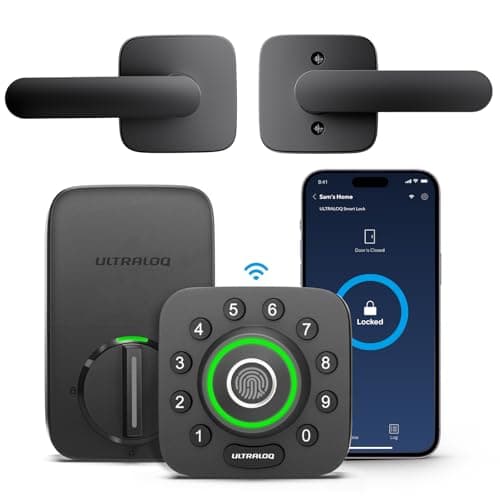
Best fingerprint lock
Ultraloq U-Bolt Pro Wi-Fi (with Handle)
The most entry methods for the money: fingerprint, code, app, Bluetooth, auto-unlock and a mechanical key, with built-in Wi-Fi rather than a bridge. If you want every door to open every way, this is the cheapest route there — and the listing we link ships the matching handle set with the deadbolt.
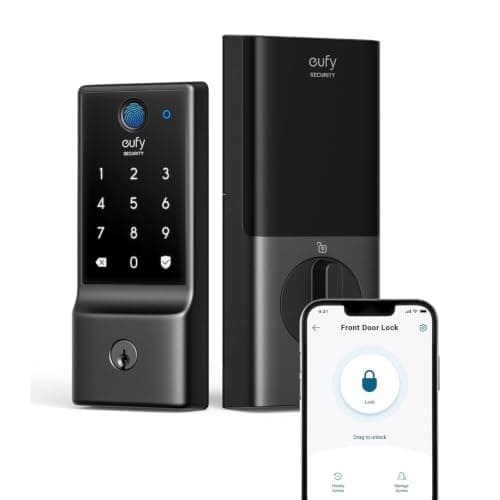
Best budget fingerprint lock
eufy Smart Lock C220
Fingerprint plus built-in Wi-Fi at the bottom of the price band that includes both. eufy's whole pitch is no monthly fee, and the lock line holds to it.
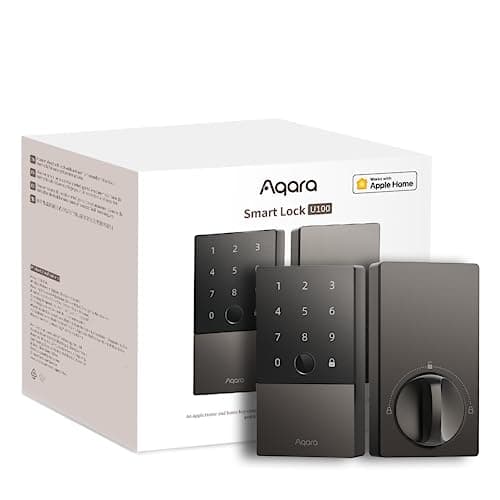
Best for Apple Home
Aqara Smart Lock U100
The Apple-household pick that is not a Schlage price. Home Key tap-to-unlock, a fingerprint reader, a keypad and a mechanical key, and it speaks to Apple Home, Google Home and Alexa out of the box.
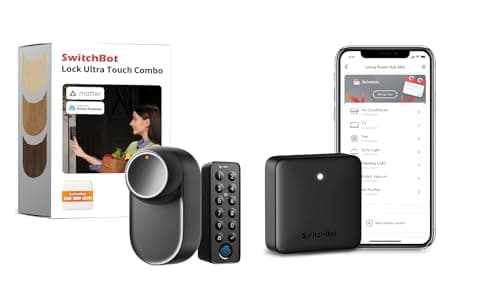
Best no-drill retrofit
SwitchBot Lock Ultra Touch Combo (with Hub Mini)
The credible way to make a rented door smart without drilling a hole. It mounts over the existing thumbturn, keeps your key, and this bundle puts the fingerprint keypad and the hub in the same box — so codes and remote access both work the day it arrives.
#ad · As an Amazon Associate we earn from qualifying purchases.
Questions
Frequently asked
Do any smart locks charge a monthly fee?
Does remote unlocking from my phone need a subscription?
Is the August or Yale app free?
What about a smart lock with a camera?
Do I need a subscription for a smart lock to work with Alexa or Google Home?
What is the real yearly cost of running a smart lock?
Keep reading
Related
- Security camera subscription costs, comparedThe category where the plan really is the product, with the arithmetic shown.
- Best smart locks for Google HomeVoice assistant links are free; the hardware route is what costs.
- How long do smart lock batteries last?The only recurring cost a smart lock actually has.
- Best smart locks with a cameraThe one lock category where a plan can genuinely appear.
Receipts
Sources
- RemoteLock - plans and pricing, which publishes a per-lock, per-month tiered plan structure with annual and monthly billing for its access-management platform
- Smoobu - RemoteLock integration page, showing the channel-manager layer that short-term rental access platforms plug into
- Schlage - works with Google Home compatibility documentation, for which lock functions are delivered through the free Schlage Home app
- Aqara - Smart Lock U100 support documentation, for the hub requirement that delivers remote access and third-party platforms as hardware rather than as a plan
- eufy - Smart Lock C220 product page, for a built-in Wi-Fi lock whose remote access and codes carry no plan
- Connectivity Standards Alliance - Matter, the standard that makes local lock control possible without a vendor cloud in the command path
- Thread Group - Thread, the low-power mesh the longest-lived locks use instead of Wi-Fi
We do not run a testing lab and we do not pretend to. Specifications come from the manufacturer's own published documents and from published standards; prices come from the live Amazon API. Where a figure is not published, the page says “not published” rather than guessing. Read the full method.