“Works with Google Home” is a badge that hides three completely different pieces of plumbing. One lock joins your Wi-Fi and talks to Google through the manufacturer's cloud. One joins a Matter fabric over Thread and needs a specific Google device in the house to act as the hub. One is a Bluetooth lock that reaches Google only through a second box you buy, place and keep powered. All three earn the same badge. They behave nothing alike the first time the internet drops, and they cost very different amounts once you count everything you actually have to own.
The best smart locks for Google Home, ranked by the route they take
The ranking below follows the route, not the blended score on the product cards, and that is a deliberate choice this page makes and the others do not. A lock that is excellent in general can still be the wrong lock for a Google house — because it needs a hub you do not own, or because its route adds a second point of failure between the voice command and the bolt. Three routes exist:
- Wi-Fi in the lock. The lock joins your 2.4GHz network directly and the manufacturer's cloud links to your Google account. Nothing else is needed, it works with any Google speaker or display, and the cost is power: a Wi-Fi radio in a battery lock is the heaviest draw in the category. The first four picks here take this route.
- Matter over Thread. The lock is a Thread device and joins Google Home as a Matter accessory. Control is local, so it survives a dead internet connection, but you must own a Google device that is a Matter hub with a Thread border router inside it. Yale, launching its own Google-oriented Matter lock, states the requirement plainly and names the Google TV Streamer (4K) and the second-generation Nest Hub as examples. If you own neither, this route is not free — it is a lock plus a hub.
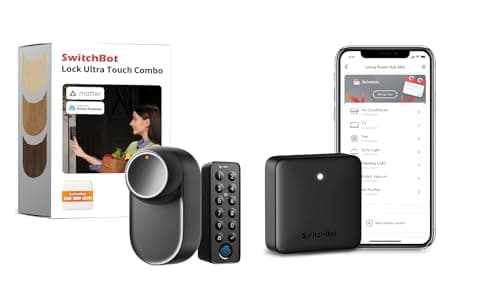
- Bluetooth plus a vendor hub. The lock itself only speaks Bluetooth. A manufacturer hub sits indoors, bridges it to the internet, and presents it to Google. This is how the last two picks get there, and it is also how they get Matter. The hub is hardware, not a subscription, but it is still a thing on a shelf with a cable.
Compiled from manufacturer compatibility and support documentation, November 2026.| Lock | Route to Google Home | Extra hardware | Entry without the network | Codes managed in |
|---|
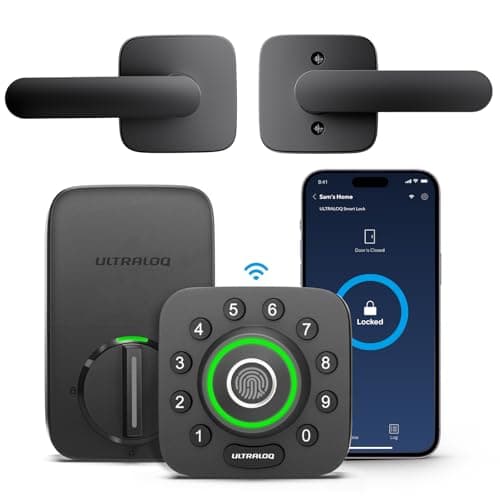
| ULTRALOQ U-Bolt Pro Wi-Fi | Wi-Fi in the lock, U-tec cloud | None | Fingerprint, keypad, key | Ultraloq app |
|---|
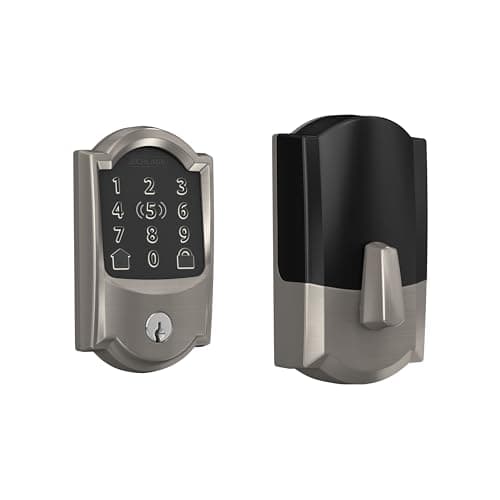
| Schlage Encode Plus | Wi-Fi in the lock, Schlage Home app | None | Keypad, key, Apple Home Key tap | Schlage Home app |
|---|
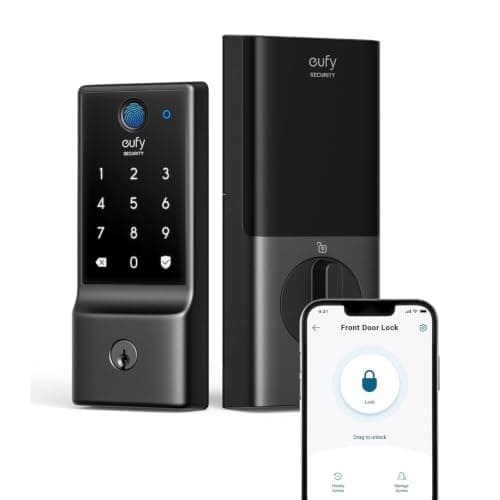
| eufy Smart Lock C220 | Wi-Fi in the lock, eufy cloud | None | Fingerprint, keypad, key | eufy Security app |
|---|
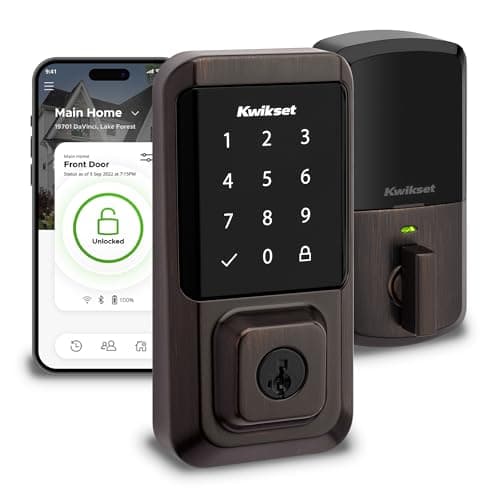
| Kwikset Halo | Wi-Fi in the lock, Kwikset app | None | Touchscreen keypad, key | Kwikset app |
|---|
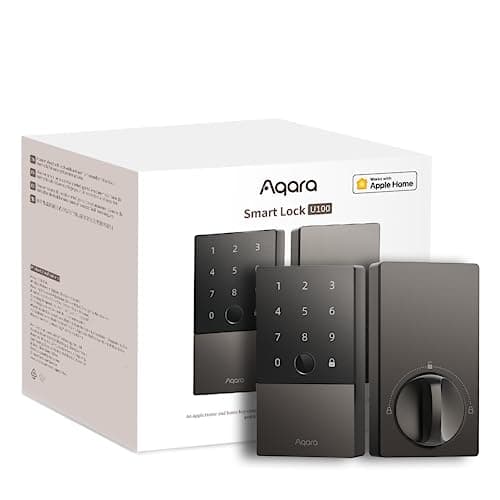
| Aqara Smart Lock U100 | Bluetooth to an Aqara Zigbee 3.0 hub | Aqara hub required | Fingerprint, keypad, key, Apple Home Key | Aqara Home app |
|---|
| SwitchBot Lock Ultra | Bluetooth to the bundled Hub Mini | Hub is in this bundle | Fingerprint, keypad, your existing key | SwitchBot app |
|---|
What Google is actually allowed to do with your lock
This is the part that disappoints people a week after the lock arrives, and it is identical across every brand on this page because the limit is Google's, not the lock's.
Locking is free. Unlocking is not. Ask Google to lock the front door and it locks. Ask it to unlock, and it asks for a spoken PIN first. Yale's own documentation puts it in one line — Google Home will prompt you for your security PIN code — and the same gate appears in the Google Assistant instructions published by Kwikset, Wyze, Tedee, Nuki and Bold. Nuki describes it as two-factor authentication and says that unlocking and opening the door only works with it. The PIN is set in the manufacturer app, not in Google Home, and some brands disable voice unlock entirely after a couple of wrong answers.
That gate is sensible. A voice command is audible through a door and a window, and a lock that opened on anything a stranger could shout on your porch would be a worse lock. It is worth knowing before you buy, though, because “unlock the door with your voice” is on a lot of boxes and what you really get is “unlock the door with your voice and then say six digits out loud.”
Codes, schedules and guests stay in the manufacturer app. On every lock here, creating a keypad code for a dog walker, giving it a window, and revoking it later happens in the Ultraloq, Schlage, eufy, Kwikset, Aqara or SwitchBot app. Google Home shows you lock state and takes lock and unlock commands; it is not where you administer access. Our guide to smart lock guest codes and access is about the app you will actually be living in, and it matters more day to day than the voice assistant does.
Automations are where the real value is. Voice is the demo. The feature worth buying for is a lock whose state Google can read, so that “everybody has left and the bolt is not thrown” becomes a notification instead of a 3pm thought on a train. Yale now also surfaces Nest Doorbell activity next to the lock in Google Home, so a visitor at the door and the ability to let them in sit in the same view — and that integration is the one genuinely new reason to prefer Google's app over the manufacturer's.
Wi-Fi in the lock is the right default, and here is the catch
Four of the six picks put the radio inside the lock. For a Google household that is almost always the right answer: there is nothing extra to buy, the lock works with a cheap Nest Mini just as well as with a hub, and the setup is one app and one account link.
The catch is arithmetic. A Wi-Fi radio that has to stay associated with an access point draws far more than a Bluetooth or Thread radio that wakes on demand, and in a lock the battery is four AA cells. eufy publishes up to eight months on the C220; a Thread lock in the same body would be measured in years. We work the numbers properly in how long smart lock batteries actually last, and the short version is that convenience here is paid for in cells. If your door is in a weak Wi-Fi corner of the house, that cost rises sharply, because a radio that keeps retrying is a radio that keeps drawing.
The second catch is that the manufacturer's cloud sits in the path. When Google unlocks a Wi-Fi lock, the command goes to Google, to the lock vendor, to the lock. Three services have to be up. That is not a reason to avoid the route — it is the route almost everyone should take — but it is the reason the Matter picks exist, and it is why every lock on this page keeps a keypad, a fingerprint reader or a key. Whether a smart lock needs Wi-Fi at all is a separate question with a more interesting answer than you would expect.
The Matter route, and when it is worth the hub
Matter over Thread is the better engineering. Control is local, the lock is not dependent on a vendor cloud staying in business, and battery life is in a different class. It is also the route with a hardware prerequisite, and that prerequisite is the whole decision.
Google Home needs a Matter hub with a Thread border router built into it before a Thread lock can be reached from outside the house. Yale, launching a lock designed around exactly this, states the requirement and names the Google TV Streamer (4K) and the second-generation Nest Hub. The lock itself is certified at Matter specification 1.4 with Thread and Bluetooth as its transports — no Wi-Fi at all — which is why the hub is not optional.
So: if a Nest Hub or a Google TV Streamer is already on your TV stand, Matter is the better buy and the Matter lock rankings are the page to read. If it is not, you are buying a lock plus a hub to get a result a Wi-Fi lock gives you for nothing, and the Wi-Fi lock is the honest recommendation. The protocol background, if you want to know why Thread behaves this way and Wi-Fi does not, is in Z-Wave against Zigbee against Matter.
The Aqara U100 is the hedge in both directions. Aqara is explicit that the lock is a Bluetooth device out of the box and that an Aqara Zigbee 3.0 hub is required for Google Home, Alexa and automations, with a Matter-capable Aqara hub and a Matter controller needed for the Matter path. Buy the lock alone and it is excellent at the door and unreachable from work. Buy it with a hub and it serves a Google household and an Apple household at the same time, which is a real advantage in a house that contains both. It is also the cheapest route on this page to Apple Home Key, covered properly in the Apple Home Key rankings.
How we ranked them
In order: whether Google works without additional hardware; whether the manufacturer documents the Google integration on its own site rather than leaving it to a retail listing; how many ways the door opens when the network is down; and what the running cost is once batteries are counted. Scores on the cards are compiled from published specifications and standards, not from bench measurements — our methodology sets out exactly what that means and what we refuse to claim.
Two deliberate consequences of that order. The Schlage Encode Plus is the best-built lock on the page and ranks second, because the thing it is marketed for is Apple Home Key and you have to go to Schlage's compatibility pages, not the box, to confirm Google. And the SwitchBot ranks last while being the only pick a renter can use, because it needs the most hardware in the path — which is the correct ranking for the query and the wrong one for a tenant. If your door is not yours to drill, the no-drilling rankings are the page written for you.
If you are choosing an ecosystem, not a lock
A fair number of people arrive at this question from the other end: they have not committed to Google yet and want to know whether locks are a reason to. They are not a strong one. The lock experience is similar across Google, Alexa and Apple Home, the PIN gate on voice unlock exists on all three, and in every case the manufacturer app remains where access is administered. Cameras, sensors and hubs differentiate the platforms far more than locks do, which is the argument of the best smart home ecosystem for security. If you are already in Google, buy a lock that fits your door. If you are already in Amazon, the Alexa rankings reach a different conclusion for a reason, and if you run your own automation stack, the Home Assistant lock rankings are the honest place to start.
How to choose
Four questions, in this order, and the first one eliminates most of the field for most people.
1. Do you already own a Google Matter hub? A second-generation Nest Hub or a Google TV Streamer in the house makes Matter over Thread the better buy: local control, no vendor cloud in the command path, and years rather than months between battery changes. No such device, and the honest answer is a Wi-Fi lock, because buying a hub to support a lock is paying twice for a result the Wi-Fi lock delivers on its own.
2. Will the lock fit the door? This disqualifies more purchases than every software consideration put together, and no ecosystem badge survives a lock that will not mount. Backset, bore and door thickness decide it, and five of these six replace the deadbolt entirely. Work through will a smart lock fit my door before you order anything.
3. Who has to get in without a phone? A cleaner, a child, a contractor, a neighbor feeding the cat. Every lock here has a keypad and four of them read a fingerprint, which is the entry method that actually gets used once the novelty of the app wears off. The locks on this page are ranked for Google; they are chosen for the household.
4. What does it cost to keep running? Nothing on this page requires a subscription for locking, unlocking, codes, schedules, alerts or remote access, and we check that before a lock goes on a list — the full picture is in do smart locks need a subscription. The real recurring cost is cells, and a Wi-Fi lock on a weak access point is the most expensive version of that cost.
What decides the price
Three things, and voice assistant support is not one of them — it is free on everything here. What you pay for is the hardware grade (a published ANSI/BHMA certification and a heavier casting cost money, and what those grades actually mean is less obvious than the number suggests), the number of ways the door opens (a fingerprint reader is a real sensor and it is the single biggest line item between a budget lock and a mid-range one), and the radio (Wi-Fi inside the lock costs more to build than Bluetooth and is why a Bluetooth lock plus a hub sometimes totals less than a Wi-Fi lock alone).
Prices move constantly in this category and we publish only live figures from the retailer, with the time they were checked, next to each pick. There is no number anywhere in this prose for exactly that reason.
The mistake buyers make
Buying for the voice command. Unlocking a door by voice is the feature people shop for and the feature they stop using within a month, because the PIN gate makes it slower than a fingerprint and a keypad is faster than both. The features that still matter in year two are duller: whether the bolt throws cleanly every time, whether the app tells you the door is open rather than just unlocked, how long the cells last, and whether you can hand a code to a stranger and take it away again on Sunday night.
The second mistake is assuming Google Home is one thing. A Nest Mini is a voice endpoint; a Nest Hub is a voice endpoint and, in the second generation, a Matter hub with a Thread border router. Both say Google Home on the box. Only one of them lets a Thread lock talk to anything. If you are planning a Matter house around a speaker, check what the speaker is before you buy the lock — Matter for home security, explained is the briefing, and the Aqara U100 against the U-Bolt Pro is the head-to-head between this page's two routes. The rest of the category is on the smart locks hub.