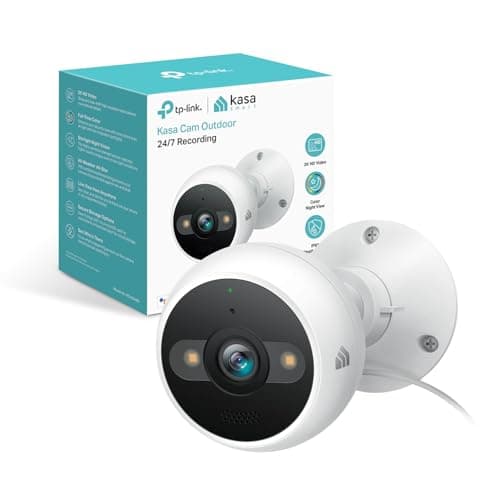
The best security camera under $100 for most houses is the Kasa 2K+ Outdoor Wired Camera (KC420WS): continuous recording to a card you own, outdoor rated, siren included, no monthly fee. Everything below is the reasoning, including the two situations where a different camera on this page is the better buy.
A hundred dollars is a strange ceiling in this category, because it is the point where the hardware stops being the variable. Every camera on this page shoots 2K or better. Every one of them does color night vision, two-way audio and some form of person detection. If you ranked them on their specification sheets you would be splitting hairs over a few hundred pixels and thirty degrees of field of view, and you would end up recommending the wrong one.
What actually differs under $100 is the business model, and the ceiling makes it visible. There is not much margin in a cheap camera, so the money has to come from somewhere. Five of the seven cameras here take it from the box and leave you alone afterward: a card slot, a local recording mode, and no account tier. One of them takes it from the network instead — it is a component that assumes you have a recorder. And one takes it from you every month, because without the plan the recorded video is not saved anywhere. Same price band, three completely different purchases.
About the ceiling. Every camera on this page came in under $100 on Amazon when the page was written, checked through the Amazon API rather than read off a retailer listing. The cards above pull today's live price and are stamped November 20, 2026. Two of these sit close enough to the line that a restock or the end of a promotion can push one over it, and one of them — the Reolink — was a single cent under. Read the card, not the headline. We would rather tell you the cap is a moving target than pretend a number from last week is still true.
The best security cameras under $100, compared
The columns below are the five facts that decide this purchase at this price. The first two are the ones most cheap-camera lists skip, and they are the only two that still matter in three years.
Compiled from TP-Link Kasa, Reolink, TP-Link Tapo, Aqara, Amcrest, Wyze and Arlo product and support documentation, November 2026. Prices on the cards above are pulled live and dated November 20, 2026; no price appears in this table.| Model | Local storage | Plan needed to save video | Recording mode | Power | Open stream (RTSP / ONVIF) |
|---|
| Kasa 2K+ Outdoor (KC420WS) | microSD (not included) | No | Continuous 24/7 or events | Mains | No |
|---|
| Reolink Argus PT Ultra | microSD (not included) | No | Events only | Battery + solar | Not on battery models |
|---|
| Tapo C120 | microSD (not included) | No | Continuous 24/7 or events | Mains | Yes |
|---|
| Aqara Camera G100 | microSD to 512GB, plus NAS | No | Continuous or events | USB 5V | Yes |
|---|
| Amcrest IP5M-B1276EB-AI | microSD to 256GB, plus any NVR | No | Continuous or events, via recorder | PoE | Yes, documented |
|---|
| Wyze Cam v4 | microSD (not included) | No, for local | Continuous or events | Mains | No |
|---|
| Arlo Pro 5S | Only with an Arlo base station | Yes, Arlo Secure | Events only | Rechargeable battery | No |
|---|
Read that table from the left and the ranking writes itself. The question is not which camera has the most pixels; it is which camera is finished when you take it out of the box. Five of these are. One expects a recorder. One expects a card number.
1. Kasa 2K+ Outdoor Wired Camera — the best camera under $100
The Kasa KC420WS wins because it is the cheapest camera on this page that does the whole job outdoors without an asterisk. 2K+ resolution, starlight color night vision so you get color at night without a floodlight burning at the neighbors, an onboard siren so you have a response rather than only a recording, and continuous recording to a local card with no subscription. It is a mains camera, which is the whole of its limitation and also the reason it can record all day instead of waking on motion.
That continuous-recording point is worth sitting with, because it is the single biggest functional gap in this price band and almost nobody mentions it. A battery camera cannot record continuously — no battery camera can, whatever the listing says, because the radio and the sensor would flatten the cell in hours. It records events: motion starts, camera wakes, clip saved. That is fine for a porch and a serious problem for anything where you might need to answer the question “what happened at 3am” when nothing tripped the detector. If continuous footage matters, you need a wired camera, and under $100 that means this one, the Tapo or the Amcrest.
Honest cons: the mains cable has to reach the mounting point, which for a soffit position is a real job rather than a detail, and the person detection is basic next to the on-device AI in cameras two and three times the price. Skip it entirely if you need a battery camera — there is no battery variant and no PoE option, so it is wired or nothing.
2. Reolink Argus PT Ultra — the most camera the cap allows
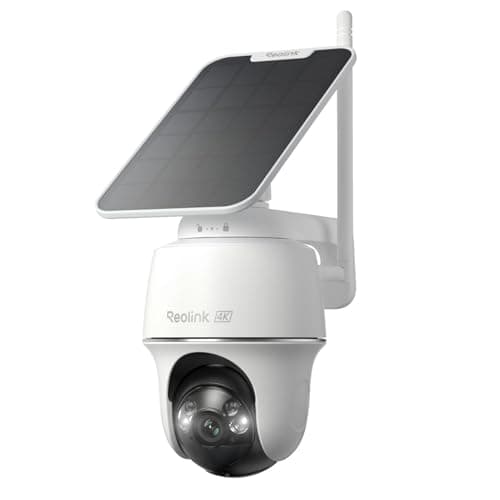
If there is no socket where the camera needs to go, this is the answer, and it is a genuinely surprising one for the money: 4K, pan and tilt across a full circle, solar charging, a card slot, and no account required to record. Reolink's habit of not charging for basic functionality is the reason it keeps appearing on this site, and at a penny under the ceiling it is the most capable camera a $100 cap can reach.
Two honest cons. It is events-only, as every battery camera is, so the continuous timeline the Kasa gives you is simply not available here. And the app is behind eufy's and Ring's in polish — it does the job, it is not a pleasure. Reolink also does not extend RTSP and ONVIF to its battery line the way it does to its wired cameras, so if the plan was to pull this into Home Assistant or Frigate, check Reolink's own support list first rather than assuming. Skip it if you need 24/7 recording; skip it too if the mounting spot never gets direct sun, because the solar panel is the whole power strategy.
This is the pick most likely to break the ceiling. It was $99.99 when this page was written. One promotion ending puts it over $100. If the card above shows a three-figure price with a one in front, the page has not changed its mind about the camera — it has just stopped being an under-$100 camera, and the Kasa above it is where you should be looking.
3. Tapo C120 — the budget pick
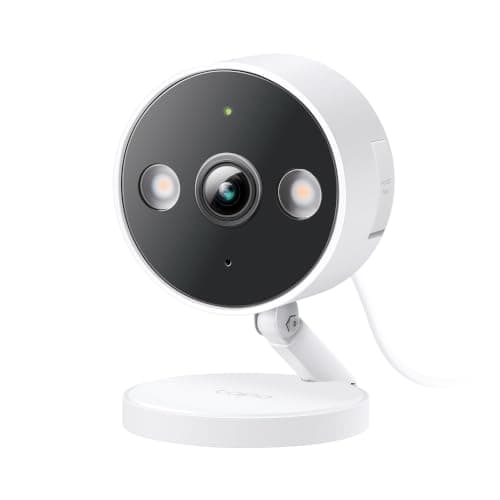
About a third of the ceiling, and it still does continuous 24/7 recording to a local card. That is the sentence that puts it third rather than seventh. It is rated for indoor or outdoor use, so one model covers the hallway and the side passage instead of two different purchases, and TP-Link exposes ONVIF and RTSP on its Tapo cameras, which makes it usable in a self-hosted setup rather than locked to an app.
Cons, stated plainly: it needs a socket within reach of the mount, and 2K rather than 4K means distant detail is limited — it will tell you a person walked up your path, it will not read a plate across the street. Skip it if there is no outdoor socket where you want it, because running an outdoor-rated supply to a soffit costs more than the camera does.
This is the pick for the reader who came here with a hundred dollars and three cameras worth of house. Three C120s and three cards still come in under the cap of one Arlo, and three mediocre angles beat one excellent angle more often than the review sites admit.
4. Aqara Camera G100 — the Apple Home one that still records locally
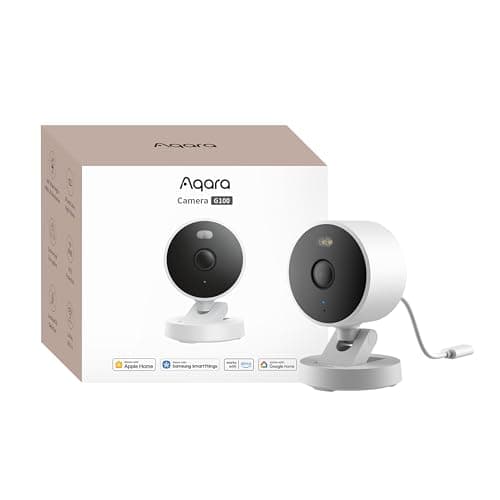
HomeKit cameras usually come with a tax: full integration in the Apple Home app, and an iCloud+ plan to keep any of the footage. The G100 is the unusual one. It is a full HomeKit Secure Video camera and a full local recorder, writing to a microSD card up to 512GB or backing up to a NAS, whether or not you ever open a plan. Person detection runs on the device, so the useful half of the AI costs nothing. It is IP65 rated, so the same unit covers a hallway or a porch.
The cons are specific. It is 2.4GHz Wi-Fi only, so a far-corner mount depends on how far that band actually reaches in your house. Apple Home caps the stream at 1080p, which means the extra detail in the 2K sensor is visible only in Aqara's own app, in an RTSP client, or on the card. And it is powered over a 5V USB lead, so an outdoor position needs a cable route and a weatherproof supply.
One trap to avoid, because the family naming invites it: the G100 is not a Thread border router and not a Zigbee hub. If you were buying one box to also bring a set of Aqara door sensors online, this is not that box — that is the G5 Pro's job, and we cover what each Aqara hub actually does in the no-hub sensor rankings.
5. Amcrest IP5M-B1276EB-AI — if you already have a recorder
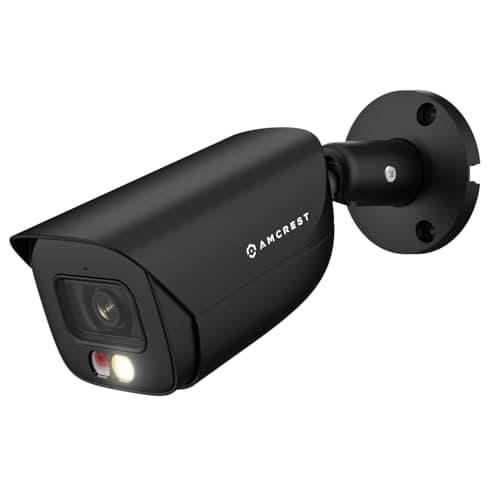
This is the cheapest way into a properly open camera, and it is on this page for exactly one reader: the person who already has an NVR, a Home Assistant box or a Frigate install and wants another angle on it. Amcrest publishes its RTSP URL format and its ONVIF conformance openly, which turns adding the camera into a copy-paste rather than a forum hunt. Human and vehicle detection plus tripwire and intrusion zones run on the camera itself, so your recorder filters real events instead of every moving leaf, and the onboard microSD up to 256GB keeps recording even if the network or the recorder goes down.
Cons: 5MP, where the rest of this group has moved to 8MP and 4K, and night vision that reaches about 49 feet by Amcrest's own figure — enough for a porch or a driveway apron, short for a long garden. It also needs an Ethernet run, which is a weekend rather than an afternoon if the cable is not already there.
Skip it if you want to buy one camera and be done in ten minutes. This is a component, not an appliance: it expects you to have somewhere to send the stream, and on its own it is far less pleasant to live with than the Tapo or the Kasa. The wider wired field is ranked in our PoE camera rankings, and the recorder side of the decision is in IP camera versus NVR.
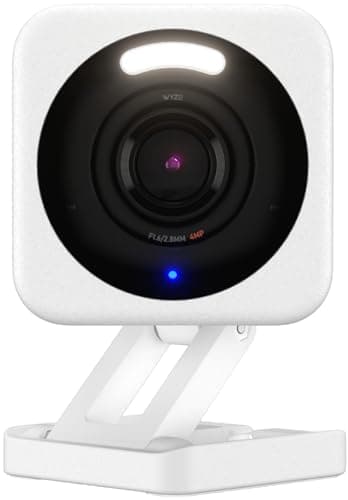
6. Wyze Cam v4 — cheapest competent, with a caveat you should read
Nothing else at this price records 2.5K to a local card, and for a garage, a shed or a driveway where the stakes are low it is an easy recommendation. The third-party firmware and integration community around Wyze is unusually active, which extends the useful life of the hardware.
The caveat is not a rumor and we are not going to bury it: Wyze has had publicly disclosed security incidents. That is a fact to weigh, not a reason to panic, and where you weigh it depends entirely on where the camera points. For a driveway, it is a yes. For a bedroom or a nursery, buy something else on this page. Many of the smarter detection features also sit behind Cam Plus, so the free product is a local-recording camera with basic motion alerts.
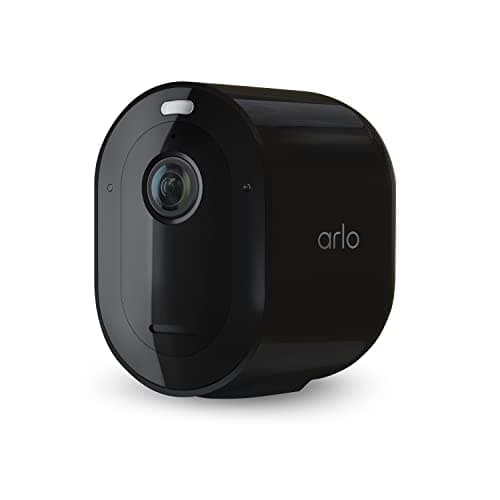
7. Arlo Pro 5S — the best sensor here, and the reason the ceiling matters
The Arlo Pro 5S is, by hardware, the best camera on this page. 2K HDR with a real spotlight, 12x zoom, color night vision, dual-band Wi-Fi that avoids the 2.4GHz congestion every other camera here is stuck in, a siren and two-way audio. It falls under $100 at current pricing, which is why it is listed.
It is ranked last because of what happens after the purchase. Arlo Secure is not an optional extra on this camera: without it you lose recorded video, and local storage requires an Arlo base station that is a separate purchase and a shrinking part of Arlo's line. The kit includes a one-month trial, which is the part that makes this a price-ceiling problem rather than a hardware one — the camera is under $100 and the product is not. It is also the previous generation; Arlo's Pro (6th Gen) keeps the 2K HDR and charges over USB-C, running about 15% longer per charge on Arlo's own figure.
Skip it if you are buying to escape a monthly bill, which for most readers of this site is the entire point. If you like the hardware and not the arrangement, the honest route is our Arlo alternatives page, and the arithmetic on what the plan costs over five years is in our subscription cost comparison.
What a hundred dollars does not buy
Three things, and knowing them up front stops a disappointed return.
It does not buy a long-range camera. Night vision under $100 reaches somewhere between 30 and 50 feet. A camera that genuinely identifies a face at the end of a long driveway needs either optical zoom or a shorter distance, and both cost more. If the driveway is the problem, read the driveway camera rankings before you buy on price.
It does not buy continuous recording on battery. Stated again because it is the most common mismatch between what a buyer expects and what arrives. Under $100 you can have continuous footage or you can have no wire. Not both.
It does not buy a system. One camera is one angle. A house usually needs three, and the cheap route to three is three wired cameras and a card each, not one expensive camera with a plan. If you are planning coverage rather than buying a single camera, our camera system rankings start from the recorder instead, and how many cameras you actually need does the arithmetic.
How we ranked these
Products we claim to have tested: 0. Every list in this category says it tested a dozen cameras on a real porch. We have not tested any of these, and we say so. What we do instead is read the manufacturer's own specification and support documentation, write down the facts that decide the purchase — where the recording goes, what the plan is for, what the power requires — and rank on those with the sources published at the bottom of the page. Where a maker does not publish a figure, we say it is unpublished rather than estimating it. The full rubric is on our methodology page, and the price on every card comes from the Amazon API with a date stamp attached, never from memory.
How to choose a security camera under $100
Answer two questions in order and the list above collapses to one camera.
Is there a socket where the camera has to go? If yes, buy a wired camera and take the continuous recording: Kasa outdoors, Tapo indoors or out, Amcrest if you have a recorder. If no, you are in battery territory, which means the Reolink Argus PT Ultra and events-only recording. This one question matters more than every specification on the page, and it is the question buyers answer last.
Do you want to own the footage or rent it? Six of these seven put the footage on a card in the camera. One of them puts it in an account. Both are legitimate purchases, but only one of them is finished at the checkout. If you are not sure which camp you are in, the five-year arithmetic in our subscription cost comparison will decide it for you faster than any feature list.
What actually decides the price
Three components, in descending order of cost. Power design is first: a battery, a charge circuit and a solar panel add real money to the bill of materials, which is why a wired camera at the same price has a better sensor than a battery one. The sensor and the lens come second, and the gap between 2K and 4K under $100 is smaller than the marketing implies because the cheap 4K cameras are using compression to get there. The radio is third and almost invisible: dual-band Wi-Fi costs more than 2.4GHz-only, which is why nearly everything in this band is 2.4GHz and why a far-corner mount is a coverage question before it is a camera question.
What does not decide the price, and should: storage. A card slot costs a manufacturer almost nothing. Its absence on a camera at this price is not a cost decision, it is a revenue decision, and that is the whole reason the second column of our table exists.
The mistake buyers make at this price
Buying the camera with the best listed specification. Under $100 the specifications are close enough that the differences are marketing, and the real variance is in the things the listing does not put in the title: whether a card slot exists, whether the recording mode you want is free, whether the camera needs a second device to function at all. The Arlo at the bottom of this page has the best numbers of the seven and will cost you the most over three years. The Kasa at the top has unremarkable numbers and will cost you nothing after the card.
The second mistake is forgetting the card. Every camera here that records locally ships without one. A 128GB card is a few dollars and it is the entire storage strategy on five of these seven — budget for it as part of the purchase, not as an afterthought, and buy a card rated for continuous video rather than the cheapest one in the drawer. Our local storage camera rankings go further into how much card you need for a given number of days.
If the budget can stretch
Be honest about what the next band buys. Between $100 and $150 you get battery cameras with better sensors and, more usefully, dual-band Wi-Fi and genuinely good on-device detection. That is the band our budget camera rankings cover without a ceiling, and two of its picks sit just above the line this page draws. If the extra fifty dollars exists, it is well spent on a battery camera; if it does not, the Kasa at the top of this page is not a compromise, it is simply a wired camera.